


Automated appointment reminders reduce no-shows by 50% on average, and SMS reminders are opened at a 98% rate and read within 5 minutes by 80% of recipients, which is exactly why appointment reminder software has become part of the operating system for modern scheduling workflows (industry roundup). The message is simple. If your customers see the reminder, they're far more likely to show up.
The core buying decision isn't whether reminders matter. It's whether you want a standalone reminder tool that does one job well, or an integrated platform that turns booking, follow-up, payments, reviews, and reactivation into one system. That choice changes how much admin work your team absorbs, how many tools you have to connect, and how quickly a lead moves from booked to paid.
Dedicated reminder tools are still excellent for teams that already like their scheduler. Integrated platforms are better when the reminder is just one step in a larger client journey. If you own a service business, a clinic, an agency, or a multi-location operation, the difference between those two models can affect both your no-show rate and your revenue flow.
Table of Contents
- 1. HighLevel
- 2. Apptoto
- 3. Appointment Reminder
- 4. AppointmentReminders.com
- 5. Calendly
- 6. Squarespace Scheduling Acuity Scheduling
- 7. Setmore
- 8. SimplyBook.me
- 9. Square Appointments
- 10. Zoho Bookings
- Top 10 Appointment Reminder Software Comparison
- From Reminders to Revenue Choosing Your System
1. HighLevel
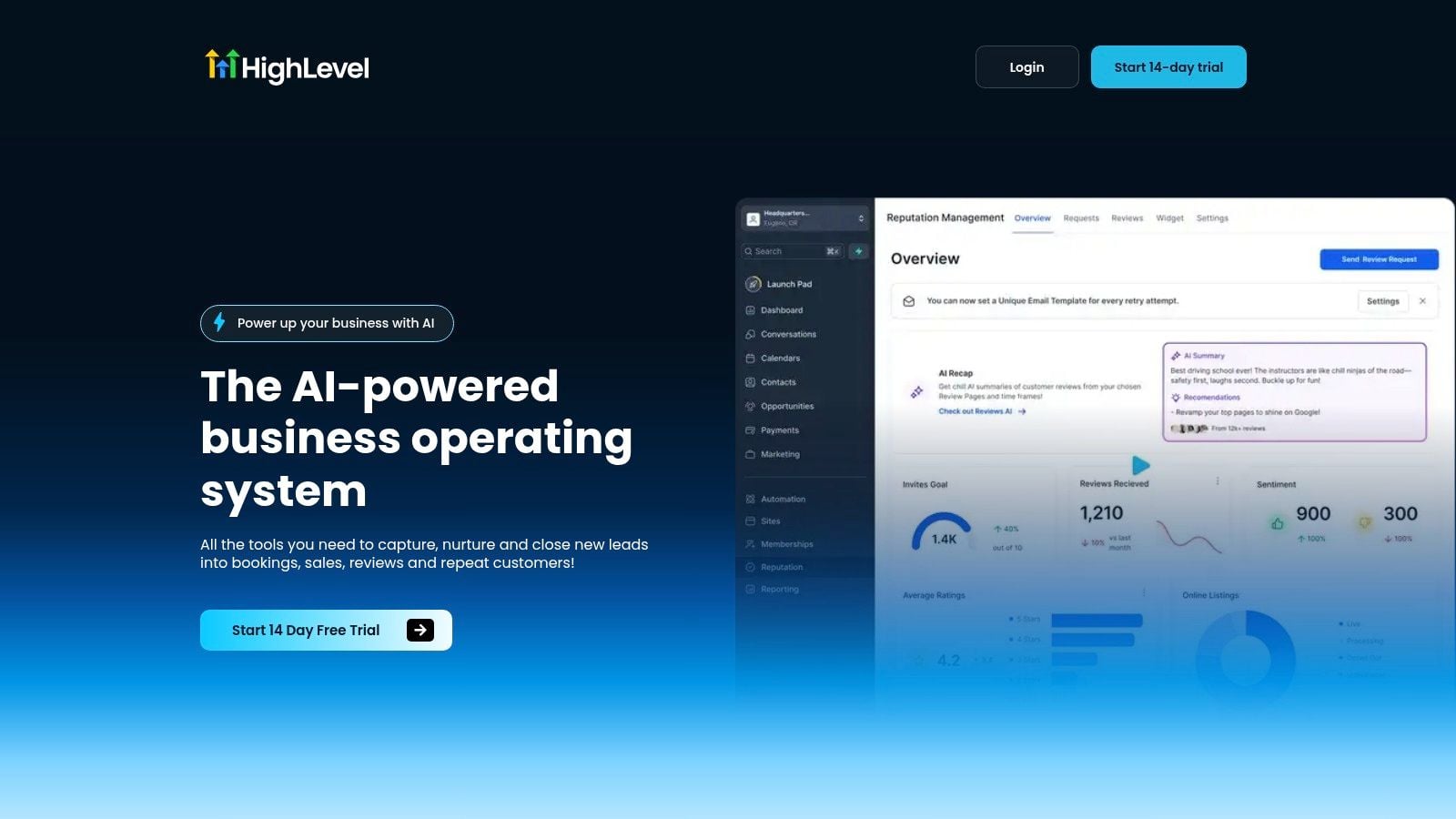
HighLevel makes sense when you don't want a reminder app, you want a business operating system. It combines CRM, bookings, unified conversations, automation, payments, reputation management, and AI in one mobile-first workspace, so appointment reminders aren't isolated from the rest of the client lifecycle. The platform's own appointment workflows support reminders through email, in-app, SMS, and WhatsApp and use workflow triggers such as Customer Booked Appointment to push contacts into follow-up sequences.
Why integrated wins for growing teams
The main advantage is not just sending reminders. It's eliminating the handoffs that usually break after a booking gets made. HighLevel centralizes incoming messages from SMS, Messenger, Instagram DM, WhatsApp, and live chat, then lets you automate the next step through a visual workflow builder, paid calendars, invoices, and payment links. That's a very different posture from a tool that only nudges someone before the meeting.
For agencies and multi-location operators, the Unlimited plan adds unlimited sub-accounts, while published plans include unlimited contacts and rebill phone and email with no markup. If your business model depends on managing multiple brands or client accounts, that matters more than a single reminder feature ever will. For a deeper pricing breakdown, see this GoHighLevel cost analysis 2026.
Practical rule: If your reminder workflow touches booking, payments, reviews, and reactivation, a single-purpose tool usually becomes the bottleneck.
Where HighLevel is strongest, and where it isn't
HighLevel is a strong fit for digital agencies, local service businesses, coaches, course creators, and franchises that want reminders tied to lead capture and follow-up. It also fits teams that need a more complete conversion stack, because the same workspace handles paid calendars, Text-2-Pay, Tap-2-Pay, one-click upsells, invoices, review requests, and automated nurture.
The trade-off is complexity. New users often need time to map their workflows, and very small businesses may not need this much surface area. Starter is listed at $97/month, while Unlimited is $297/month. That jump is worth it when you need agency-grade structure and deeper automation, but it's overkill if you only want a basic reminder sequence.
What to buy it for
- One operating system: One login for booking, follow-up, payments, and reputation.
- AI-assisted follow-up: Conversation AI, voice, and content tools speed response work.
- Agency-ready setup: Built for client accounts, reporting, and resellable services.
- Revenue workflow: Booking and payment live closer together, which shortens time to cash.
If your business is moving toward automation as a core process, HighLevel is less a reminder tool and more the control center around it. Visit the HighLevel website to see how it handles the rest of the client journey, not just the reminder itself.
2. Apptoto
Apptoto is the kind of tool you choose when reminder depth matters more than marketing extras. It focuses on automated SMS, email, and voice reminders, and it plugs into existing calendars and CRMs such as Google, Outlook, and Salesforce. That makes it especially useful for teams that already have bookings flowing through other systems and just need a stronger reminder layer.
Strong on sequencing and reply handling
Apptoto's strength is in the reminder sequence itself. It supports two-way messaging, confirmations, and workflows that can account for live answers versus voicemail. That's useful in high-no-show environments where one reminder isn't enough, and where the follow-up needs to change based on how the person responds. The platform also includes online booking pages and payments, so it isn't limited to reminders alone.
For teams in legal, healthcare, finance, and service businesses, this kind of sequencing is practical. A simple “your appointment is tomorrow” message is fine for low-friction bookings, but it's weak when the staff member needs to know whether the person confirmed, needs to reschedule, or hasn't responded at all. Apptoto is built for that middle layer of communication.
The trade-off is forecasting usage
Its biggest drawback is the pricing model. Usage-based message credits can be efficient, but they also require you to forecast volume, especially if your schedule swings by season or campaign. Voice features and AI text-to-speech add another layer of setup, which can feel unnecessary if your only goal is a simple text reminder.
Apptoto works best when you already know that reminder quality is the problem, not booking infrastructure.
If your team runs high-volume reminders across multiple calendars and needs reliable confirm, cancel, and reschedule flows, it's a solid specialist. If you want a CRM, funnels, reputation management, and payments all in the same environment, it won't replace a broader platform like HighLevel.
Website: Apptoto appointment reminders
3. Appointment Reminder
Appointment Reminder is aimed at teams that need a straightforward, compliance-aware workflow instead of a sprawling sales stack. It supports SMS, email, and voice reminders, plus two-way replies like “C to confirm” and “R to reschedule.” It also works with a built-in calendar or connects to Google and Outlook, which keeps setup simple for covered entities and service businesses.
Built for clarity, not bloat
The appeal here is packaging. You get reminders, custom templates, multi-event timing such as messages before the appointment, and online booking without having to stitch together a bunch of extra tools. For healthcare-related workflows, the platform's HIPAA/BAA availability on paid plans is a major reason to look at it. That doesn't make compliance automatic, but it does make the vendor side of the process clearer.
This is the sort of tool that works well when the office manager wants to connect a calendar, choose reminder timing, and move on. It's not trying to be a campaign manager, a funnel builder, or a reputation platform. For some businesses, that's exactly the point.
Where it starts to pinch
The main downside is budgeting at the message level. SMS is counted by 160-character segments, which can complicate forecasting if your copy gets longer or you send frequent updates. It also has fewer marketing and CRM extras than broader suites, so teams wanting nurture campaigns or lead-reactivation logic will outgrow it faster.
If your compliance needs are real and your workflow is simple, narrow software usually beats a “platform” that does too much and explains too little.
That makes Appointment Reminder a good fit for clinics, therapy practices, and other organizations where the reminder process needs to be clean, documented, and easy to train. If you're trying to choose a wider CRM-driven stack at the same time, this guide to the right AI CRM system is a useful companion read.
Website: Appointment Reminder pricing
4. AppointmentReminders.com
AppointmentReminders.com takes a very focused approach. It offers call, text, and email reminders, plus English and Spanish options, reporting, and HIPAA-compliant account options. That narrow scope is a strength if your main problem is missed appointments and your team doesn't want to rework the rest of the scheduling stack.
Simple to deploy, serious about reminders
This vendor is best understood as a reminder engine, not a full client management suite. If your organization already has a decent scheduling workflow, you can layer this in without bringing a new CRM, booking site, or marketing platform into the picture. That's attractive for healthcare and nonprofit environments where the buying decision often comes down to reliability and compliance rather than flashy features.
The reporting angle matters too. A service like this needs to show whether reminders are going out cleanly and whether the content or timing needs adjustment. That's especially true when the office staff has to justify volume purchases or compare the impact of reminder timing across appointment types.
Where it stays intentionally narrow
The trade-off is obvious. You're buying a reminder service, so you should expect fewer native scheduling tools and less integration depth than with broader platforms. That's not a flaw if reminders are the only problem you need to solve, but it's limiting if you also want intake, CRM, or payment workflows.
- Best for: Teams that want reliable reminders without changing their entire process.
- Best channel mix: Call, text, and email for simple confirmation flows.
- Best compliance angle: HIPAA-oriented accounts for organizations with privacy requirements.
- Main caution: Integration options may vary depending on your existing system.
If you're comparing it with a wider agency stack, this is the part where dedicated software feels lean and efficient. If your business is already thinking about follow-up, reactivation, and lead handling, it can start to feel like a partial solution. Website: AppointmentReminders.com pricing
5. Calendly
Calendly is one of the cleanest examples of a booking-first platform that still does reminders well. Its strength is the front end, self-scheduling, routing, and team availability. The reminder layer lives inside that same ecosystem, which makes it a natural fit for consultants, agencies, and sales teams that want smooth booking without a lot of operational setup.
Best when the booking experience matters most
Calendly's reminder workflow is tied to its paid plans and works through Workflows, which means you can automate confirmations and follow-ups instead of manually chasing each booking. It also supports team routing, round-robin assignment, and admin controls, which helps larger teams direct meetings to the right person without a messy handoff.
The advantage is ecosystem depth. Calendly integrates with Salesforce, HubSpot, Marketo, and payment processors, and it offers APIs and webhooks for custom logic. That makes it more than a booking link, especially for teams that want bookings to feed into their broader go-to-market process.
What to watch closely
SMS reminder usage needs attention. If your reminder volume is high, organizational limits and plan constraints can become a management issue. Calendly is excellent at making booking easy, but it can feel like too much platform if you only want reminders and nothing else.
If your team already uses it, that's a major reason to stay with it. If you're starting from scratch and want the scheduling step to be your main customer interaction, Calendly is a strong choice. If you want reminders to sit inside a larger operating system, then the comparison shifts toward integrated platforms like HighLevel or a CRM-centric stack.
Website: Calendly pricing
If you're also mapping out a broader stack, this agency tool stack guide helps connect scheduling with the rest of your software choices.
6. Squarespace Scheduling Acuity Scheduling
Squarespace Scheduling, still widely known as Acuity Scheduling, fits businesses that care about client experience as much as they care about calendar management. It combines reminders with intake forms, payments, staff notifications, and branded booking pages, so the whole process feels polished instead of pieced together.
A strong middle ground for service businesses
The reminder system itself is flexible. You can set automated email and SMS reminders on appropriate plans, customize timing, and include rescheduling links. That's useful for studios, coaches, therapists, and other service businesses where the booking page needs to match the brand and the intake process needs to gather more than a name and email.
The platform also handles client forms and payment collection, which means the appointment flow doesn't stop at the booking confirmation. In practice, that's often where a reminder tool becomes more valuable, because reminder messages work better when the booking itself already captured enough context.
Confirm the plan details before you commit
The biggest caution is plan dependency. SMS reminders are not universal across every tier, and the company has changed packaging over time. That means teams should verify what's currently included before assuming text reminders are available where they need them.
- Best for: Branded, client-facing service businesses.
- Strength: Customizable reminders paired with forms and payments.
- Watch-out: SMS access depends on tier and current packaging.
- Best use case: Businesses that want scheduling and client intake in one place.
If your business wants a clean client experience and doesn't need an all-in-one CRM, this is a strong, practical choice. If you also want marketing automation to push people through nurture and reactivation, that's where the broader platform discussion starts to matter. For agencies, this marketing automation guide is a helpful next read.
Website: Acuity Scheduling appointment reminders
7. Setmore
Setmore is a practical option for small teams that want booking and reminders without paying for a heavyweight system. It offers an approachable setup, mobile apps, booking buttons, and reminders that can reduce no-shows without turning administration into a second job.
Good default for low-friction service businesses
Setmore's reminder system covers confirmations, reschedule and cancel alerts, and SMS reminders on paid plans. That makes it a good fit for salons, tutors, personal trainers, and other businesses where appointments are frequent but not especially complex. It also connects with Stripe, Square, PayPal, Google, and Outlook, which keeps the operational stack simple.
The free tier is a real advantage for testing. If you're validating the workflow before paying for a bigger system, Setmore gives you a low-risk way to see whether reminders alone solve the no-show problem. For many small teams, that's enough.
Where it starts to feel limited
The trade-off is depth. Advanced SMS workflows and stronger branding controls usually live behind paid tiers. If you need complex automation, branching follow-ups, or CRM-driven reminders, Setmore can start to feel basic pretty quickly.
Setmore is best when the goal is to book more cleanly, not to redesign the whole customer journey.
That makes it a sensible choice for small businesses that want low overhead and solid fundamentals. If your business is moving toward multi-channel nurture, review requests, and paid follow-up sequences, an integrated system will usually age better.
Website: Setmore pricing
8. SimplyBook.me
SimplyBook.me stands out because it gives you a lot of control without forcing you into a one-size-fits-all booking flow. It includes email reminders by default, and you can add SMS and WhatsApp reminders through purchased credits. That makes it especially useful for multi-provider businesses, membership setups, classes, and services that need branded booking pages.
Flexible by design, but that flexibility has a cost
This platform works well when one appointment system has to handle many service types, locations, or booking rules. Its add-on structure is a plus for businesses that want to enable only what they need, because you can keep the interface focused rather than overloaded. That said, the same flexibility can make initial setup feel more complex than a simpler scheduling app.
The pricing model also means total cost depends on your message volume and the channels you choose. Email is easier to predict. SMS and WhatsApp require credit planning, which is fine if you're disciplined and frustrating if you aren't.
Best use case and buying caution
- Best for: Multi-provider businesses and branded booking experiences.
- Strong point: Configurable add-ons for classes, memberships, and industry-specific workflows.
- Reminder channels: Email included, SMS and WhatsApp via credits.
- Main caution: Credit-based messaging makes cost control your job.
SimplyBook.me is a solid middle path for businesses that need more than a basic reminder tool but don't want a full agency OS. If you care about tailoring the booking experience without rebuilding your whole stack, it's worth serious attention.
Website: SimplyBook.me pricing
9. Square Appointments
Square Appointments is the obvious pick when scheduling, reminders, and payments need to work together without friction. It's especially strong for salons, spas, and local services because the reminder flow sits next to deposits, no-show protection, and Square's POS ecosystem.
A payment-first reminder system
The platform supports automated email and SMS reminders and includes two-way texting through Square Assistant, which helps staff handle replies without jumping into another inbox. That matters when rescheduling, late changes, and deposit rules all need to stay connected to the appointment record.
The no-show protection is part of the value proposition. If a business can require a card on file or use a deposit structure, reminders become more effective because there's less friction between booking and commitment. That's especially useful for appointment-driven businesses where empty chairs are expensive.
Good fit, but the tiers matter
Square is strong, but the feature set can deepen into paid plans quickly. More customization, messaging, and analytics live in higher tiers, so businesses should check how much of the reminder and texting workflow they get at their current level. If you already use Square for payments, this is a very natural extension. If you don't, the ecosystem pull is less important.
If your agency is also building communication workflows, this missed call text back guide pairs well with the way Square handles appointment replies. The practical takeaway is simple, if text responses and payment links need to work together, Square does that better than most lightweight schedulers.
Website: Square Appointments pricing
10. Zoho Bookings
Zoho Bookings is the strongest choice for businesses already living inside the Zoho ecosystem. It offers booking pages, email reminders, and workflow automation that connects naturally to Zoho CRM, Zoho Flow, and the rest of the stack. If your operations already run through Zoho, this is a clean way to keep reminders tied to the rest of your data.
Best inside an existing CRM environment
The platform lets you set up multiple email reminder slots and customize timing, which is enough for many standard appointment flows. SMS reminders are possible through third-party gateways, which means the system stays flexible but also introduces another vendor into the mix. For teams already using Zoho CRM or Zoho One, that trade-off is often acceptable because the value is workflow continuity.
Zoho Bookings also supports two-way calendar sync and workflow triggers for bookings and cancellations. That makes it useful for sales teams or operations teams that want appointments to create actions instead of just notifications. The deeper your Zoho usage, the better this fits.
Where it feels less turnkey
The downside is admin complexity. If all you need is a simple reminder, Zoho can feel heavier than necessary. Native SMS depends on third-party setup, so the system isn't as plug-and-play as some specialized reminder apps.
Zoho Bookings is strongest when reminders are part of a broader CRM process, not a stand-alone task.
Website: Zoho Bookings
Top 10 Appointment Reminder Software Comparison
| Product | Key Capabilities | UX & Reliability (★) | Pricing / Value (💰) | Ideal For (👥) | Standout (✨) |
|---|---|---|---|---|---|
| HighLevel 🏆 | All‑in‑one CRM + unified inbox (SMS/IG/WhatsApp), funnels, automations, payments, reputation, mobile app | ★★★★★ | 💰 Starter $97/mo · Unlimited $297/mo · 14‑day trial | 👥 Agencies, SMBs, coaches, franchises | ✨ Native AI across messaging/voice/reviews, unlimited contacts, agency sub‑accounts, Text‑2‑Pay |
| Apptoto | Multi‑channel reminders (SMS/email/voice), two‑way messaging, calendar & CRM sync | ★★★★ | 💰 Usage‑based message credits (forecast needed) | 👥 High‑volume clinics, legal, finance, services | ✨ Voicemail detection + tailored voice scripts |
| Appointment Reminder | SMS/email/voice reminders, templates, calendar sync, HIPAA/BAA support | ★★★★ | 💰 Tiered volume pricing; clear bundles | 👥 Healthcare & covered entities | ✨ HIPAA workflows and easy setup |
| AppointmentReminders.com | Call, text, email reminders; reporting; HIPAA accounts | ★★★★ | 💰 Volume‑based pricing; nonprofit discounts | 👥 Healthcare, large practices, nonprofits | ✨ Deliverability, compliance & reporting focus |
| Calendly | Scheduling, team routing (round‑robin), reminders, integrations, payments | ★★★★★ | 💰 Freemium → paid tiers; optional SMS credits | 👥 Agencies, sales teams, consultants | ✨ Mature ecosystem, routing & API/webhook support |
| Squarespace Scheduling (Acuity) | Scheduling, intake forms, payments, automated reminders, branded pages | ★★★★ | 💰 Tiered plans; SMS on higher tiers | 👥 Service providers, studios, creatives | ✨ Branded booking + client intake workflows |
| Setmore | Booking pages, confirmations/reschedules, SMS reminders, social booking | ★★★ | 💰 Free tier; paid plans for advanced SMS/features | 👥 Solopreneurs, small teams | ✨ Generous free plan & strong mobile/social buttons |
| SimplyBook.me | Booking, email reminders, SMS/WhatsApp via credits, classes/memberships | ★★★★ | 💰 Booking‑volume pricing + SMS credits | 👥 Multi‑provider businesses, studios, classes | ✨ Extensive add‑ons and membership/event features |
| Square Appointments | Scheduling + Square POS/payments, automated reminders, two‑way texting | ★★★★ | 💰 Integrated Square fees; tiered by business size | 👥 Salons, spas, local services | ✨ Tight payments, deposits & no‑show protection |
| Zoho Bookings | Booking pages, email reminders, workflows, deep Zoho CRM integration | ★★★ | 💰 Free plan; paid tiers; SMS via 3rd‑party gateway | 👥 Zoho users, businesses needing CRM ties | ✨ Native integration across Zoho stack |
From Reminders to Revenue Choosing Your System
The best appointment reminder software does more than send a message. It shapes whether a booked appointment turns into a kept appointment, whether staff spend their day following up manually, and whether your business treats scheduling as a silo or part of a larger revenue system. That's why the decision isn't “which tool has reminders,” it's “which system owns the client journey.”
If you already have a scheduler you trust, a dedicated reminder tool can be the cleanest move. Apptoto, Appointment Reminder, and AppointmentReminders.com make sense when your current booking process is fine and the problem is follow-through. Calendly, Squarespace Scheduling, Setmore, SimplyBook.me, Square Appointments, and Zoho Bookings are better when you want booking and reminders together, especially if you're fine with a narrower operational stack.
HighLevel sits in a different category. It's the right choice when reminders need to connect to booking, payment, nurture, review collection, and reactivation without stitching together multiple tools. For agencies and growth-focused businesses, that's not just a convenience choice, it's a way to reduce tool sprawl and keep the business logic in one place.
The practical test is simple. If your team wants fewer tools, faster follow-up, and a system that can grow past reminders into the rest of the client lifecycle, integrated software wins. If you only need a reliable nudge before an appointment, a specialist tool can be cheaper and easier to live with. Either way, the best decision is the one that matches how your business operates today, not the one with the flashiest feature list.
If you're ready to replace scattered tools with one system that handles reminders, follow-up, bookings, and payments together, HighLevel is built for that job. It gives you a single place to run appointment workflows, automate communication, and keep the whole client journey moving without extra software in the middle.
