


Most advice about AI CRMs starts in the wrong place. It asks which platform has the flashiest assistant, the most chatty summaries, or the longest feature list. That's the easy question, and it leads to bad buys, because the true test in 2026 is whether the system reduces operational complexity without turning your team into part-time admins.
That's why the best ai-powered crm platforms 2026 are not the ones with the loudest AI branding. They're the ones that keep records current, move leads forward, unify conversations, and fit the way agencies and SMBs work. If a CRM adds more tabs, more cleanup, and more training than it removes, it's not an upgrade, it's a tax.
Table of Contents
- Why Feature Lists Miss the Point in 2026
- Core AI Capabilities That Drive ROI
- Comparing Leading Platforms by Real-World Criteria
- Implementation Reality and Migration Timelines
- Concrete Use Cases Showing Unified AI in Action
- Vendor Selection Criteria for Your Business Type
- Making Your Decision and Next Steps
Why Feature Lists Miss the Point in 2026
Most CRM roundups still reward surface area. They line up lead scoring, AI summaries, forecasting, and automation, then declare the winner based on who checked the most boxes. That misses the shift described by Autobound's 2026 CRM review, where AI is no longer sold only as an add-on feature. It is being built into the core productivity stack, which changes the buying question completely.
The market is feature-saturated
Nearly every serious CRM now claims AI summaries, follow-ups, scoring, and workflow automation. Once those features become common, they stop being differentiators and start being table stakes. The platform that wins is usually the one that fits your operating model, not the one with the most impressive demo.
Practical rule: if two vendors can both draft emails and summarize meetings, choose based on deployment fit, not on the length of the AI feature page.
For agencies and SMBs, the core question is whether the CRM lowers total friction. A system that requires duplicate cleanup, custom field mapping, and constant admin work can erase the time savings from its AI layer. That is why the better CRM roundups keep drifting toward workflow fit and away from raw feature counts, because feature counts alone do not show how the system behaves once your team uses it daily.
Evaluate complexity reduction, not novelty
The better lens is simple. Will the CRM capture activity automatically, keep the pipeline honest, and cut down on context switching? The point is captured well in the HighLevel vs Kartra insights, where the divide is operational fit, not feature theater. Continuous data capture and action execution matter more than isolated scoring widgets because they reduce manual entry and shorten response time.
That is where a lot of vendors overpromise. A good AI CRM does not just suggest what a rep should do next, it removes the extra work that causes reps to ignore the suggestion. For agencies especially, that means one place for conversations, follow-up, and task execution, instead of a dozen disconnected tools pretending to be one system.
The internal question should be blunt, does this platform make my team faster, or just make the slide deck look smarter? If the answer is not obvious in a live workflow, move on.
Core AI Capabilities That Drive ROI
The AI features that matter in production are the ones that remove repetitive work or improve judgment where humans are weakest. Everything else is noise. In practice, that means continuous data capture, execution-focused automation, and AI that works across channels, not just inside one inbox.
Continuous capture beats manual logging
The strongest AI advantage in 2026 is simple. The CRM watches email, calls, calendar events, and messaging in the background, then updates records without forcing reps to live inside data-entry screens. The point is not a prettier contact record, it is fewer missed updates and less lag between what happened and what the team sees. If the CRM cannot keep the record current on its own, the AI layer becomes decoration.
That matters most for agencies and SMBs, where people wear too many hats. A rep who has to log every call and rewrite every note will not keep the system clean. A platform that captures interactions automatically earns adoption because it fits how teams work. That is the practical difference between a tool people tolerate and a tool they trust.
Execution matters more than suggestions
There is a real difference between AI that assists and AI that acts. Assisting means drafting a note or ranking a lead. Acting means sending a follow-up, updating a field, or moving a deal based on signals the system already saw. The 2026 AI CRM category is moving toward action execution because that is where the time savings show up in day-to-day operations.
AI that only suggests is useful. AI that executes cuts admin load.
Predictive lead scoring still matters, but only when it connects to workflow. A score sitting in a report does not change behavior. A score that triggers routing, reminders, or a sequence does. That is why the better systems tie forecasting to automation instead of treating them as separate modules.
Multi-channel support and content generation are support acts
Conversational AI, content generation, and call summaries are useful, but they are not the reason to buy a platform. They support the core workflow. Their value shows up when they sit inside one system and help the team respond faster without jumping between tools.
If your business relies on SMS, social DMs, calls, or email, the CRM has to treat those channels as one customer history, not separate silos. Adoption usually fails or succeeds here. Reps do not want to remember which app holds the last touch. They want the system to already know.
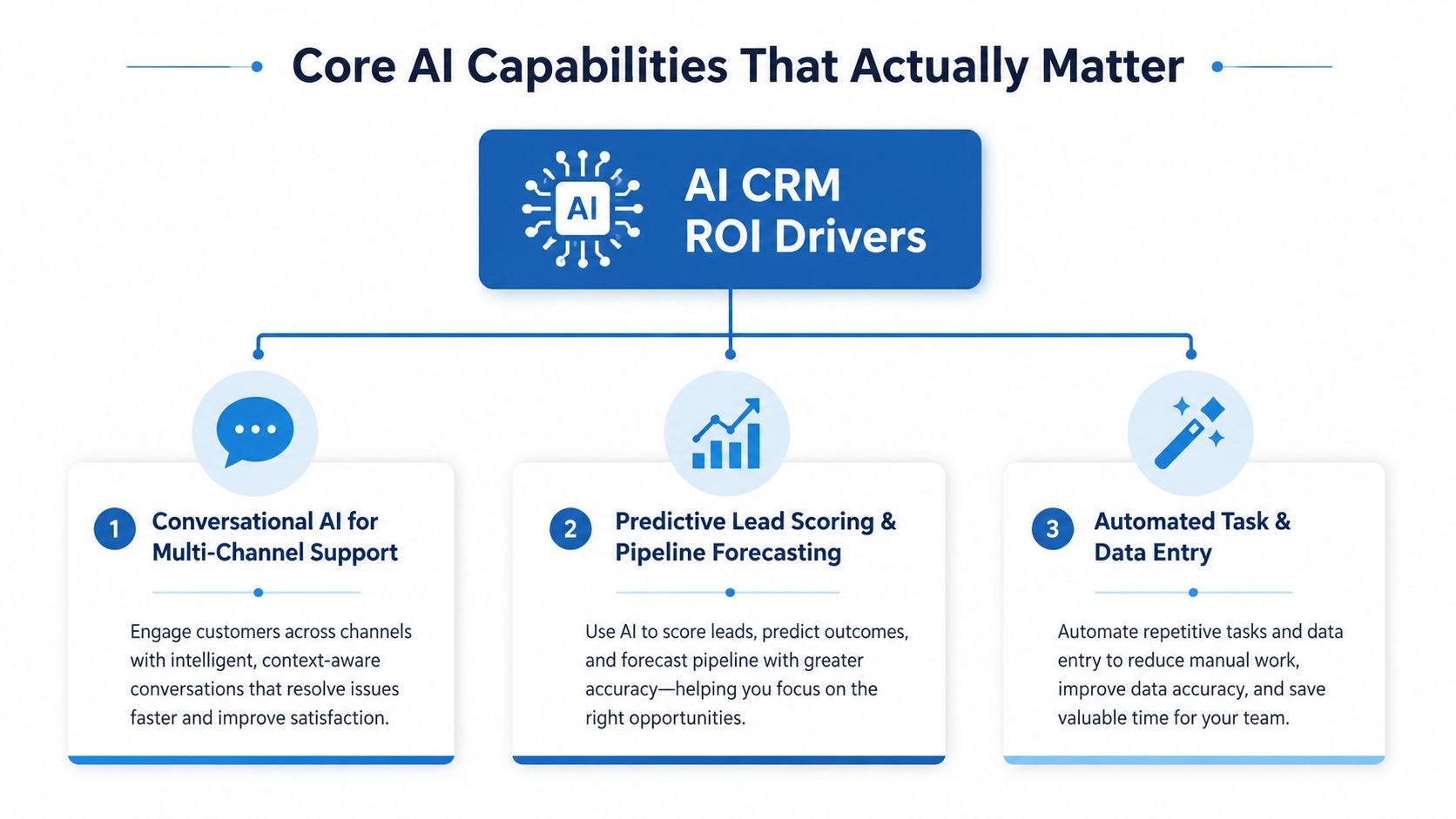
For a practical buyer framework, choosing an AI CRM platform should start with those three capabilities, not with a demo reel of shiny assistants. If the platform does not reduce logging, routing, and follow-up labor, it will not pay off.
Comparing Leading Platforms by Real-World Criteria
Feature matrices are a lazy way to compare CRMs. Agencies and SMBs need a different lens, one that includes pricing structure, deployment speed, inbox consolidation, mobile quality, and whether the tool supports multiple accounts cleanly. That's the difference between a system that scales and a system that creates more work.
What matters in daily use
For agencies, the big divide is between platforms built for multi-account operations and platforms built for single-business sales teams. HighLevel is designed around unified messaging, booking, payments, reputation, and workflows in one workspace, while Salesforce and HubSpot lean harder into broader enterprise and growth-stack depth. If you manage several client accounts or local service brands, that distinction matters more than a slick AI summary.
HighLevel vs Podio for agencies is a useful reminder that consolidation beats patchwork in many agency environments. If you need one system that handles conversations, scheduling, and follow-up without endless integrations, platform architecture matters more than brand prestige.
For sales-heavy teams, Salesforce, HubSpot, Pipedrive, Zoho, monday CRM, and Apollo all bring credible AI to the table, but they serve different operating styles. Salesforce is for deep enterprise customization. HubSpot is for connected marketing, sales, and service. Pipedrive is for clean pipeline control. Zoho gives broad functionality with a strong value posture. monday CRM works well when teams want visual, no-code workflows. Apollo is strongest when outbound prospecting sits at the center.
AI CRM Platform Comparison for Agencies and SMBs
| Platform | Pricing Model | Multi-Channel Inbox | White-Label Option | Mobile App Quality |
|---|---|---|---|---|
| HighLevel | Agency-style platform with bundled access | Yes | Yes | Strong for on-the-go operations |
| Salesforce | Per-user, enterprise-oriented | Partial, depends on configuration | No native agency focus | Strong, but complex |
| HubSpot | Per-seat, tiered by hub | Yes | No | Solid and polished |
| Pipedrive | Per-user, sales-focused | Limited | No | Good for deal updates |
| Zoho CRM | Per-user, broad suite approach | Yes | No | Generally capable |
| monday CRM | Per-user, minimum seat commitment | Limited | No | Good for visual team use |
| Apollo.io | Per-user, outbound-first | Limited CRM depth | No | Adequate for prospecting workflows |
The best choice depends on where the work happens. If your team lives in conversations, bookings, payments, and follow-up, consolidation wins. If your team lives in complex forecasting and enterprise reporting, depth wins. If your team lives in outbound prospecting, specialized engagement tools often beat all-purpose CRMs.
For agencies, I'd be blunt. Don't pick a CRM because it has the longest AI feature list. Pick it because your staff will keep it current, your clients will see faster responses, and your account managers won't need five tools to finish one job.
Implementation Reality and Migration Timelines
Most CRM reviews skip the part that burns teams in real life, migration. Data cleanup, field mapping, pipeline standardization, and user training are where projects succeed or stall. A CRM that looks simple in a demo can become painful the moment you move real customer history into it.
The first bottleneck is dirty data
Before anything goes live, someone has to clean duplicates, merge records, and decide which custom fields are worth keeping. If you don't do that work up front, the AI model learns from clutter and the team loses confidence in the system fast. That's true whether you're moving from spreadsheets, an old CRM, or a pile of disconnected tools.
Implementation rule: if the source data is messy, AI will amplify the mess before it helps.
Pipeline mapping comes next. Don't force your process to match the vendor's template just because the template is already there. Build the stages around how your team qualifies, books, closes, and renews. Otherwise, users start treating the CRM as an obstacle instead of an operating system.
Training has to be role-specific
Distributed teams and part-time staff need short, specific training. A one-hour generic walkthrough doesn't stick. Reps need to know what happens automatically, what they still have to do manually, and which fields matter on day one. Managers need visibility into exceptions, not just another dashboard.
The rollout is usually staged. Start with one pipeline or one client account. Confirm that automations match the sales process. Then expand. Teams that rush the whole organization at once usually end up with inconsistent usage and half-built workflows.
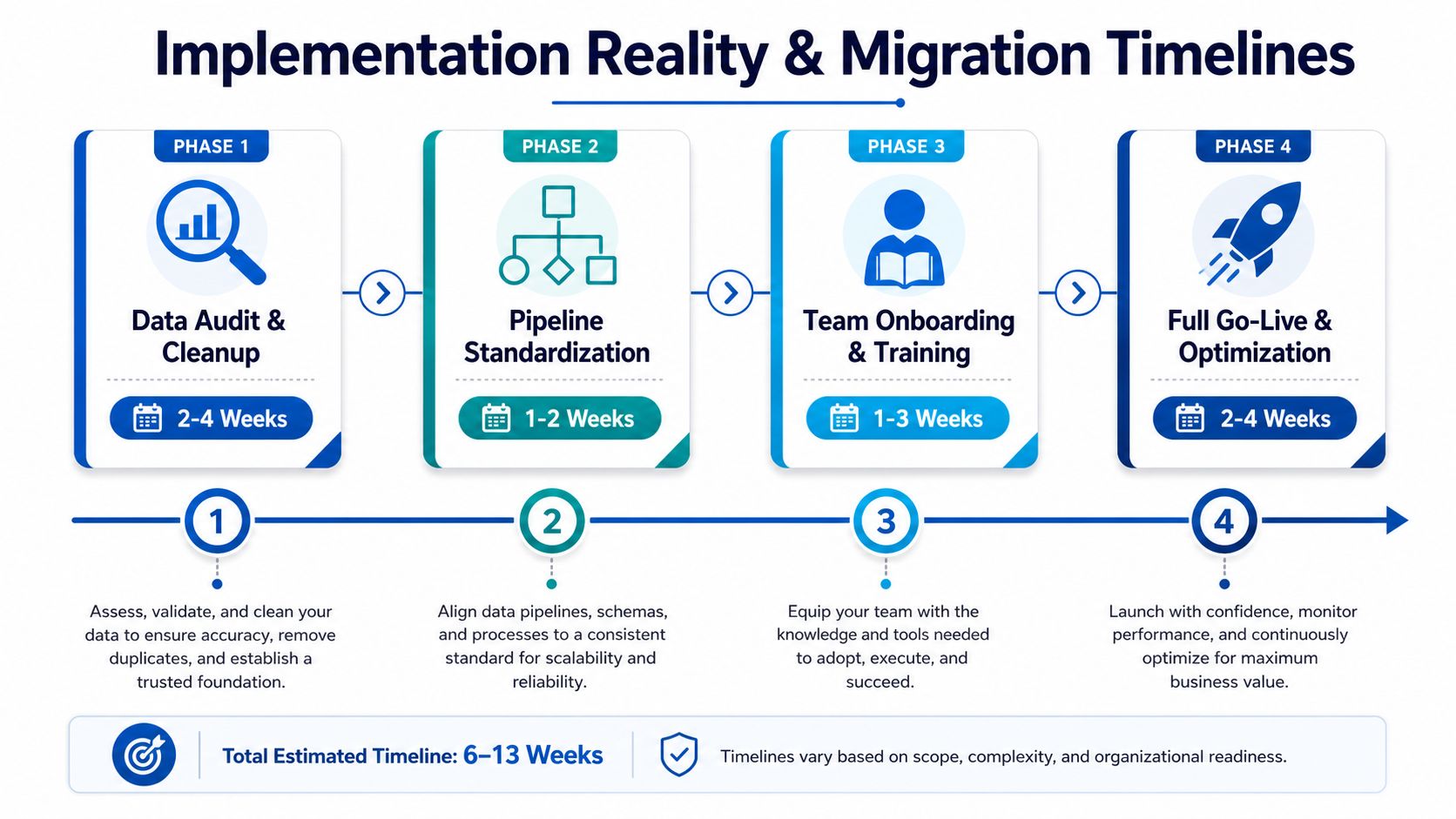
If you want a practical benchmark, think in phases, not in promises. Audit and cleanup first. Standardize the pipeline second. Train the team third. Go live and optimize last. That sequence is boring, but it's how migrations avoid chaos.
For buyers who want a platform with hands-on guidance, the question to ask vendors is simple, how do you help us preserve conversation history, standardize fields, and onboard managers without slowing the business down? That question matters more than any AI feature list. You can also look at the operational side of benefits for agencies if your deployment includes multiple client accounts.
Concrete Use Cases Showing Unified AI in Action
AI CRM value becomes obvious when it removes a specific pain point. The best systems don't just improve abstract efficiency, they fix the places where leads leak, replies stall, and staff waste time switching between apps. That's where unified tools earn their keep.
Missed calls and after-hours lead capture
A local service business misses a call after hours. In a fragmented stack, that lead vanishes into voicemail and maybe gets a callback the next morning. In a unified system like HighLevel, missed-call text-back and the conversation inbox turn that missed call into an immediate response path, which matters because speed is often the difference between a booked appointment and a lost opportunity.
The same logic applies to inbound SMS, social DMs, and booking requests. When the CRM centralizes those threads, staff aren't hunting across separate apps to reconstruct the conversation. They see the history, the lead status, and the next action in one place.
Multi-channel qualification without channel switching
The second common scenario is lead qualification across SMS, Instagram DM, and WhatsApp. With a disconnected setup, staff answer in one channel, log notes in another, and then forget to update the pipeline. A unified conversation stack cuts that drift. It keeps the context together so the next person to reply doesn't start blind.
For agencies, operational complexity drops fast. One inbox, one record, one workflow. That's the practical win, not the marketing copy.
Operational truth: the fewer places a team has to look, the faster it can act.
Reviews, payments, and reactivation
Automated review requests matter because they keep social proof building without adding manual follow-up. Text-2-Pay and Tap-2-Pay shorten the path from quote to payment, which is especially useful in service and appointment-based businesses. Reactivation campaigns then help bring old contacts back into circulation without forcing staff to build every sequence by hand.
Here's the point. A unified CRM only deserves the label if it helps a business move from capture to close without fragmenting the customer journey. That's why a contractor or home-service team should look closely at GoHighLevel for contractors if the business depends on calls, bookings, and payments living in the same workflow.
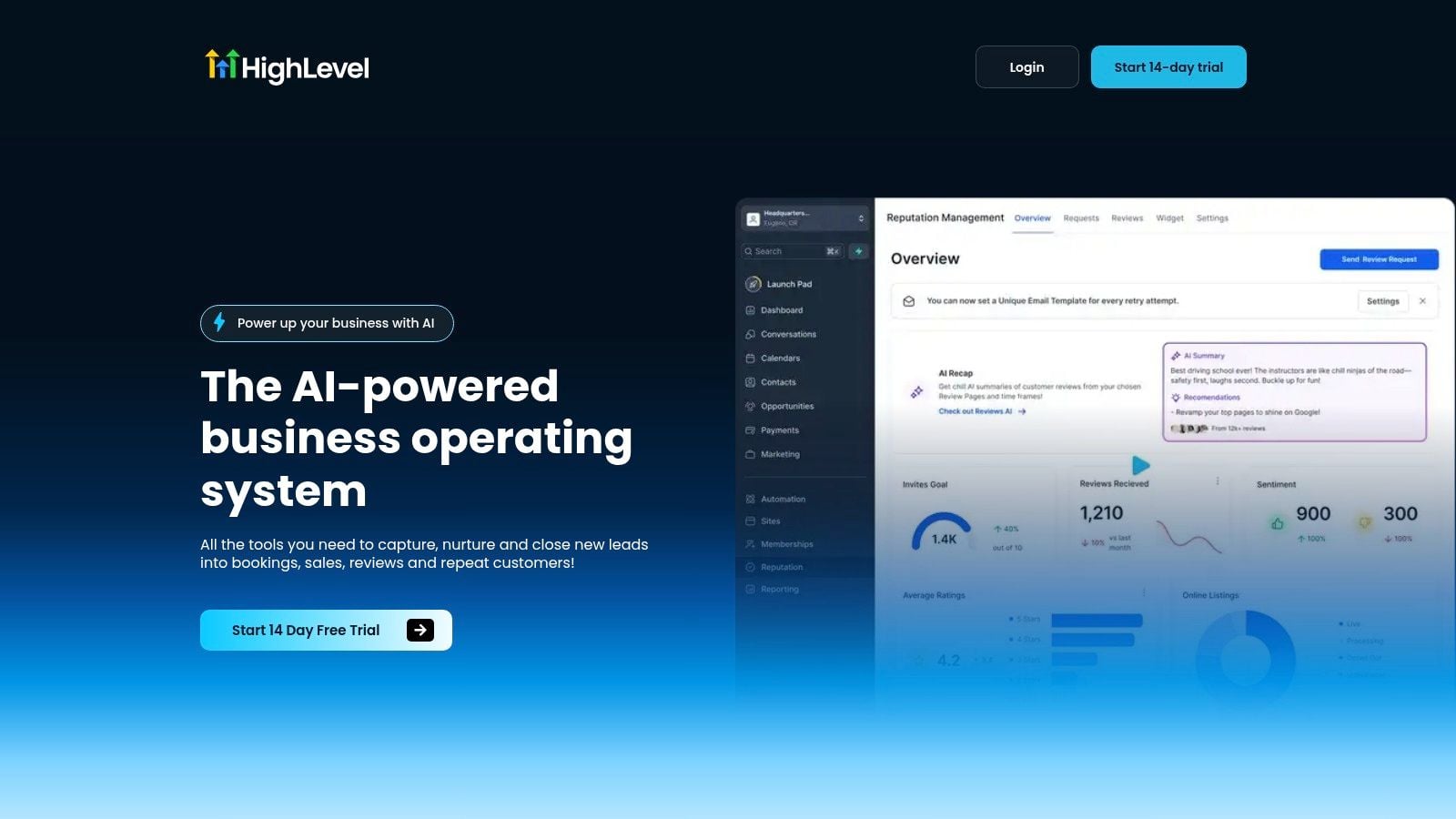
The screenshot below shows the kind of consolidated dashboard that helps teams stop bouncing between tools.
Vendor Selection Criteria for Your Business Type
The wrong CRM choice usually comes from buying for the wrong business model. A solo consultant, a multi-location service brand, and a franchise marketer do not need the same system or the same amount of admin control. Start with fit, not product popularity.
Match the platform to the operating model
If you run an agency, the key question is whether the CRM can manage multiple client accounts without turning your team into account-switching machines. If you run a local business, you need booking, payments, and review workflows to be native, not bolted on. If you run a more traditional sales team, you may care more about forecasting depth and sales analytics than about white-labeling or review requests.
Budget is only one part of cost
A lower sticker price can still become expensive if the platform needs consultants, integrations, or extra admin time. Nutshell's AI CRM overview notes that several widely used AI CRMs cluster in the roughly $13 to $29 per user/month range, while higher-end platforms add forecasting, conversation intelligence, and next-best-action recommendations. That range matters, but it's not the whole story. Real ROI usually comes from automation and forecast quality, not from novelty.
Ask these questions before you sign
- Business model fit: Does this CRM match solo, agency, SMB, or enterprise workflows?
- Team skill level: Can your staff use it without heavy admin support?
- Volume and complexity: Will it handle your contact load and channel mix cleanly?
- Total cost of ownership: What happens when you add setup, migration, training, and extra integrations?
For businesses that need a practical point of comparison, a franchise marketing agency perspective can be useful because franchise and multi-location work usually exposes the same issues, sub-account structure, repeatable workflows, and reporting discipline. Those constraints are a good stress test for any CRM.
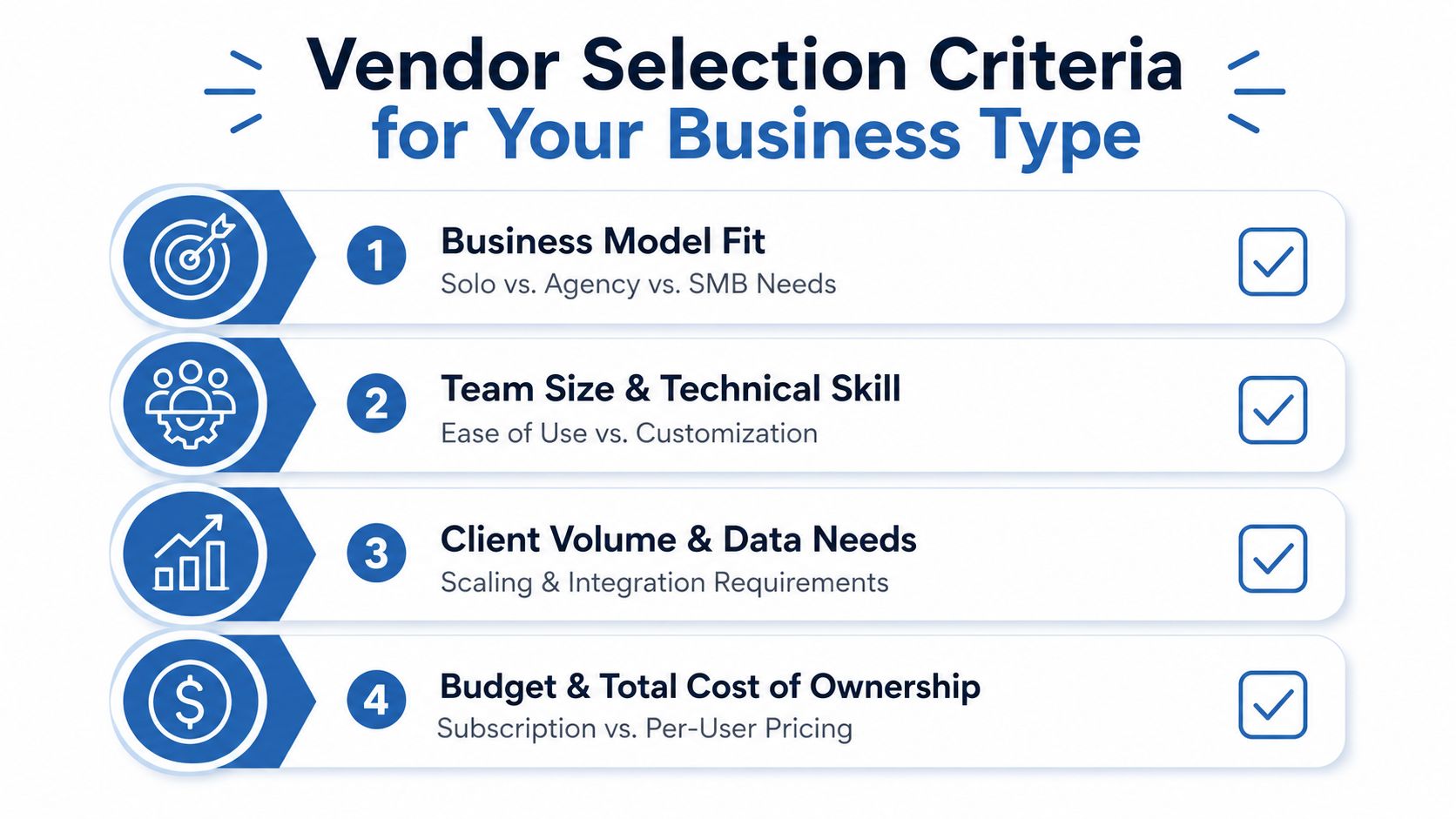
My advice is plain, if the platform makes your team simpler to manage, it's worth serious consideration. If it makes your processes harder to explain, it's not the right fit.
Making Your Decision and Next Steps
Don't overcomplicate the buy. Shortlist three platforms, test them with your actual data, and judge them on speed, adoption, and workflow fit. Solo marketers usually want simplicity. Growing agencies need multi-account control. Multi-location businesses need centralized communication and repeatable automations. Course creators should care about booking, payments, and reactivation more than raw CRM depth.
If you're already committed to a consolidated operating model, line up your migration plan before you sign anything. Audit your fields, standardize your pipeline, and define who owns setup, training, and follow-up. The right platform should reduce your admin burden, not hand you a second job.
If you want one system that brings CRM, messaging, booking, payments, and automation into a single workspace, take a look at HighLevel. It's built for the exact operational mess that makes most CRM rollouts fail, disconnected tools, missed follow-up, and too much manual admin. Visit it, test it against your current stack, and see whether it simplifies the way your business runs.
