


You're probably staring at three tabs right now, one for Salesforce, one for HubSpot, and one for some “all-in-one” platform that promises to replace half your stack. The key question isn't which CRM has the longest feature list. It's which one your team will use consistently, which one won't explode your admin workload, and which one fits the way you sell, follow up, and get paid.
| Category | What it optimizes for | What it usually gives up | Best for |
|---|---|---|---|
| All-in-one platform | One workspace for sales, marketing, follow-up, scheduling, payments, and reputation | Deep enterprise customization | Agencies, local services, coaches, multi-location operators |
| Traditional CRM | Feature depth, integrations, configurability, reporting | Simplicity, speed of adoption, lower admin load | Enterprise and larger teams with dedicated ops |
| Agency-focused CRM | Multi-client workflows, sub-accounts, communication centralization | Raw breadth of enterprise features | Agencies and service businesses managing many accounts |
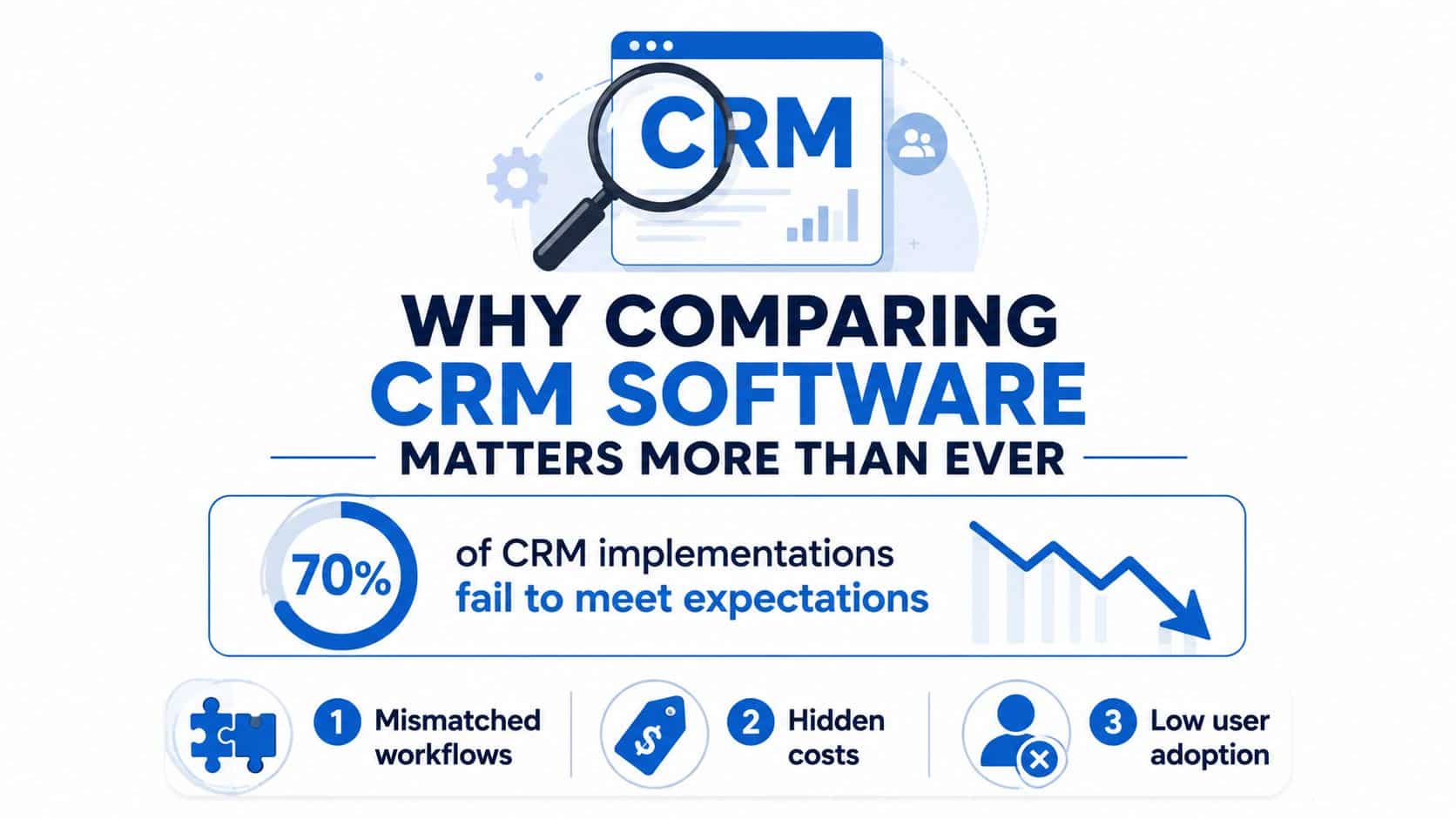
Table of Contents
- Why Comparing CRM Software Matters More Than Ever
- The Core Criteria That Separate Real CRM Contenders
- A Side by Side Look at All In One, Traditional, and Agency CRM Categories
- Features That Decide Day to Day Fit
- Matching CRM Types to Real Buyer Profiles
- Pricing, Migration, and the True Cost of Ownership
- A Practical Checklist for Adopting and Migrating
- Which CRM Should You Actually Pick
Why Comparing CRM Software Matters More Than Ever
A small agency signs up for a CRM on Monday because the demo looked clean. By Friday, the team is still bouncing between email, spreadsheets, a call tracker, and a calendar tool because the CRM didn't replace the way they work. That's the failure mode this buyer mistake creates, not a lack of features, but a mismatch between the software and the workflow.
The market context explains why this competition is more intense now. Fortune Business Insights estimates the global CRM market at USD 112.91 billion in 2025, rising to USD 126.17 billion in 2026 and USD 320.99 billion by 2034 at a 12.40% CAGR. Grand View Research puts the market at USD 73.40 billion in 2024 and projects USD 163.16 billion by 2030 at a 14.6% CAGR, which is still strong even by conservative standards. CRM is no longer a small software purchase, it's core infrastructure, and the money flowing into it keeps vendors pushing harder on automation, AI, mobile access, and integrations. Fortune Business Insights
Cloud delivery is now the default in practice. Industry summaries say 87% of CRMs are cloud-based, and 91% of companies with 10 or more employees use CRM software. One commonly cited benchmark also puts the return at $8.71 for every $1 spent on CRM, which is exactly why buyers care less about whether to adopt a CRM and more about how much operational drag they'll create by picking the wrong one. CRM statistics summary
Practical rule: compare CRM software against your current workflow, not the vendor's demo flow. If the software doesn't absorb your real follow-up, booking, and handoff process, it's going to become shelfware.
For sales teams, the best way to pressure-test a platform is to map it against actual use cases, not abstract features. A good starting point is to study concrete sales team use cases and then ask which CRM supports those actions with the fewest extra tools. If your team needs separate systems for conversations, automation, and scheduling, you're already paying an integration tax before you've even launched.
The buying decision has also shifted from cloud vs on-premise to best-of-breed vs all-in-one. That's the fork in the road for most SMBs, agencies, and local service firms. One path gives you a stitched stack with deeper single-purpose tools. The other gives you fewer moving parts, less admin work, and a simpler rollout. If you're looking for a practical framework, the right place to start is HighLevel CRM evaluation insights, because the question isn't just what a CRM can do, it's what it replaces.
The Core Criteria That Separate Real CRM Contenders
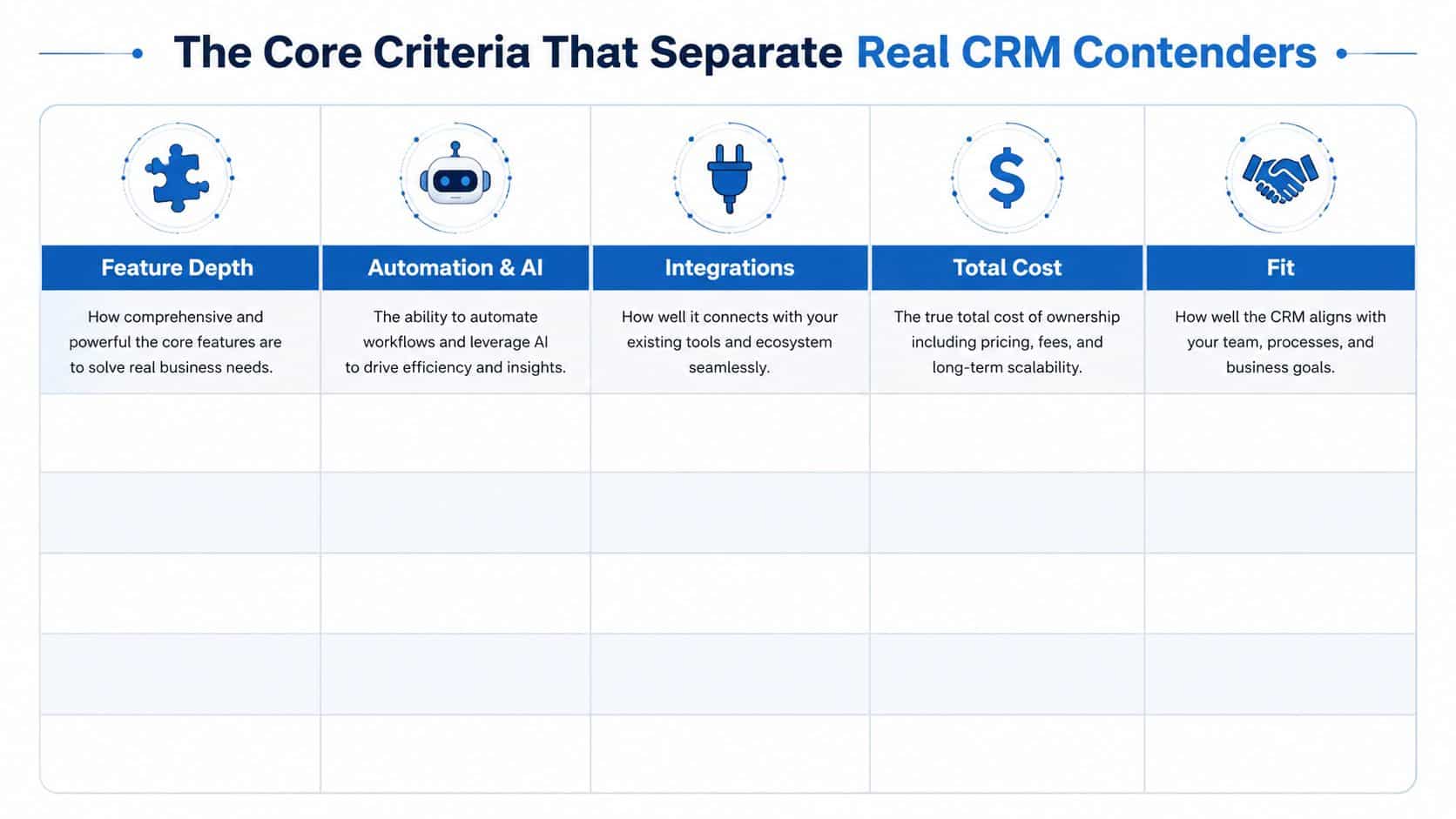
Most CRM comparison pages get stuck on feature lists. That is the wrong lens. The test is straightforward: Can the team use it every day? Can it automate real work? Does it connect cleanly? What will it cost after migration and admin time? Does it fit the business model?
A platform can look impressive in a demo and still fail in daily use. The buyer should pressure-test the CRM against the work that happens after the lead comes in, not the slide deck. If the system cannot support the team's actual follow-up, booking, handoff, and reporting flow, it becomes another log-in people avoid.
Feature depth and automation are not the same thing
Deep feature lists do not guarantee usable automation. SelectHub's CRM analysis shows why the benchmark matters. It scored 108 features across categories and found Salesforce Sales Cloud at 87/100 overall, while also recording 98/100 for security features in that subscore comparison. The takeaway is simple, broad capability and security strength do not always rise together. SelectHub CRM analysis
What to ask: does the CRM run your actual pipeline, or does it just let you draw a nicer version of it?
Integrations and fit should outweigh generic flexibility
If your team already works in Gmail, Google Calendar, or a field-service app, the CRM that fits those tools is the better buy, even if another platform claims more power. The same rule applies to agencies that need clean client separation and local service teams that live or die by speed-to-lead and review requests. A CRM that fits the business model feels almost invisible because it stays out of the way and lets the team work.
That is why best-of-breed vs all-in-one matters so much. Agencies, coaches, and local service firms usually pay for every extra system they bolt on, whether that cost shows up in integrations, admin time, or training headaches. A stitched stack can win on single-tool depth, but it often loses on daily overhead.
Total cost includes migration, admin, and support
Sticker price tells you very little. The cost includes onboarding time, data cleanup, workflow buildout, user support, and the extra tools you still need if the CRM is weak in messaging, scheduling, or automation. A cheap platform that needs constant patching is expensive by the time the team is using it.
Use the lead scoring guide as a reminder that one smart feature does not justify a weak system around it. Lead scoring only matters if the rest of the CRM can act on it, route it, and keep the follow-up moving without manual fixes.
Benchmarks help, but they do not decide for you
Independent comparison guides are useful because they expose trade-offs vendors avoid in their own demos. Leadopo CRM comparison gives HubSpot 9.8 overall with 9.5 ease of use, 9.3 features, 9.4 value for money, and 9.4 AI & automation, while Salesforce scores 8.8 overall with 7.2 ease of use, 9.8 features, 7.5 value for money, and 9.2 AI & automation. That split says a lot. Some buyers should pay for depth. Others should choose the platform their team will adopt.
A Side by Side Look at All In One, Traditional, and Agency CRM Categories
The category matters more than the brand name. Start with the wrong structure and you force the software to behave like something it was never built to do. The cleaner way to compare CRM software is by architecture, not by logo.
CRM Category Comparison at a Glance
| Category | Feature Depth | Automation and AI | Integrations | Total Cost | Best Fit |
|---|---|---|---|---|---|
| All-in-one platform | Strong enough for most service workflows, not as deep as enterprise suites | Usually native across messaging, scheduling, follow-up, and content | Enough for most SMB stacks | Lower operational overhead if it replaces tools | Agencies, local services, coaches, multi-location teams |
| Traditional CRM | Deepest configurability and reporting | Often strong, especially in advanced tiers | Broad app ecosystems | Can rise fast with add-ons and admin | Enterprise, complex sales orgs, regulated environments |
| Agency-focused CRM | Balanced depth with client separation | Usually built for multi-account automation | Good for common agency tools | Efficient if it replaces a stitched stack | Agencies managing multiple clients |
Traditional CRMs like Salesforce and HubSpot still dominate the feature conversation, and for good reason. Salesforce fits teams that need deep configuration, complex workflows, and a mature AI roadmap. HubSpot fits teams that care more about adoption and day-to-day usability. Those strengths matter, but they are not universal wins. Independent comparison guides often pressure-test vendor claims better than sales demos do, which is why a close read of Leadopo CRM comparison is useful context even when you do not agree with every ranking.
The all-in-one category plays a different game. It collapses CRM, messaging, scheduling, reputation, and payment workflows into one workspace, which is why buyers who hate app-switching tend to gravitate there. The operational case is simple. Fewer tools mean less migration work, less admin time, and fewer brittle integrations to maintain. If you want the logic behind that model, all-in-one system benefits show why these platforms appeal to agencies, local services, and coaches that need one system to carry the daily workload.
For agencies, multi-client structure matters more than theoretical feature depth. Clean account separation, fast workflow execution, and reporting that stays tied to the right client are the core filters. Querio's AI-driven CRM analytics from Querio is relevant here because analytics only help when they sit inside a clean operating model. If you are serving multiple clients, the right CRM is the one that keeps communication, automation, and reporting separated without turning the back office into a mess.
Bottom line: if your business needs a control room, pick a traditional CRM. If it needs an operating system, pick an all-in-one platform. If it needs both client separation and practical automation, agency-focused tools are the better fit.
Features That Decide Day to Day Fit
A CRM does not usually fail on purchase day. It fails when the team gets busy and starts slipping back into old tools because the daily work feels split across too many places.
The inbox must absorb your actual channels
If your team handles leads through SMS, Messenger, Instagram DM, WhatsApp, and live chat, a unified conversation inbox is the baseline. Without it, one lead becomes five scattered threads, and reps waste time rebuilding context before they can reply. A clean inbox gives managers faster responses and fewer dropped conversations. For teams that rely heavily on call handling, stop losing revenue from missed calls should be the standard, because missed calls usually point to a broken process, not weak demand.
Automation should remove manual glue work
Visual workflow automation matters because it turns follow-up into a system instead of a memory test. The CRM should trigger reminders, route leads, assign tasks, and move records without forcing someone to babysit a spreadsheet in the middle. If your team still exports data and patches it elsewhere, the CRM is not carrying enough of the workflow.
Use this test: if a workflow still needs a person to remember the next step, the automation layer is too weak.
AI should sit inside the workflow, not on top of it
The stronger platforms now place AI inside messaging, voice, reviews, and content instead of burying it behind a premium add-on. That helps teams that need to draft replies, summarize calls, or handle follow-up without adding another app to the stack. Native AI only matters when it shortens the path from lead to reply.
Mobile access matters for field teams, and payments and scheduling matter just as much. If a local service business cannot book, collect, and confirm inside one environment, someone will copy information between tools and introduce errors. That is also why an AI automation agency can make sense for teams that want the workflows wired correctly from the start, because the value sits in how the system runs day to day, not in the feature list.
Contacts policy deserves close attention because contact limits can distort real cost quickly. On some published all-in-one plans, unlimited contacts reduce the pressure to prune a healthy database just to stay inside a tier. That does not make the software magical. It means your cost does not jump because your list is growing in a normal way.
Matching CRM Types to Real Buyer Profiles
The wrong CRM category wastes money because it forces a business to work like a different business. The right one feels like it was built around the way you already sell.
Agencies and freelancers
If you're running multiple client accounts, an agency-focused or all-in-one platform usually wins. You need sub-accounts, separate pipelines, and a way to keep conversations tied to the right client without becoming a part-time admin. That's where streamline tools with agency CRM becomes more than a catchy phrase, because consolidation is the actual value.
HighLevel fits this kind of buyer well because it combines CRM, inbox, funnels, calendars, and automation in one place, with unlimited sub-accounts on its Unlimited plan and unlimited contacts on published plans. It also supports rebilled phone and email with no markup, which matters when you're managing margin across client work. That's a workflow answer, not a feature brag.
Local service businesses
Speed-to-lead, booking, and reviews matter more than fancy reporting. A local service shop, clinic, or home-services company needs fewer tabs and tighter follow-up loops. If the front desk has to bounce between scheduling, texting, and invoicing, calls get dropped and appointments slip.
Coaches, course creators, and membership operators
These buyers usually need a client journey, not a classic enterprise pipeline. Funnels, calendars, payments, and reactivation matter more than elaborate forecasting. An all-in-one system usually gives them a cleaner path than stitching together a CRM, course platform, and booking tool.
Multi-location and franchise operators
Consistency matters most. Central reporting, standardized workflows, and local execution need to coexist, and that's hard to do with too many disconnected systems. Traditional enterprise CRMs can work here, but only if the organization has the people to support them. Without that, the stack becomes expensive paperwork.
Pricing, Migration, and the True Cost of Ownership
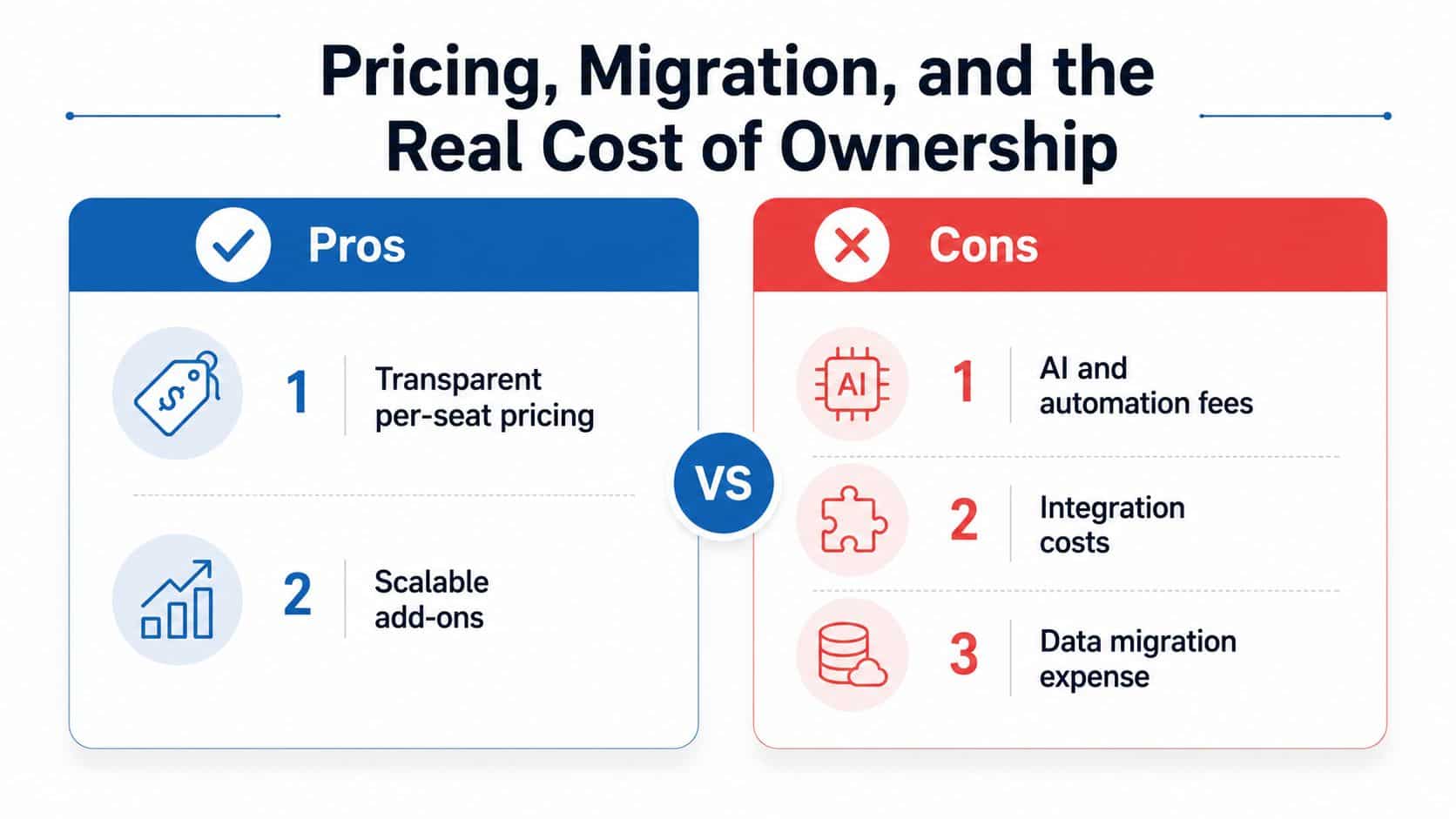
The cheapest CRM is often the most expensive choice after migration. Teams pay for the software, then pay again in setup time, data cleanup, training, and the tools they still need because the CRM never covered the basics.
The price tag is only the beginning
Per-seat pricing looks simple until you add automation, AI, reporting, and integrations. Some platforms start cheap, then climb fast once the team wants the features that made the demo feel convincing. Buy for the workflow, not the headline plan.
A lower sticker price can hide a bigger operating bill. If the CRM needs separate tools for texting, booking, routing, or follow-up, the savings disappear quickly.
Migration cost is often the hidden bill
Moving from spreadsheets or a stitched stack means data cleanup, field mapping, duplicate removal, and retraining. That work never shows up on the vendor quote, but it shows up immediately in the first 90 days. The more fragmented the old system is, the more painful the move.
SelectHub's 2026 analysis is useful because it shows how seriously some teams weigh non-obvious factors like security scoring, not just feature checkboxes. U.S. Chamber CRM guidance goes further and pushes buyers to test the help center, mobile app, and real user experience before signing anything. That is the right instinct. A CRM can look strong in a demo and still fail under daily team use.
The right cost model matches the business model
Agencies and service businesses should care about admin overhead as much as license cost. If a platform saves a coordinator ten hours a week, that matters more than a cheaper seat price. For many buyers, the key question is whether an all-in-one platform removes enough separate messaging, booking, and follow-up tools to justify the switch.
Local services should pay attention to speed-to-lead and appointment flow. Coaches and course creators should care about client journey, payments, and reactivation. If the workflow still depends on a pile of add-ons, the platform is not cheaper, it is just priced in smaller pieces.
Traditional CRMs such as Salesforce and HubSpot can still make sense for teams with clean ops and someone dedicated to administration. Pipedrive works well for smaller sales teams that want a focused pipeline without a lot of overhead. HighLevel fits agencies and local service operators better when they want CRM, inbox, funnels, calendars, and automation in one place, because the savings come from fewer logins, fewer integrations, and less time spent stitching systems together.
A Practical Checklist for Adopting and Migrating
Buying the CRM is the easy part. Getting the team to use it correctly is where the work starts.
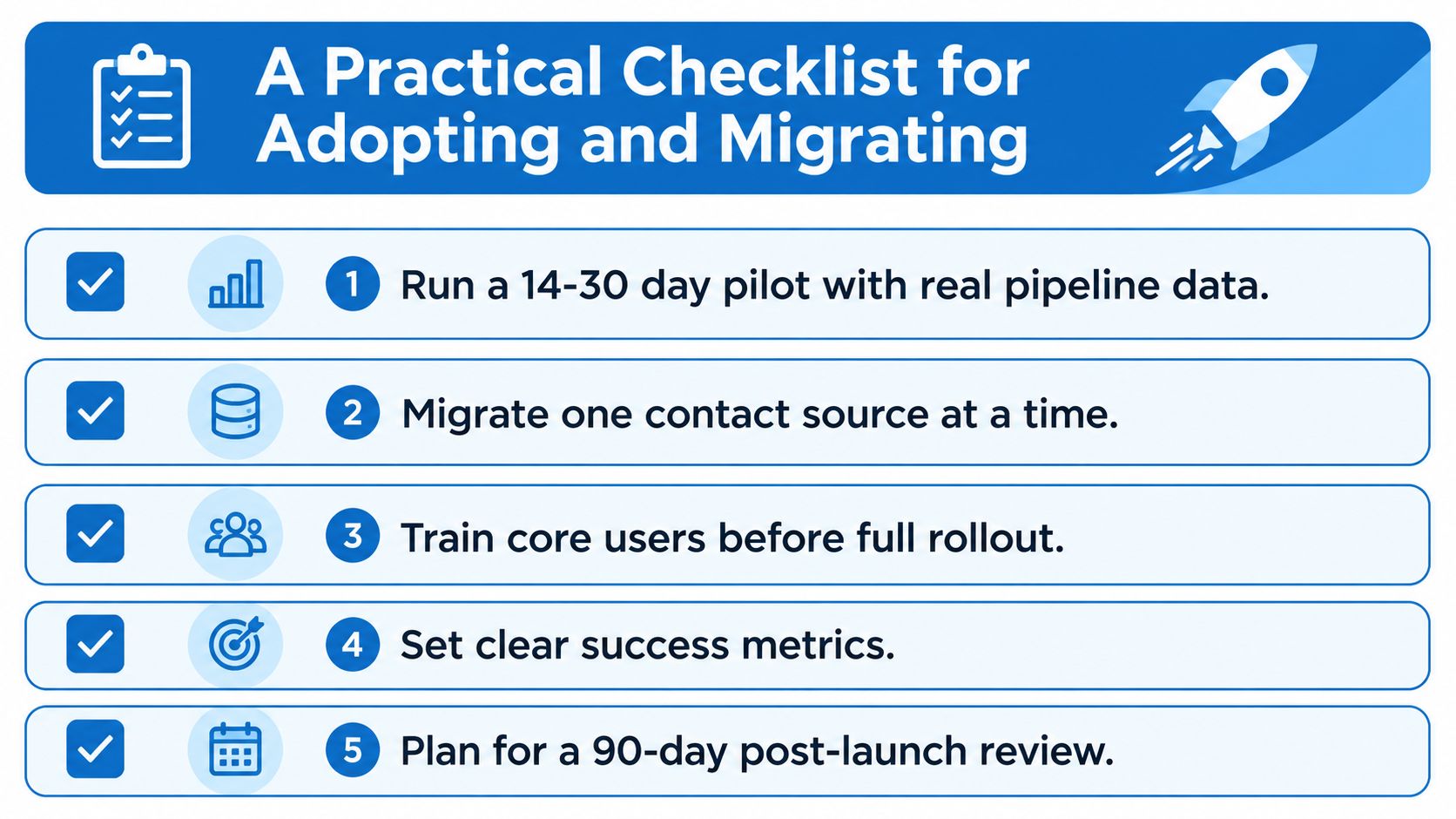
Run a short pilot with real pipeline data. Don't test on fake records. Use active leads so the team can see whether the workflow matches daily work.
Migrate one source at a time. Pull in contacts, then deals, then automations. If you move everything at once, debugging becomes impossible.
Lock the workflow before broad training. Reps shouldn't be learning a moving target. Define the process first, then train the team on that exact flow.
Set success metrics from day one. Pick a few measures that matter to the business and check them consistently. Don't drown in dashboards nobody reads.
Plan a post-launch review. A 90-day review catches the friction that only appears after novelty wears off.
The U.S. Chamber's advice to test the mobile app, help center, and actual user experience is spot on, because evaluation isn't just about the buyer's opinion. It's about the people who will live in the tool every day. Ask them early, and ask them bluntly, what will slow them down.
Simple rule: if your team can't describe the new workflow in one breath, the rollout isn't ready.
The rollout owner matters too. One person has to own decisions, timelines, and exceptions, or the migration turns into a committee project. Committees don't ship CRMs.
Which CRM Should You Actually Pick
If you want maximum configurability for a large team, Salesforce is still the serious enterprise choice. It's the pick for organizations that need deep customization, rich ecosystem options, and a mature AI roadmap. The price for that power is complexity, and you should expect it.
If your team values ease of use and faster adoption, HubSpot is the cleaner choice. It works well for content-driven inbound teams that want a friendly interface and don't want to spend half their week administering the system. For many SMBs, that matters more than raw feature depth.
If you run an agency, a local service business, a coaching business, or a multi-location operation, an all-in-one platform is often the smarter default. The reason is simple. You're not just comparing CRM software, you're comparing the cost of fragmented tools versus a single workspace that handles capture, nurture, booking, payments, and follow-up. HighLevel is one such option in that category, with CRM, unified inbox, workflows, calendars, payments, reputation tools, and mobile access in the same system.
The best move is to build a shortlist around your actual workflow. Put one enterprise CRM, one simpler adoption-first CRM, and one all-in-one platform in the same pilot, then let your team work real leads through all three. That's how you find out which one fits your business instead of your vendor's demo.
If you're comparing CRM software for an agency or service business and want a system that combines messaging, pipelines, scheduling, payments, and reactivation in one place, take a look at HighLevel. It's built to replace a stitched stack with a single workflow, which is exactly what matters when adoption, speed-to-lead, and admin overhead decide whether the rollout succeeds.
