


Your agency is probably carrying too much software and too little context. One tab has the pipeline, another has texts, a third has the calendar, and someone is still checking a payment link by hand because nobody trusts the data in the other tools. That's the point where crm for marketing agencies stops being a contact database and starts being the operating layer that decides whether the agency grows cleanly or keeps leaking time.
The old setup breaks in predictable ways. A client DM gets answered in one app, the booked call lives in another, the invoice sits somewhere else, and the account manager only discovers the handoff gap after a lead goes cold. If you've ever had to reconstruct a client history from screenshots and Slack messages, you already know why agencies need one system that keeps the relationship, the work, and the money tied together.
Table of Contents
- The Tool-Soup Problem Every Agency Hits by Year Two
- What a CRM for Marketing Agencies Actually Is
- Must-Have Features That Separate Agency CRMs from Sales CRMs
- DM-First Agencies Versus Inbound Agencies
- Campaign Execution, Segmentation, and the Numbers That Matter
- Selection Criteria, Migration Order, and Onboarding Checklist
- How HighLevel Fits the Agency Operating System
- KPIs to Track After You Go Live
The Tool-Soup Problem Every Agency Hits by Year Two
By year two, most agencies have the same ugly stack. One tool holds the pipeline. Another handles texting. A review app sits off to the side. Calendars live somewhere else. Payment links get pasted into DMs. Then someone on the team spends ten minutes confirming whether the meeting happened, because the record is split across three systems and nobody wants to admit it.
That mess is not just annoying. It creates missed follow-ups, lost context when a contractor leaves, and hours spent copying the same lead into different places. If the account manager can't open one record and see the client's last call, last text, current stage, and active campaign, the agency is running on memory instead of process.
The reason this keeps happening is simple. Generic tools are built for isolated tasks, not for agency operations. A modern agency needs a single place where client communication, campaign activity, and pipeline movement stay connected, or every handoff becomes a manual reconciliation project.
Practical rule: If a client question forces your team to jump across apps to answer it, your stack is already costing you retention.
That's why a useful resource like Gainsty's guide for agencies matters. Even when the topic is social management rather than CRM, the core lesson is the same: agency work falls apart when the tools don't share context.
A crm for marketing agencies should remove that friction. If the platform can't protect history when staff turn over, can't separate one client's data from another's, and can't turn activity into usable reporting, it's not solving the agency problem. It's just adding another login.
What a CRM for Marketing Agencies Actually Is
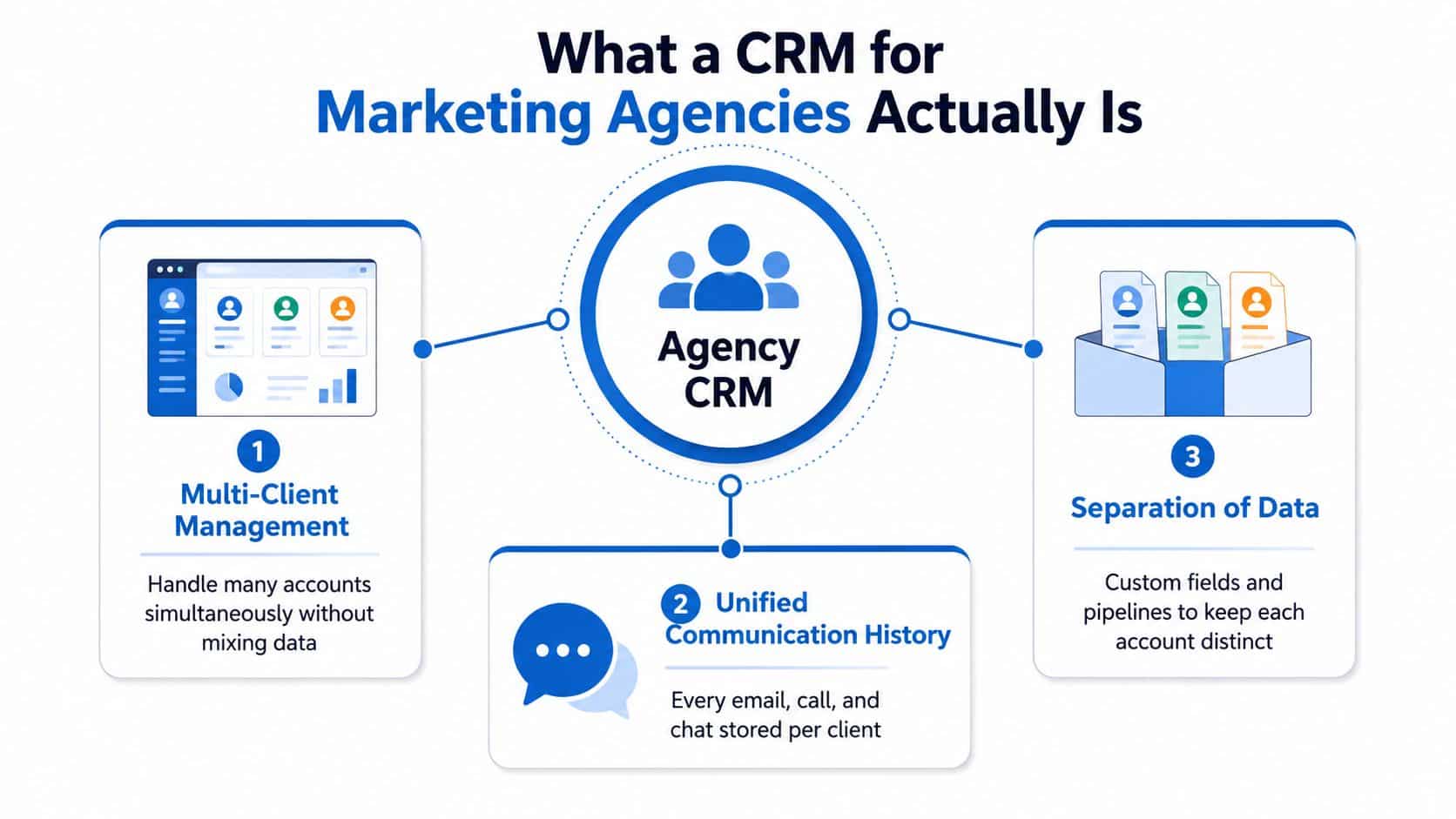
A real agency CRM does three jobs at once. It handles multiple client accounts, preserves communication history, and keeps data separated so one account doesn't pollute another. That's the baseline, not the premium tier.
The historical shift matters here. In the earlier era of on-premise software, agency teams were locked to local installs and rigid workflows. Cloud CRM changed that. One industry roundup says cloud-based CRM usage moved from 12% of businesses in 2008 to 87% today and notes that 70% of customers expect an integrated experience across channels (Breakcold CRM statistics). For agencies, that shift made it practical to standardize pipelines, automations, and reporting across distributed teams and many client accounts.
The three questions that separate agency CRM from sales CRM
A sales CRM asks, “Who is this buyer and where are they in the funnel?” An agency CRM has to ask more.
- Which client does this belong to? Because agencies are managing a portfolio, not one sales motion.
- What happened across every channel? Because the history has to survive staff changes and handoffs.
- How does this connect to delivery and revenue? Because campaign work only matters if it ties back to actual outcomes.
That's where the category has matured. The best systems now have to link clients, deliverables, team capacity, and financials in one data model. A platform that can't do that forces your team back into spreadsheets, and spreadsheets are where agency context goes to die.
The cloud shift also explains why the old “contact database with a sales tab” framing is obsolete. Agencies don't need another place to store names. They need a central operating system that keeps the client relationship, the workflow, and the economics visible in one place. That's the standard now.
Must-Have Features That Separate Agency CRMs from Sales CRMs
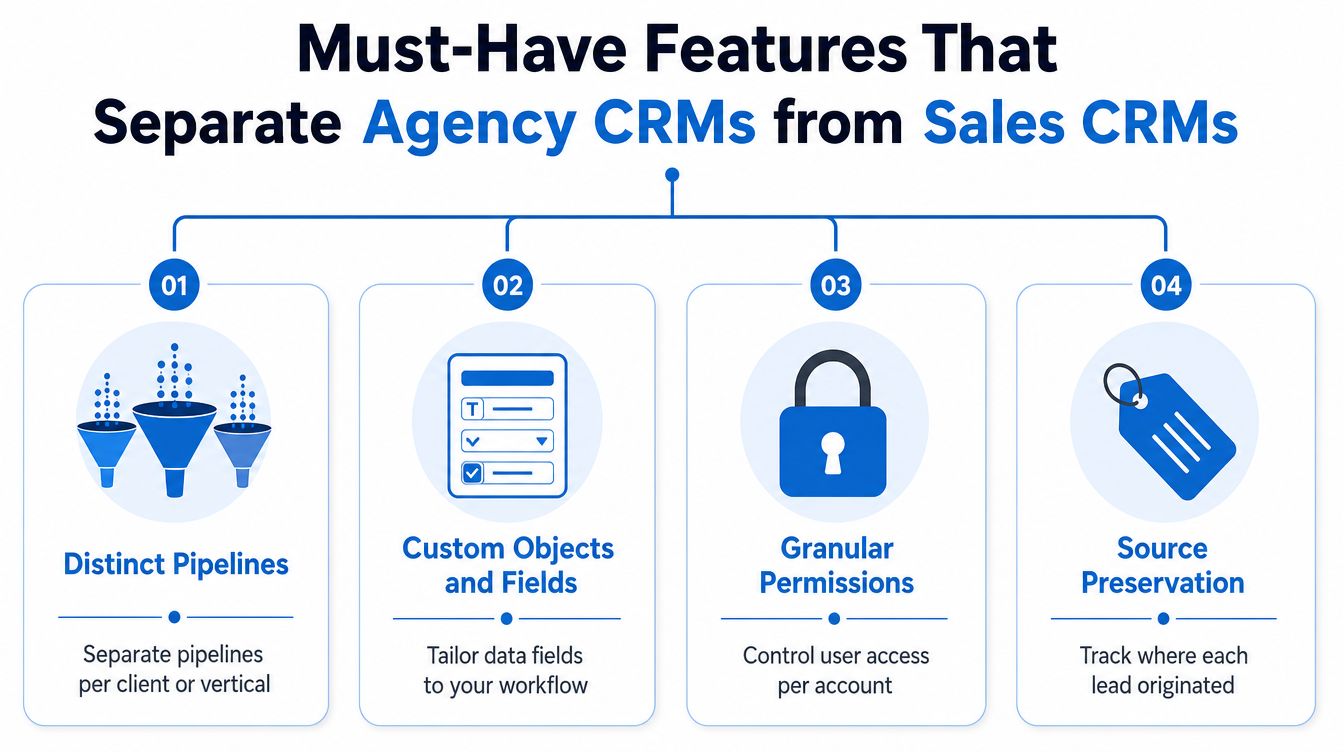
Agency CRMs are judged by how well they handle the complex mess of client work. That means distinct pipelines, custom objects and fields, granular permissions, and source preservation. If a vendor can't explain those in plain language, keep moving.
Distinct pipelines and custom data are non-negotiable
One client may be in lead gen, another in ecommerce, and a third in local service. Those accounts cannot share one undifferentiated pipeline without creating reporting noise and broken follow-up. Distinct pipelines let you route leads by client or vertical, while custom fields and objects let you track the details that matter to that specific engagement.
Permissions protect the client boundary
Granular permissions matter because agencies use contractors, specialists, and account managers who should not all see everything. A designer doesn't need access to the finance trail. A media buyer doesn't need visibility into another client's private notes. The CRM has to enforce that separation or you'll create avoidable risk.
Source preservation and campaign feedback close the loop
The most useful agency systems preserve lead source data from ad platforms and keep it clean enough to sync audiences and conversions back to those platforms. That's what makes campaign-to-cash reporting credible. This guide to agency client management is useful here because it puts the focus where it belongs, on how the CRM supports account separation, not just contact storage.
Hard truth: If a CRM can't keep attribution intact, your client reporting will always look more confident than it really is.
A strong agency CRM also supports shared visibility on account records and behavior-based triggers tied to campaigns. That matters because follow-up has to reflect what the lead did, not what a rep remembers. In practice, the right system turns lead capture, nurture, conversion, and retention into one revenue process instead of four disconnected chores.
DM-First Agencies Versus Inbound Agencies
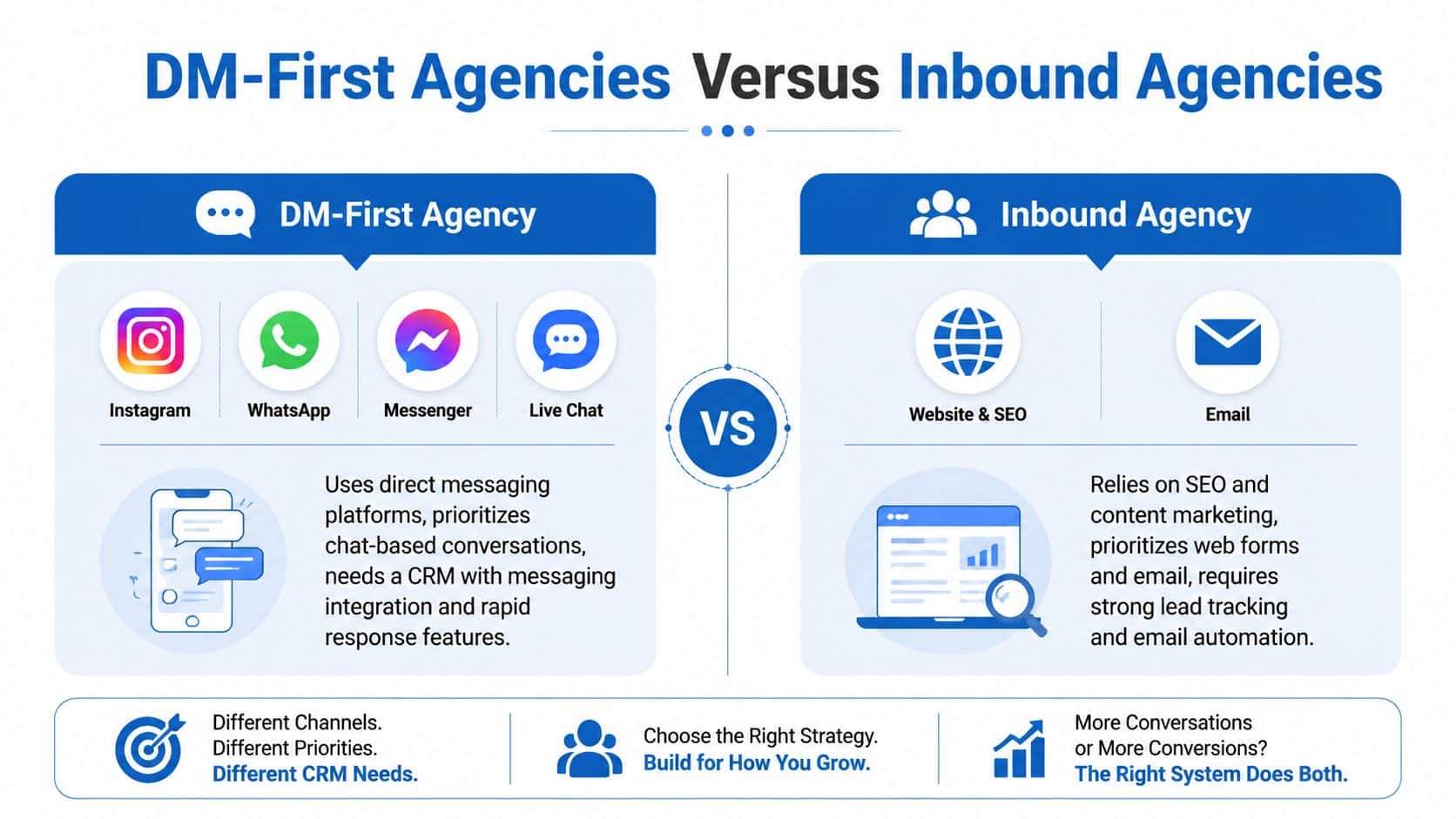
The wrong CRM often comes from choosing for the wrong acquisition model. A DM-heavy agency and an inbound-led agency do not operate the same way, and they shouldn't buy the same stack just because the homepage says “all-in-one.”
DM-first agencies need conversation-first records
If most leads come through Instagram, WhatsApp, Messenger, or live chat, the conversation itself is the primary record. That means the CRM has to treat messaging as the center of gravity, not a side feature. This matters more every year, because Meta reported 3.35 billion daily active people across its family of apps in Q2 2024 in the source brief, which is a big reason social messaging has become a real revenue path, not a novelty.
A DM-first workflow looks like this. A lead arrives in chat, the team replies fast, the conversation is assigned to the right client, and the follow-up stays inside the same thread until the call or payment happens. If the CRM buries that under form-fill logic, your team will work too hard to move too slowly.
Inbound agencies still need form, email, and scoring discipline
Inbound agencies run on forms, content, lifecycle nurture, and email automation. Their CRM has to be strong on lead tracking, segmentation, and reporting. These teams care less about conversational threads as the primary asset and more about how leads move from capture to nurture to opportunity.
The hybrid agency sits in the middle and feels the pain in both directions. It gets form submissions and DMs, then expects the CRM to unify them without making the team manage two separate operating systems. That's where the decision gets practical, not theoretical.
Decision rule: If your leads mostly arrive in chat, choose messaging depth first. If they mostly arrive through forms and email, choose lifecycle automation first.
The agency lead flow automation guide is worth a look if your team already knows the funnel is broken but hasn't mapped the handoff logic yet. The choice is not between “good” and “bad” CRMs, it's between systems that match your primary channel and systems that force your team to improvise.
Campaign Execution, Segmentation, and the Numbers That Matter
A CRM only deserves its seat if it improves campaign execution. Otherwise, it's just a storage cabinet with prettier labels. For agencies, the practical value shows up in segmentation, automation, and faster response handling.
Segmentation makes the campaign work feel tailored
Generic blasts waste your clients' attention. Segmented campaigns are sharper because they let you split one audience into relevant versions and send the right offer to the right group. In the source brief, WorldMetrics' 2026 marketing-in-CRM report says 75% of email marketers report higher open rates with segmented campaigns and 88% of consumers are more likely to purchase from brands that provide relevant offers (WorldMetrics marketing-in-CRM statistics).
That's not a vanity metric. It's the difference between a campaign that gets skimmed and one that creates actual client momentum.
Automation buys back the hours your team keeps losing
The same report says 55% of marketers say automation reduces manual work by 50+ hours monthly (WorldMetrics marketing-in-the-CRM-industry-statistics). In agency terms, that's not abstract productivity, it's fewer repetitive tasks per account and more room for strategy, QA, and follow-up.
A smart CRM uses smart lists, workflows, and triggers to turn one campaign into several relevant versions. It also shortens the path from response to action, which matters because the earlier CRM benchmarks in the brief show businesses using CRM are 86% more likely to exceed sales goals, often see 21% to 30% revenue increases, can save 5 to 10 hours per week, and shorten the average sales cycle by 8 to 14 days (Freshworks CRM statistics).
The agency analytics and reporting angle matters because you can't improve what you're not measuring cleanly. A CRM should be the place where segmentation, workflow timing, and conversion reporting all show up in one view.
One campaign should create multiple measurable outcomes
If the platform can't tell you which segment opened, which path converted, and which workflow saved labor, you're running campaigns blind. That's the test. A CRM for agency use is not where contacts go to sit. It's where campaign performance gets translated into action, and where the agency proves that the work influenced revenue.
Selection Criteria, Migration Order, and Onboarding Checklist
Don't buy on demos alone. Score the platform on the things that affect agency operations, then move in a sequence that protects data and client trust. The wrong migration order creates chaos that gets blamed on the software.
Score vendors on what they have to survive
Start with multi-account architecture, conversation inbox, automation depth, payments, reputation management, mobile access, and pricing predictability. That list sounds obvious until you watch an agency pick a polished tool that can't separate client records cleanly or can't support the team when they're out of office.
A good vendor also has to make onboarding boring. That's a compliment. If setup requires constant workarounds, the system is too brittle for client service.
Migrate in the right order
- Export and clean contact data. Remove duplicates and stale records before import.
- Rebuild pipelines per client. Don't flatten the agency into one shared funnel.
- Set permissions early. This prevents accidental cross-client visibility.
- Rebuild automations. Old sequences often depend on the bad stack.
- Flip traffic last. Keep the old tools live until the new paths are tested.
The biggest mistake is importing everything first and hoping structure emerges later. It won't. Clean data and account separation have to come before the team starts operating inside the new system.
Use a real onboarding checklist
- Sub-account setup: Create separate client spaces before adding people.
- Brand settings: Match the client's look, names, and outbound identity.
- Integrations: Connect the forms, inboxes, calendars, and payment rails that matter.
- Training: Show the team where conversations, tasks, and reporting live.
- First 30 days: Watch whether staff use the system without asking for shortcuts.
Build a clean agency tech stack is the right way to think about this phase. If the CRM can't sit cleanly inside the stack, it will become the thing everyone complains about instead of the thing that keeps the agency organized.
How HighLevel Fits the Agency Operating System
HighLevel fits the agency model because it treats the CRM as the place where work gets done, not just where contacts get stored. The platform's structure is built around multiple sub-accounts, and the Unlimited plan supports that agency pattern directly. That matters when you need separate spaces for separate clients without forcing your team into one shared bucket.
The communication layer is the part most agencies feel first. HighLevel's unified inbox brings SMS, Messenger, Instagram DM, WhatsApp, and live chat into one place, so the team isn't bouncing across apps to answer simple questions. The visual automation builder then ties lead capture, follow-up, booking, payments, reputation, and reactivation together, which is what turns the CRM into an operating system instead of a contact list.
A representative agency workflow inside one system
A DM lead comes in from Instagram and lands in the right sub-account. The conversation AI handles the first response, the lead gets routed to a paid calendar, and the booking happens without the rep stitching tools together by hand. After that, Text-2-Pay, invoicing, and automated review requests can continue the workflow in the same stack.
That kind of flow is why agencies look at HighLevel as more than CRM software. It also supports unlimited contacts, rebill phone and email with no markup, a mobile app, and an active peer community, which makes day-to-day management easier when the team is spread out. The platform's agency-facing structure is useful when you're trying to standardize one operating model across many client accounts.
If you want a deeper product walk-through, the agency marketing software guide gives a practical view of how the system maps to agency work. The value is not that it replaces every tool perfectly. The value is that it reduces the number of places your team has to look to understand what happened with a client.
KPIs to Track After You Go Live
The first 90 days tell you whether the new system is working. Track lead response time, pipeline velocity per client, show rate on booked appointments, conversion rate from opportunity to cash, review volume per location, client retention rate, and hours saved per account per week. If those numbers don't move, the platform is probably the wrong fit or the setup is still broken.
The important part is tying each KPI to a screen or workflow inside the CRM. Response time comes from the conversation inbox. Pipeline velocity comes from stage movement. Show rate comes from the calendar. Opportunity-to-cash comes from the proposal, invoice, or payment flow. Review volume should live inside reputation management, and hours saved should come from how much manual follow-up the team no longer has to do.
When you want to understand what's really behind retention changes, the churn lens helps. How to analyze churn is useful context because it forces you to separate a bad product fit from a bad process. Agencies should do the same thing with CRM adoption, if client retention is flat, the system is not supporting the handoff between sales and delivery.
Agency analytics and reporting belongs in the same conversation because the dashboard has to support decisions, not decorate them. If the metrics are flat after 90 days, stop blaming the team and fix the platform or the implementation. If the numbers move, standardize the workflow across every client account and make the CRM the default operating system.
If you're ready to stop stitching together a dozen tools and start running client work from one system, take a hard look at HighLevel. It gives agencies the CRM, conversations, automation, payments, and reputation workflows they need in one place, which is exactly what this operating model demands.
