


Every missed call feels small in the moment, then shows up later as a lead that never booked, a support issue that dragged on, or a sales opportunity that went quiet. If your current phone setup still depends on manual routing, scattered notes, and a receptionist or manager trying to keep up with everything, call management software is usually the fix.
The hard part is that “call management software” now covers a lot more than a cloud phone system. Zoom describes it as software that handles incoming and outgoing business calls and automates work that used to be manual, like answering, routing, recording, and analyzing calls. That shift matters because modern teams aren't just managing calls, they're managing voice alongside SMS, chat, social DMs, and CRM context in one workflow, especially in high-volume environments where the average call center handles roughly 4,400 calls per month according to Xima Software's call center statistics.
The core question isn't which platform has the longest feature list. It's which type of platform matches the job you need done, whether that's an all-in-one marketing and sales OS, an enterprise UCaaS phone system, a sales-focused VoIP stack, or a conversation analytics and attribution tool. This list groups the best platforms by use case so you can get to the right shortlist fast. If you want a related cold-calling workflow angle, this Pipecorn cold calling automation guide is a useful companion read.
Table of Contents
- 1. HighLevel
- 2. RingCentral MVP
- 3. Dialpad Ai Voice
- 4. Zoom Phone
- 5. Nextiva
- 6. 8×8 X Series
- 7. Vonage Business Communications
- 8. Aircall
- 9. Freshdesk Contact Center
- 10. CallRail
- Top 10 Call Management Software Comparison
- Making Your Final Choice and Getting Started
1. HighLevel
HighLevel fits agencies and SMBs that want call management inside a broader marketing and sales system, not as a standalone phone tool. The practical advantage is simple, one team can manage calls, SMS, email, funnels, and CRM follow-up without stitching together separate platforms. The trade-off is just as clear, it's a broader operating system, so there's more to learn than with a basic VoIP replacement.
Where HighLevel works best
The strongest use case is lead response. Missed-call text-back, call tracking numbers, a unified conversation inbox, and workflows for follow-up make it easier to keep a lead from cooling off after the first ring. That matters in businesses where the first reply often decides whether the conversation turns into a booking or disappears.
HighLevel's structure also makes sense for agencies that need client sub-accounts and want to manage multiple brands from one environment. The platform is built around consolidating the stack, which is useful when a team wants call logs, conversation history, and pipeline activity in the same place instead of bouncing between a CRM and a separate phone system.
- Best fit: Agencies, local service businesses, coaches, and SMBs that want sales and call handling together.
- Works well for: Missed-call recovery, inbound lead follow-up, and marketing attribution.
- Less ideal for: Teams that want a pure enterprise UCaaS deployment with a traditional IT-led telecom model.
Practical rule: If your team spends more time following up on calls than configuring telephony, a marketing-first system can be more valuable than a classic phone system.
For agencies building around revenue recovery, the recover revenue from missed calls framework is a good companion concept because it lines up directly with HighLevel's automation style.
What to watch before buying
HighLevel can replace multiple tools, but that consolidation only helps if your team uses the workflows. If all you need is desk-phone calling, IVR, and simple routing for a corporate phone tree, a dedicated UCaaS platform will feel lighter. HighLevel is strongest when you want calls connected to the rest of the customer journey, not isolated inside a dial tone.
Visit the HighLevel website if you're trying to centralize call handling, follow-up, and CRM activity in one platform.
2. RingCentral MVP
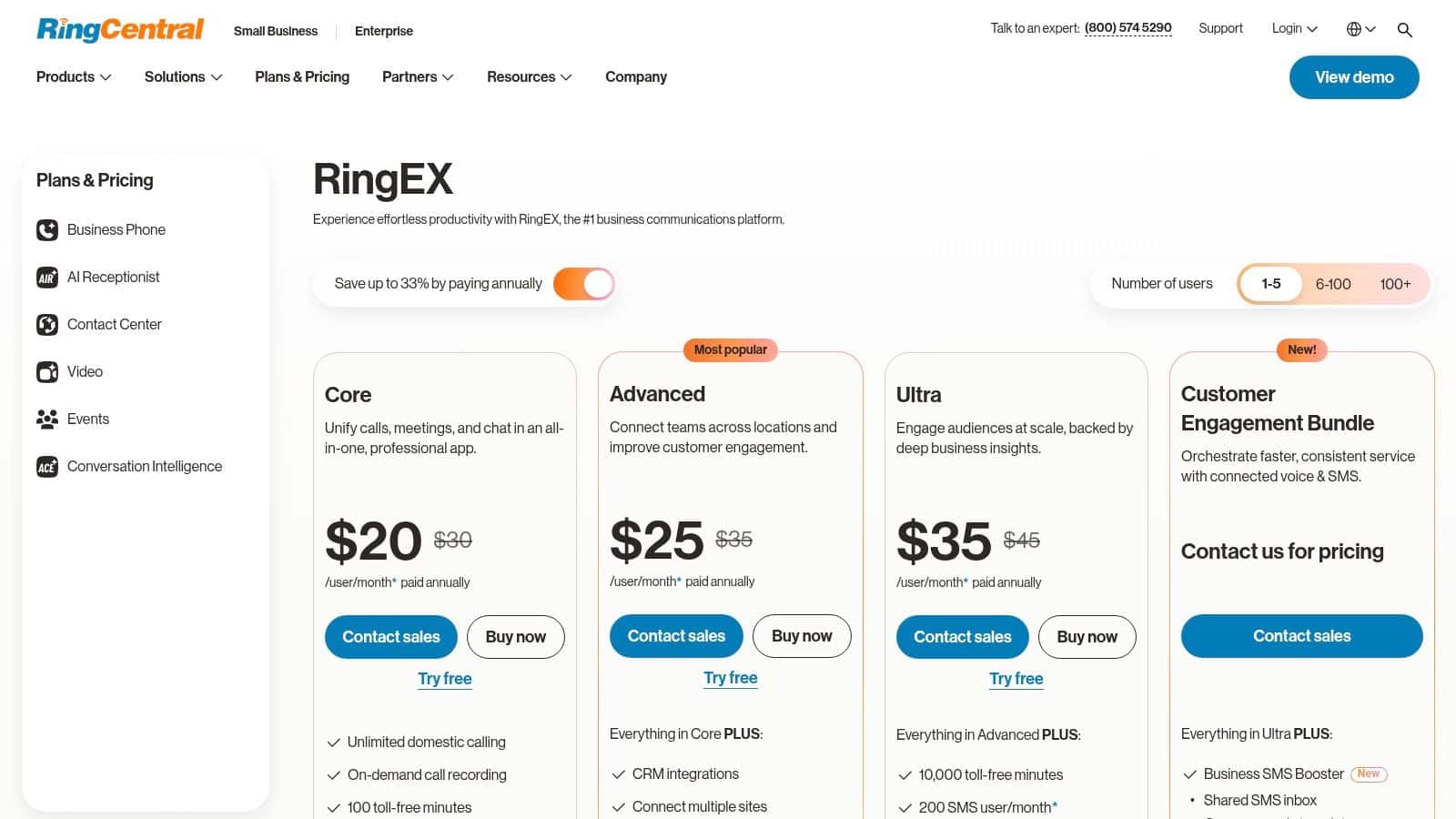
RingCentral MVP is a better fit when the business need is a full cloud phone system with mature routing, queues, and a broader communications layer. It works well for agencies and SMBs that need something dependable across multiple locations or client accounts, especially when the phone system has to look and behave like part of a larger enterprise stack. The platform's appeal is consistency, not novelty.
The strongest practical advantage is breadth. RingCentral combines IVR, call queues, recording, logs, messaging, and video in one environment, which means ops teams don't have to bolt together separate tools for every communication type. That matters in real life because the phone system has to support admin work, reporting, internal collaboration, and customer conversations at the same time.
Why teams choose it
RingCentral makes sense for organizations that care about scalability and rollout control. It's a good candidate when you need global reach, number porting, and enough structure to support several departments without turning the phone system into a mess. For support-heavy businesses, the reporting layer also helps managers see what's happening without digging through random spreadsheets.
The main downside is complexity. Pricing and edition details can be harder to untangle than they should be, so buyers need to validate exactly what's included before they sign. That's less of a software problem and more of a procurement problem, but it still affects rollout speed.
If the buying team includes operations, finance, and IT, RingCentral usually makes more sense than a lightweight VoIP app because it can satisfy all three groups without a lot of compromise.
If you're comparing enterprise phone-system risk and vendor maturity, this RingCentral data breach extortion context is worth reviewing before you standardize a large account portfolio on any single vendor.
RingCentral's plans and pricing page is the place to verify current editions, feature boundaries, and support coverage before rollout.
3. Dialpad Ai Voice
Dialpad Ai Voice is the obvious pick for teams that want conversation intelligence built into the phone system from day one. It's cleaner than many legacy telephony platforms, and that matters when you're rolling out to a distributed team that needs to start using it quickly without a long admin project. The product feels built for managers who want summaries, transcripts, and live coaching without adding another analytics tool.
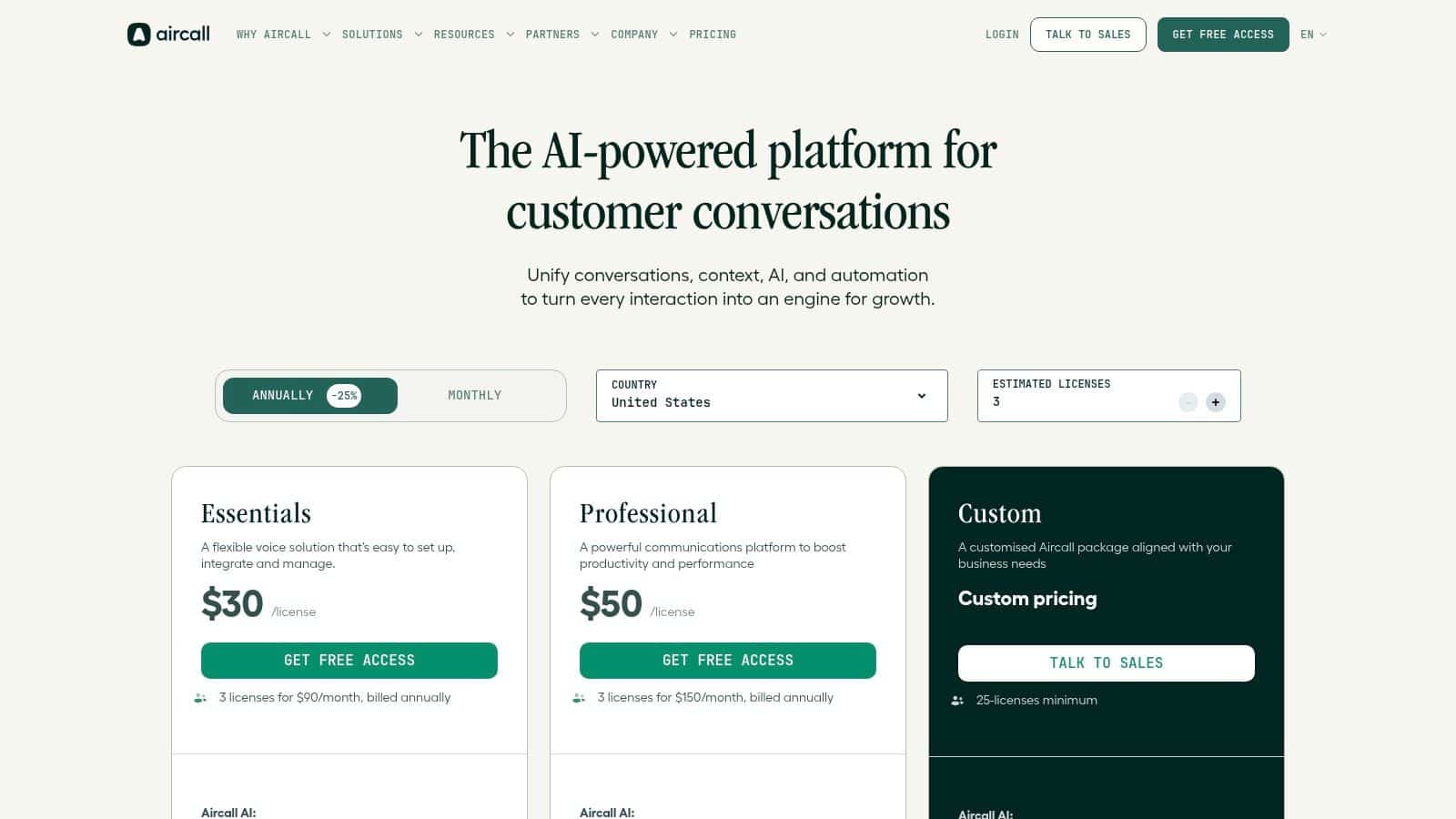
Dialpad's native AI is the differentiator. Real-time transcription and post-call summaries help reduce the note-taking burden, and that creates a cleaner handoff between sales, support, and customer success. It also helps managers review conversations without waiting for someone to write a recap later.
Why it stands out in daily use
For lean teams, the appeal is speed. You don't have to build a separate process around recordings, summaries, and coaching notes because those functions live in the phone system. That makes it easier to standardize how calls are logged and reviewed, especially for remote teams and agencies that need consistent call handling across users.
The downside is that some of the more advanced AI and contact-center capabilities can sit behind higher tiers. That's common in this category, but it still matters if you're buying for a team that expects everything to be included upfront.
For agencies evaluating AI-first telephony, the intelligent phone system guide for agencies is a useful framework for deciding whether the AI layer is operationally meaningful or just nice to have.
Clean UI matters more than vendors admit. If people avoid the admin panel, the phone system stops being a system and turns into a missed opportunity.
Dialpad's pricing page is the place to confirm which AI and routing features sit in each tier before you commit.
4. Zoom Phone
Zoom Phone makes the most sense for organizations that already live in Zoom for meetings and chat. The value isn't just the phone service itself, it's the way calling sits inside the same environment people already open every day. That reduces friction for internal adoption, especially in teams that don't want one app for meetings and another for business calls.
Zoom describes call management software as automating tasks like answering, routing, recording, and analyzing calls, and Zoom Phone carries that logic into a familiar workplace interface. In practice, that means the phone system feels less like a separate telecom purchase and more like an extension of the collaboration stack.
Best for unified workplace communication
Zoom Phone is strongest when operations wants fewer moving parts. Cloud PBX features, number porting, softphone support, and optional hardware-as-a-service make it easier to standardize devices without forcing everyone into a rigid office setup. That flexibility helps hybrid teams that need calling to work across desktop and mobile.
The main caution is regional variation. Feature availability and pricing can differ by country, so buyers should verify coverage early instead of assuming every office gets the same experience. That step matters more than it should, especially for distributed teams that purchase globally.
Zoom's own product page for business VoIP phone service is the best place to confirm what's available in each region before a rollout.
Practical buying note
If your company already uses Zoom Meetings and Zoom Chat, switching to a separate phone stack can create unnecessary admin overhead. If your team doesn't use Zoom today, the integration advantage is much smaller, and another UCaaS platform may be a better fit.
5. Nextiva
Nextiva is a solid shortlist choice for SMBs and mid-market teams that want a simple UCaaS rollout with solid core calling features. The platform is especially practical when the buyer cares about reliability and doesn't want to spend weeks designing a complicated telecom architecture. It bundles calling, messaging, and video in a way that makes day-to-day administration manageable.
What stands out is the operational fit. Auto-attendant, call routing, voicemail-to-email, and analytics cover the essentials without making the system feel overbuilt. For agencies, that's useful because the phone system can be rolled out to a small team quickly, then expanded as the account portfolio grows.
Why small teams shortlist it
Nextiva works well when the team wants fewer surprises during implementation. Outlook and Google contact and calendar integrations help reduce duplicate entry, and that matters more than flashy extras when users are trying to stay responsive during the workday. In a small agency, the admin often ends up handling the phone system too, so simplicity is not a luxury.
The one thing I'd push buyers to clarify is feature packaging. Some analytics and CX capabilities sit in higher tiers, and exact pricing can require a sales conversation. That doesn't make it a bad choice, but it does mean the first quote isn't always the whole story.
If the buyer wants a low-drama rollout more than a feature race, Nextiva belongs on the shortlist.
For teams focused on revenue recovery, the recover revenue from missed calls angle pairs well with a phone system like Nextiva because the operational win often starts with faster response, not more complexity.
Check the Nextiva pricing page for current packaging before you compare seat counts and support levels.
6. 8×8 X Series
8×8 X Series is a better fit for distributed teams that need unified communications and contact center capability from one vendor. That combination matters when voice, routing, and support operations can't live in separate systems without creating reporting gaps. For multi-country agencies, it's especially attractive because the platform is built with global use cases in mind.
The primary advantage is consolidation. Instead of buying one product for office calling and another for support workflows, teams can keep both under one roof. That can simplify vendor management, contract ownership, and admin training, which is often where these deployments win or lose.
Where it earns its place
8×8's integration options with Microsoft Teams make it relevant for organizations that already use Teams internally but still need a more serious call-management layer. Add in cloud PBX features, queues, recording, and analytics, and you get a platform that can support both general business calling and more structured customer operations.
The caution is regional variance. Pricing pages and inclusions differ by region, so U.S.-specific assumptions can be wrong fast. Teams should confirm bundled minutes, overages, and retention policies before locking in a deployment.
A useful way to think about 8×8 is this, it's for teams that want fewer vendors and more operational consistency, not for buyers looking for the cheapest straightforward phone line replacement.
One vendor can reduce administrative friction, but only if the team actually needs both UC and contact-center functions.
Visit the 8×8 plans and pricing page to check regional availability and bundled service details.
7. Vonage Business Communications
Vonage Business Communications fits businesses that care about international calling and a communication layer that can grow with add-ons. It's a pragmatic choice for companies with customers or staff in multiple countries, or for agencies that need a phone stack that can accommodate voice, messaging, and broader contact workflows without starting over later.
The platform's big strength is flexibility. Auto-attendant, queues, call recording, and analytics cover the basics, while add-ons like Business Inbox extend the system into messaging channels. That gives teams room to adapt the setup as customer behavior changes, especially when support no longer lives in voice alone.
Best for global and multi-channel needs
Vonage makes sense when seat count, region, and contract terms vary across teams. That's common in agencies and distributed businesses where the phone system has to support different client environments rather than one standardized office. The broad add-on catalog is useful, but it also means buyers need discipline, because it's easy to add more than the team will use.
The contract side deserves attention. Annual terms can include early termination fees, so procurement should review the fine print before agreeing to a long commitment. That's especially important if the business is still adjusting its support model or headcount.
For teams that want a broader view of how call systems compare by logging and attribution needs, the compare call tracking software 2026 perspective is a useful companion to Vonage's more communications-led model.
Visit the Vonage pricing page to verify regional pricing, term length, and add-on availability before you buy.
8. Aircall
Aircall is built for sales and support teams that live inside CRMs and helpdesks. The platform's main value is speed of deployment plus a large integration footprint, which is why agencies often like it when they're standardizing calling across several client systems. It feels like a telephony layer designed to sit on top of work already happening in tools like HubSpot, Salesforce, or Intercom.
What makes Aircall practical is that it doesn't ask teams to rebuild their workflows. Multi-level IVR, simultaneous ring, call recording, and analytics are there, but the primary payoff comes from the app marketplace. When the phone system is tightly tied to ticketing and sales records, managers get cleaner context and less manual logging.
Why sales teams like it
Aircall works well for outbound-heavy teams that need standard call handling across multiple users and systems. The growing AI voice and messaging agents add automation for scripted intake and escalation, which can reduce repetitive work in basic routing scenarios. That's useful when the team wants to offload simple interactions without losing visibility.
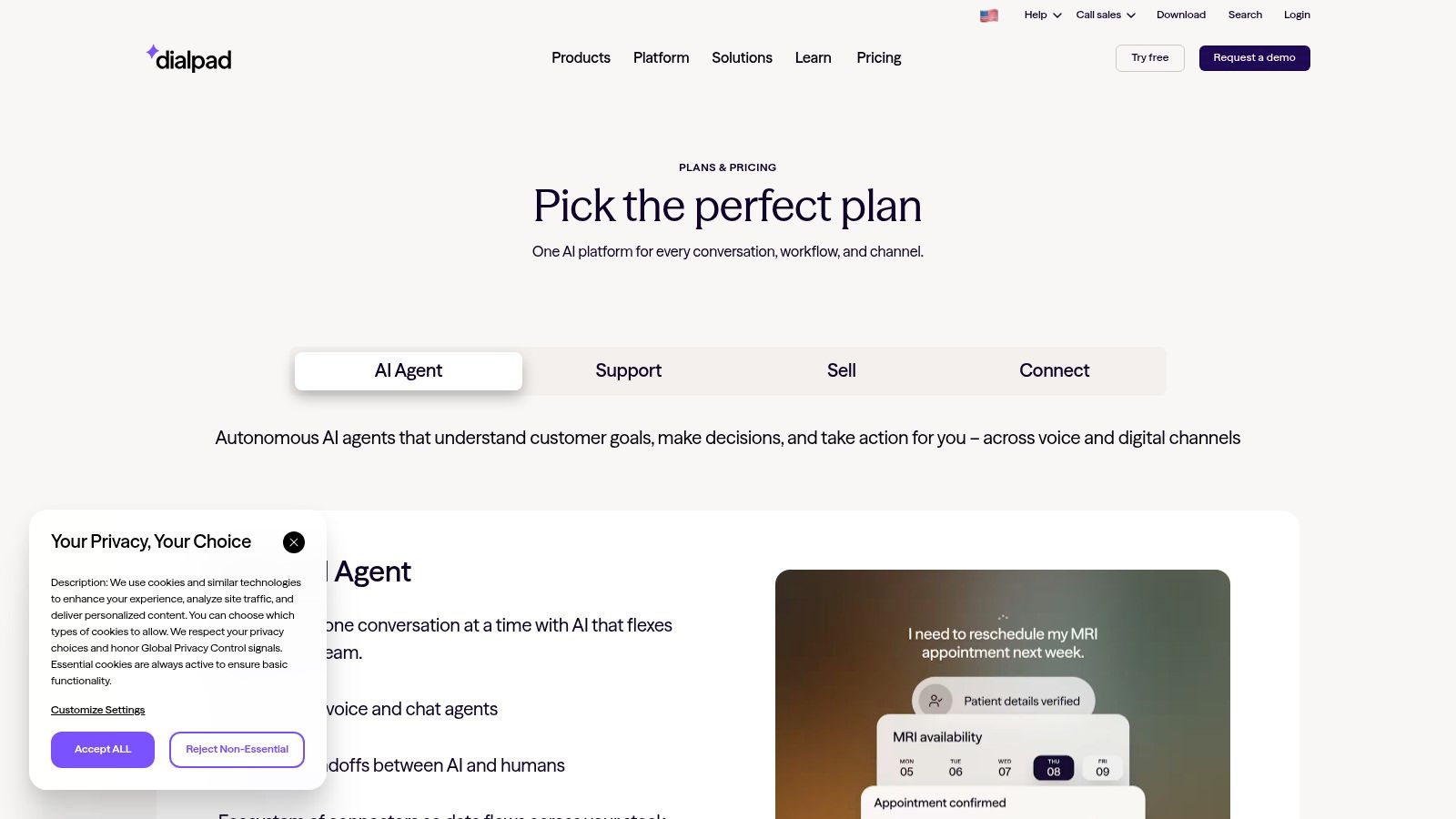
The main cost issue is scaling. Per-user pricing, plus add-ons for numbers and minutes, can rise quickly if you run a large team with heavy outbound usage. That doesn't make it expensive by definition, but it does mean finance needs to model actual utilization instead of comparing sticker prices.
The platform is also a good fit for agencies choosing a logging-centric phone layer, and this choosing call logging software article is a sensible companion when call records and CRM notes matter more than desk-phone hardware.
Aircall's pricing page is where you should confirm integrations, number add-ons, and usage-based costs before rollout.
9. Freshdesk Contact Center
Freshdesk Contact Center fits teams already inside the Freshworks ecosystem and wanting voice tied closely to tickets, chat, and CRM. That makes it especially practical for support organizations, because agents don't have to jump between a phone app and a helpdesk just to understand a caller's history. The setup is straightforward, which helps smaller teams move fast.
The strongest operational advantage is workflow proximity. Queueing, IVR, recordings, voicemail transcription, live dashboards, and web and mobile softphones are enough to get a support team up and running without building a telecom project around it. If your service team already works in Freshdesk or Freshsales, the fit is naturally stronger.
Where it helps most
Freshdesk Contact Center is good for teams that want the voice channel to behave like part of customer support rather than a separate system. The BYOC option on certain tiers can also help buyers who already have carrier relationships and don't want to rip those out immediately. That kind of flexibility matters in real operations because phone infrastructure rarely changes as neatly as software demos suggest.
The main caution is billing clarity. Minute charges, bot-session charges, and plan-dependent inclusions need confirmation before launch. In a support environment, small usage assumptions can turn into unexpected cost noise if they're not tracked from the start.
If your team already lives in Freshworks, you'll feel the value faster than if you're trying to force a disconnected stack into it.
For teams evaluating voice automation more broadly, the why you need a voice AI angle pairs well with Freshdesk Contact Center because support workflows often need automation before they need more people.
Check the Freshdesk Contact Center pricing page for current trial and plan details before you finalize setup.
10. CallRail
CallRail is the strongest choice here if your main problem is marketing attribution for phone calls. It's purpose-built for agencies and performance marketers who need to know which campaigns drive calls, not just how many calls came in. That distinction matters because a lot of phone systems can log calls, but very few can explain why those calls happened in the first place.
CallRail's practical value is in source-level tracking. Dynamic number insertion, attribution by channel, and conversation intelligence make it possible to connect call data back to campaigns, keywords, and landing pages. That's the kind of visibility agencies need when clients ask which channels generated revenue.
Best for proving ROI
If you manage PPC, SEO, or offline campaigns, CallRail gives you a cleaner way to answer the “what drove this lead?” question. The multi-account structure also makes agency management easier, since attribution often needs to be separated by client and channel. That makes it more specialized than a phone system, but for many marketing teams that specialization is the point.
The downside is cost scaling. Billing grows with numbers, minutes, and add-ons, so teams need to monitor usage instead of treating it like fixed-cost software. That's not unusual for attribution tools, but it does require discipline from account managers and ops people.
For a deeper framework on whether this kind of attribution layer fits your stack, the compare call tracking software 2026 guide is the natural next read.
Visit the CallRail pricing page to see how tracking numbers, minutes, and add-ons are packaged for your use case.
Top 10 Call Management Software Comparison
| Product | Key capabilities | UX / Quality (★) | Unique selling points (✨) | Target audience (👥) | Price / Value (💰) |
|---|---|---|---|---|---|
| HighLevel 🏆 | All-in-one CRM, multi-channel inbox, funnels, automation, payments, reputation | ★★★★★ mobile-first, powerful automations | ✨ Conversation AI, missed-call text-back, unlimited sub-accounts & contacts | 👥 Agencies & SMBs consolidating tech stack | 💰 $, high value for agencies; Unlimited plan advantage |
| RingCentral MVP | Enterprise UCaaS: IVR, queues, team messaging, analytics | ★★★★ proven reliability & scale | ✨ Global reach, enterprise compliance, mature PBX features | 👥 Multi-location agencies, mid → enterprise | 💰 $$, tiered/complex; scalable |
| Dialpad Ai Voice | Cloud phone with real-time AI transcripts, routing, softphones | ★★★★ clean UI; fast deployment; AI-native | ✨ Real-time transcription, live coaching & summaries | 👥 Lean teams & agencies wanting built-in AI | 💰 $-$$, advanced AI on higher tiers |
| Zoom Phone | Cloud PBX integrated with Zoom Meetings & Chat; porting & HaaS | ★★★★ seamless if you use Zoom ecosystem | ✨ Native Meetings/Chat integration; optional HaaS | 👥 Organizations already on Zoom | 💰 $, region-dependent licensing |
| Nextiva | Cloud phone, auto-attendant, voicemail→email, analytics, messaging | ★★★ simple admin; strong uptime | ✨ SMB-focused packaging, reliable call performance | 👥 SMBs & mid-market agencies | 💰 $, contact sales for promotions |
| 8×8 XCaaS (X Series) | UC + Contact Center, IVR/queues/recording, Teams routing | ★★★ global footprint; feature-rich | ✨ One vendor for UC & CC, compliance & global minutes | 👥 Distributed / multi-country agencies | 💰 $$, regional plan differences |
| Vonage Business Communications | Cloud phone, messaging, global minute bundles, marketplace | ★★★ flexible add-ons; mature telephony | ✨ Business Inbox for multi-channel messaging; intl bundles | 👥 Businesses with global calling & multi-channel needs | 💰 $-$$, variable by seats/term; check contracts |
| Aircall | VoIP for sales/support, IVR, recordings, 250+ integrations, AI agents | ★★★★ fast deployment; strong integrations | ✨ Large app marketplace; emerging AI voice/messaging agents | 👥 Sales/support teams & agencies integrating CRMs | 💰 $, per-user + add-ons can increase cost |
| Freshdesk Contact Center | IVR, queues, live dashboards, recordings, Freshworks tie-ins | ★★★ easy setup within Freshworks ecosystem | ✨ Tight Freshdesk/Freshsales integration; BYOC option | 👥 Support teams using Freshworks | 💰 $, tier-dependent; minute/bot charges possible |
| CallRail | Dynamic Number Insertion, source-level attribution, conversation analytics | ★★★★ purpose-built marketing analytics | ✨ Deep call attribution & conversation intelligence for ROI | 👥 Marketing agencies & data-driven teams | 💰 $, usage-based (numbers/minutes/add-ons) |
Making Your Final Choice and Getting Started
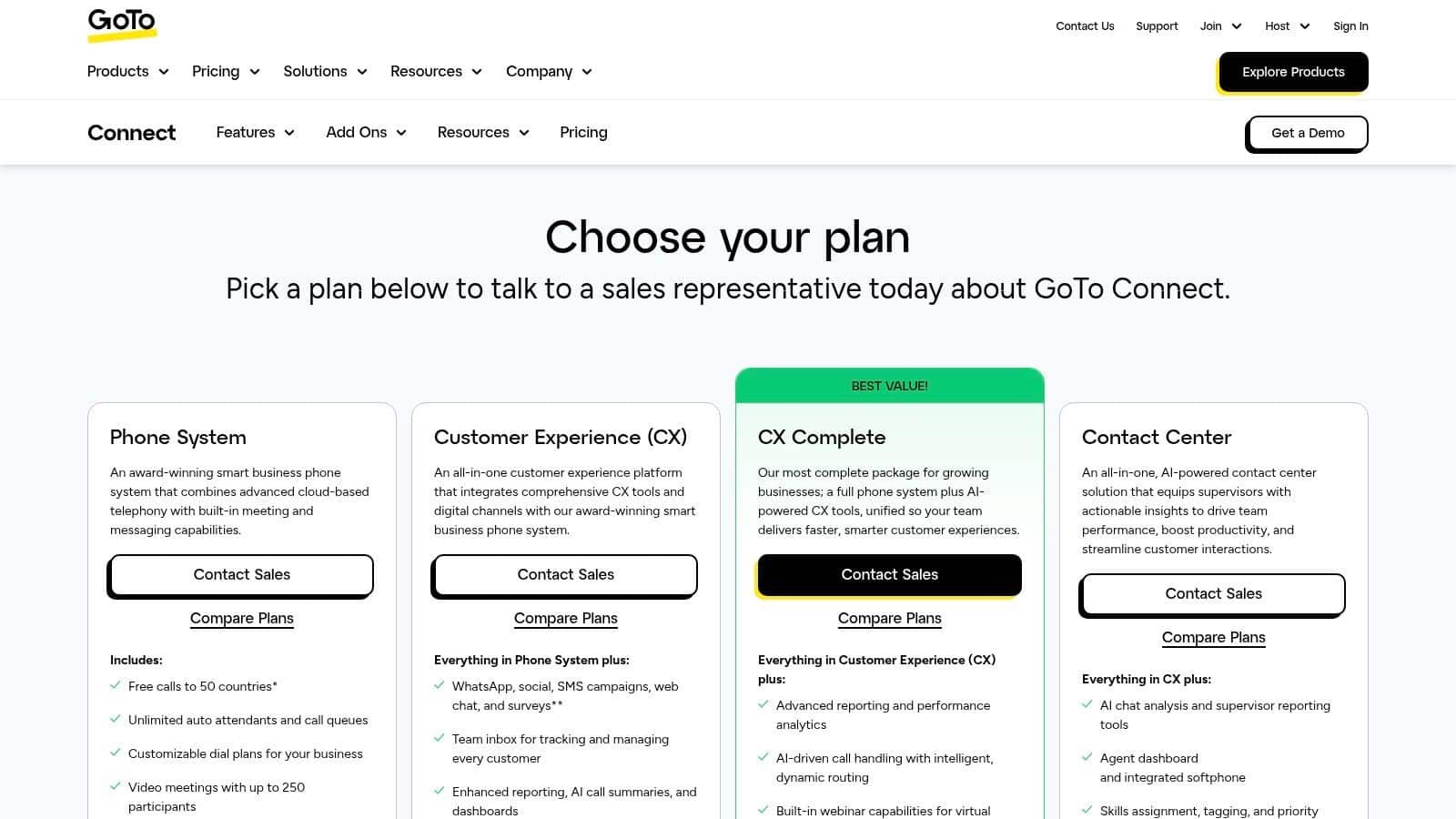
The best call management software is the one that fits your operating model, not the one with the longest feature checklist. If your business needs call handling tied tightly to marketing and follow-up, an all-in-one platform like HighLevel can make sense because it combines calling with CRM, messaging, funnels, and automation in one workspace. If your team is replacing a more traditional phone system, a UCaaS platform like RingCentral, Zoom Phone, Nextiva, 8×8, or Vonage will usually feel more natural.
Start with the workflow, not the vendor demo. Map how calls should enter the business, who should answer them, what should happen after a missed call, and where call notes need to live. Then match the platform to the reality of your team, because a highly rated system that no one fully adopts is just an expensive source of friction.
The rollout itself matters more than most buyers expect. Number porting needs planning, routing rules need to reflect actual team structure, and your staff needs to know when to use IVR, queues, callbacks, or text-back automation. If you're choosing a platform for support or sales, train around real call scenarios instead of abstract feature lists, since that's where adoption usually succeeds or fails.
Use the market trend as a reminder that this category is no longer niche. Cloud-led deployment, omnichannel routing, and analytics have pushed call management into core business infrastructure, not just telecom plumbing. The best buying decision is the one that reduces missed calls, improves response consistency, and gives managers a usable view of performance without forcing the team into needless complexity.
If you're ready to consolidate calling, follow-up, and customer communication in one place, explore HighLevel and see how its CRM, call tracking, missed-call text-back, and automation tools can fit into your current workflow.
