


The missed-call problem shows up in the same place every time. The phone rings after hours, nobody picks up, and by morning the lead has already booked with someone else who answered first. A voice AI chatbot changes that dynamic by answering calls, qualifying intent, capturing details, and moving the conversation into the CRM instead of letting it die in voicemail.
For agencies and local businesses, that shift matters because voice has already become normal behavior for customers. In the U.S., voice assistant users were projected to reach 157.1 million by 2026, and 35% of the U.S. population aged 12 and over already owned smart speakers, about 100 million people (Chatbot.com). One source also estimates 4.2 billion voice assistants in use worldwide and says 20.5% of people worldwide use voice search (Chatbot.com). Voice isn't a novelty channel anymore. It's an expectation customers already bring into the call experience.
Table of Contents
- What a Voice AI Chatbot Does for Your Business
- How Voice AI Chatbots Process a Phone Call
- Business Use Cases That Drive Real Revenue
- Implementing Voice AI Inside HighLevel CRM
- The Messy Reality of Live Voice AI Conversations
- Choosing the Right Voice AI Platform for Your Needs
- Your Voice AI Launch Plan and Next Steps
What a Voice AI Chatbot Does for Your Business
The clearest way to understand a voice AI chatbot is to watch a local business lose a lead, then catch the next one. A homeowner calls a plumbing company at 7:40 p.m., hears voicemail, and dials the next shop in the search results. The second company answers with an automated voice agent that asks what is broken, captures the address, and routes the caller into a calendar or a human dispatcher if the job sounds urgent.
That is not a fancy phone tree. It is a CRM automation layer that interprets spoken requests in real time, responds naturally, and takes action where the business works, inside the pipeline, the inbox, and the booking calendar. Traditional IVR forces callers through rigid menu choices. Conversational voice keeps the interaction moving like a real call, which is why it feels less like “press 1 for sales” and more like someone is listening.
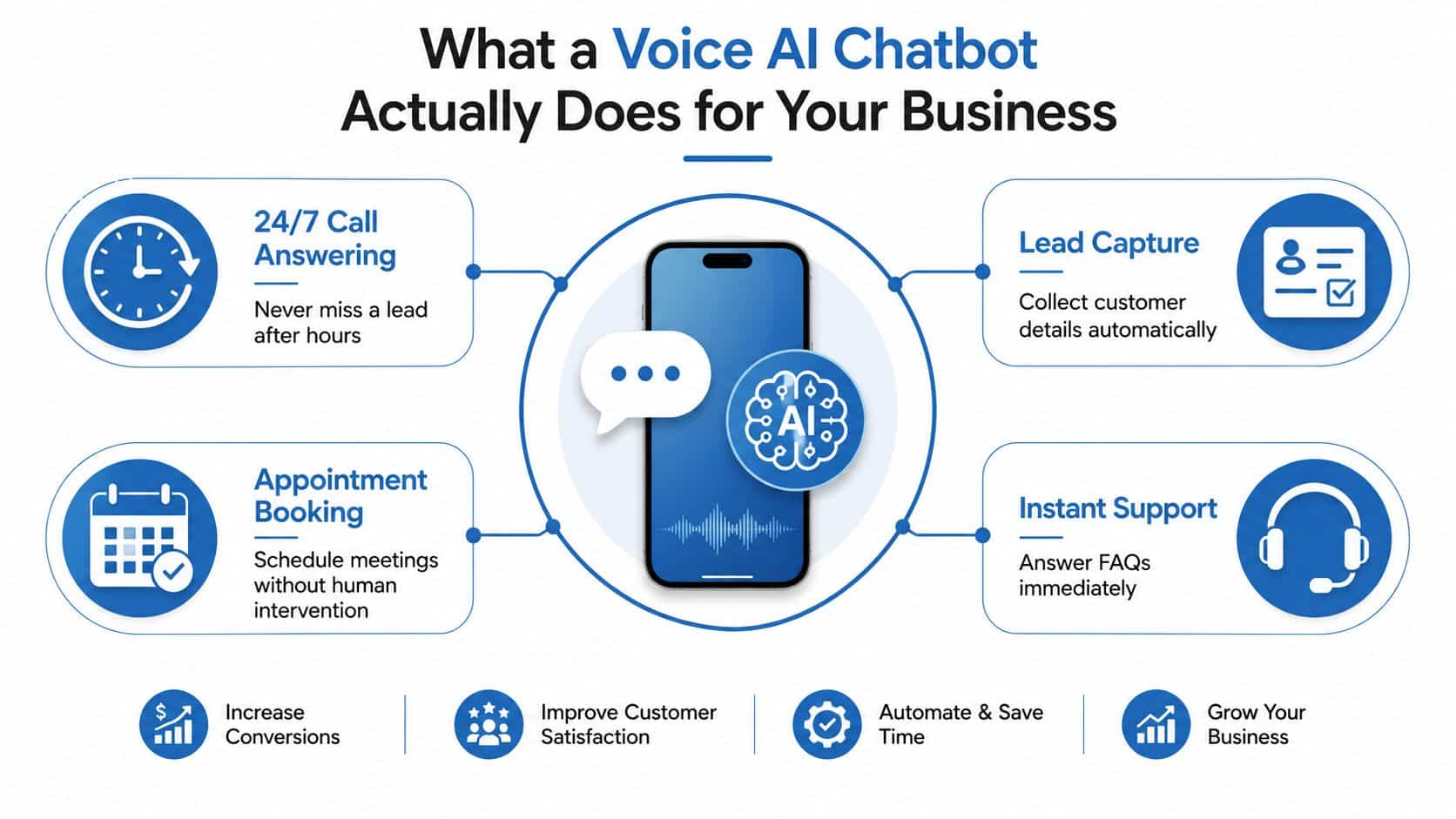
A useful way to judge it is by outcomes, not feature lists. The bot can answer after-hours calls, capture lead details, book appointments, and surface urgent calls to staff without forcing the caller to repeat information. For agencies, that means the system is not just answering the phone. It is doing intake, routing, and follow-up work that usually sits between the front desk and the sales team.
The value shows up when the call lands in the CRM with context. A missed call can become a contact record, a pipeline stage, a task for a rep, or a booked slot on the calendar. If you are comparing platforms for a client rollout, the practical question is how the voice layer fits into the rest of the stack, which is why a 2026 CRM selection guide is worth reviewing before you commit to a setup.
It also changes how a small team handles overflow. A single receptionist can only answer one caller at a time, and voicemail never qualifies urgency. A voice AI chatbot can greet every inbound call, sort routine requests from high-intent ones, and hand off the edge cases to a person before the lead goes cold. That handoff matters more than the script. If the escalation path is vague, the system creates friction instead of reducing it.
The adoption curve makes more sense once you separate novelty from operations. People already know how to speak to devices, so the caller side is familiar. The business side is where the work happens, and the workflow has to be clean enough to support real revenue capture. For teams comparing how the voice layer should fit into a phone stack, the voice recognition for macOS users discussion is useful as a reminder that speech systems succeed or fail on transcription quality, latency, and error handling, not on the demo alone.
Practical rule: if the call does not create a record, a task, a booking, or a handoff, the bot is just a prettier answering machine.
How Voice AI Chatbots Process a Phone Call
A production call starts with a simple question, did the system detect speech fast enough to feel responsive? That first gate is Voice Activity Detection, or VAD. One 2025 implementation guide reports Silero VAD at less than 1 ms per 30+ ms chunk with over 95% accuracy in multi-noise environments, while WebRTC VAD is ultra-low-latency but less discriminative for speech versus noise (programmerraja.is-a.dev)). Faster VAD reduces dead air and avoids unnecessary downstream processing.
The pipeline from ring to resolution
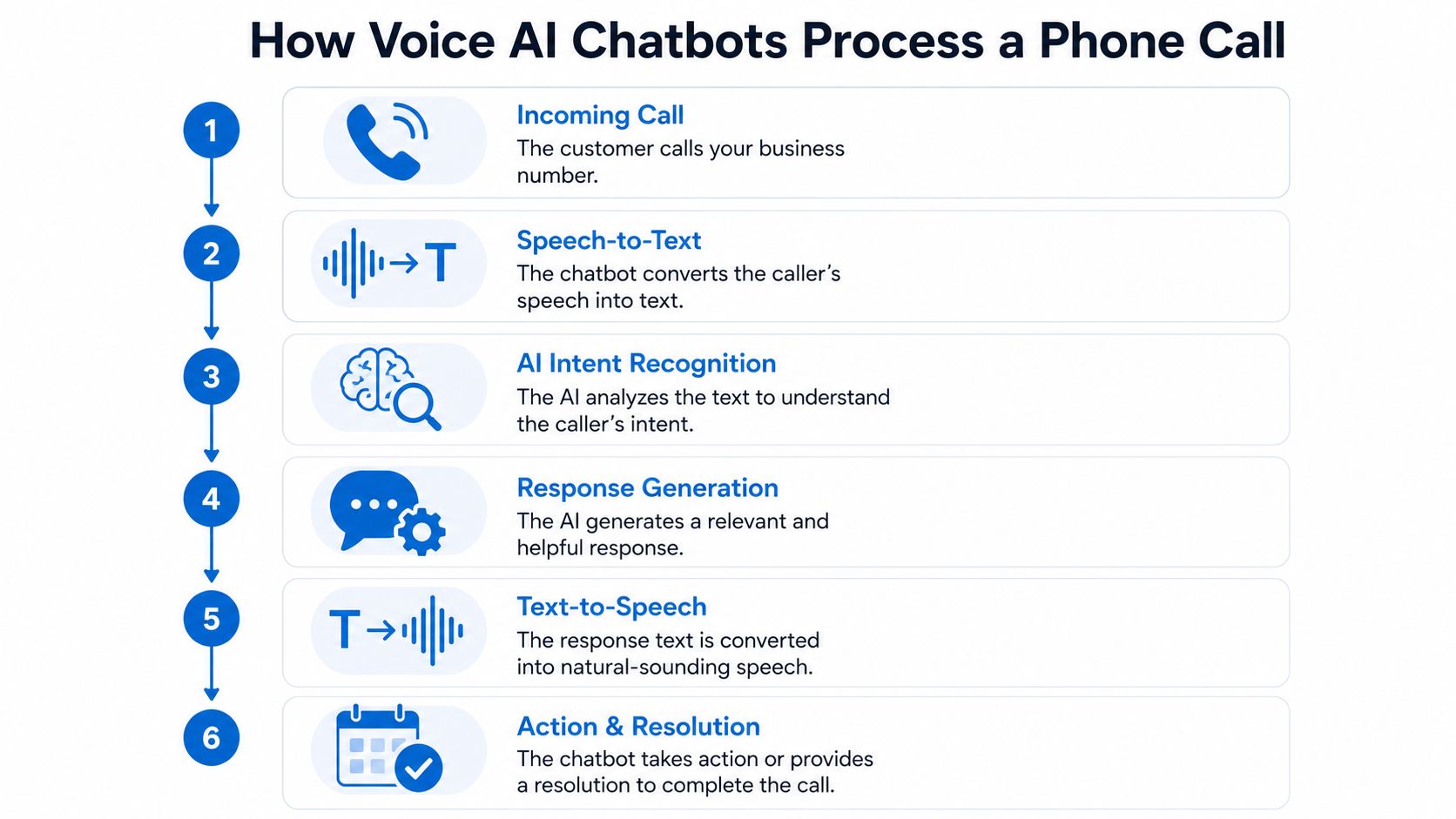
After VAD, the caller's words move through speech-to-text, then into model reasoning, then back out through text-to-speech. A technical guide breaks the path into STT at 200 to 350 ms, LLM time-to-first-token at 100 to 200 ms, TTS time-to-first-byte at 75 to 150 ms, and network or orchestration overhead at 50 to 100 ms, which creates a practical mouth-to-ear gap of 500 to 800 ms (dev.to). That's why teams tune each stage separately instead of assuming a bigger model solves everything.
The operational takeaway is straightforward. If the ASR layer is slow, the caller talks over the bot. If the LLM pauses too long, the call feels broken. If TTS sounds delayed, even a correct answer lands badly. The business result is usually not a failed demo, it's a caller hanging up before the system finishes a sentence.
Good voice systems feel slightly faster than a human receptionist, not because they talk more, but because they waste less time.
For a visual walkthrough of the production flow, this overview is helpful, and the mechanics line up with the same pattern used in smart answering in HighLevel. I also recommend comparing the setup to voice recognition for macOS users, because the same recognition pipeline issues show up whether the caller is speaking into a phone or dictating on a laptop.
Here's the embedded walkthrough video for teams that want to see the call flow in motion.
Business Use Cases That Drive Real Revenue
The calls that pay back fastest already carry intent. A homeowner wants a quote. A patient wants an opening on the calendar. A prospect wants a callback before they move on. Voice AI earns its keep when it turns those moments into CRM actions with a clear owner, a clear next step, and a fallback when the conversation stalls.
Where the workflow pays off
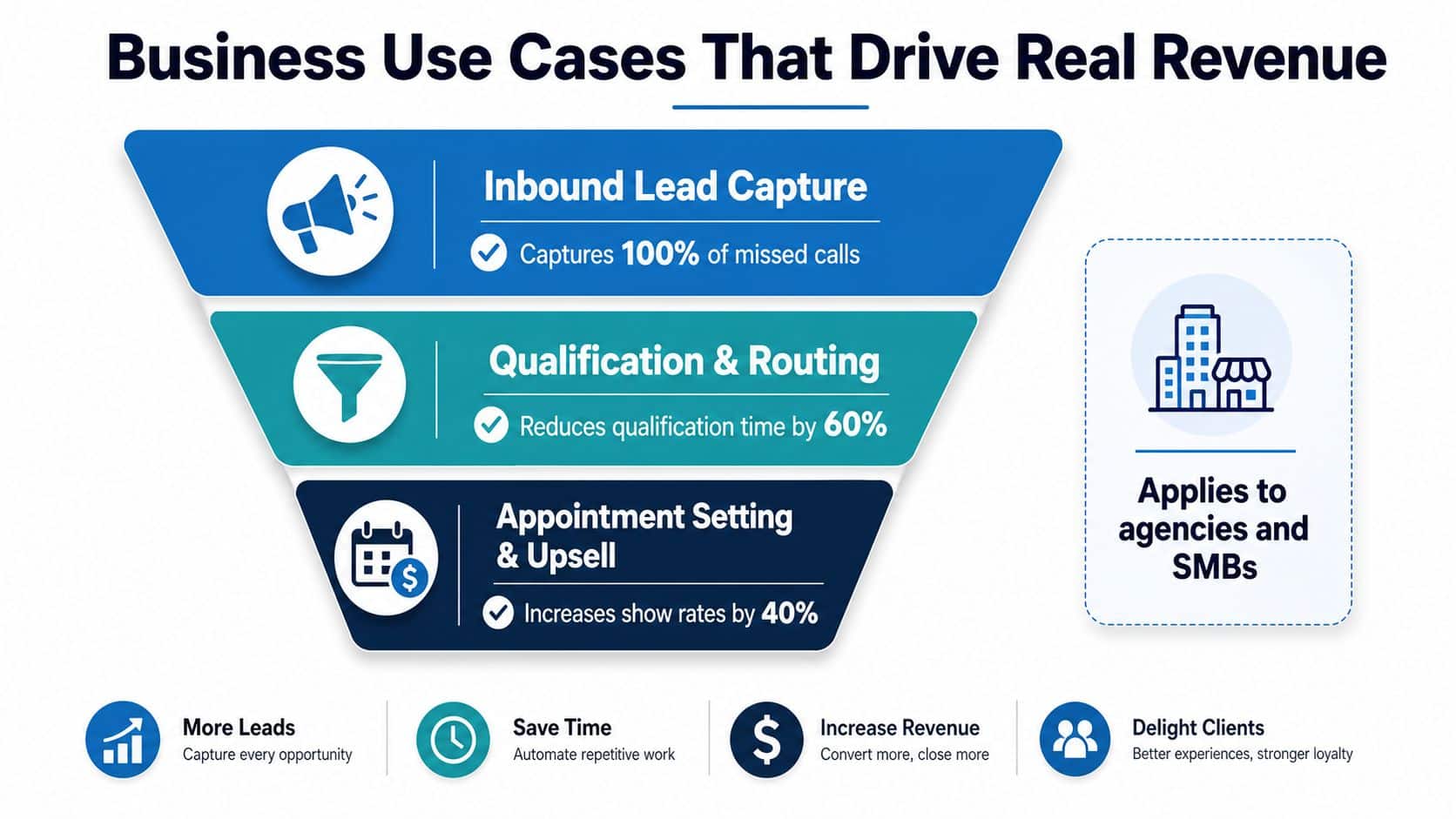
Inbound lead capture works because the bot can collect the caller's name, need, and contact details before the lead goes cold. Appointment booking works because the call can move straight into scheduling instead of waiting for someone to return the call later. After-hours triage works because the bot can sort routine questions from urgent issues, then route only the urgent ones to a human. Missed-call text-back matters because some callers will not wait on hold, and a fast text often gets the conversation restarted without forcing them to repeat themselves.
The revenue lift comes from timing and routing, not from a fancy greeting. If the bot answers quickly, keeps the caller moving, and sends the right record to the right queue, the business captures work that would otherwise be lost to voicemail or slow follow-up. If it hesitates, asks for too much, or sends every caller down the same path, the result is a dropped call, a frustrated prospect, or a front desk that has to clean up the mess manually.
That is why the strongest use cases are usually narrow and operational. A service business can use voice AI to qualify estimate requests before handing them to sales. A clinic can use it to screen appointment intent and send only the right cases to the front desk. A home services team can use it to separate normal bookings from emergency requests and alert the on-call tech without making the caller wait for a human answer. Those are the calls where speed, call control, and escalation rules matter more than a polished demo.
What to connect inside the CRM
A bot creates value only when it changes what happens next. The best setups update or create the contact, place the lead in the correct pipeline stage, trigger the right follow-up, and route high-value calls to a rep before the caller hangs up. If the call never reaches a human, the transcript and caller details still need to be preserved so the next action is obvious when the team reviews the record.
That same logic applies to missed calls, which is why the missed call text back guide pairs well with voice workflows. The text-back step is not a separate trick. It is the recovery path when the call ends before the bot or a human finishes the job.
Operational rule: if the workflow ends with “we'll call them back later,” the bot has not finished the job.
Implementing Voice AI Inside HighLevel CRM
HighLevel's Voice AI feature belongs inside a phone automation stack, not outside it. The feature sits alongside inbound call handling, missed-call text-back, and outbound call connect, which makes it a CRM workflow layer tied to lead capture and follow-up rather than a standalone bot (Nature article). That matters because the implementation should be designed around routing, booking, and escalation, not around a generic voice demo.
The practical setup starts with the use case. Pick one call type, such as new lead intake, estimate requests, or after-hours booking. Then script the conversation around the minimum fields the business needs, connect those fields to the contact record, and set a clear fallback when the bot hits uncertainty. In a local service business, that fallback might be “send to office during business hours.” In a clinic, it might be “route to front desk.” In a home services shop, it might be “flag as urgent and alert the on-call tech.”
What to wire together
The CRM side should link the voice conversation to a pipeline stage, a calendar event, and a follow-up workflow. If the caller books, the contact should move immediately. If the caller needs a human, the agent should see the transcript and context before picking up. If the caller hangs up, the system should still preserve enough data for a text-back or a callback sequence.
I'd compare that setup to compare HighLevel's unified dashboard when deciding whether the account structure can support voice, text, calendars, and pipelines in one place. That consolidation matters more than the voice feature itself, because scattered tools usually break the handoff.
Testing is where many teams cut corners. Record a few real calls, check whether the bot stores the right contact data, and confirm that every branch lands in the right automation. The point isn't to make the system sound perfect. The point is to make sure it can survive an ordinary business call without leaking leads or confusing staff.
The Messy Reality of Live Voice AI Conversations
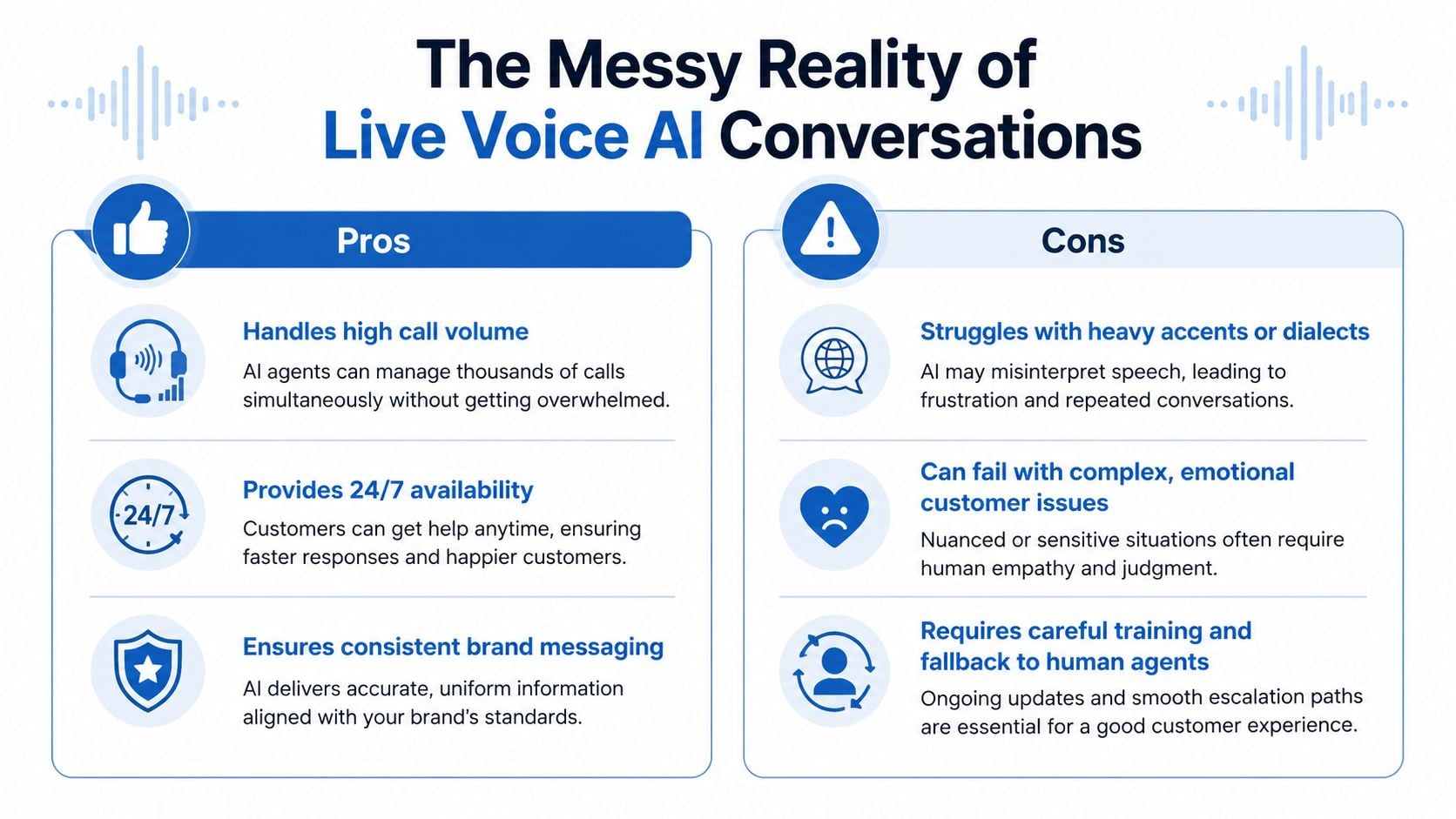
Demo calls rarely include accents, crosstalk, background noise, or a frustrated caller who interrupts every third sentence. Production calls do. That's where many voice systems start to fail, because the performance gap between a clean test environment and a live phone line is wider than teams expect.
The accessibility issue is just as important. Voice systems can help underserved users, including people with low literacy, disabilities, older adults, and linguistically diverse callers, but they only help when the design is inclusive from the start (PMC article). Voice is not automatically more accessible. It can miss accent variation, struggle in noisy environments, and create friction for culturally specific speech patterns. If you assume voice equals inclusion, you may end up widening the gap instead of closing it.
Why hybrid deployment beats blind automation
High-stakes calls need factuality controls. Stanford researchers note that AI chatbots struggle at fact-checking and that curated evidence can improve performance (Stanford FSI). That's especially relevant when a bot answers questions about pricing, policies, scheduling, or service terms. A wrong answer on a phone call feels much worse than a wrong answer in chat, because the caller is listening in real time and usually making a decision on the spot.
Recent industry discussion also points out that interruptions remain an unsolved problem in live conversational systems, which is one reason vendors are talking about “artificial imperfection” to make bots sound more socially acceptable. The smarter model is hybrid. Let the bot screen calls, translate, capture routine details, and handle simple routing. Let humans take over when emotion, ambiguity, or risk goes up.
Practical takeaway: if a call can affect trust, money, or safety, the escalation path matters as much as the bot's accuracy.
Choosing the Right Voice AI Platform for Your Needs
The right platform is the one that survives real call volume inside your workflow, not the one that sounds best in a demo. The first filter is CRM depth. If the voice system cannot create a clean record, update a pipeline stage, preserve the transcript, and pass context to a human, it will add cleanup work instead of reducing it.
The next filter is how the system behaves under pressure. A platform that sounds polished in a vendor walkthrough can still fail when callers interrupt, speak over the bot, or switch topics mid-call. That is where architecture matters more than branding. Some tools are built like a telephony layer with a chatbot attached, which is fine for simple routing but weak when a caller changes direction. Others are built around conversational logic first, which helps with longer qualification calls, but they can be harder to wire into the CRM cleanly. For agencies and local service teams, the better choice is usually the one that keeps the call moving without forcing staff to clean up broken records afterward.
A practical way to compare options is to score the parts that hold up in production, not the parts that look good in a demo. Conversation success rates of 82 to 89% are realistic expectations for well-implemented systems handling defined use cases (AgixTech). That is the right frame for selection. You are not buying perfect conversation handling, you are buying reliable completion on the calls that matter and predictable handoff on the ones that do not.
Voice AI platform evaluation criteria
| Evaluation Criteria | What to Look For | Why It Matters |
|---|---|---|
| CRM integration depth | Native pipeline, contact, and calendar updates | Prevents manual cleanup and missed follow-up |
| Latency performance | Fast responses across the full call path | Keeps the conversation natural |
| Human handoff | Clear escalation with transcript context | Protects service quality on complex calls |
| Multilingual support | Coverage for the languages your callers use | Improves reach and reduces confusion |
| Factuality controls | Guardrails, approved data sources, and safe fallbacks | Lowers the risk of wrong answers |
| Cost structure | Telephony, usage, and API costs together | Avoids surprise spend as call volume grows |
That table is useful, but the trade-offs matter more than the labels. A lower-cost platform often looks attractive until you factor in patchwork CRM syncing, more manual review, and extra prompt tuning every time your scripts change. A higher-end system may give you better call control and cleaner escalation, but only if your team can maintain it without turning every workflow change into a technical project. For a fast-moving agency, the question is whether your staff can adjust the call flow in the same place they already manage leads, tasks, and follow-up.
If you need a quick way to think about build versus buy, the LunaBloom AI starter app is a useful reference for how much of the stack is packaged for you and how much you would still need to shape around your own scripts. For teams that care about attribution and call source quality, HighLevel call tracking insights is worth reviewing, because a voice bot that books appointments but hides where the calls came from leaves you guessing about ROI.
The core decision is simple. Choose a platform that fits the way your team handles missed calls, intake, and follow-up in the CRM. If the system behaves like a telephony add-on with weak context transfer, it will save time in one place and create friction in three others.
Your Voice AI Launch Plan and Next Steps
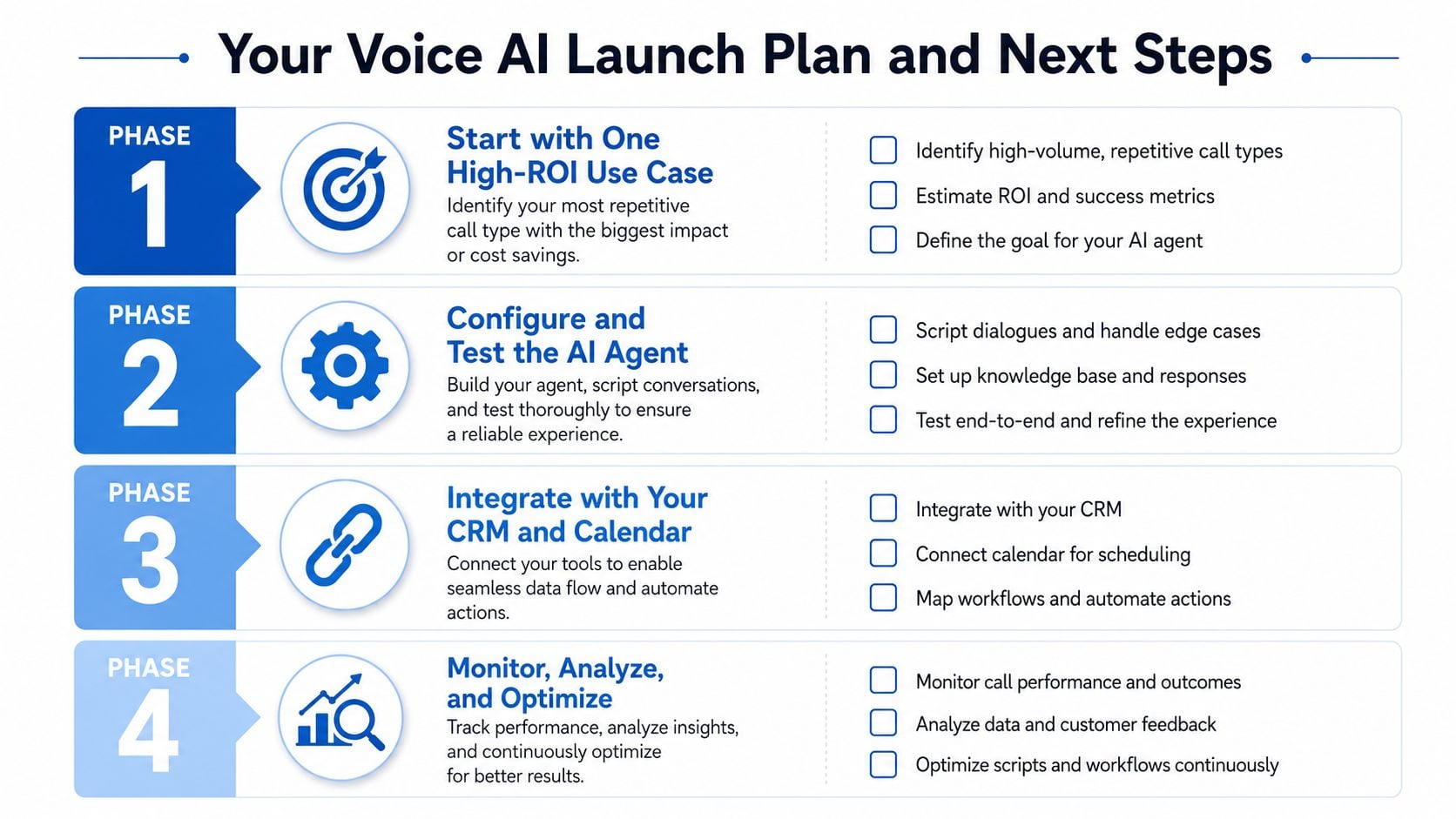
The most reliable rollout starts small. Pick one call type that repeats all day, usually missed calls, appointment requests, or first-contact qualification. Script it tightly, test it with real staff calls, and only expand after the handoff and booking paths are stable.
Track the metrics that reflect business outcomes, not vanity. Watch conversation success rate, first-contact resolution, lead conversion from voice interactions, and average handling time. If the bot sounds good but bookings don't move, the workflow is wrong. If the bot books well but staff still manually fix records, the CRM mapping is wrong.
A phased launch that doesn't break operations
Start with the narrowest useful call flow. Then connect it to the calendar and pipeline. After that, add fallback paths for unanswered questions, urgent calls, and caller interruption. Once those pieces hold up, expand to outbound connect, missed-call recovery, or multilingual routing.
For teams managing outbound prospecting, tools for SDRs and BDRs can be a useful reference point, especially if you're comparing voice call automation with broader sales outreach workflows. The same discipline applies either way, qualify faster, route smarter, and keep humans in the loop when the call gets messy.
If you're ready to deploy this in a real business, HighLevel gives agencies and SMBs a way to connect Voice AI with calls, workflows, calendars, and CRM records in one operating environment. Visit HighLevel to see how the platform handles voice-driven lead capture, booking, and follow-up inside the same system your team already uses.
