


Stop losing leads to spreadsheets, sticky notes, and half-finished follow-up tasks. If your team still copies names from web forms into a sheet, forgets who called first, or waits until tomorrow to reply, the problem isn’t effort, it’s the system. Lead tracking software gives you a single place to see source, activity, pipeline stage, and next step, so the record stays usable after the form submit and not just at the moment it lands.
That matters more now because the market has already shifted toward automation and multichannel control. The global lead management and tracking software market was valued at USD 0.374 billion in 2025 and is projected to reach about USD 0.6 billion by 2035, with a 4.5% CAGR from 2026 to 2035, while 68% of companies have adopted cloud-based tools, 62% use AI for lead scoring, and 66% have adopted omnichannel lead management, which shows how far the category has moved beyond basic contact logging to automated pipeline control (Global Growth Insights). The tools below are ranked by workflow fit, not hype, so you can match the software to your team size, sales motion, and budget without digging through feature fluff.
Table of Contents
- 1. HighLevel
- 1. HighLevel
- 2. HubSpot CRM + Sales Hub
- 3. Salesforce Sales Cloud
- 4. Pipedrive
- 5. Zoho CRM
- 6. Freshsales Freshworks CRM
- 7. Keap
- 8. Close
- 9. LeadSquared
- 10. monday sales CRM
- Top 10 Lead Tracking Software Comparison
- From Tracking to Thriving Your Next Steps
1. HighLevel
HighLevel fits teams that want one place to handle capture, follow-up, booking, payment, and reactivation instead of stitching together separate apps. Agencies, local service firms, coaches, and membership businesses tend to get the most value from that setup, especially when SMS, email, chat, funnels, reputation management, and pipeline activity need to live in the same workflow.
HighLevel’s practical win goes beyond the CRM. Lead records move through pipelines, calendars, conversations, payment steps, and review requests without bouncing between disconnected apps, which is where many SMB lead tracking setups break down. It also works well for agency-style operations, since the Unlimited plan supports unlimited sub-accounts, and published plans include unlimited contacts. That setup matters if you manage multiple clients or locations from one system (HighLevel).
Where HighLevel fits best
The strongest fit is a team that cares about what happens after the first response. If you need a single workflow from lead capture to booking to payment to review generation, this platform reduces integration work and keeps handoffs visible. It also suits teams that live on mobile and need to move quickly between conversations, tasks, and pipeline updates without waiting for a desktop workflow.
HighLevel is a practical choice when your sales process has more moving parts than a standard CRM can handle cleanly. It can also support routing logic, follow-up sequences, and demographic fit scoring tips to help separate better-fit leads from casual inquiries, which is useful when you want your team focused on the records most likely to convert. The trade-off is that it asks for more setup than a lighter CRM, so smaller teams should expect some implementation time before it feels organized.
Workflow fit and trade-offs
For agencies, the appeal is centralized control. One client can need booking links, text reminders, missed-call follow-up, and review requests, while another needs a different funnel and pipeline. HighLevel handles that kind of variation better than point tools that only solve one step, but it does take discipline to keep the account structure clean.
For direct sales teams, the platform can feel broader than necessary if the main need is simple lead capture and rep activity tracking. In that case, the extra automation layers may be more system than the team uses. The software makes the most sense when the workflow includes handoff, re-engagement, and retention, not just initial lead logging.
Pricing is tied to plan level, so the decision is less about a single feature and more about whether the platform replaces enough of your current stack to justify the switch. HighLevel is a fit when you want lead tracking to sit inside the rest of the customer journey, not float beside it as a separate tool.
1. HighLevel
HighLevel makes the most sense when you want one operating system for capture, follow-up, booking, payment, and reactivation instead of a pile of separate tools. That’s why agencies, local service firms, coaches, and membership businesses tend to get the most out of it, especially when they need SMS, email, chat, funnels, reputation, and pipeline activity in one place.
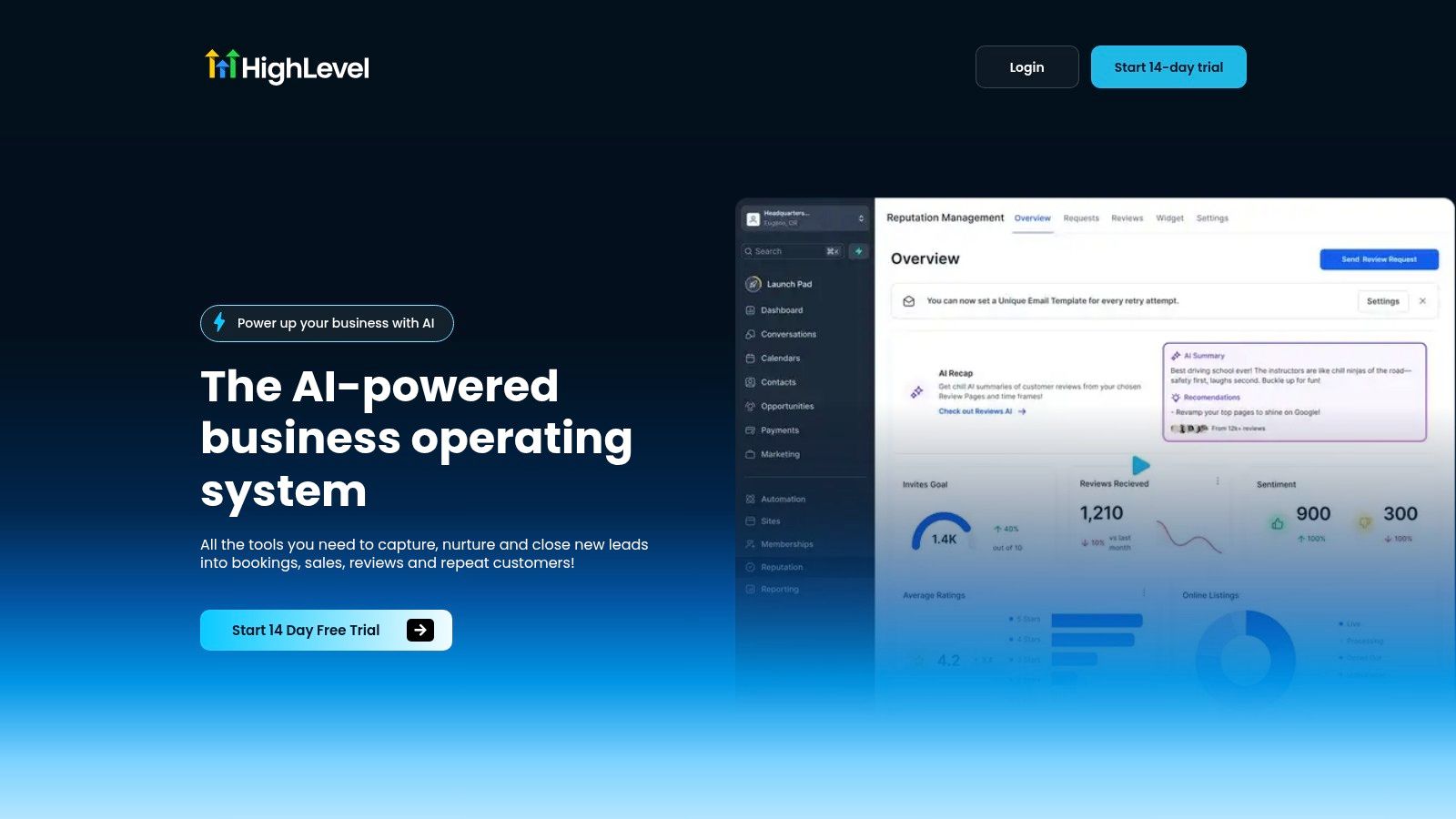
The practical win here is not just the CRM. It’s the fact that lead records can move through pipelines, calendars, conversations, payment steps, and review requests without bouncing between disconnected apps, which is exactly where a lot of SMB lead tracking breaks down. HighLevel is also built for agency-style scale, with the Unlimited plan supporting unlimited sub-accounts, plus unlimited contacts on published plans, which makes it useful when you’re managing multiple clients or locations under one roof (HighLevel).
Where HighLevel fits best
The strongest fit is a team that cares about what happens after the first response. If you need a single workflow from lead capture to booking to payment to review generation, this platform saves a lot of integration overhead. It’s also a strong option if your team lives on mobile and needs to move quickly between conversations, tasks, and automations.
A few things work especially well in practice:
- Unified inboxing: SMS, Messenger, Instagram DM, WhatsApp, and live chat stay in one stream.
- Revenue-oriented workflows: paid calendars, Text-2-Pay, Tap-2-Pay, invoicing, and one-click upsells help shorten the path to cash.
- AI-assisted follow-up: built-in AI across messaging, voice, reviews, and content creation reduces manual response work.
- Agency operations: the public roadmap, community, and white-label-friendly structure help teams standardize delivery across accounts.
Practical rule: choose HighLevel when your biggest problem is tool sprawl, not feature scarcity.
The trade-off is setup complexity. A platform this broad takes planning, and teams that only need one narrow function can feel overwhelmed fast. Starter pricing begins at $97/month, and the Unlimited plan is $297/month, so it’s not the cheapest option for a solo user who just wants a simple pipeline tracker (HighLevel).
2. HubSpot CRM + Sales Hub
HubSpot is usually the easiest starting point for teams that want a clean handoff from marketing to sales without a heavy admin burden. The free Smart CRM is a real advantage because it lets small teams stand up a working system before they commit to paid sales automation.
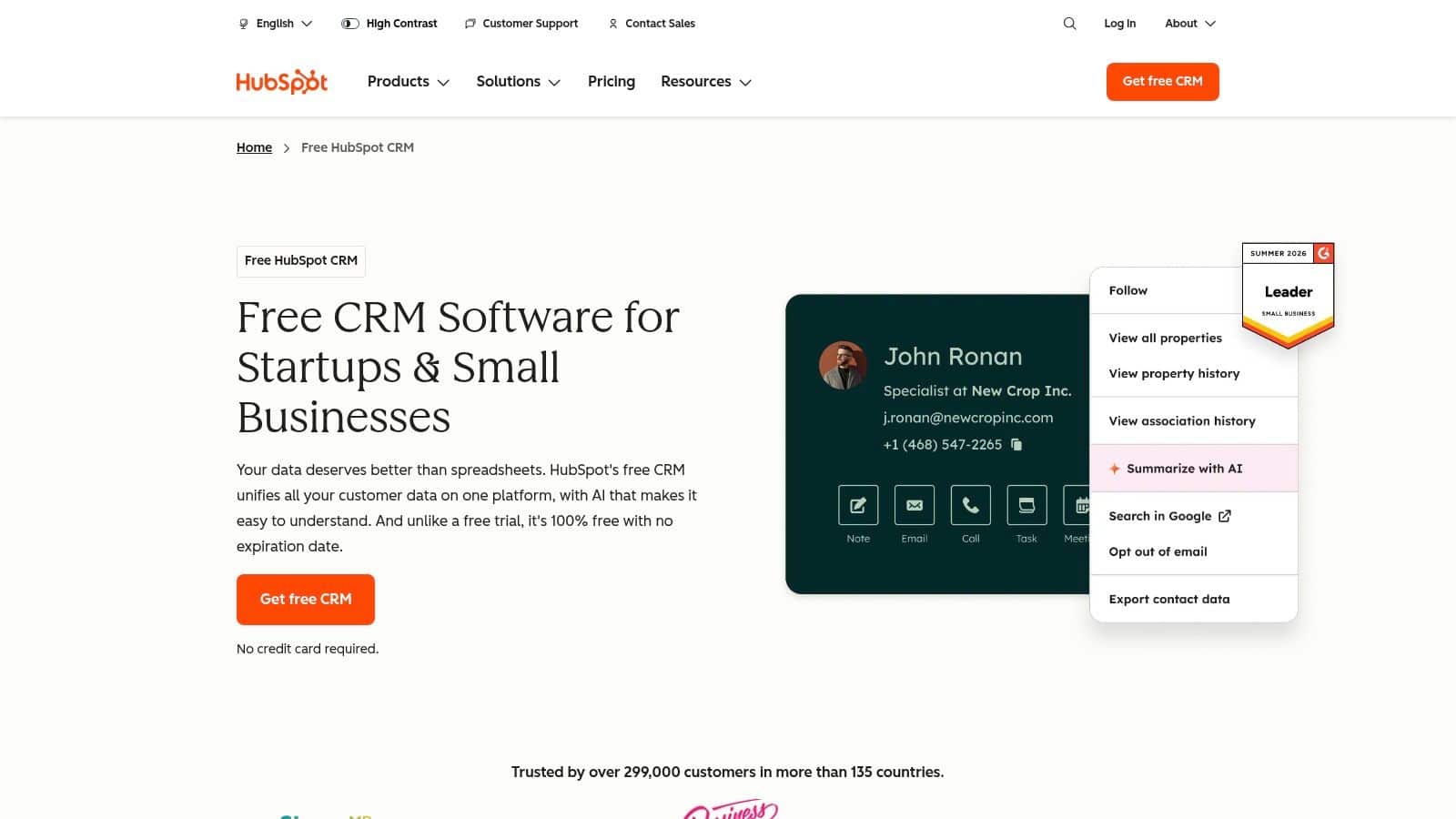
The best part of HubSpot is the native connection between contact history, email tracking, pipelines, tasks, and meeting scheduling. For teams that already run marketing or service work inside HubSpot, that shared record is what keeps lead tracking from becoming a stale sales-only database. The platform is also a good fit when you need a familiar environment for reps who won’t tolerate a clunky interface (HubSpot CRM).
Who should use it
HubSpot works best for SMBs and mid-market teams that want broad usability more than deep customization. It’s especially practical when marketing needs to see the same lead history that sales sees, and when a fast pilot matters more than an elaborate architecture. The large integration ecosystem helps too, because it reduces the odds that you’ll be boxed in later.
There is a real trade-off, though. As your seat count, contacts, and hubs grow, pricing gets harder to forecast, and the packaging can feel confusing. If you’ve already built a repeatable process and now need more discipline around lead scoring, a useful place to start is this internal demographic fit scoring tips guide, because HubSpot becomes much more powerful when your scoring rules are clear.
Where it works and where it doesn’t
HubSpot is great when the process is straightforward, the team wants quick adoption, and marketing and sales need a shared workspace. It’s less ideal if your organization wants extreme customization or if you expect to operate with very complex permissions and governance. In those cases, the simplicity that makes HubSpot easy to roll out can also become a ceiling.
For teams that want a fast pilot, a common failure mode is overbuilding the workflow before the sales process itself is stable. HubSpot handles that better than most, but it still rewards teams that know what a qualified lead looks like.
3. Salesforce Sales Cloud
Salesforce Sales Cloud is the right answer when the business has outgrown “easy” and needs control, governance, and extensibility. It’s the most obvious fit for larger sales organizations, especially when lead routing, forecasting, permissions, and account structure all need to be tightly managed.
The strongest practical case for Salesforce is that it can hold a complicated lead-to-opportunity process without collapsing under its own weight. Lead, account, contact, and opportunity tracking are only the starting point, because the primary value comes from workflows, analytics, conversation intelligence, and the huge add-on ecosystem around the core CRM (Salesforce pricing).
When Salesforce earns its keep
Salesforce makes sense when different teams need different levels of access, or when the sales process includes multiple layers of approval and forecasting. It’s also the right tool when a company expects to keep adding adjacent capabilities over time, such as CPQ, revenue intelligence, maps, or data services. That breadth is hard to match in smaller CRMs.
The downside is operational weight. Salesforce usually needs a stronger admin function than SMB-focused platforms, and the cost can climb quickly once support tiers and add-ons enter the picture. That’s not a bug, it’s the price of getting a system that can reflect how a complex sales org works.
What it’s really for
This is the platform for organizations that care about process integrity as much as lead volume. If a pipeline stage change needs to trigger a specific workflow, if permissions have to be carefully scoped, and if leadership wants reliable forecasting across multiple teams, Salesforce earns its place. If the team just wants a fast way to see who filled out a form and who followed up, it’s too much CRM for the job.
A lot of teams buy Salesforce because they anticipate complexity, then underestimate how much internal ownership it takes to keep the data clean. That ownership is the difference between a powerful system and an expensive one.
4. Pipedrive
Pipedrive is the tool I’d put in front of a sales team that wants to see the pipeline move without learning a new operating philosophy. Its visual layout is its biggest strength, because reps can tell at a glance what’s moving, what’s stalled, and what needs attention next.
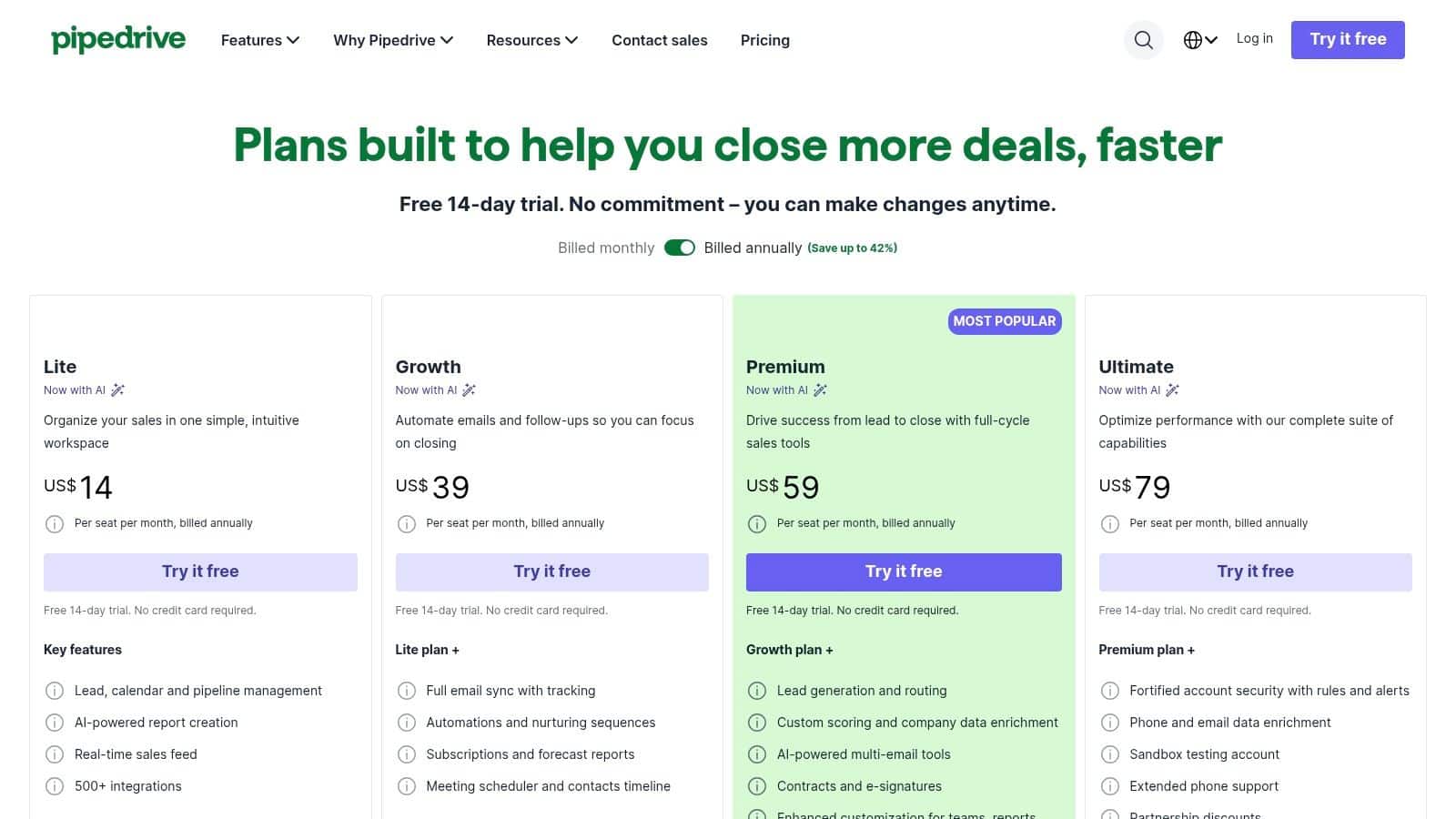
The workflow fit here is simple. Pipedrive works when your team sells through activities, calls, emails, meetings, and a manageable number of pipeline stages. It’s a strong choice for SMBs and agencies that want a focused CRM instead of a sprawling all-in-one suite (Pipedrive pricing).
Why teams adopt it quickly
Pipedrive is easy to understand, which matters more than vendors admit. Reps don’t need a long orientation to know where a deal lives, and managers can build a rhythm around activity-based selling instead of chasing manual updates. The modular add-ons are useful too, because you can start lean and add things like lead generation, campaigns, or web visitor tools only when you need them.
If your reps won’t use the CRM daily, the best feature set in the world won’t matter.
The trade-off is that costs can creep up once you start stacking add-ons. A team that only compares base plans may think Pipedrive is inexpensive, then realize the actual setup needs several extras. That’s not a dealbreaker, but it does mean you should map the workflow first and buy the stack second.
Best fit in practice
Pipedrive is strongest for teams with a clear, sales-led motion and a moderate deal volume. It’s less compelling if you need deep marketing orchestration or an all-in-one system that handles support, bookings, payments, and nurture. For those cases, Pipedrive can become the front end of a larger stack, but it isn’t trying to be the whole stack.
For phone-heavy teams comparing dialer support and capture workflows, this call tracking tools compared resource is useful alongside Pipedrive, because call history is often the missing piece in lead attribution.
5. Zoho CRM
Zoho CRM is one of the better choices for teams that want broad capability without paying enterprise prices. It’s especially attractive if you’re already leaning toward the Zoho ecosystem, because the CRM connects naturally with the rest of the suite.
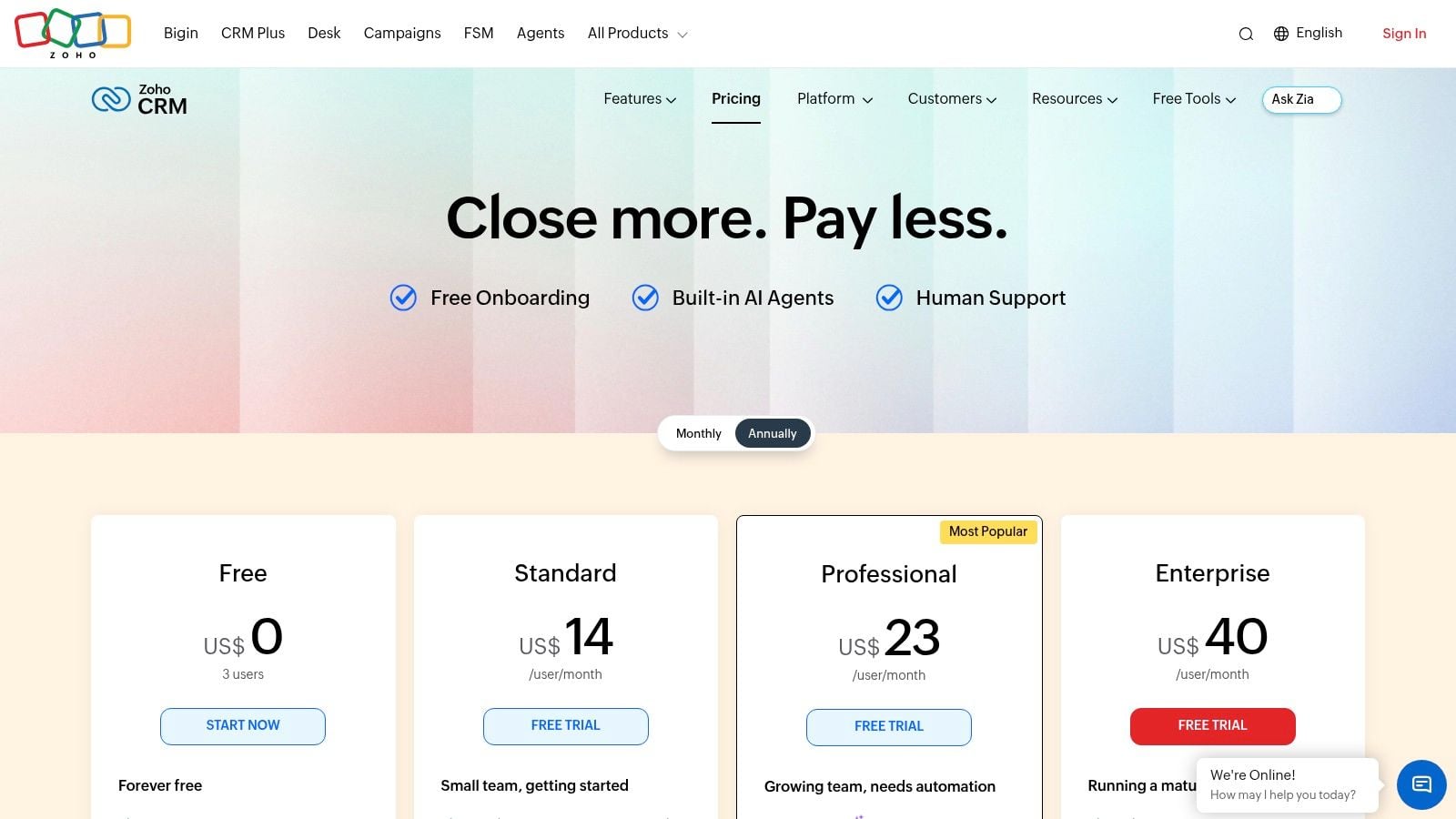
The practical appeal is that Zoho gives smaller teams a path to real automation, dashboards, workflows, and AI-assisted insights without forcing them into a premium-only model. The free tier also makes it easier to test the workflow before committing, which is helpful for micro-teams that need to prove value quickly (Zoho CRM pricing).
Where Zoho wins
Zoho wins on feature depth relative to price. That’s the core story. If a cost-conscious team needs lead routing, assignment rules, dashboards, and some degree of AI support, Zoho often delivers more than people expect for the spend. It also works well for teams that want to standardize around one vendor across CRM, support, campaigns, and analytics.
The main caution is regional pricing and packaging. Zoho can show different currencies or plan structures depending on location, so buyers need to verify the exact offer in their market before budgeting. That’s not glamorous, but it’s important when you’re comparing total cost.
What it’s good at operationally
Zoho is a solid fit for teams that care about process and don’t want to overspend on software. It’s useful when lead capture, deal tracking, and automation need to live in the same ecosystem, but the business isn’t ready for Salesforce-level administration. The free tier is particularly useful for tiny teams that need discipline before scale.
If you’re building on a tighter budget, this guide to budget CRMs pairs well with Zoho because it helps you sanity-check what you need versus what a sales rep wants to bundle in.
Zoho is not the most polished interface on the market, but it’s often the smart buy for teams that value capability and price discipline over flash.
6. Freshsales Freshworks CRM
Freshsales is a good fit when a small or mid-sized team wants built-in communication tools without assembling a separate phone, chat, and email stack. It feels more like a sales workspace than a traditional CRM, which helps reduce tool sprawl early.
The main workflow advantage is that calling, email, and chat are native, so reps aren’t constantly switching between systems just to work a lead. That makes Freshsales especially useful for SMBs that want a practical all-in-one environment instead of a heavy enterprise platform (Freshworks CRM pricing).
Why it works for SMBs
Freshsales is easy to trial and easier to live in. The interface is modern, the communications are built in, and the CRM does enough lead and contact management to support a real sales process without a long rollout. Freddy AI adds another layer when teams want scoring, insights, or assistance inside the workflow rather than in a separate tool.
The trade-off is cost control around AI and advanced features. Some bot sessions are metered, so budgeting matters if you expect a lot of AI-assisted activity. That makes Freshsales a better fit for teams that want useful automation without assuming unlimited AI usage is part of the base package.
Best use case
Freshsales is strongest when the sales team handles conversations across phone, email, and chat and wants those touches logged automatically. It works well for teams that care about speed and visibility, but don’t need the administrative overhead of a larger CRM. For many SMBs, that’s the sweet spot.
Use Freshsales when communication history is the thing that keeps getting lost between tools.
For buyers comparing AI-assisted CRM options more broadly, this smart CRM platform guide is a useful complement, especially if you’re deciding how much AI you need versus what the platform is marketing.
7. Keap
Keap is built for owner-led service businesses that want to automate the boring parts of lead management without hiring an ops team first. It combines CRM, marketing automation, invoicing, payments, and SMS into one package, which makes it useful when the lead-to-cash workflow is more important than deep sales customization.
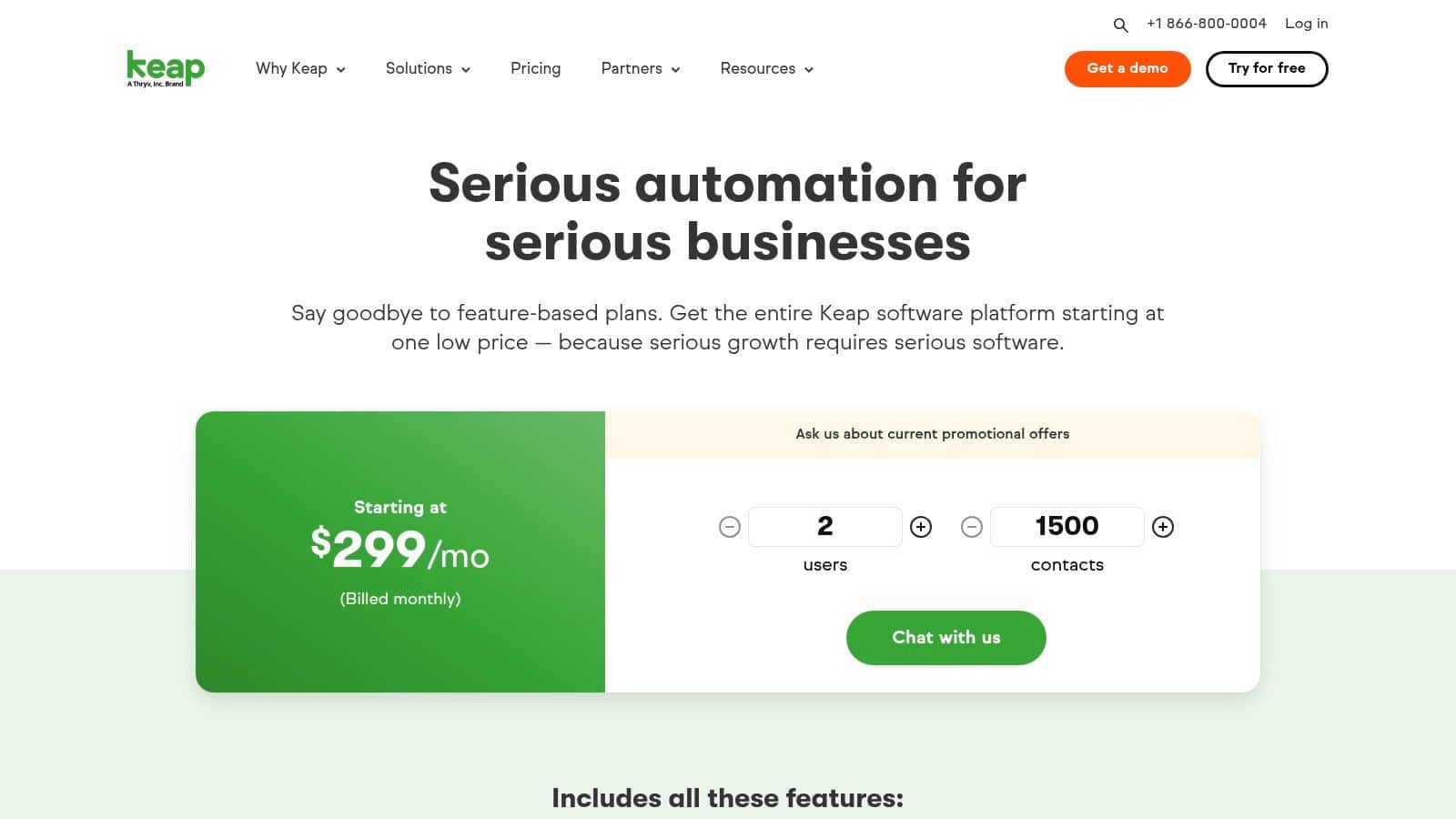
Keap’s biggest advantage is that it’s opinionated. The platform pushes you toward a structured SMB workflow, which can be a relief if you’re tired of duct-taping forms, reminders, and payment steps together. It’s especially sensible for consultants, coaches, and agencies that need lead capture and follow-up to connect directly with billing (Keap pricing).
Where Keap is strong
Keap works well when every lead needs the same kind of journey. Forms and landing pages feed the CRM, email and SMS nurture the contact, and appointments, quotes, invoices, and payments stay inside the same operating environment. That reduces the chance that a hot lead gets stuck between tools.
The downside is that onboarding is more involved than lightweight CRMs, and the platform can feel expensive if you only want basic tracking. Keap is not trying to be a low-friction notes app, it’s trying to replace several point tools at once.
Who should avoid it
If your sales motion is complex, multi-team, or heavily enterprise-driven, Keap will feel too prescriptive. It shines when a small business needs a reliable automated path from inquiry to payment, not when a large team wants deep governance or custom reporting layers.
The best setup is usually a business that already knows its sales-to-payment workflow and wants software to enforce it consistently. If that’s the need, Keap can remove a lot of manual chasing. If the process itself is still changing every month, it may be too rigid for now.
8. Close
Close is a strong fit for teams that live on the phone. It’s built around calling, SMS, email, and fast action, which makes it especially effective for outbound sales teams and high-velocity qualification workflows.
The reason Close stands out is that it doesn’t treat communication as an add-on. The CRM is the communication layer, so reps can qualify, book meetings, update records, and keep the conversation moving without bouncing across tools. That’s the right shape for inside sales teams and any motion where speed-to-contact is everything (Close pricing).
Why outbound teams like it
Close works because it reduces friction during active selling. The AI teammate, Chloe, helps with calling, qualification, and scheduling, while power dialing and team controls keep outbound motion tight. That’s valuable when a rep’s day is measured in conversations, not just logged tasks.
The trade-off is variable usage. Telephony, SMS, and AI credits can add overhead, so finance-minded teams should look beyond the base subscription and model the full cost of activity. The platform is transparent about that reality, which is better than pretending usage doesn’t matter.
Best fit by workflow
Close is for teams that want to move fast and keep everything in one sales workspace. It’s not the right answer for businesses that need elaborate marketing automation or broad operational tooling, but it’s excellent when phone activity drives the pipeline. If your team spends most of its day on calls, this is one of the most natural CRMs to adopt.
For teams that want to track where phone-driven opportunities come from, this internal 10 best call tracking software platforms for 2026 comparison is a smart pairing with Close.
The honest trade-off is simple. Close is excellent at sales execution, but it expects you to value speed, calling discipline, and usage-based cost control.
9. LeadSquared
LeadSquared is built for volume. If your team handles a large number of leads and needs strict routing, fast response times, and reliable handoffs, this is one of the more workflow-focused platforms in the category.
What makes LeadSquared interesting is the operational emphasis. It’s especially strong in education, healthcare, and financial services, where lead leakage and SLA misses can hurt conversion quality fast. In those environments, the software has to do more than store contacts, it has to move them correctly (LeadSquared sales).
Where it fits best
LeadSquared makes sense when lead capture comes from multiple sources and speed matters more than elegance. It supports scoring, distribution, routing, and mobile field sales workflows, which is useful when reps are not sitting at desks all day. The vertical templates also help reduce rollout friction in industries that need more than a generic CRM.
The downside is that pricing is usually quote-based, so smaller teams may find it harder to compare directly against self-serve CRMs. That’s not unusual for enterprise-leaning software, but it does slow down buyer evaluation.
Practical strengths
This platform is strongest when the business has a clear service-level expectation for lead response. It helps teams avoid leakage by moving inquiries quickly to the right person, and the routing logic is the point, not the afterthought. That matters when one missed assignment can mean a lost booking or a cold lead.
LeadSquared is less about pretty pipeline views and more about operational control. If your real problem is not visualization but lead handoff discipline, it deserves a close look. If you’re a small team that just wants a simple, transparent CRM, it may be more system than you need.
10. monday sales CRM
monday sales CRM is a good fit for teams that want lead tracking to live inside a broader work management platform. It’s especially useful when sales, delivery, and customer success all need a shared operational view instead of separate systems.
The core strength is flexibility. monday’s boards, dashboards, automations, and AI agents let teams shape the workflow around their process rather than forcing the process into a rigid CRM template. That makes it attractive for agencies and service businesses that move from lead to project to ongoing customer work on the same platform (monday CRM).
Where it stands out
monday sales CRM is strong when the CRM has to connect to more than just sales. If your team wants lead sourcing, enrichment, meeting prep, and follow-up inside a configurable workspace, it gives you that without making the interface feel like an old-school database. The no-code setup also helps teams get moving without a heavy implementation cycle.
The trade-off is total cost clarity. Because pricing can vary by seat bundle and product mix, buyers need to check the actual package they plan to buy rather than assume a simple per-seat number. For larger deployments, that matters a lot.
Who should choose it
This is the right choice for teams that already use monday.com or want CRM to blend into project and customer success work. It’s particularly strong for agencies with client-specific workflows, because the system can be adapted without a full rebuild every time the process changes. If flexibility is the goal, monday sales CRM is one of the better options.
If you want a workflow that starts with lead tracking and ends with delivery visibility, this is one of the easiest platforms to bend into shape. If you want a narrow, sales-only CRM, it may feel broader than necessary.
Top 10 Lead Tracking Software Comparison
| Product | Core capabilities | Quality ★ | Value/Price 💰 | Target 👥 | Unique selling points ✨ |
|---|---|---|---|---|---|
| HighLevel 🏆 | All‑in‑one CRM, unified inbox (SMS/DM), funnels, calendars, payments, memberships, native AI | ★★★★★ (24/7 support) | 💰 $97/mo Starter · $297/mo Unlimited · unlimited contacts/sub‑accounts | 👥 Agencies, local services, creators | ✨ Native AI across messaging/voice/reviews, Text‑2‑Pay, video reviews, unlimited sub‑accounts |
| HubSpot CRM + Sales Hub | Free Smart CRM, pipelines, sequences, calling, hub integrations | ★★★★☆ | 💰 Free core · paid Sales Hub tiers (per seat/contacts) | 👥 SMBs to mid‑market; teams using HubSpot marketing/service | ✨ Deep marketing/service integration, large app ecosystem |
| Salesforce Sales Cloud | Enterprise CRM, advanced workflows, forecasting, extensive add‑ons | ★★★★★ | 💰 High TCO; edition/add‑on pricing (quote) | 👥 Enterprise & complex sales orgs | ✨ Deep customization, broad marketplace (CPQ, Data Cloud) |
| Pipedrive | Visual pipelines, activity‑based selling, email/meeting sync, automations | ★★★★☆ | 💰 Seat tiers + modular add‑ons (LeadBooster, Campaigns) | 👥 SMBs & agencies wanting fast setup | ✨ Simple UI, quick adoption, modular expandability |
| Zoho CRM | Leads/deals, workflows, Zia AI, tight Zoho suite integration, free tier | ★★★★☆ | 💰 Free (up to 3 users) · competitive low pricing | 👥 Cost‑conscious small teams | ✨ Suite integration + strong price/value |
| Freshsales (Freshworks CRM) | Lead lifecycle, native chat/email/phone, Freddy AI insights | ★★★★☆ | 💰 Mid‑range plans; native comms reduce 3rd‑party costs | 👥 SMBs wanting built‑in communications | ✨ Native telephony/chat + AI analytics |
| Keap | CRM + automation, forms/landing pages, invoicing, payments, onboarding | ★★★☆☆ | 💰 Bundled pricing; higher entry vs lightweight CRMs | 👥 Owner‑led service businesses | ✨ Prescriptive onboarding, bundled payments/Text‑to‑Pay |
| Close | All‑in‑one calling/SMS/email CRM, power dialing, AI agent (Chloe) | ★★★★☆ | 💰 Per‑seat plans + usage (telephony/SMS/AI credits) | 👥 High‑velocity outbound sales teams | ✨ Built for phone workflows, predictive dialing, AI caller |
| LeadSquared | High‑volume lead ingestion, routing, field sales, vertical templates | ★★★★☆ | 💰 Quote/solution‑based (enterprise pricing) | 👥 Education, healthcare, finance, high‑volume ops | ✨ Speed‑to‑lead, SLA routing, verticalized deployments |
| monday sales CRM | Custom pipelines/boards, dashboards, automations, AI agents, no‑code | ★★★★☆ | 💰 Seat‑based pricing; varies by product mix | 👥 Teams wanting CRM + project/CS workflows | ✨ No‑code flexibility across CRM, projects and ops |
From Tracking to Thriving Your Next Steps
The right lead tracking software doesn't just store names. It helps you decide who to call first, which channel deserves more budget, and where your handoff process is breaking down. That matters because the broader CRM adoption curve has already made this kind of system standard infrastructure, not a luxury. Industry statistics cited by Agile CRM show the CRM market grew from USD 14 billion in 2010 to an expected USD 80 billion by 2025, and 91% of businesses with 10 or more employees use CRM software, with average ROI of USD 8.71 for every USD 1 spent (Datainsights Market).
The best choice depends on workflow fit, not just feature count. If you're an agency or local service operator that needs lead capture, follow-up, booking, and payment in one place, an all-in-one system like HighLevel usually makes the most sense. If you're a sales-led team that wants a straightforward pipeline, Pipedrive or Close may be the cleaner fit. If your organization needs enterprise governance, Salesforce earns attention. If budget matters most, Zoho and Freshsales are strong places to start.
There's another shift worth keeping in mind. B2B lead scoring is becoming more automated, with AI adoption reaching 61% in 2026, up from 23% in 2024, while overall lead scoring usage rose from 44% in 2025 to 54% in 2026 (Modern Leads). That means the advantage won't come from logging more contacts. It'll come from tracking better data, routing it faster, and trusting the record enough to act on it.
A practical next step is simple. Pick two tools from this list, start a trial, import a small batch of real leads, and test the handoff from capture to follow-up to pipeline update. If the system makes your team faster and the data stays clean, you've found the right fit. If it only looks good in a demo, keep moving until the workflow matches how you sell.
If you want a lead tracking system that centralizes capture, follow-up, booking, payments, and reactivation in one place, HighLevel is built for exactly that. It's a strong fit for agencies, local service businesses, and teams that want fewer tools and a tighter workflow around every lead. Visit HighLevel to see how an all-in-one operating system can replace scattered tracking with a single pipeline you can trust.
