


A plumbing contractor can miss a good lead without even realizing it. The phone rings while a tech is under a sink, a web form comes in after hours, a text sits unread, and by the time someone replies, the homeowner has already booked another company. That gap between interest and follow-up is where a lot of revenue disappears.
GoHighLevel for contractors and home services is built to close that gap by keeping lead capture, follow-up, booking, and reactivation in one place. If you're comparing options, a helpful starting point is this roundup of top home services advertising companies, since the platform you choose has to work with the way your leads come in, not against it.
Table of Contents
- Introduction to Contractor Marketing Automation
- Understanding Marketing Automation Within CRM
- Core Features and Benefits of GoHighLevel
- Common Contractor and Home Service Workflows
- Tracking KPIs and Following Best Practices
- Comparing Integrated CRM Automation vs Standalone Tools
- Implementation Guide and Real-World Examples
- Conclusion and Next Steps
Introduction to Contractor Marketing Automation
A lot of contractors begin with a patchwork setup. One app handles forms, another sends emails, a separate calendar manages estimates, and review requests live somewhere else entirely. That setup can feel normal until the first busy week, when leads start slipping between systems and no one can tell which prospect got a callback, which one booked, and which one went cold.
That is why marketing automation matters in home services. GoHighLevel is often used as a lower-cost operating layer for contractors because its published plans start at $97/month for Starter and $297/month for Unlimited. A contractor-focused guide notes that the Starter tier includes CRM, pipelines, SMS, email, calendars, workflows, forms, funnels, and landing pages, with typical usage-based messaging adding only $10–$30/month more as described in this contractor guide. For solo operators and small crews, that can replace several separate subscriptions with one dashboard instead of juggling tool sprawl.
Its main appeal is not just price. One system can keep a lead moving from first click to booked estimate without manual handoffs, which is the part many standalone tools miss. A form tool may capture the name, and a calendar tool may hold the appointment, but the gap between them often leaves room for slow follow-up, missed reminders, and forgotten review requests. A unified setup closes those gaps so the lead stays attached to the same record from start to finish.
For contractors trying to stay responsive while still working in the field, that difference changes the day. It gives the office side and the field side the same view of the lead, so the next action is clear instead of buried in another app. For a closer look at the agency-side logic behind this kind of setup, see strategies for agency automation. Contractors who are comparing tool stacks can also review top home services advertising companies to see how different marketing partners fit into a broader workflow.
Understanding Marketing Automation Within CRM
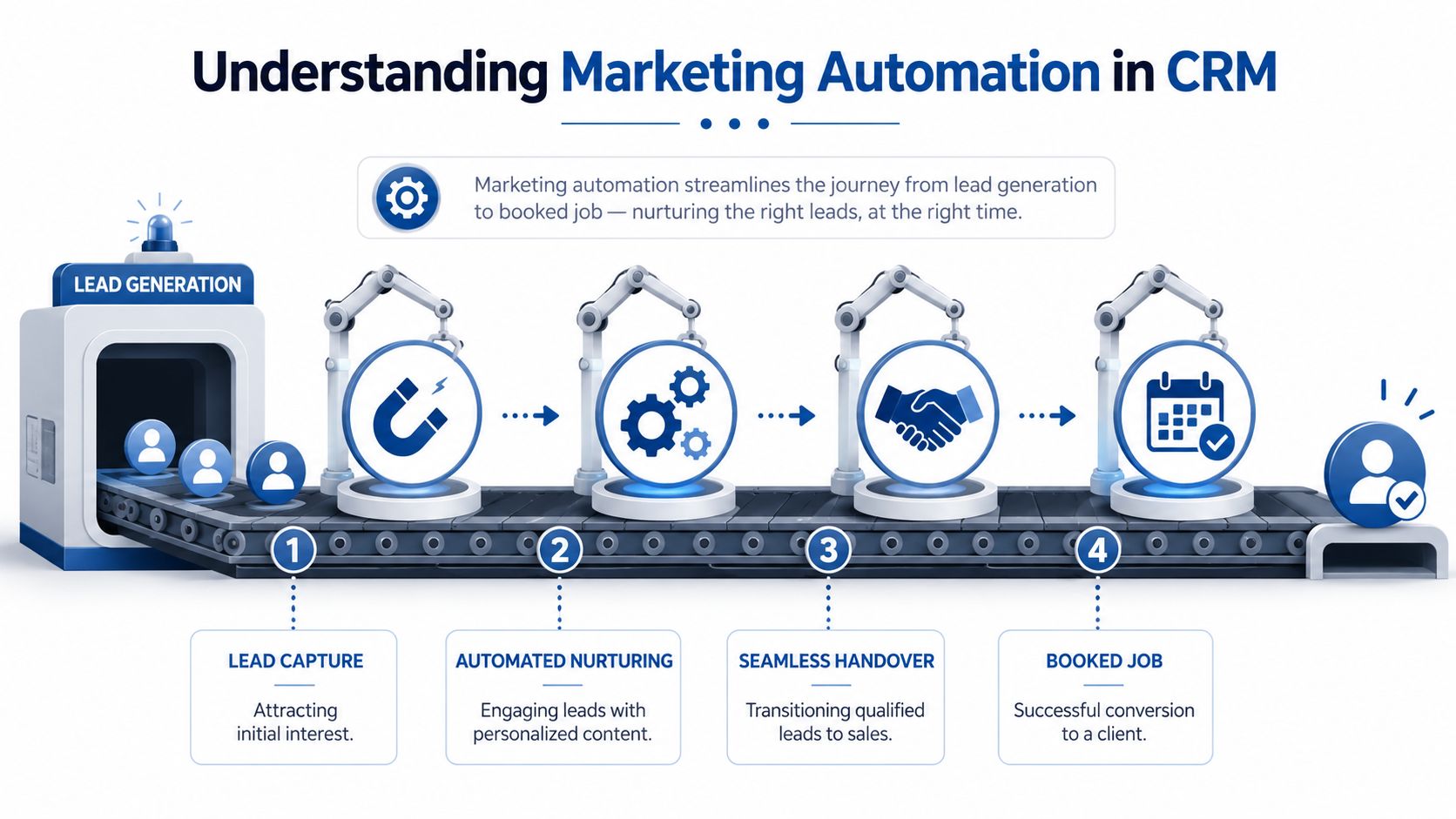
Marketing automation inside a CRM works like an assembly line. A lead comes in, gets identified, moves through a sequence of follow-up steps, and ends up booked without someone retyping the same information into multiple tools. In contractor work, that matters because every extra handoff creates delay, and delay gives the homeowner time to call somebody else.
GoHighLevel's single-sub-account architecture is the key technical idea here, because it combines CRM pipelines, an all-channel inbox, workflow automation, calendars, reputation management, invoicing, and more in one workspace according to this contractor software overview. That structure matters when an estimate request comes in from a landing page, because the same contact record can trigger a text reply, a booking link, and later a review request without duplicate entry or a messy sync between apps.
A contractor doesn't need automation for its own sake. They need a system that keeps the job moving while they're onsite, on the phone, or in traffic. When the CRM is also the automation layer, every message, reminder, and follow-up stays attached to the same lead record.
Practical rule: If a lead has to move across three apps before it gets a response, the process is too slow for local service work.
For readers who want the agency-side logic behind this kind of setup, the article on strategies for agency automation helps explain how workflows reduce manual handoffs. The contractor version is simpler, but the principle is the same, fewer breaks in the chain mean fewer lost opportunities.
Core Features and Benefits of GoHighLevel
A contractor office often feels like a workbench covered with separate tools. One tab handles leads, another handles scheduling, another tracks reviews, and a fourth stores emails. GoHighLevel brings those jobs into one system, so the contact record, the conversation, and the next action stay together instead of drifting across apps. That matters because a missed follow-up, a copied name with the wrong phone number, or a review request sent before the job is finished usually comes from tool-sprawl, not from the work itself.
The most useful features are the ones that cut handoffs. A unified inbox lets the office read and reply to SMS, email, and social messages without jumping between platforms. Funnels and landing pages make it easier to build service-specific offers, such as roof inspections or furnace tune-ups, without waiting on a developer for every change. Calendars and reminders help turn estimate requests into booked appointments with less back-and-forth, which is where many service businesses lose momentum.
The plan details also matter for smaller crews. GoHighLevel's Starter tier begins at $97/month and includes CRM, pipelines, SMS, email, calendars, workflows, forms, funnels, and landing pages, with usage-based messaging often adding only $10–$30/month more for contractors per this contractor pricing guide. For a contractor trying to keep overhead under control, that puts a wide set of functions under one subscription instead of spreading them across several vendors.
The bigger lesson is simpler than it first appears. The platform is not just a shelf of features. It is a single contact system that lets one action trigger the next, so your team does not have to babysit every step by hand.
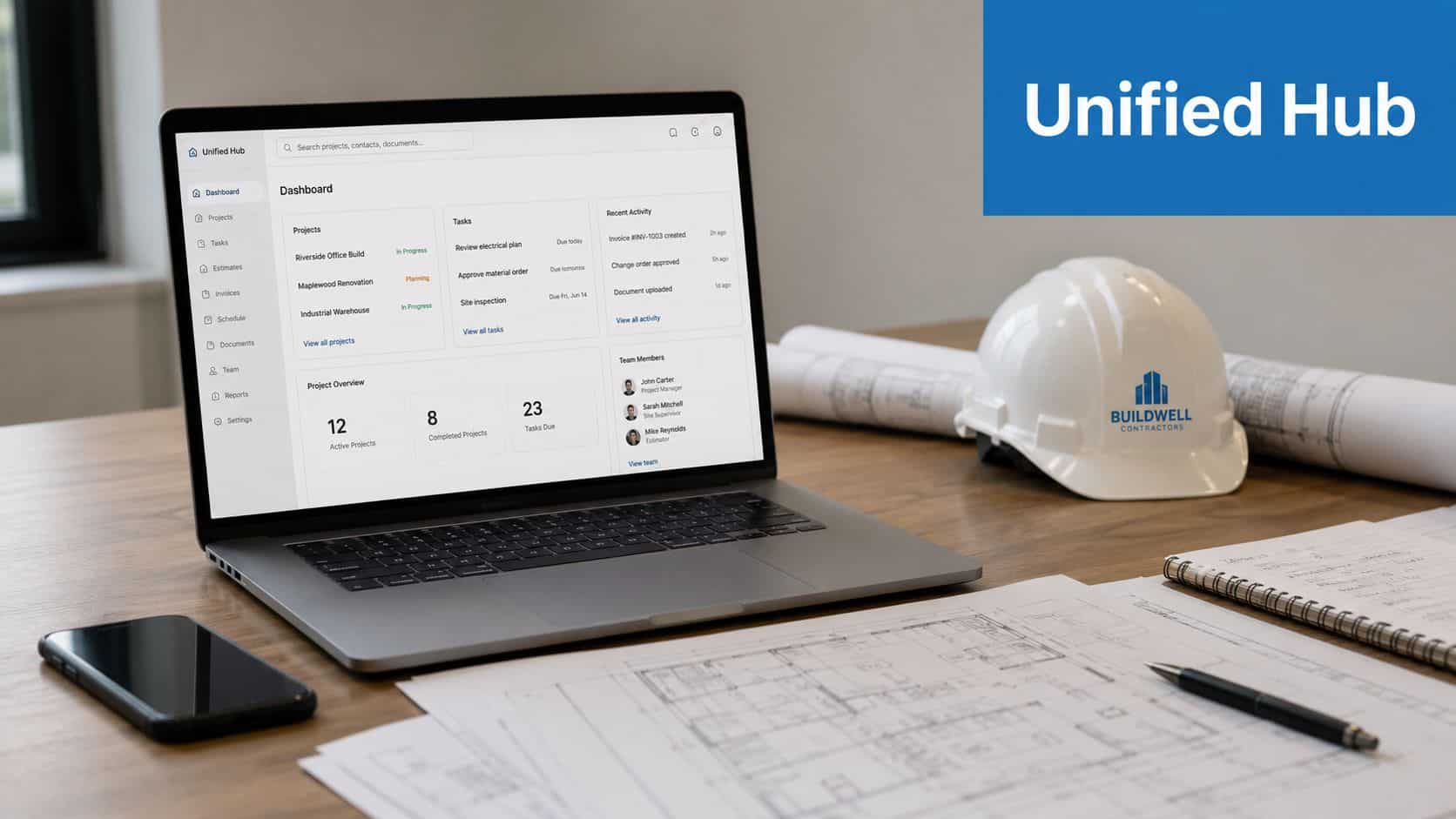
For teams that want to see the agency-side logic behind consolidating marketing tools, the same principle applies here. Fewer disconnected systems usually mean fewer dropped handoffs, and in a contractor workflow that can be the difference between a quick booking and a lead that goes cold.
A practical way to use the platform is to separate capture, follow-up, and retention. Capture covers forms, funnels, and landing pages that bring in new inquiries. Follow-up covers workflow triggers, missed-call text-back, reminders, and automated responses that keep the conversation alive. Retention covers review requests and campaigns that help you reactivate past customers when seasonal work or maintenance comes back around.
Automation should still feel human. A strong setup uses speed and consistency to support real conversations, not replace them. Contractors usually get the best results when the system handles the first reply and the reminders, then sends qualified leads to a person who can quote the job or answer the service question.
If you are comparing all-in-one platforms, look at how much friction they remove. Each time the CRM, scheduler, and review tool share the same record, your team avoids another round of manual syncing, and that leaves more time for estimates, site visits, and customer calls.
Common Contractor and Home Service Workflows
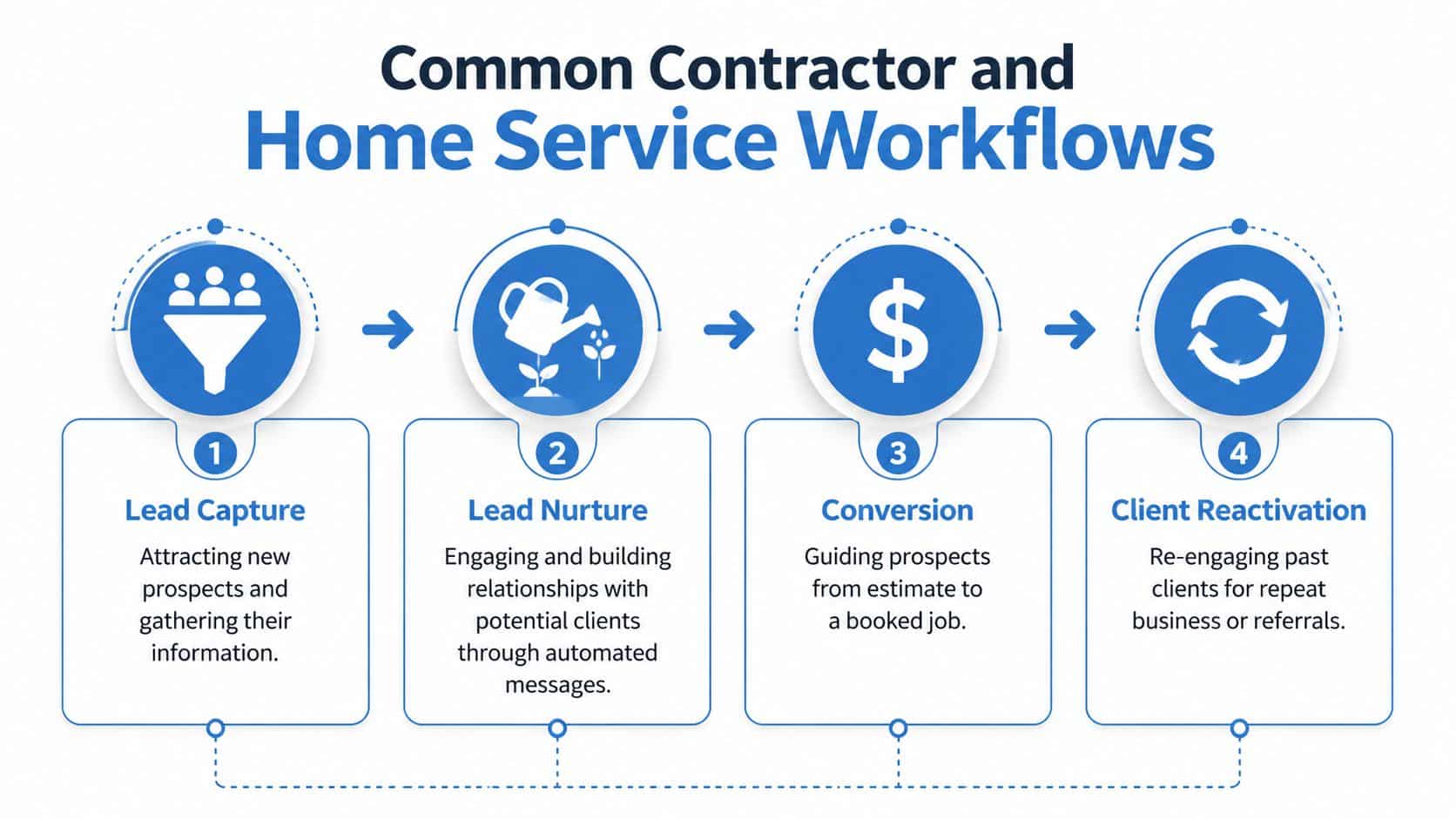
The cleanest way to use GoHighLevel in a home-service business is to build workflows around the way jobs already happen. Lead comes in, lead gets nurtured, estimate gets booked, job gets completed, and then the customer gets asked for a review or a repeat appointment. That sequence feels simple, but most lost revenue happens when one step depends on memory instead of automation.
Lead Capture
A good capture workflow starts with a service-specific landing page or form. Someone searching for AC repair shouldn't land on a generic homepage if the goal is to get a call or booking quickly. Once the form is submitted, the contact is already in the CRM and ready for the next step.
Lead Nurture
The nurture stage is where a contractor either stays visible or fades out. Automated SMS and email messages can keep the conversation alive until the customer books, especially when the inquiry came in after hours or during a job. That's also where a missed-call text-back sequence matters, because a lead who doesn't get an instant response often calls the next company on the list.
Conversion and Reactivation
After the estimate, the system should keep nudging the prospect toward a decision without sounding pushy. Once the job is done, review requests should go out automatically. If a customer goes quiet for months, a reactivation sequence can bring them back for seasonal work or maintenance.
A homeowner rarely remembers which contractor followed up perfectly. They remember who responded fast, booked cleanly, and kept the process easy.
The reactivation piece is especially useful for businesses looking to reactivate past customers without having to build a manual list each time. For HVAC, plumbing, roofing, and similar trades, that kind of follow-up can turn old records into new opportunities.
For teams that want a practical way to automate missed call follow-up, this is one of the easiest wins to set up first. It's a simple workflow, but it often fixes one of the most expensive leaks in the business.
Think of these workflows as handoffs in a shop. If every person knows who gets the next part, nothing sits on the bench. If the CRM is set up well, the lead keeps moving even when the office is busy.
Tracking KPIs and Following Best Practices
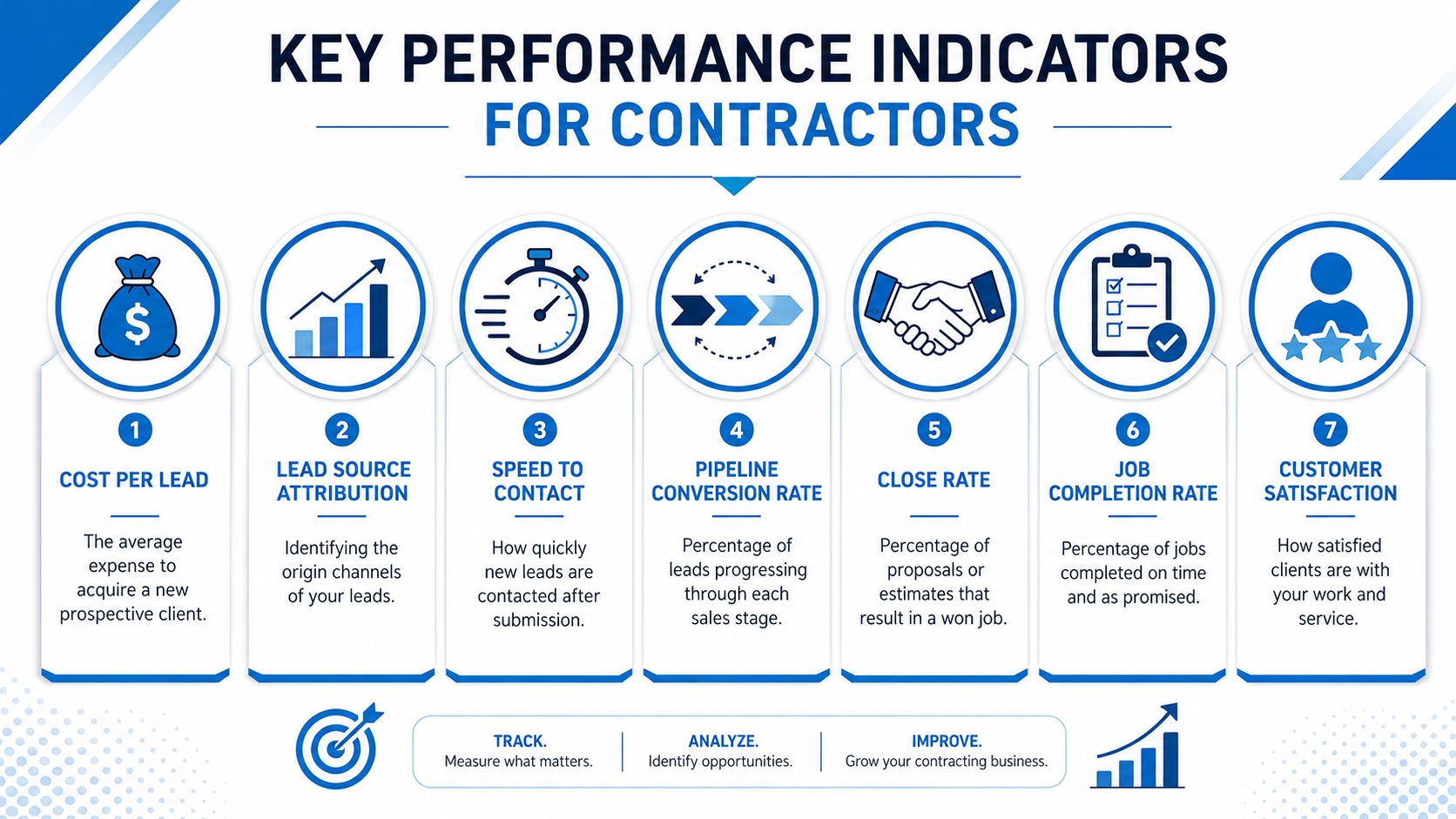
Automation without measurement turns into busywork. Contractors need to know whether the system is creating booked jobs, not just sending messages. That's why contractor frameworks built for GoHighLevel commonly track seven core KPIs, cost per lead, lead source attribution, speed to contact, pipeline conversion rate, close rate, average job value, and ad ROI as outlined in this contractor KPI framework.
The Metrics That Matter
Cost per lead tells you how much it takes to generate an inquiry. Lead source attribution shows whether the lead came from ads, referrals, or another channel. Speed to contact matters because local-service buyers move fast, and the first credible reply often gets the booking.
Pipeline conversion rate shows how many leads keep moving through the sales process. Close rate measures how many estimates become jobs. Average job value helps you judge whether one channel is producing quality work or just volume. Ad ROI connects spend to booked revenue, which is the only way to know whether a campaign is worth repeating.
The best practices are simple, but they have to be consistent. Set alerts so leads get touched quickly. Segment campaigns by service type so a plumbing promo doesn't get mixed up with a roofing offer. Track every lead source the same way every time so your reporting stays clean.
For a broader look at CRM selection criteria, the article on best CRM for agencies is useful as a comparison point. The contractor version should still reward the same discipline, clear inputs, clean pipelines, and visible outcomes.
Best practice: If a KPI doesn't change a decision, it doesn't belong on the dashboard.
One final point. Dashboards should help an owner spot breakdowns, not create more admin. If speed to contact drops or one source keeps producing unbooked leads, that's a workflow problem, not just a reporting problem.
Comparing Integrated CRM Automation vs Standalone Tools
Contractors often start with standalone tools because each one feels easy in isolation. One app handles email, another handles bookings, another handles reviews, and another stores contacts. The issue shows up later, when those tools don't naturally talk to each other and the office has to become the glue.
| Feature Comparison of Integrated CRM vs Standalone Tools | Integrated CRM (GoHighLevel) | Standalone Tools |
|---|---|---|
| Lead capture | Forms, funnels, landing pages, and CRM in one flow | Separate form builder and CRM, usually connected manually |
| Follow-up | Automation can trigger texts, emails, and reminders from one record | Follow-up often depends on exports, imports, or separate workflows |
| Scheduling | Booking lives inside the same contact system | Calendar app may sit apart from the CRM |
| Reputation management | Review requests can be tied to completed jobs | Review requests may require a separate platform |
| Data handoffs | Same record can move through the pipeline | Data can get lost between systems |
| Admin overhead | Fewer logins and fewer sync issues | More switching and more chances for missed tasks |
| Budget structure | One plan can replace several subscriptions | Multiple bills stack up across apps |
Integrated CRM automation makes the biggest difference. Instead of asking office staff to move data from one tool to another, the platform keeps the contact record active across the whole journey. That means fewer errors, less re-entry, and faster follow-up.
For agencies comparing hosted or client-facing systems, the guide on white label CRM solutions for agencies covers a similar decision framework. Contractors don’t need the branding angle, but they do need the same clarity on whether a platform reduces work or just relocates it.
The trade-off is straightforward. Standalone tools can be fine if your operation is small and simple, but they usually create more overhead as lead volume grows. An integrated system is often easier to manage when the business depends on speed, consistency, and follow-through.
Implementation Guide and Real-World Examples
The easiest mistake is trying to build everything at once. A contractor doesn’t need a perfect CRM on day one, they need a working one. Start with the parts that protect revenue, then layer in the rest after the basic flow is stable.
Phase One, Map the Workflow
List the steps your team already uses for new leads, estimates, booked jobs, and reviews. Then import the contacts you already have and tag the source as clearly as possible. If your current process lives in someone’s head, write it down before you automate it.
Phase Two, Build the Core Automations
Set up the lead capture form, missed-call text-back, estimate follow-up, and review request sequence. These are the automations that cut the biggest gaps between inquiry and action. Keep the first version simple so the team can use it.
Phase Three, Launch and Watch the Dashboard
Put the system in front of real leads and watch what happens. If response times are slow, check whether the routing rules are correct. If estimates aren’t getting booked, the follow-up sequence may need cleaner copy or a better booking link.
Start with the revenue leak that hurts most. If leads are disappearing, fix follow-up first. If past customers are quiet, fix reactivation next.
A local roofing company can use this setup to catch storm-season inquiries faster by pairing a service page with instant text response and a booking calendar. The practical win is less delay between the first inquiry and the estimate visit, which is where a lot of local competitors lose ground.
An HVAC contractor can use the same model for post-service review requests. Once the job is marked complete, the CRM sends the ask automatically, which removes the burden from the tech who just finished the work and may not remember to bring it up. If the list of past customers is well maintained, that same business can also run seasonal reminders and reactivation messages for maintenance work.
The cleanest setups don’t try to replace every existing process. They remove the most fragile points first, then expand. That’s why a phased rollout usually beats a big-bang launch, especially for crews that are already busy in the field.
Conclusion and Next Steps
GoHighLevel fits contractors and home-service businesses because it tackles the three problems that hurt most, tool sprawl, slow follow-up, and weak visibility into what’s working. When the CRM, automation, booking, and review steps all live in one place, your team spends less time moving data and more time closing jobs. The result is a cleaner workflow and a better shot at keeping hot leads from slipping away.
If you want to move fast, start with a simple contractor Snapshot, review the onboarding webinars, and plug into the community forums so you’re not building alone. The goal is to get one reliable system working before you add more layers.
