

You’re staring at a content calendar, three half-finished drafts, a designer waiting on assets, and a video idea that still lives in a Slack thread. That’s the state of AI content creation right now, not a clean stack, but a pile of disconnected tools, repeated work, and too many tabs. The market is clearly moving from experimentation to infrastructure, with Grand View Research estimating USD 2.15 billion in 2024, USD 2.56 billion in 2025, and a projected USD 10.593 billion by 2033 at a 19.4% CAGR from 2025 to 2033, while DataM Intelligence also forecasts strong expansion through 2033 (Grand View Research). Adoption has already followed suit, because content teams are using AI in real workflows, not side projects, and that’s why the practical question isn’t whether to use these tools, it’s how to build a stack that ships, publishes, and converts.
The right answer usually isn’t “pick one app.” It’s to combine specialized ai content creation tools for writing, visuals, video, and audio, then route the output into a central business OS so every asset connects to follow-up and revenue. That’s where a platform like HighLevel becomes more than a CRM, because it gives agencies and SMBs a place to organize content, conversations, bookings, payments, and automation in one system, instead of bouncing between disconnected software. If you’re already feeling tool sprawl, you’re the exact person this guide is for. One strong example of that consolidation mindset is the workflow approach discussed in Riff Analytics’ AI visibility guide, which reflects how seriously teams are starting to treat content operations.
Table of Contents
- 2. Long-Form & Marketing Copy, Jasper
- 2. Long-Form & Marketing Copy, Jasper
- 4. SEO-Focused Content, Writesonic
- 4. SEO-Focused Content, Writesonic
- 5. Social & Brand Visuals, Canva Magic Studio
- 6. Commercial-Safe Imagery, Adobe Firefly
- 7. High-Aesthetic Image Generation, Midjourney
- 8. AI Video Generation & Editing, Runway
- 9. Podcast & Spoken-Word Video Editing, Descript
- 10. AI Presenter & Training Videos, Synthesia
- Top 10 AI Content Creation Tools Comparison
- Build Your Ultimate AI Content Stack
2. Long-Form & Marketing Copy, Jasper

Jasper is a strong fit for teams that need brand governance without turning every draft into a manual review cycle. It’s built for marketing copy that has to stay consistent across writers, channels, and campaigns, which matters when one core message needs to move through blog intros, product pages, launch emails, and social variations. The best use case is repeatable marketing workflows, not random prompting. Jasper gives teams controls that keep tone steady, and that matters most when content has to ship at scale.
Jasper’s website makes the positioning clear, but the practical value shows up in how the workflow is structured. Brand Voice and Knowledge assets help reduce drift, while Agents and the no-code custom agent builder are better suited to multi-step tasks than one-off copy generation. In practice, that means Jasper works well for teams that want fewer handoffs and fewer rewrites. It is a better fit when content has to follow a repeatable process, whether that starts with a campaign brief, a product update, or a WordPress blog setup guide.
What it does well
- Brand consistency: The Brand Voice system helps when multiple people touch the same content.
- Repeatable workflows: Agents fit content operations that follow a standard sequence.
- Team collaboration: It suits agencies and SMBs more than solo bloggers who only need a quick draft.
- Scaled execution: Jasper Grid helps when you need systematic content production, not occasional assistance.
What you’re paying for is not smarter language, it’s control over the writing process, so the output stays closer to brand requirements and needs fewer corrections.
2. Long-Form & Marketing Copy, Jasper
Jasper works well for teams that need brand governance across recurring marketing assets. It is built for copy that has to stay consistent across writers, channels, and campaigns, and that matters when one message keeps getting reused in blog intros, product pages, launch emails, and social variations. The stronger use case is a repeatable workflow, not ad hoc prompting. Jasper gives teams the controls to keep tone steady, and that practical consistency is the main reason to use it.
The Jasper’s website makes that positioning easy to spot, but the value sits in the workflow layer. Brand Voice and Knowledge assets help reduce drift, while Agents and the no-code custom agent builder are better suited to multi-step tasks than one-off copy generation. I have found that Jasper is stronger here than many generic writers because it is less about producing text faster and more about making the writing process less fragile.
A useful way to judge Jasper is by the problems it removes.
- Brand consistency: The Brand Voice system helps when multiple people touch the same content.
- Repeatable workflows: Agents fit content ops that follow a standard sequence.
- Team collaboration: It is a better fit for agencies and SMBs than solo bloggers who only need a quick draft.
- Scaled execution: Jasper Grid is useful when you need systematic content production, not occasional assistance.
What you are paying for is not smarter language, it is a cleaner workflow for teams that need the same message repeated accurately across channels.
The trade-off is straightforward. Jasper is strong when governance matters, but it is not the cheapest choice for ad hoc copy. Credit-based elements can also create friction for heavier users, especially if the team relies on advanced actions. That is why Jasper belongs in a stack, not as the whole stack. Use it for consistent long-form and marketing copy, then move the output into a business OS like HighLevel for distribution, follow-up, and conversion tracking, and pair that system with tools for tracking AI answer engine share when visibility across channels matters. For teams that also prepare proposals and sales collateral, a structured proposal software comparison for agencies can help keep the rest of the GTM stack aligned.
4. SEO-Focused Content, Writesonic
Writesonic fits teams that need search visibility built into the content process, not bolted on afterward. It brings research, drafting, optimization, and monitoring into one workflow, which helps SEO teams manage classic search and AI answer surfaces without splitting the work across too many tools. For agencies, that matters because content production is only part of the job. Performance has to stay visible after publication.
The Writesonic website centers on content creation and search-focused workflows, and that is where it earns attention. A team can research a topic, draft the page, optimize the copy, and review visibility in one place, which is more useful than a basic text generator when the goal is ranking and conversion. The built-in AI Search Visibility features also matter for teams watching how content shows up in chatbot-style answers and AI overviews, not just standard blue links. For a more conversion-oriented lens on why that matters, the CRO guide for marketing teams is a useful internal companion.
Where Writesonic fits in a stack
- SEO workflow coverage: Helpful for teams that want research, drafting, and optimization in one place.
- AI answer visibility: Useful if you need to see how content performs in answer engines as well as search.
- Operational fit: Strong for agencies that want fewer handoffs between content, SEO, and reporting.
- Performance review: Better suited to teams that care about visibility after the draft is published.
The trade-off is complexity. Writesonic can cover a lot of ground, but that also means setup and oversight matter if you want the output to match your brand and your SEO standards. Teams that already run content through a central business OS like HighLevel will usually get more value by treating Writesonic as the production layer, then pushing the finished assets into the system that handles distribution, follow-up, and lead tracking. If AI search visibility is part of the brief, pair the workflow with tools for tracking AI answer engine share so you can see whether the content is showing up where prospects are asking questions.
4. SEO-Focused Content, Writesonic
A content team that lives and dies by search visibility needs more than a draft generator. Writesonic is built around research, writing, optimization, and monitoring, so SEO work stays tied to performance instead of splitting across disconnected tools. That matters for agencies handling both classic search and AI answer surfaces, where content has to earn attention after it goes live, not just look good in the editor.
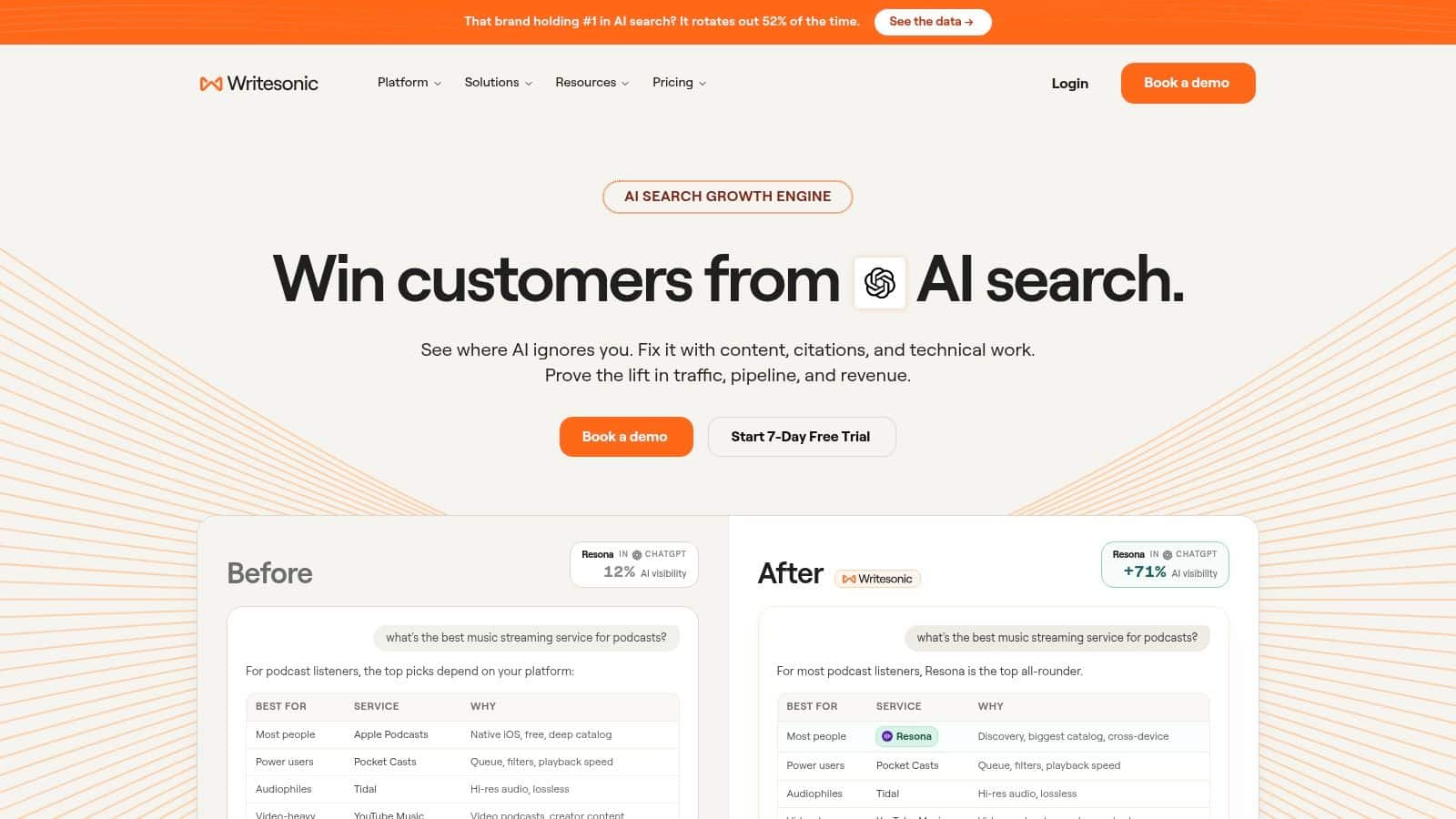
The Writesonic website presents the platform as a content and search workflow tool, and that is the right way to judge it. If your team needs one place to research a topic, draft the page, optimize the copy, and check visibility, it does more operational work than a basic text generator. The built-in AI Search Visibility features are useful for teams tracking how content appears in chatbot-style answers and AI overviews, not just standard blue links. For a more conversion-oriented lens on why that matters, the CRO guide for marketing teams is a smart internal companion.
The value shows up in the handoff between tasks. Writers can move from brief to draft without leaving the platform, and SEO leads can review whether the page is aligned with search intent before it gets published. That reduces the usual split between content creation and optimization, which is where a lot of teams lose time and consistency.
Why it stands out
- Research-to-performance flow: It cuts down on jumping between separate SEO and writing tools.
- Search visibility focus: Useful for teams tracking how content shows up in AI answer surfaces.
- All-in-one structure: Helps teams keep fewer handoffs during content production.
- Content optimization support: Stronger than generic drafting tools for pages that need search intent alignment.
The trade-off is complexity. Pricing and allowance structures can be hard to read if you are scaling quickly, so it pays to confirm what is included before you build your process around it. If SEO or AI search monitoring is not part of the brief, the platform is probably more than you need. For teams that do care about both production and measurement, it is one of the few tools that treats visibility as part of the workflow instead of an afterthought.
5. Social & Brand Visuals, Canva Magic Studio
Canva Magic Studio fits the day-to-day reality of marketing teams that need visuals quickly and cannot route every request through a designer. It pulls writing, image generation, background editing, translations, and video tools into a design suite that many teams already know how to use. That matters because social content usually moves on tight timelines, and the work often includes posts, thumbnails, ad variations, and slides that have to be turned around without much ceremony.
The Canva website shows the scope clearly, but the advantage is how fast it gets teams from idea to usable asset. Magic Write and Magic Design give non-designers a practical path from rough concept to publishable creative, and the template library helps teams stay on-brand without rebuilding every asset from scratch. For social campaigns, ad creative, and presentation decks, that cuts out a lot of back-and-forth. If Instagram is part of your distribution plan, these Instagram message automation tips fit well alongside a visual workflow.
A strong use case is the brand team that needs volume without sacrificing consistency. Canva works well there because it lowers the cost of iteration while keeping the workflow familiar for marketers, operators, and client-facing teams. It is also useful for small teams that need to publish often and do not have the bandwidth for a heavier production process.
Where Canva is strongest
- Platform-ready creative: Good for social graphics, decks, and lightweight video.
- Template ecosystem: Fast production without starting from a blank canvas.
- Brand kit workflow: Helpful for keeping consistency across distributed teams.
- Mobile and web access: Easy for teams that work from different places and on different devices.
Canva is at its best when the asset needs to be good, fast, and on-brand, not when the team wants deep motion design or complex brand compliance documentation.
The main trade-off is depth. If your team needs advanced motion work or a stricter approval trail, Canva will not replace a pro design suite. AI allowances can also become a limit for heavier users. For everyday social publishing, though, it is one of the most efficient tools in the stack, especially when paired with a central system that stores the lead, audience segment, and follow-up logic behind the asset.
6. Commercial-Safe Imagery, Adobe Firefly
Adobe Firefly fits the jobs where image generation has to live inside a production process, not just a prompt experiment. It is strongest when the team needs commercial-safe output and a clean path into Adobe tools. That matters for brand teams that move quickly but still need assets that can be refined in Photoshop, Illustrator, or Express. Firefly is built for controlled production, so it is useful when creative work needs guardrails as much as speed.
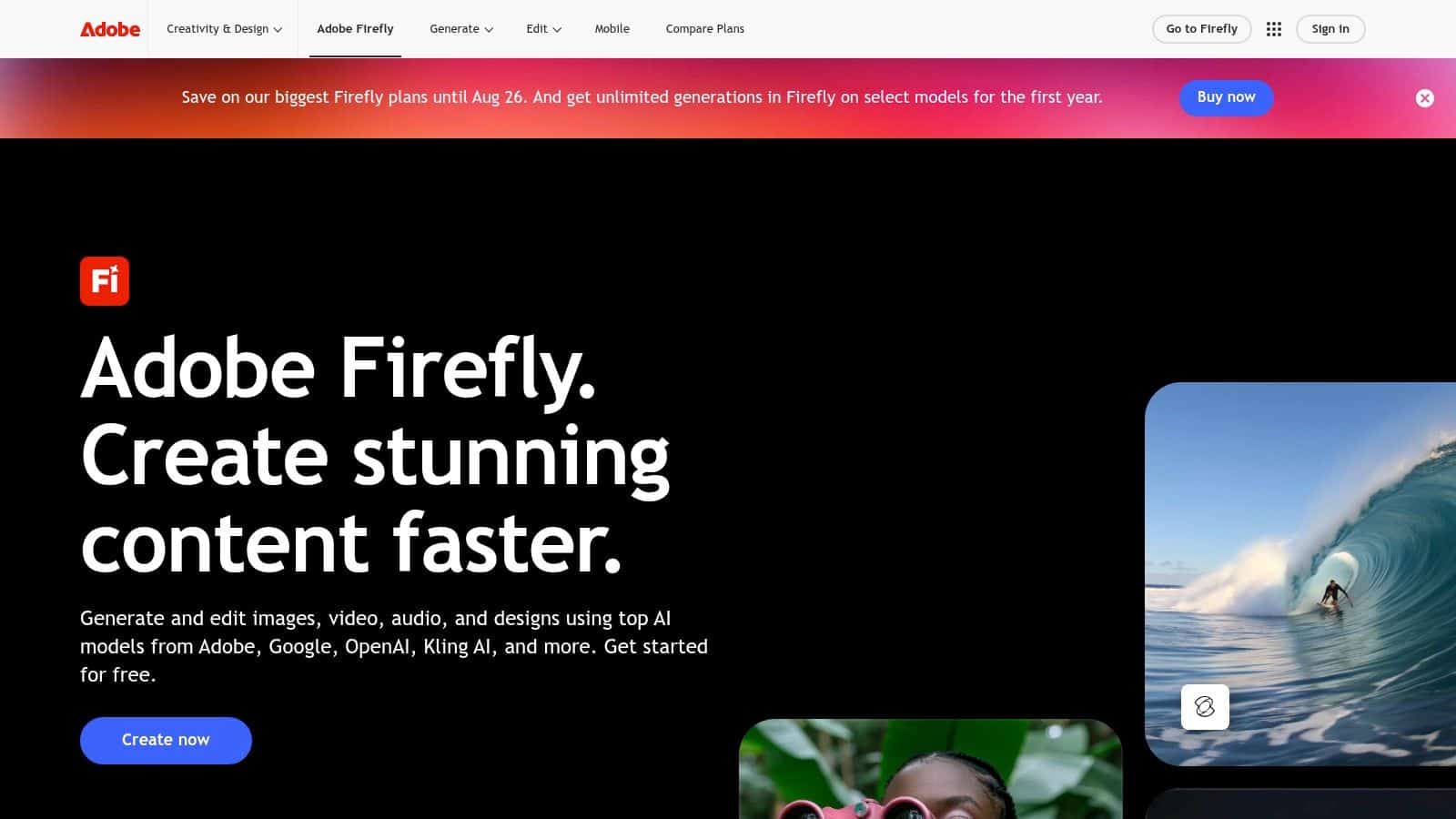
The Adobe Firefly page reflects that position. Generative Fill, Generative Expand, and Text-to-Vector are practical for marketing teams that need to adapt one asset across different placements without restarting the design process. Firefly works well as a first draft engine when a designer already plans to finish the piece inside Creative Cloud. That handoff is a real advantage for agencies that want speed without breaking their existing production workflow.
Why teams use it
Firefly is a practical fit for client work because it is easier to keep aligned with Adobe-based review and editing. A designer can generate a starting point, then refine it in the tools the team already uses every day. That reduces context switching and keeps revision cycles tighter.
- Creative Cloud handoff: Easy refinement in Photoshop and Illustrator.
- Commercial focus: Better fit for brand and client work than casual experimentation.
- Clear credit structure: Easier to operationalize than completely opaque usage models.
- Production utility: Good for editing and iteration, not just raw generation.
The trade-off is that the video and audio side can vary by tier, and smaller teams doing light edits may find premium access more expensive than they want. Still, if your agency already works in Adobe, Firefly keeps more of the creative stack in one place and cuts down on tool sprawl. It is not the most eye-catching AI image tool, but it is one of the easier ones to run inside a real agency workflow.
7. High-Aesthetic Image Generation, Midjourney
Midjourney is the tool you reach for when visual quality matters more than speed of setup. It stays popular with designers, ad teams, and social creators because it produces images with a strong aesthetic point of view, not just generic outputs that need heavy cleanup. The trade-off is real. You spend more time prompting, refining, and rerunning variations, and the workflow feels less direct than drag-and-drop design software.
A practical content stack uses Midjourney for the first visual pass, then hands the winning direction to a designer or a production tool for final delivery. The Midjourney site reflects that focus on visual range and style control. It works well for moodboards, ad concepts, campaign art, and any brief where the image has to carry a distinct look before the team commits to a final route.
Where it fits in the stack
Midjourney is strongest in the exploratory part of the process. That makes it useful for creative teams that need several visual directions fast, especially before a campaign is locked and distributed through a central business OS like HighLevel for follow-up, asset management, and client communication. It is also one of the few tools in this list where style variety is a core reason to use it, since the output can shift from polished editorial looks to more experimental concepts without switching platforms.
- Style range: Strong for exploring different visual directions quickly.
- Ad creative: Useful for social and paid media concepting.
- Private workflows: Higher tiers can support client work that needs discretion.
- Model updates: Frequent improvements help it stay current in a fast-moving space.
Practical rule: Use Midjourney to define the visual idea, then move the winning concept into a production tool or designer’s workflow for final output.
The main drawback is friction. The learning curve is real, and the Discord-based workflow will not fit every team. If you need a straightforward generator for basic branded visuals, Canva or Firefly will usually be easier to run. If your creative output depends on taste, variation, and images that stand out in a crowded feed, Midjourney remains one of the strongest options in the stack.
8. AI Video Generation & Editing, Runway
Runway fits teams that need to test video ideas before committing to a full production path. It is useful for ad variants, social spots, and creative proof-of-concept work because it speeds up the move from concept to output. That matters when a content calendar has to keep moving and the team cannot wait on a traditional edit cycle.
A practical stack often starts with Runway for the first pass, then sends the winning direction into a more controlled workflow for final polish and distribution inside a central business OS like HighLevel. The Runway website reflects how broad the platform has become, with generative video models, image tools, audio tools, 4K upscaling, and API access in one place. For agencies, that mix is useful because it lets strategists, editors, and developers work from the same toolset without jumping between separate vendors.
Best use cases
- Creative experiments: Fast testing for ad concepts and visual ideas.
- Social video: Good for short-form assets that need motion and variation.
- Developer integration: API access helps larger teams fold it into their own systems.
- Tier flexibility: Works for individuals, heavy users, and enterprises.
The main trade-off is usage cost. Longer clips or higher-resolution outputs can burn through credits quickly, so teams need a clear plan before they start generating at scale. Support and priority assistance also vary by plan, which matters if your team expects hands-on help during production. Runway is a production tool, not a magic button, but for teams that need to generate video quickly and keep iterating, it earns a place in the stack.
9. Podcast & Spoken-Word Video Editing, Descript
Descript fits teams that need to edit spoken-word content fast without handing everything to a traditional timeline editor. It works well for podcasts, webinars, explainers, and talking-head clips where the priority is getting clean, usable output into the content pipeline. You can remove filler words, rewrite dialogue, add captions, and export finished files without spending all day inside a complex editing interface.
The Descript website makes the text-first workflow clear. That setup is why many content teams keep it in their AI content stack. Overdub, Studio Sound, captions, stock media, and 4K export cover the core tasks most lean teams use. For agencies and founders, that means faster turnaround on recurring audio and video work without building a full post-production team.
A practical way to use Descript is to reserve it for repeatable spoken-word assets, then move the final cut into your wider system for publishing and follow-up. If your team already runs operations through a central business OS like HighLevel, Descript handles the editing layer while the OS handles distribution, lead capture, and workflow tracking. That separation keeps production moving and prevents your editors from becoming the bottleneck.
Why it works
- Document-style editing: Trimming, tightening, and rewriting are faster because the edit starts from the transcript.
- Voice tools: Overdub and Studio Sound help salvage rough recordings and reduce cleanup time.
- Captions and exports: Useful for pushing the same asset into social, podcast, and training channels.
- Collaboration: Better suited to team review and approval than a solo audio app.
The trade-off is clear. Descript does not replace advanced color grading or complex motion graphics, so teams with heavier visual requirements still need other tools in the stack. Transcription limits can also raise costs if your production volume is high. For interviews, clips, webinars, and educational videos, though, it removes a lot of friction from the editing stage and keeps content moving toward publication.
10. AI Presenter & Training Videos, Synthesia
Synthesia is the most straightforward option when you need presenter-led video without a camera crew. It’s especially strong for internal training, explainers, onboarding, and multilingual content where the message matters more than live filming. The value is speed and consistency. You can create polished video without actors, sets, or reshoots, which is exactly why so many operations teams use this category of tool.
The Synthesia website makes the use case obvious. Script-to-video with avatars and AI voices is the core offering, and the translation and dubbing support makes it especially useful for teams that need to deliver the same content across different languages. For businesses that publish training modules or repeatable explainers, that can remove a lot of logistical friction.
Where it fits best
- Training and onboarding: Great for standardized internal communication.
- Explainers: Useful when the same message needs to be delivered cleanly every time.
- Language flexibility: Helpful for teams that need translation and dubbing.
- No filming required: Saves the time and coordination that live video demands.
The trade-off is style. Stock avatars can feel templated if they’re overused, so brand teams should invest in custom assets or stronger brand kits when possible. Credit planning also matters if you produce a lot of monthly output. Still, for presenter-style video at scale, Synthesia is one of the most practical options available.
Top 10 AI Content Creation Tools Comparison
| Platform | Core Capabilities | UX / Quality ★ | Value / Price 💰 | Target Audience & USP 👥✨ |
|---|---|---|---|---|
| All-in-One Content & CRM: The HighLevel Advantage 🏆 | CRM + unified inbox (SMS/DMs/email), funnels, automation, payments, reputation, mobile app | ★★★★☆ (24/7 support) | 💰 Competitive, agency plans; Unlimited plan = unlimited contacts & sub-accounts | 👥 Agencies & SMBs; ✨ Native AI across messaging/voice/content, consolidated capture→nurture→close→reactivate |
| Long-Form & Marketing Copy: Jasper | Long-form writer, brand voice/knowledge, agents, workflow automation | ★★★★☆ | 💰 Mid–high (credit elements; enterprise options) | 👥 Agencies/teams needing brand governance; ✨ Repeatable multi-step content agents |
| Go-to-Market & Sales Copy: Copy.ai | GTM workflows, unlimited Chat words, multi-LLM access, API & integrations | ★★★★ | 💰 Good entry value; workflow credit budgeting | 👥 GTM & sales teams; ✨ Workflow-centric automation for outreach & bulk generation |
| SEO-Focused Content: Writesonic | AI article writer, content optimization, AI search visibility & tracking | ★★★☆ | 💰 Tiered credit plans, verify allowances before scaling | 👥 SEO teams & content agencies; ✨ Integrated research→write→optimize→track for search visibility |
| Social & Brand Visuals: Canva Magic Studio | Magic Write/Design, AI image & video tools, templates, brand kits, collaboration | ★★★★ | 💰 Affordable; Business tier adds AI allowance | 👥 Marketers & creators; ✨ Fast platform-ready creative with large template library |
| Commercial-Safe Imagery: Adobe Firefly | Image gen, Generative Fill/Expand, text-to-vector, Creative Cloud handoff | ★★★★ | 💰 Mid–high (credit pools; CC integration) | 👥 Designers & enterprise teams; ✨ Commercial-safe models + seamless CC workflow |
| High-Aesthetic Image Generation: Midjourney | High-style image gen, web+Discord workflows, GPU-minute tiers, private modes | ★★★★★ | 💰 Subscription by GPU time (varies) | 👥 Designers & creatives; ✨ Top-tier aesthetic quality and style control |
| AI Video Generation & Editing: Runway | Generative video models, image tools, credit-based pricing, 4K upscaling | ★★★★ | 💰 Credit-based; scalable plans | 👥 Video creators & marketers; ✨ Fast generative video iteration for ads/social |
| Podcast & Spoken-Word Video Editing: Descript | Text-based editing, transcription, Overdub voice cloning, captions, 4K export | ★★★★ | 💰 Affordable per-editor; extra transcription hours billed | 👥 Podcasters & video teams; ✨ Edit media like a document + AI overdub |
| AI Presenter & Training Videos: Synthesia | Script-to-video avatars, AI dubbing (160+ languages), screen recorder, team workspaces | ★★★★ | 💰 Credit-based; enterprise/unlimited options | 👥 L&D, training, comms; ✨ Fast presenter videos without cameras, multi-language dubbing |
Build Your Ultimate AI Content Stack
Choosing one tool is the wrong mental model for content teams. The better approach is to build a content stack where each tool handles the part it's best at, then move everything into a central business OS that connects content to follow-up and revenue. That's the difference between creating assets and using them to generate business outcomes. The strongest stacks are simple, not crowded.
For agencies, the cleanest setup usually looks like this, use Jasper or Copy.ai for long-form copy and campaign workflows, Canva for social graphics, Adobe Firefly or Midjourney for image direction, Runway or Synthesia for video, and Descript for spoken-word editing. Then route the finished work into HighLevel so the content can be scheduled, distributed, captured, tracked, and tied to CRM activity. That lets a blog post become an email, a social post, a landing page, and a follow-up sequence without duplicating the operational layer each time. If you're building outbound or lead-gen workflows alongside content, the AI BDR tool picks are a useful adjacent reference.
For SMBs, the stack should be lighter. Start with one writing tool, one visual tool, and one central system. In most cases, that means Copy.ai or Jasper for drafting, Canva for visuals, and HighLevel as the business OS that handles messaging, funnels, bookings, payments, and reactivation. That setup keeps the team from buying five specialized tools before the process is even stable. It also reduces the biggest hidden cost in AI content creation, tool sprawl.
If content doesn't flow into a CRM, a calendar, a payment path, or a follow-up sequence, you're still operating in fragments.
The workflow that tends to work best is simple. Draft in the specialized tool, refine the asset, publish through the central system, then measure what happens next. Over time, that creates a real feedback loop, because you can see which assets start conversations, which ones book calls, and which ones need reactivation. That's where the ROI comes from, not from generating more content for its own sake.
If you're building a practical AI content stack instead of collecting subscriptions, start with the system that keeps the whole operation together. HighLevel gives agencies and SMBs the centralized control center they need to turn content into leads, conversations, and closed business, so visit HighLevel and see how the platform can simplify your workflow from creation to conversion.
