


Automated review requests were already the dominant model by 2020, with 91.6% of requests sent on one major platform automated, and SMS converting at 30% versus 21% for email. That's the part often overlooked: timing and channel choice decide whether the request becomes a review or gets ignored.
Bad timing backfires fast. A request sent too early feels pushy, and one sent too late lands after the customer has mentally moved on, which is why the best systems treat review requests like a workflow, not a reminder.
Table of Contents
- Why Automated Review Requests Matter More Than You Think
- Setting Up Automated Review Requests in HighLevel
- Timing and Channel Strategy for Maximum Response Rates
- The Critical Feedback Gating Mechanism
- Measuring and Optimizing Your Review Request Performance
- Quick-Reference Implementation Checklist
Why Automated Review Requests Matter More Than You Think
The mistake is treating automated review requests like a star-collection feature. In practice, they work as a reputation control system, and the timing, channel, and customer state decide whether they help or backfire.
Birdeye's platform data shows that automated requests had already become the default way businesses collected feedback at scale, and the same dataset showed that most customer reviews were posted on Google (Birdeye platform data). That matters because the workflow has to match where customers are most likely to respond, not where it is easiest for the business to send.
The channel matters as much as the request
Birdeye also found that text message requests outperformed email requests in the same period, which is why local businesses often start with SMS and use email as a fallback when the customer journey calls for it (Birdeye platform data). The channel choice is not a cosmetic detail. It changes whether the request feels immediate and natural, or easy to ignore.
A useful way to view the stack is alongside broader automation options. If you are comparing tools and channels, Captapi's automation tool roundup shows how review workflows fit into a larger automation system.
Practical rule: if your review workflow does not account for timing, channel, and customer state, it is not really automated, it is just scheduled.
For teams building in HighLevel, the goal is not to send more requests and hope for more stars. The goal is to capture social proof while routing unhappy customers away from public review sites before they damage the profile.
That approach lines up with the HighLevel reputation management guide, because review collection only works when it is tied to reputation control, not just outreach volume.
Setting Up Automated Review Requests in HighLevel
HighLevel review automation works best when you split the job into two parts, the reputation settings and the workflow engine. One controls where the request sends customers, and the other decides when the request fires. That separation matters because a good review flow can still fail if the timing, destination, or customer state is wrong.
Start in the Reputation area and connect the review destinations you want customers to use. For most local businesses, that means Google Business Profile first, then any secondary platforms you monitor. Keep the list tight. Every extra review location adds one more choice for the customer, and choice creates friction when the goal is a fast response.
Then build the trigger workflow. The cleanest setup is event-driven, so a customer action starts the sequence. That event can be a completed appointment, a paid invoice, or an opportunity moving into a stage such as service completed. A workflow example in HighLevel shows this pattern clearly. The account-level reputation settings enable review requests, then a separate workflow fires when the opportunity reaches the chosen stage (HighLevel workflow example).
Build the trigger around the right status
Most first attempts fail because the request fires on the wrong pipeline status. If the customer has not received the service yet, the ask feels premature. If you wait until a generic “won” or “closed” stage, the moment may already be too far removed from the experience.
Use explicit stage mapping instead. If the job ends when the invoice is paid, map that event directly. If the service ends when the technician marks the ticket complete, use that status and nothing earlier. This is also where a system like HighLevel can help teams keep the handoff clear, especially if they are comparing setup approaches in a marketing agency tool guide.
A practical setup sequence looks like this:
- Connect the review destination. Make sure the public review link is correct before anything else.
- Choose the event trigger. Use a meaningful completion event, not a loose sales status.
- Set the delivery window. Keep the send aligned with business hours and the customer's local context.
- Attach the message. Keep the copy short and specific to the service.
- Add the gate. Route unhappy responses away from the public ask.
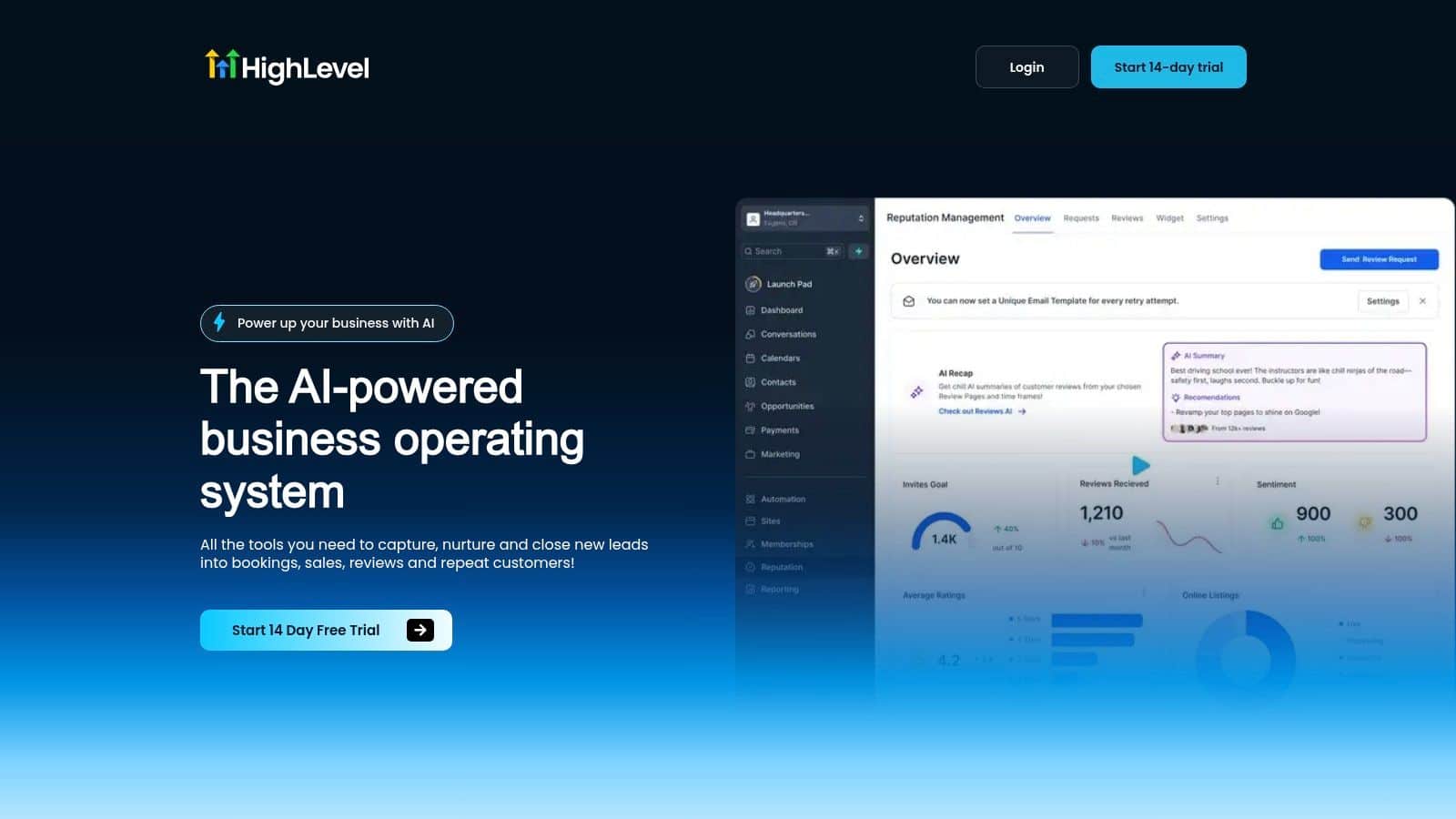
The implementation standard is the same across service businesses. Trigger the request only after the relevant milestone, map each pipeline stage clearly, and make the public ask the last step only for customers who are ready to give it. When feedback gating is built into that flow, the automation protects the profile instead of just collecting more responses.
Timing and Channel Strategy for Maximum Response Rates
The strongest automated review requests land while the service outcome is still fresh in the customer's mind. That makes channel choice and delay timing matter as much as the message itself.
Independent analyses summarized in automation guidance say SMS outperforms email for review requests, and that requests sent shortly after job completion can outperform next-day sends by a wide margin (review automation ROI summary). Those gaps are large enough to determine whether a workflow earns steady review volume or just adds noise to your process.
SMS should usually be the default for service businesses
For local service work, SMS is usually the first channel to use because it removes friction. The customer already has the phone in hand, and the direct review link means there is no need to search for the business profile later.
Birdeye's platform data also points in the same direction. It shows stronger engagement on text-based review requests than on slower follow-up channels, which is why SMS tends to work best when the service is still top of mind (Birdeye platform data). The practical takeaway is simple, the request should be short, specific, and easy to finish before attention shifts elsewhere.
The SMS marketing platform overview is useful if you are choosing the delivery layer for a text-first workflow.
Send the request while the service outcome is still visible to the customer, not after the memory has gone stale.
Email still has a place, but it is secondary
Email works better as a follow-up channel than as the main ask for time-sensitive services. It gives more room for context, and it still helps with customers who prefer not to leave reviews from their phone. In e-commerce, automated sequences tend to outperform manual or no-request methods, with benchmark summaries showing a shift from lower review capture to higher review capture when automation is used, and some analyses cite stronger response rates alongside much lower cost per review (review automation ROI summary).
If you are building inside a workflow tool, keep the send logic simple:
- Use SMS first for fresh service completion.
- Use email as a backup when a longer message is useful.
- Keep both inside a narrow window so the ask still feels connected to the job.
- Prefer business hours so the message does not arrive like a late-night interruption.
The practical lesson is straightforward. Automation does more than increase volume. It lets you match the request to the customer's moment of satisfaction. When that moment is still active, response rates improve. When it has passed, even good copy has a harder time getting a reply.
The Critical Feedback Gating Mechanism
Most automated review requests fail in the same place, they send every customer to a public review site whether the experience was good or not. That's a reputation problem, not a copy problem.
The fix is feedback gating, a private checkpoint that sits between the service completion and the public review ask. Happy customers continue to Google or your chosen review site. Unhappy customers get routed to an internal form or support path first. That structure turns the workflow from a blunt request into a controlled routing system.
The workflow should split before the public ask
Independent guidance increasingly emphasizes this pattern because automation is moving from simple request delivery to experience-aware routing (routing-focused automation guidance). That's the right direction. A business doesn't need more public complaints in the middle of a review campaign, it needs a way to catch dissatisfaction before it becomes visible.
In HighLevel-style workflows, the gate can be implemented with a quick star-rating question or a short satisfaction survey. Positive responses continue to the public review link. Negative responses branch to a private feedback form, a task for the team, or a manager alert. The routing logic is more important than the template wording.
For practical implementation, automate review collection with is a useful anchor when you're mapping the public and private paths in one workflow.
A simple structure works best:
- Customer completes the service. The workflow trigger fires.
- Private feedback survey appears first. The customer gives a quick sentiment signal.
- Positive responses go public. Happy customers are sent to Google or another review site.
- Negative responses stay internal. The issue is captured before a public review is written.
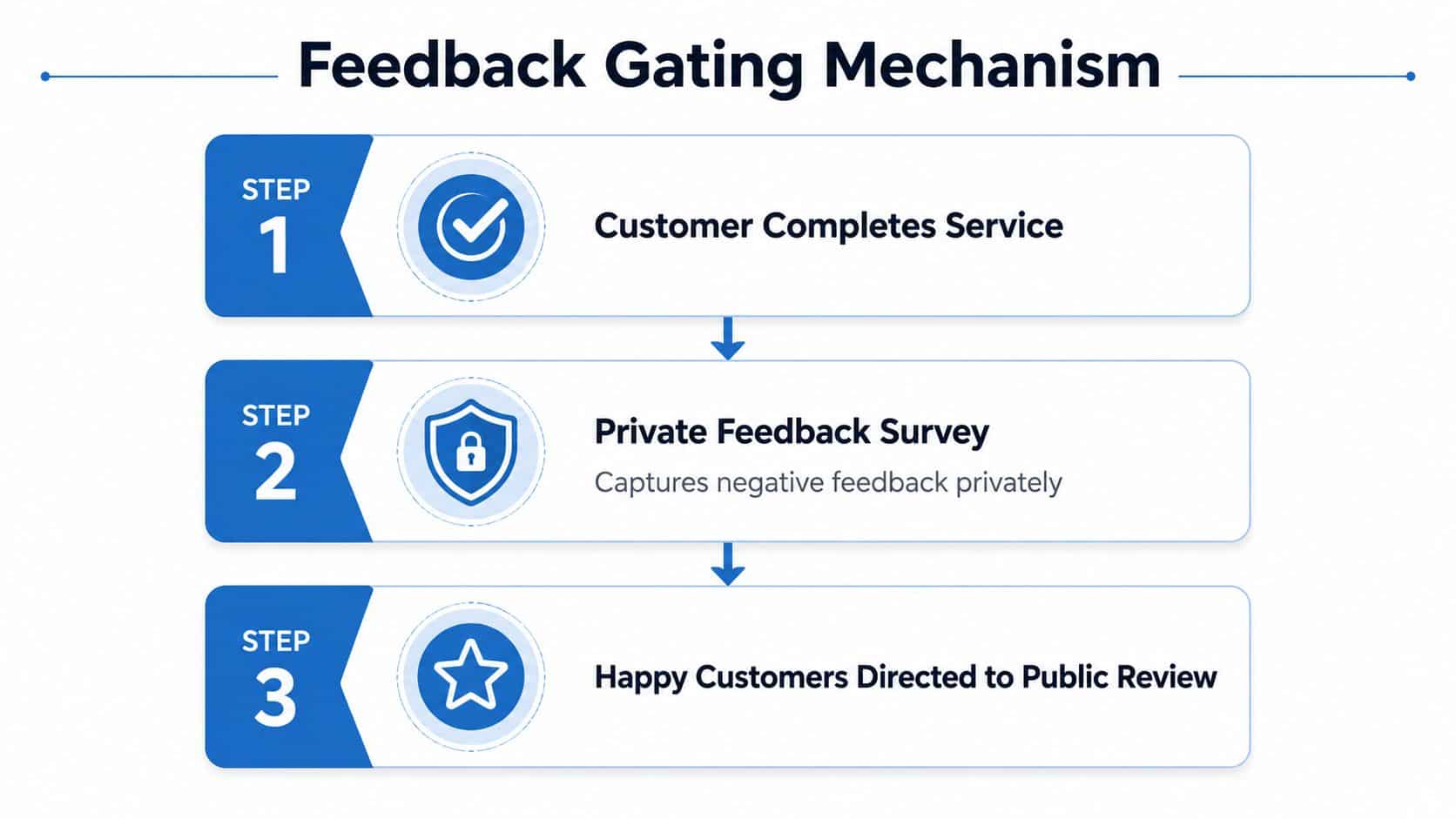
The operational payoff is obvious. You still collect reviews from satisfied customers, but you stop training unhappy customers to leave a public rating before anyone inside the business sees the problem. That's why gating isn't an optional layer. It's the centerpiece of a sane review strategy.
Measuring and Optimizing Your Review Request Performance
Once the workflow is live, the work starts. Calibration matters because a review request flow can look fine on paper and still fail in the field if the trigger fires too early, the message lands at the wrong moment, or unhappy customers slip past the gate.
Start by watching three separate metrics. Send rate shows whether the trigger is firing the way you intended. Response rate shows whether the timing and channel are doing their job. Review rate shows how many requests turn into public reviews. Open and click activity still matter, because they show whether the message is clear enough to move the customer toward the next step.
Diagnose the failure point before changing the whole workflow
A weak send rate usually points to a trigger problem. If sends are happening but responses stay thin, the issue is usually timing or channel. If responses are strong but reviews remain low, the problem is often the message, the landing path, or the feedback gate.
That diagnostic habit saves a lot of bad edits. A workflow can be set up correctly and still underperform if the request goes out after the customer has mentally moved on, if the gate blocks too many good reviews, or if the path to the review site takes too many taps. Fix the broken step first. Changing everything at once makes it harder to see what helped.
Measure each layer separately, not as one blended number. That is the only way to tell whether you have a delivery problem, a timing problem, or a conversion problem.
For dashboards and reporting setup, agency reporting best practices is a useful reference when you want to separate those signals cleanly.
A practical optimization pass usually comes down to a few moves:
- Move the send earlier if responses are weak and the service experience is still fresh.
- Test SMS before email when the customer base is mobile-heavy.
- Shorten the message if clicks are low.
- Tighten the feedback gate if too many unhappy responses are reaching the public review step.
- Run in advisory mode first if your platform supports it, then enforce only after the logic is stable.
The goal is not to chase one neat score. It is to keep the automation aligned with how customers behave. When the workflow is calibrated, it stops feeling like a campaign and starts behaving like part of the service process.
Quick-Reference Implementation Checklist
Use this as the build sheet before you launch.
- Confirm the review destination first. Make sure your public review link points where customers should leave feedback.
- Choose one primary trigger. Use a real completion event, not a loose pipeline status.
- Map the pipeline explicitly. Service complete, paid invoice, or closed ticket should mean one thing inside the workflow.
- Set the send window deliberately. Keep the ask close to the moment of service completion and inside business hours.
- Write one short request. The message should be clear, specific, and easy to tap on mobile.
- Add feedback gating before the public link. Unhappy customers should not be sent straight to a public platform.
- Route negative feedback privately. Send it to a form, task, or internal alert for follow-up.
- Use SMS as the first channel when speed matters. Keep email as a backup when it adds context.
- Test the full path with your team. Verify the trigger, the link, the gate, and the destination on a phone.
- Watch send, response, and review rates separately. Don't guess which part broke.
- Run advisory mode before full enforcement if available. Calibrate before you automate at full volume.
- Stop repeat sends. Don't re-ask customers who already responded or already left a review.
The best campaigns are the ones that protect the business while making it easy for happy customers to speak up. That only happens when automation, timing, and feedback routing all work together.
If you want a system that handles follow-up, routing, and reputation from one place, explore HighLevel. It includes the automation building blocks local businesses use to send review requests, filter unhappy feedback, and keep the whole process tied to the customer journey.
