


You're probably looking at a spreadsheet, a CRM, or an inbox that's full of half-finished follow-up. A lead filled out a form this morning, someone missed your call at lunch, and a booked appointment still needs a reminder before tomorrow. That's the kind of day where a text message marketing platform stops being “another tool” and starts acting like the thing that keeps revenue from slipping through the cracks.
Table of Contents
- Why Texting Has Become the Execution Layer for Modern Marketing
- What a Text Message Marketing Platform Is
- The Core Feature Set and What Each One Does
- Compliance and Deliverability Without the Headache
- Standalone SMS Tools Versus All-in-One Platforms
- Three Real Workflows You Can Build This Week
- How to Evaluate a Text Message Marketing Platform Before You Buy
- Choosing the Right Fit for Your Business Model
Why Texting Has Become the Execution Layer for Modern Marketing
A local business owner doesn't lose money because they forgot to “do marketing.” They lose money because the response window closes fast. A form fill sits untouched until lunch, a missed call never gets a text back, a booked appointment doesn't get reminded, and a payment link stays buried in email.
That's why texting now works as an execution layer inside the rest of the stack. It's the message that fires off when a CRM event happens, when a booking is created, when a review request should go out, or when a payment needs a nudge. SMS is built for moments that matter right now, not for the end-of-week campaign recap.
The channel also has a visibility problem in the best possible sense. SMS averages a 98% open rate versus roughly 20% for email, and around 90% of texts are read within three minutes of delivery, according to 2025–2026 industry roundups. That's why a text is often the right move when the lead is warm and the delay is expensive. It's also why reduce no-shows with SMS reminders is more than a nice workflow idea, it's a revenue protection tactic.
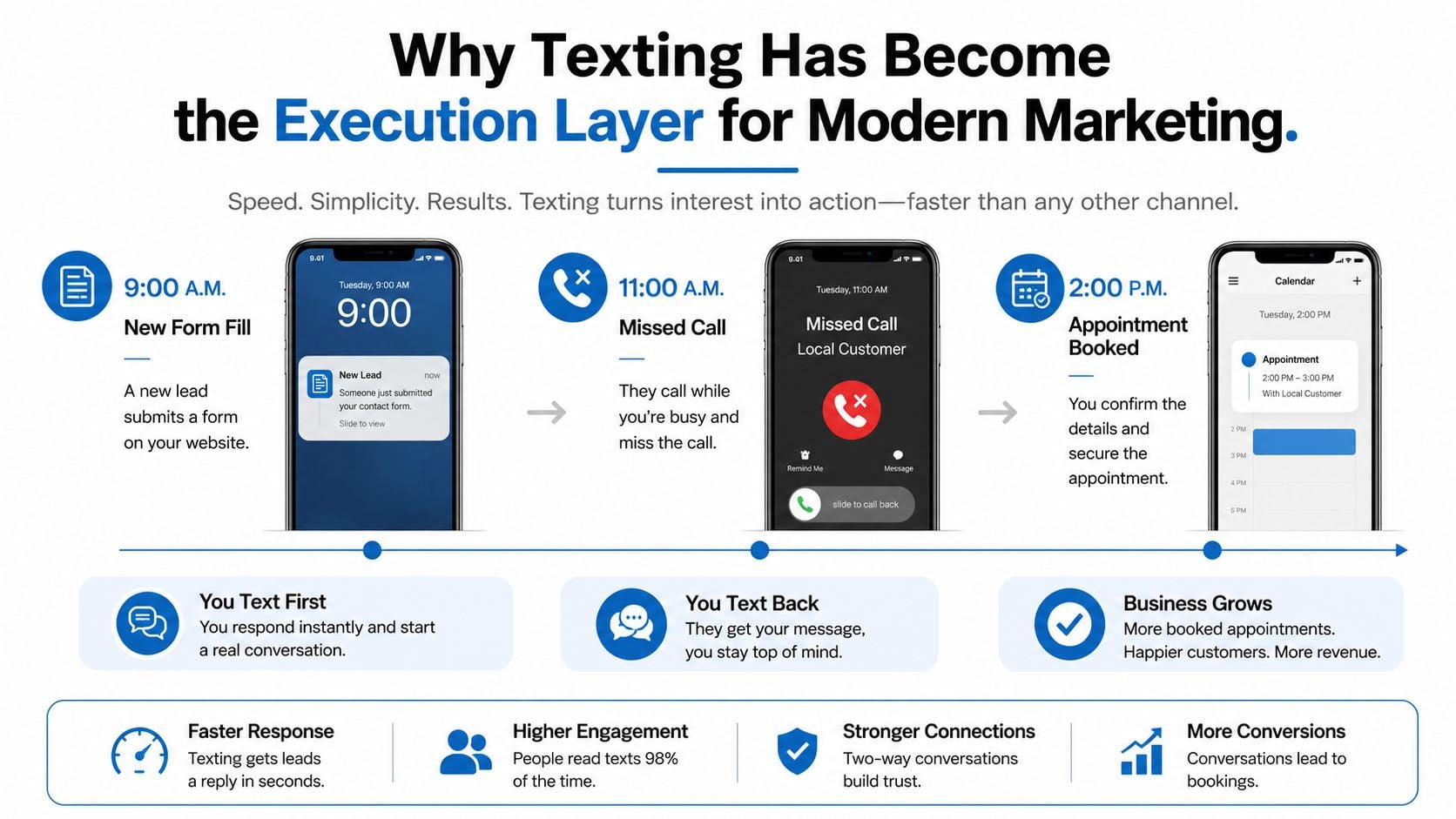
When you think about the category this way, the platform choice gets clearer. You're not only asking, “Can it send texts?” You're asking which moments it can catch without manual work, and which parts of your day still depend on someone remembering to follow up.
Practical rule: if a text needs to arrive because something happened in your CRM, calendar, or payment flow, that's an automation job, not a broadcast job.
What a Text Message Marketing Platform Is
At the simplest level, a text message marketing platform lets a business send and receive texts at scale from a dedicated number, short code, or sender setup that does not depend on someone's personal phone. That is the public-facing part. The core value sits behind it, in the system that keeps messages organized, targeted, and trackable.
A useful way to picture the category is as the dispatch desk for the last mile of communication. Your CRM records a new lead, your booking system confirms an appointment, or your support team logs a missed call, and the platform decides what text goes out, to whom, and when. A normal texting app can send a message. A platform can route, segment, schedule, log, and reply around that message.
A real platform usually includes contact storage, segmentation, a two-way inbox, automation, analytics, and integrations. Those pieces matter because a small business does not just need to broadcast. It needs to know who should get a reminder, who should be excluded, who replied, and which source created the conversion. Without those layers, texting turns into another manual chore, which is exactly why teams that want to automate follow-up with HighLevel often look for a platform that keeps the workflow in one place.
A raw SMS API is the plumbing, usually for developers or teams building custom software. A CRM stores relationships and deal context. A text message marketing platform sits in the middle and turns events into messages without making every workflow a custom software project. That is why agencies evaluating white-label or resale options should focus on who owns the workflow logic, not just who owns the sending number.
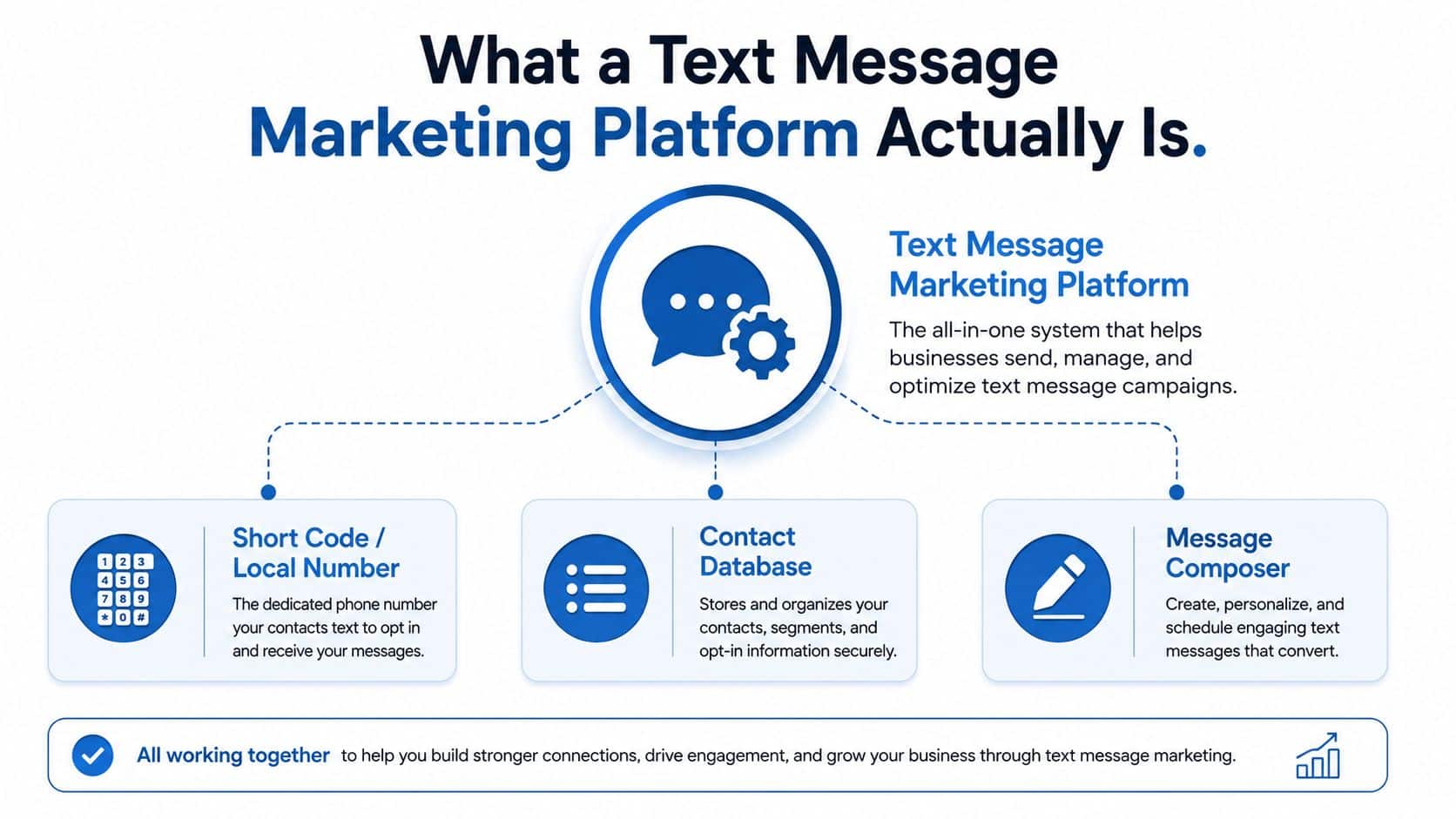
The cleanest mental model is simple. If email software is the newsletter engine, a text message marketing platform is the dispatch desk for urgent, contextual contact. That is why teams use it for follow-up, reminders, reactivation, and conversation, not only for bulk sends.
The Core Feature Set and What Each One Does
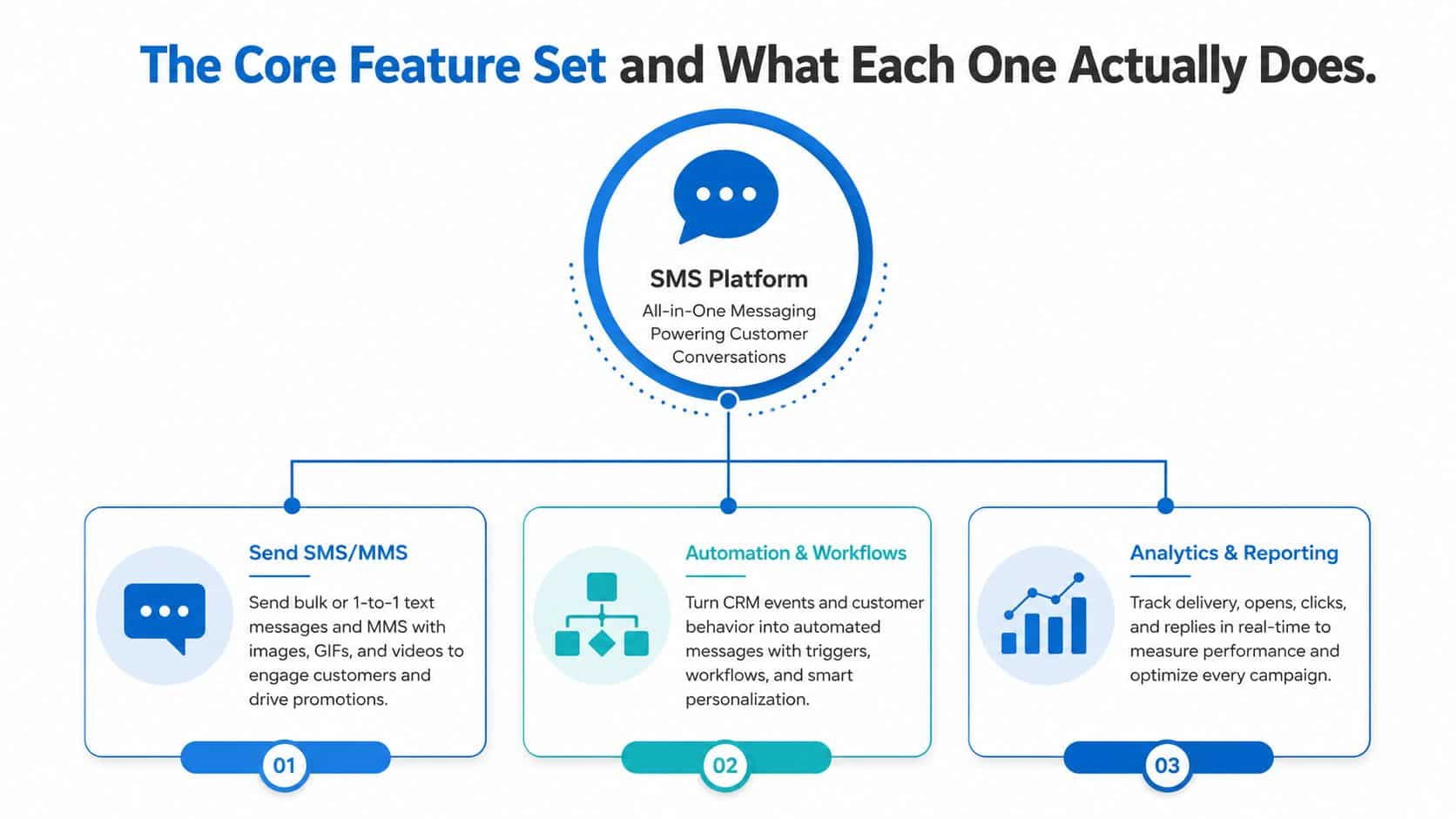
The feature list looks busy until you tie each capability to a real job. Once you do that, the category becomes easier to judge.
Sending, sequencing, and handling replies
SMS and MMS cover the obvious work, promotions, quick updates, and visual messages. MMS matters when a photo, coupon image, or product visual carries more context than plain text can hold. Automation and workflows matter when the message should fire because of a trigger, not because somebody remembered to hit send.
A solo coach can get by with basic broadcasts and a few drip messages. A five-person agency running client accounts feels the difference right away when those sends need logic, timing, and branching. On a Tuesday afternoon, that is the gap between a one-off text blast and a system that follows the customer's path.
Segmentation, inbox, payments, and reporting
Segmentation and smart lists decide who hears what. A lapsed customer, a first-time lead, and an active buyer should never get the same text if relevance matters. A unified inbox becomes important once replies stop being rare. It is far more useful when one team needs to manage SMS, Messenger, Instagram DM, WhatsApp, and live chat in one place, without jumping between tabs.
Payments close the loop. Text-2-Pay and Tap-2-Pay matter when you want the customer to act without sending them to a separate checkout flow. Analytics matter when you need to connect delivery, replies, and downstream outcomes back to business results instead of treating texting like a black box.
Use this threshold test: if a feature does not save you time, prevent dropped replies, or help you collect money, it is probably optional for your stage.
For teams building follow-up systems, automate follow-up with HighLevel is a useful reference point because missed-call recovery shows why workflow design matters more than broadcast volume.
Compliance and Deliverability Without the Headache
A text can be perfectly written and still fail if the platform mishandles consent or routing. That's why compliance belongs inside operations, not in a legal footnote. The sending tool itself is part of the risk surface.
Consent and quiet hours
Opt-in capture should be boring and obvious. Keyword joins, web forms, and checked boxes all work because they make permission clear before the first marketing message goes out. Opt-out handling should be automatic too, especially for common replies like STOP and HELP, plus all-caps variations that people type fast on mobile. Quiet hours matter because a good platform respects time zones and do-not-disturb windows instead of treating every phone as always available.
A salon that texts a trade-show list it bought from someone else is gambling with complaint rates and trust. A clinic that blasts reminders after a campaign burst can trigger more filtering if the platform doesn't pace sends, normalize sender behavior, and keep complaint signals in check. The problem isn't just the message. It's the operational discipline around the message.
Routing, sender rules, and delivery receipts
Carrier-grade platforms use routing and compliance engines, not just a “send” button. That means the system can choose providers, manage sender policies, and handle regional rules before dispatch. In the U.S., A2P 10DLC registration matters for business texting. In other regions, sender ID and alphanumeric sender rules can shape what's allowed.
Delivery receipts also need context. A receipt says the platform handed off the message. It doesn't guarantee the customer saw it in the inbox. That's why filtering, opt-out control, and sender reputation are part of the product, not the paperwork.
A practical audit helps here:
- Check opt-in capture: make sure every list source can prove consent.
- Test opt-out handling: confirm STOP-style replies suppress future sends automatically.
- Review quiet hours: verify time-zone handling before scheduling reminders.
- Inspect sender setup: see whether your platform supports the regions you text into.
- Read delivery logs carefully: distinguish carrier handoff from real inbox placement.
The right platform makes these controls visible, not buried.
Standalone SMS Tools Versus All-in-One Platforms
A standalone SMS tool is strong at one thing, sending and managing text campaigns. That can be enough if texting is your only moving part. But once the workflow touches CRM data, calendar bookings, payments, or reviews, the switching cost starts to show up. Every extra integration adds another place where a sync can break or a field can map wrong.
| Capability | Standalone SMS Platform | All-in-One Platform (e.g. HighLevel) |
|---|---|---|
| Bulk text campaigns | Strong and often simple to run | Strong, usually tied to broader workflows |
| Two-way inbox | Usually available | Usually available inside one shared workspace |
| CRM-triggered texts | Depends on integrations | Native workflow logic is built in |
| Booking and reminders | Needs calendar integrations | Calendar, reminders, and texts live together |
| Payments and follow-up | Separate tools are common | Payment and follow-up can sit in the same flow |
| Review requests | Usually handled through another app | Often bundled with reputation workflows |
| Operational continuity | More tools, more handoffs | Fewer handoffs, less context switching |
That difference shows up on a Tuesday afternoon. A lead calls while you’re on another appointment, a workflow texts them back, the calendar books the slot, and a payment link goes out after the confirmation. In a standalone stack, that’s a chain of tools talking to each other. In an all-in-one platform, it’s one workspace carrying the thread from start to finish.
If you want to sanity-check the broader software stack around that decision, HighLevel’s recommended stack is a useful way to see how agencies think about the rest of the system around texting.
The trade-off is real. Standalone tools can feel cleaner for pure campaign teams, especially if they only care about broadcasts and simple replies. All-in-ones win when the business cares about continuity more than isolated feature depth.
Three Real Workflows You Can Build This Week
The best way to understand texting software is to watch it move through a real job. The point isn’t to build flashy automations. The point is to remove the follow-up that people keep forgetting.
A dental clinic that turns missed calls into booked visits
A patient calls at 11 a.m., gets missed, and the platform sends a text back within minutes. That first message can ask what they need and point them to booking. Once the appointment is on the calendar, reminders go out before the visit, then a review request follows after the appointment.
That same clinic can also re-engage patients who haven’t returned in months. The trigger is simple, the value is obvious, and the workflow keeps one front desk team from doing repetitive outreach all day.
A fitness coach that turns interest into payment and follow-through
A new lead opts in through a quiz, which starts a nurture sequence instead of a one-off blast. Over the next several days, the platform can send reminders, content, and a payment link for the challenge or program. During the program, daily check-ins keep the client engaged without the coach manually writing each text.
That structure matters because the lead isn’t just being marketed to. They’re being guided through a path, from curiosity to commitment to participation. For coaches who rely heavily on social platforms, the Instagram DM automation guide helps connect the same idea to inbound social conversations.
A marketing agency that manages client communications at scale
An agency can use one workspace for client onboarding, broadcast campaigns, and a shared inbox for replies. AI-assisted response handling helps triage routine questions without forcing every reply through a human first, and white-labeled reporting keeps the client-facing view clean. The primary gain is that the agency team isn’t jumping between separate tools for every account.
A simple rule keeps these workflows honest. If a workflow saves staff time but doesn’t change the customer’s experience, it’s just internal convenience. If it shortens the time between interest and action, it’s doing actual revenue work.
How to Evaluate a Text Message Marketing Platform Before You Buy
A platform looks attractive fast when the demo shows a long feature menu. That can distract from the central question, which is whether the system fits the way your team uses texting. You are choosing a workflow engine, not a catalog of buttons, so the better test is whether it supports broadcast marketing, two-way customer conversations, and missed-revenue recovery without forcing extra manual cleanup.
Ask these six questions before you sign
- What pricing model fits my volume? If you text only in bursts, a plan that charges for what you use may keep costs aligned with activity. If texting happens every day, check whether the pricing structure supports growth or starts punishing volume as the list gets larger.
- How strong is deliverability? Ask how the platform handles sender reputation, carrier filtering, and complaint suppression. A low-cost send that never reaches the inbox still wastes time and revenue.
- How deep are the automations? Look for triggers, conditions, and branching, not just scheduled texts. A reminder sequence for appointments is useful, but a follow-up path that reacts to replies is what keeps a lead from going cold.
- Does the inbox unify the channels I use? If your team answers SMS and social DMs, a split inbox creates handoff problems. One workspace matters most when a conversation starts on one channel and finishes on another.
- What AI features are real? Reply suggestions, review replies, and content help matter if they cut response time or reduce repetitive work. If they only add another panel for the team to check, they slow people down instead.
- How hard is it to leave? Exportability, data ownership, and sender portability matter because switching gets expensive once your numbers, templates, and automations are already live.
Analytics deserves the same discipline. You want to know whether the platform shows message-level performance, reply behavior, campaign outcomes, and revenue recovery in a way your team can use.
Keep the buy decision boring. If a feature does not improve follow-up speed, inbox control, or revenue recovery, it probably does not deserve extra budget yet.
Choosing the Right Fit for Your Business Model
A text message marketing platform should match the work your business needs right now, and the work it is likely to absorb later. That keeps you from buying a tool that is too thin for the job, or too heavy for a team that only needs a few repeatable workflows.
For a solo coach or course creator, the main jobs are usually broadcasts, payment links, and a simple way to keep leads warm after the first opt-in. In that setup, speed matters more than a deep operator console. A local service business has a different rhythm. Missed-call text-back, appointment reminders, and review automation are the tasks that come up again and again, so the better choice is the platform that bundles those actions without making each one feel like a separate project.
A marketing agency has another set of needs. Unlimited sub-accounts, white-labeling, rebillable infrastructure, and a team-friendly operating model matter because the agency is selling the system, not just using it. A multi-location or franchise business sits in a different place again. Shared templates, per-location segmentation, and consolidated reporting help one location stay aligned with the others instead of drifting into its own process.
HighLevel fits naturally in the all-in-one camp because it brings CRM, conversation inboxes, workflows, calendars, payments, and reputation work into one workspace. That matters when texting is one part of the operating system, not the entire job. If your current stack keeps making you stitch together follow-up, booking, and payment across separate tools, it makes sense to look at HighLevel and decide whether one platform can take on more of that recurring work without adding more handoffs.
