


Lead scoring is a points-based ranking system that combines demographic fit and behavioral engagement to decide when a prospect is ready for sales. The practical starting point is your own lead-to-customer conversion rate, calculated as (number of leads converted to customers / total leads generated) × 100, because the score only matters if it helps you spot which leads convert better than average.
If you've ever opened your CRM in the morning and seen a pile of new contacts with no clear order, you already know why this matters. The core job is not collecting leads, it's deciding which ones deserve a call, which ones need nurturing, and which ones should remain in the queue until they show clear intent.
Table of Contents
- The Daily Lead Chaos Lead Scoring Solves
- How Lead Scoring Actually Works
- Rule-Based Scoring Versus Predictive Scoring
- Common Scoring Attributes and a Sample Scorecard
- Implementing Lead Scoring in HighLevel
- Maintaining and Testing the Model Over Time
- Scoring Omnichannel Conversations Not Just Web Behavior
- Lead Scoring FAQ and Operational Quick Reference
The Daily Lead Chaos Lead Scoring Solves
By 8:30 a.m., the inbox already looks like a cleanup project. There are new form fills from last night, a handful of missed calls, a few chat messages, and a couple of “just checking in” replies from people who looked interested two weeks ago and then disappeared.
That's the daily problem lead scoring solves. Without a ranking system, every lead sits in the same bucket, and the person on the sales side has to guess who deserves attention first. With scoring, the list stops being a junk drawer and starts behaving like a queue.
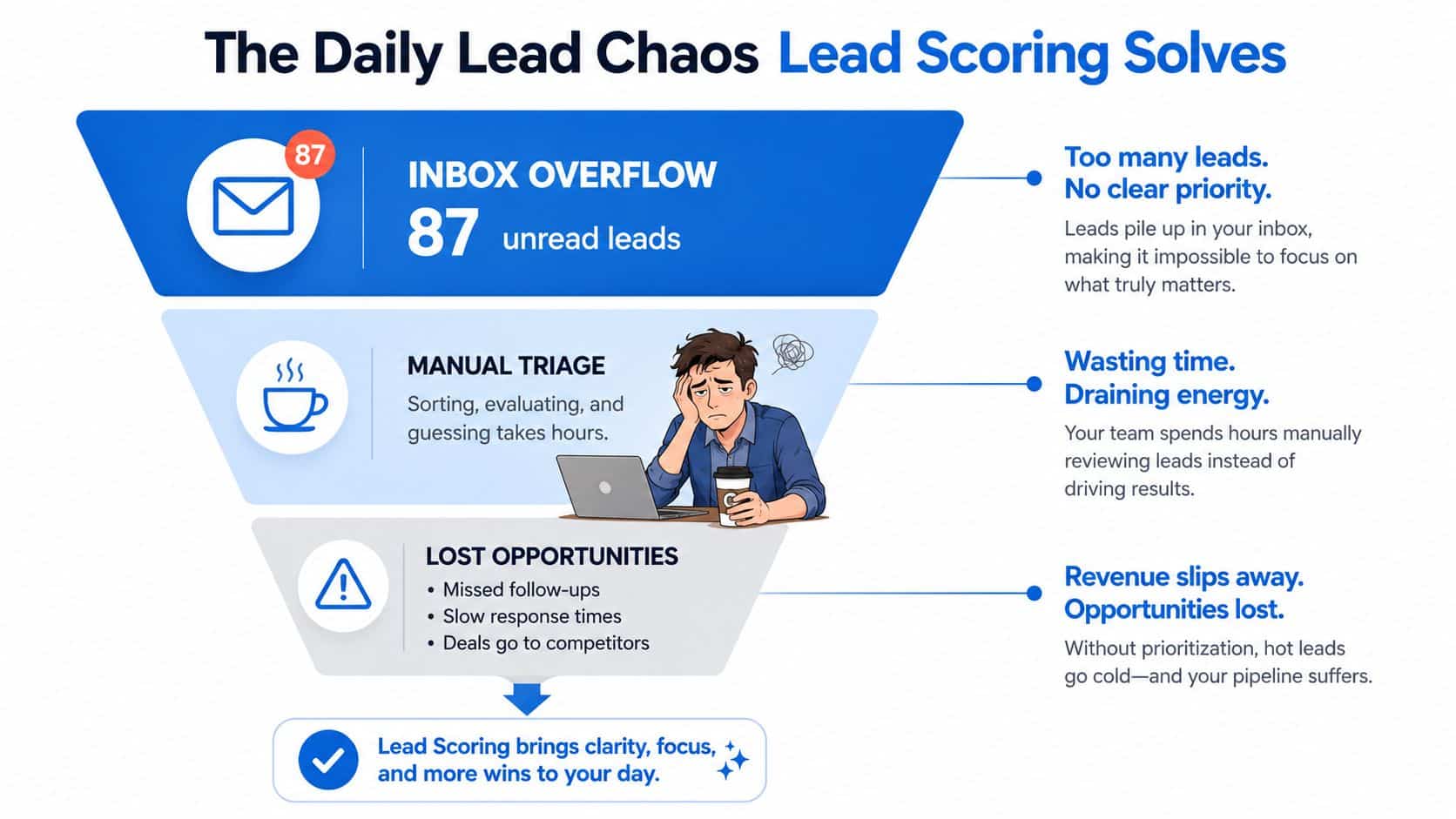
For an agency owner, that might mean separating the generic inquiry from the lead that asked for pricing, replied to an SMS, and booked a consultation. For a local service business, it might mean putting the homeowner in the right city ahead of the browser who clicked once and never came back. The point is simple, rank before reacting.
If you're comparing channels and trying to understand where the best leads come from, the Google Ads guide for New Zealand businesses is a useful companion because it shows how demand capture can feed the scoring system. For teams building a broader stack, this guide for digital marketing agencies helps frame how the CRM, automation, and reporting layers fit together.
Practical rule: if a lead can't be ranked, it will be handled by whoever is free, and that usually means the wrong lead gets attention first.
How Lead Scoring Actually Works
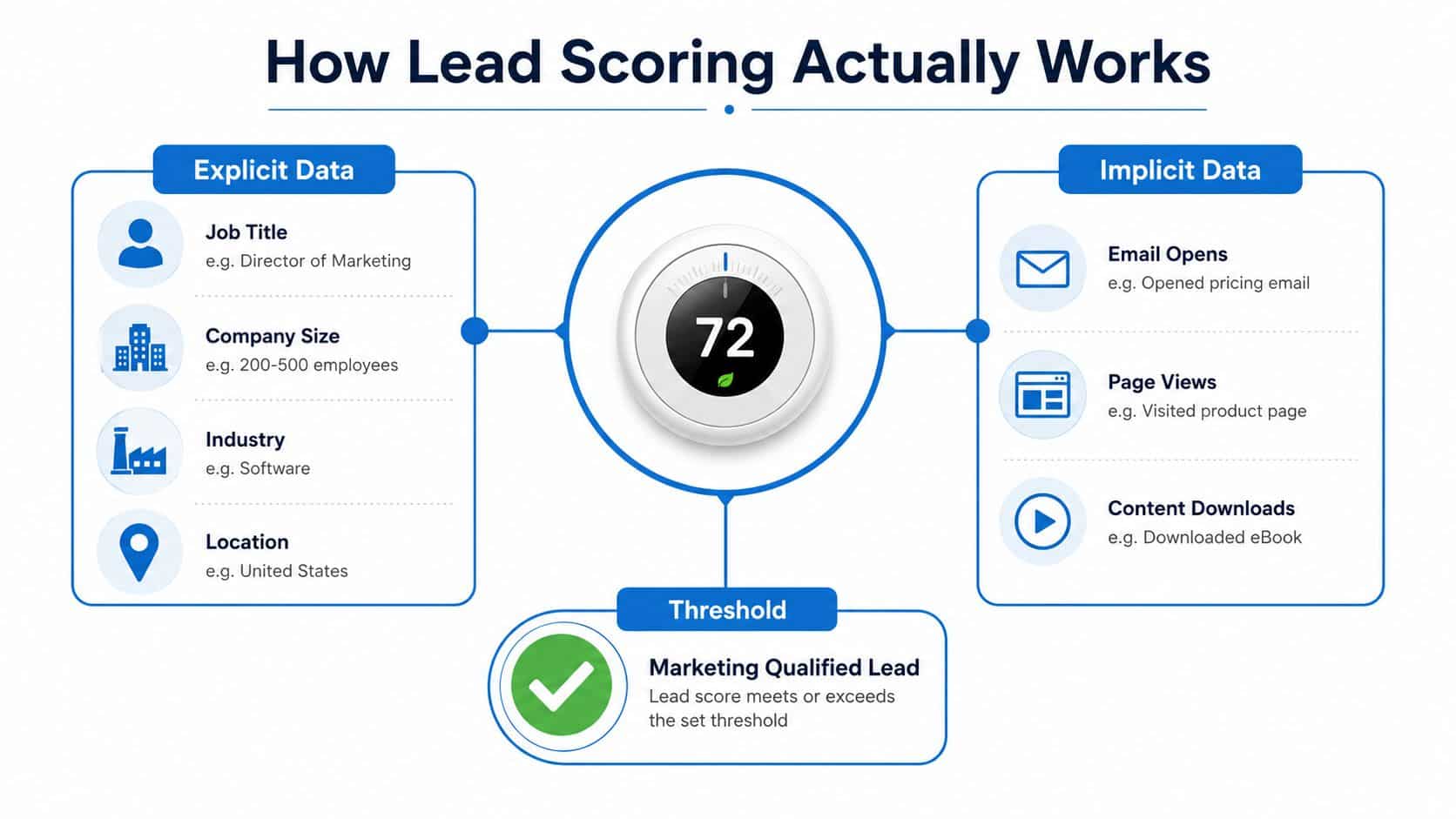
A score is not a label, it is a routing rule. A lead fills out a form, clicks an email, replies to a text, or visits a key page, and each signal changes how the CRM should handle that contact next. In a HighLevel workflow, that can mean moving someone into nurture, assigning them to a rep, or flagging them for same-day follow-up.
Explicit Data and Implicit Data
Explicit data is the information the lead gives you, or the details already stored in your CRM. Job title, company size, industry, and location all fall into this group. Adobe's guidance recommends reviewing historical wins and losses, then weighting explicit and implicit signals so sales can separate leads that are ready from leads that still need nurture Adobe's lead-scoring guidance.
Implicit data is what the lead does. Page visits, email engagement, form submissions, and reply behavior all belong here. Salesforce recommends grounding the model in your own conversion rate, then comparing each attribute's close rate against that baseline and giving higher points to traits with higher-than-average close rates Salesforce lead scoring.
The easiest way to handle this inside HighLevel is to treat explicit data like a file tab and implicit data like a live activity feed. The tab tells you who the person is, and the activity feed tells you whether they are warming up, stalling out, or ready for a handoff. If you want a broader view of platform options that support this kind of setup, HighLevel's AI CRM recommendations can help frame the CRM layer around your scoring model.
A score should never be a random guess. It should summarize what historically led to real customers.
The Threshold Is a Decision Boundary
The number itself is not magic. A score of 70 does not mean a lead is better than a score of 69. It means your model has drawn a line, and crossing that line triggers a different workflow.
That line matters because the same lead can look good on paper and still be too early for sales. A homeowner may match your target service area, but if they have only opened one email, they probably belong in nurture. A pricing-page visitor who replied to an SMS, on the other hand, should move through a faster path.
Modern vendors often use a 1–100 scale or 0–100 scale, and the operating logic is the same. Below the line, leads stay in nurture. Above the line, they move to sales. Predictive systems can also assign thresholds like 80+ for immediate handoff, with lower scores continuing through nurture flows, as described in Adobe's guidance Adobe's lead-scoring guidance.
The cleanest way to think about it is this. The score is the summary, but the threshold is the action. In a working CRM, the score should trigger the next step automatically, so a lead does not sit untouched while someone manually decides what to do with it.
Rule-Based Scoring Versus Predictive Scoring
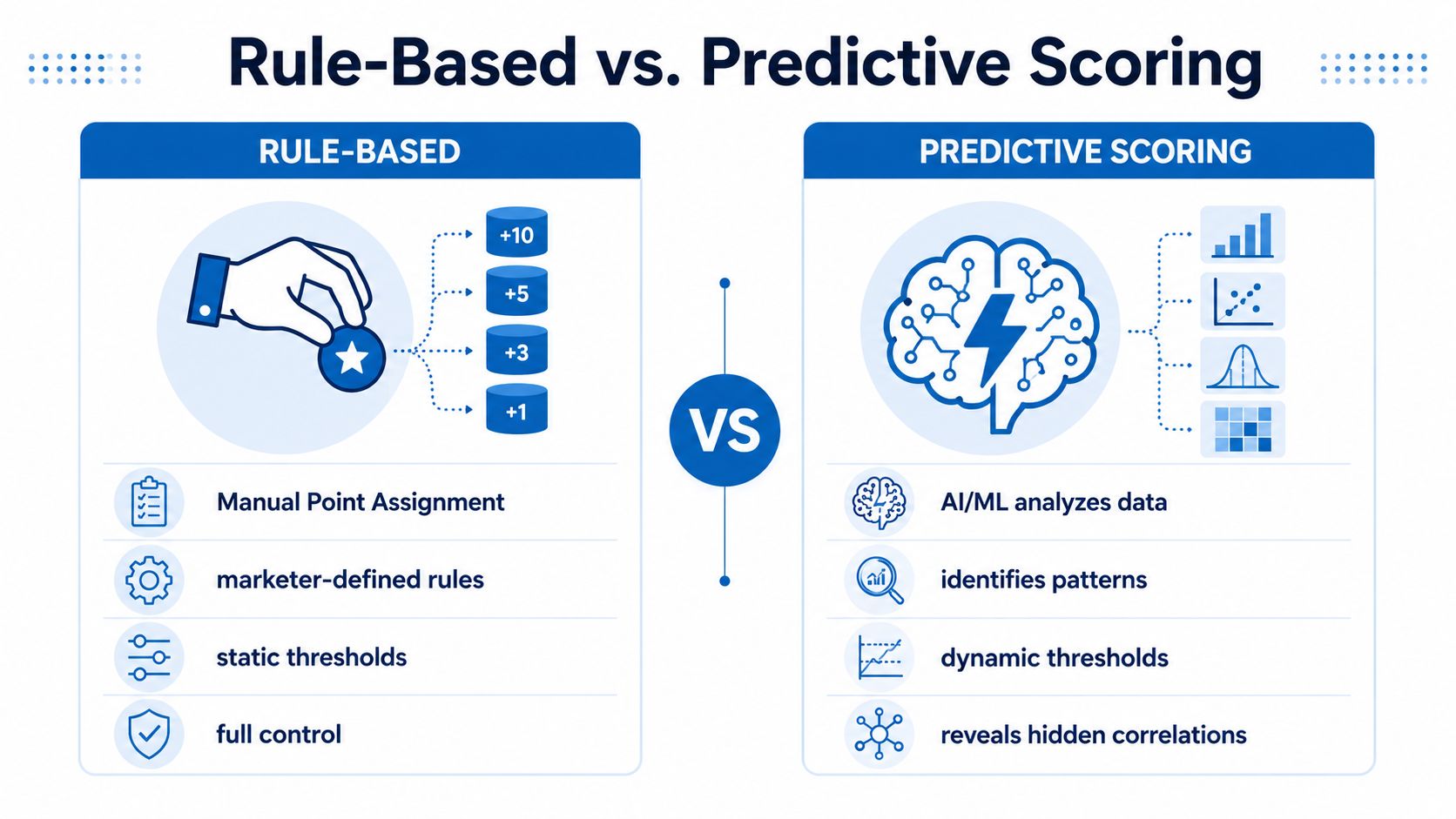
A rule-based scorecard is the version a sales ops lead can explain at a team meeting without opening a model notebook. You decide which behaviors matter, assign points, and keep the logic visible in the CRM. A job title may add points, a pricing-page visit may add points, and a demo request should add more because it signals stronger buying intent. Adobe describes this approach as reviewing historical wins and losses, then weighting explicit and implicit signals with a standard scale that often sits around 1–100 Adobe's lead-scoring guidance.
Predictive scoring works differently. The model studies past outcomes, looks for patterns people may miss, then assigns weights automatically. Industry guidance notes that predictive systems can use behavior such as website visits, email engagement, and demographics, and can define sales-ready thresholds such as 80+ for immediate handoff Adobe's lead-scoring guidance.
What Each Approach Is Good At
Rule-based scoring is easier to explain and easier to tune. Sales can see why a lead got a score, and marketing can change the logic without waiting on a data team. That clarity matters in agencies and local service businesses, where the team needs a fast answer and the workflow has to be easy to maintain inside the CRM.
Predictive scoring works better when the history is rich enough to learn from. It can surface patterns that do not look obvious on paper, but it depends on clean CRM data and enough closed-won outcomes to train on. A model built on messy records will still produce a confident score, and that confidence can be misleading. For a closer look at how pattern recognition can separate passive interest from buying intent, see deciphering customer buying signals.
A Practical Starting Point
For smaller teams, a hybrid usually makes the most sense. Use rules for fit signals like geography, job role, company type, or service area, then let behavioral scoring do more of the work as the model matures. ZoomInfo, Zapier, and Cognism all describe lead scoring as a composite thresholding system, and they emphasize that the cutoff has to be validated against historical conversion data and tested continuously ZoomInfo lead scoring.
If you want a CRM that can hold the rule layer while your team grows into better automation, HighLevel's AI CRM recommendations are worth comparing to the system you use now.
Common Scoring Attributes and a Sample Scorecard
The best scorecards start with signals that matter to revenue. In practice, that usually means three groups: fit, engagement, and intent.
The Signals That Usually Deserve the Most Weight
Fit signals answer whether the lead matches your ideal customer profile. That can include geography, role, company type, budget clues, or service area. Engagement signals answer whether the lead is paying attention, such as pricing-page visits, content downloads, replies, and repeat visits. Intent signals are the strongest actions, like booking a call, asking for a quote, or responding quickly to outreach.
For inspiration on how real buying behaviors show up across digital touchpoints, this piece on deciphering customer buying signals is useful context even if your model is much simpler. The important lesson is not to score every click the same way. A passive page view and a direct reply are not equal.
A Working 0 to 100 Scorecard
| Category | Signal | Points | Tier |
|---|---|---|---|
| Fit | Target geography | 15 | Warm |
| Fit | Decision-maker role | 20 | Warm |
| Fit | Wrong service area | -20 | Cold |
| Engagement | Visited pricing page | 15 | Warm |
| Engagement | Repeated site visit | 10 | Warm |
| Engagement | Email reply | 15 | Hot |
| Intent | Requested a quote | 20 | Hot |
| Intent | Booked a call | 25 | Sales-ready |
| Negative | Unsubscribed | -15 | Cold |
| Negative | Competitor domain or obvious mismatch | -25 | Cold |
A clean starting threshold is usually easier to manage than a perfect one. One simple structure is Cold under 40, Warm 40 to 69, and Hot 70 plus, with the sales-ready cutoff sitting at the top band.
Operational rule: if a signal predicts revenue better than your average lead, it deserves points. If it only predicts noise, it should lose points or get ignored.
Implementing Lead Scoring in HighLevel
In HighLevel, the score should live where your team already works, not in a spreadsheet no one opens. The practical setup starts with a custom numeric field for lead score, then uses workflows to add or subtract points when contacts take meaningful actions.
A Simple Workflow Structure
Start by mapping your triggers. A form submission can add points. An email reply can add more. A booked appointment can push the contact past the sales-ready line. A missed-call text-back response can also be treated as a strong intent signal because the lead is actively engaging instead of browsing passively.
Use tags or workflow branches for each tier. When a contact crosses the threshold, the workflow can notify a rep, move the contact into a sales pipeline stage, and place the lead into a Smart List filtered by score. Leads below the threshold can be routed into nurture sequences, broadcasts, or follow-up reminders instead of clogging the sales queue.
A Realistic Example
A roofing lead fills out a quote form, replies to the follow-up SMS, and visits the financing page twice. In a well-built model, those actions stack quickly. Once the contact crosses your sales-ready cutoff, the workflow should hand it to sales within minutes, not hours.
That's the difference between scoring as an idea and scoring as an operating system. HighLevel can store the score, update it through workflows, and use it to drive who gets called, who gets nurtured, and who gets ignored for now. If you're comparing setups, the HighLevel platform for agencies is the cleanest place to see how the CRM and automation pieces connect.
Maintaining and Testing the Model Over Time
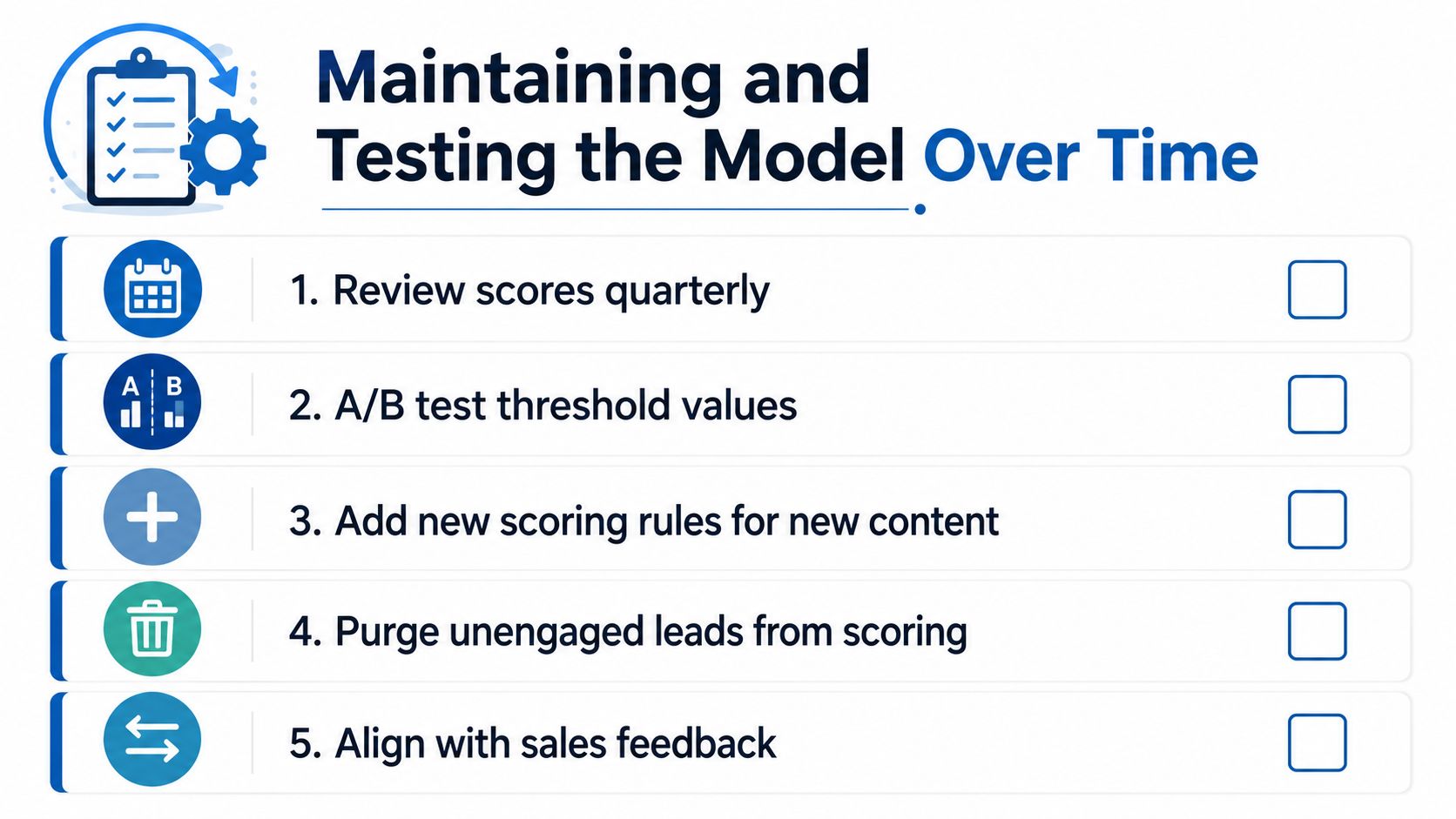
Lead scoring breaks when teams treat it like a one-time setup. Buyer behavior shifts, sources change, and the signals that used to work can slowly stop predicting revenue. A healthy model needs maintenance, not just launch-day configuration.
What To Review on a Schedule
The maintenance habit is simple. Review closed-won and closed-lost leads, then check which score ranges produced deals. If a high score band keeps arriving cold, the model is overvaluing the wrong signals. If sales keeps saying hot leads are coming in too late, the threshold may be too high or the decay too slow.
A recent systematic review notes that lead-scoring models are built to prioritize leads, but their real impact depends on how well they are maintained and adapted over time systematic review on lead scoring maintenance. That's the part most public guides leave out. The model only works if the weights still match buyer behavior.
Three Questions To Ask Every Quarter
What score range closes? Check closed-won outcomes by tier, not just by lead volume.
Which signals are stale? If a behavior used to correlate with deals but no longer does, reduce its weight or drop it.
What is sales saying? If reps keep reporting weak-fit leads in the hot bucket, the model needs adjustment, not more enthusiasm.
For agencies running multiple campaigns and pipelines, automation is what keeps this manageable. The agency automation strategies resource is a good companion if you're mapping maintenance into workflows, reminders, and routing rules.
Scoring Omnichannel Conversations Not Just Web Behavior
Web behavior is only part of the story now. A lead might never click a pricing page and still be highly ready to buy because they replied on SMS, messaged on Instagram, or answered a call from your team. Research and vendor guidance increasingly treat lead scoring as a mix of fit and engagement, not a simple activity tally involve.me on lead scoring.
High-Intent Signals Hide in Conversations
A WhatsApp reply, a Messenger DM, or a chat-widget conversation can be stronger intent than a casual form fill. In local service, coaching, and agency work, the fastest responder often wins because the buyer is already in conversation mode. Missed-call text-back responses matter for the same reason, they show urgency, not just curiosity.
The scoring model should reflect that. Reply latency can be a strong clue, especially when the lead responds quickly and keeps the conversation going. A completed call logged in the CRM should usually carry more weight than a silent website visit because a real conversation has already started.
Start Small Across Channels
Don't try to score every channel on day one. Start with two or three sources that your team uses, such as SMS, phone, and chat. Then add social DMs or conversational flows once the first version is stable.
If your team is using HighLevel Instagram automation, that can become part of the scorecard instead of sitting outside it. The advantage is not just more data, it's a more honest view of how people buy when they move across channels fast.
Lead Scoring FAQ and Operational Quick Reference
How often should you rebalance the model? Quarterly is a sensible default for many organizations, especially if your traffic sources or offers change often. If your sales team starts saying the hot leads feel cold, don't wait.
What score should sales accept by default? Use the score that matches your own closed-won history, not a generic benchmark. Your threshold should sit where real conversions begin to cluster.
Should scores differ by industry? Yes, if the buying cycle, deal size, or engagement pattern changes enough to alter which signals matter. A home services model and a B2B agency model should not look identical.
What about high-fit leads with zero engagement? Route them into nurture and continue watching for behavior. Fit without action is potential, not urgency.
If you want the shortest possible setup, remember the four moves. Score fit, score intent, route at a threshold, and review the cutoff regularly.
HighLevel gives you the CRM, workflows, inbox, and score-based routing needed to turn lead scoring from a theory into a daily operating system. If you're ready to build a model that ranks leads, assigns follow-up, and keeps your team focused on the right conversations, visit HighLevel and map your first scoring workflow inside the platform.
