


You've got new leads coming in from different places, but they don't land in one clean place. One inquiry sits in a Facebook message, another lives in your phone's voicemail, and the open house sign-in sheet is still on the passenger seat. By the time you get back to the office, you're not wondering whether the system is elegant, you're wondering which lead already went cold.
GoHighLevel for Realtors is built for exactly that problem. It gives you one place to capture contacts, track conversations, and trigger follow-up without stitching together a half-dozen apps that don't talk to each other. For a solo agent or a small team, that shift matters because speed-to-lead and consistency are usually what separate a booked conversation from a lost opportunity.
Table of Contents
- Why Realtors Need a Unified Customer Database
- Customer Database Software Explained for Realtors
- Core Features That Power Real Estate Teams
- Real World Realtor and Agency Workflows
- How to Evaluate GoHighLevel Against Real Estate CRMs
- Implementation Roadmap for Solo Agents and Brokerages
- Why GoHighLevel Fits Modern Real Estate
Why Realtors Need a Unified Customer Database
A typical day for a realtor breaks into fragments fast. A seller leaves a voicemail during lunch, three ad leads come in before dinner, and an open house guest fills out a paper sheet that doesn't get typed in until tomorrow, if it gets typed in at all. That's not a marketing problem. It's a recordkeeping problem that turns into a revenue problem when nobody follows up on time.
A unified customer database solves that by keeping every name, source, note, and next step in one record. You don't have to remember which contact form created which opportunity or which text thread belongs to which property inquiry. The database becomes the single working view of the client, not a pile of disconnected snapshots.
Practical rule: if a lead can be described in two different systems, you're already paying a coordination tax.
That's why many agents start looking for a system that can replace the stack they've pieced together over time. If you're still comparing options and trying to decide what kind of platform fits your business, it helps to find the right AI CRM before you add another tool you'll have to maintain later. The point isn't to collect software, it's to create one place where lead capture and follow-up don't drift apart.
For solo agents, the emotional cost is obvious. Missed messages feel personal because every lead might have been the right buyer or seller at the wrong moment. For small teams, the operational cost is even sharper because handoffs break down when one person assumes another person already replied.
A centralized database changes the workday from reaction mode to controlled follow-up. Instead of asking, “Where did that lead come from?”, you can ask, “What should happen next?” That's the kind of question a real estate business can scale around.
Customer Database Software Explained for Realtors
Customer database software for realtors works like a smart filing cabinet. A regular cabinet stores papers, but it does not tell you who called, which listing they asked about, or whether they are ready to book a showing. A smart cabinet keeps that context attached to each contact, and it also points to the next action.
From spreadsheet to real CRM
Most agents begin with a spreadsheet because it feels simple. That works until the list grows, then the sheet turns into a static address book with no memory of conversations. A real CRM adds structure, so each contact can carry source information, tags, notes, tasks, and follow-up triggers.
That is where HighLevel's real-estate version stands out. It was originally built for marketing agencies, then expanded into a dedicated real-estate use case, so the platform keeps an all-in-one structure that combines CRM, lead capture, funnel and website building, two-way SMS/email, calendars, automation workflows, and review management in one place. Independent real-estate guides describe that as replacing the 5–10 disconnected tools many agents otherwise assemble, which matters for teams that need one workflow instead of multiple logins. See the historical framing in HighLevel's real-estate overview.
For a solo agent, that usually means less time checking whether a lead was already contacted in another tool. For a small team, it reduces the chance that one person updates a spreadsheet while another person works from an outdated inbox. Both situations create the same problem, a delayed response that feels small in the moment but changes the next conversation.
What the database does in practice
A strong customer database does more than store contact details. It tracks whether the lead came from a form, a call, or an open house, then keeps that context attached to the record. That lets you segment follow-up by intent instead of sending the same message to everyone.
A simple way to picture the workflow is this.
- Store the contact: name, phone, email, and source
- Track the interaction: call, text, form fill, or appointment request
- Tag the intent: buyer, seller, open house attendee, or valuation request
- Trigger the next action: text back, task assignment, or nurture sequence
That structure helps drive business growth using CRM because the system stops behaving like a digital address book and starts working like a follow-up engine. For a realtor, the value is practical, one record can keep pace with the way a client moves from first contact to booked appointment.
The same logic matters when you compare broader platforms and review the best AI CRM platforms 2026. The best choice is rarely the one with the longest feature list. It is the one that makes daily follow-up harder to get wrong.
Core Features That Power Real Estate Teams
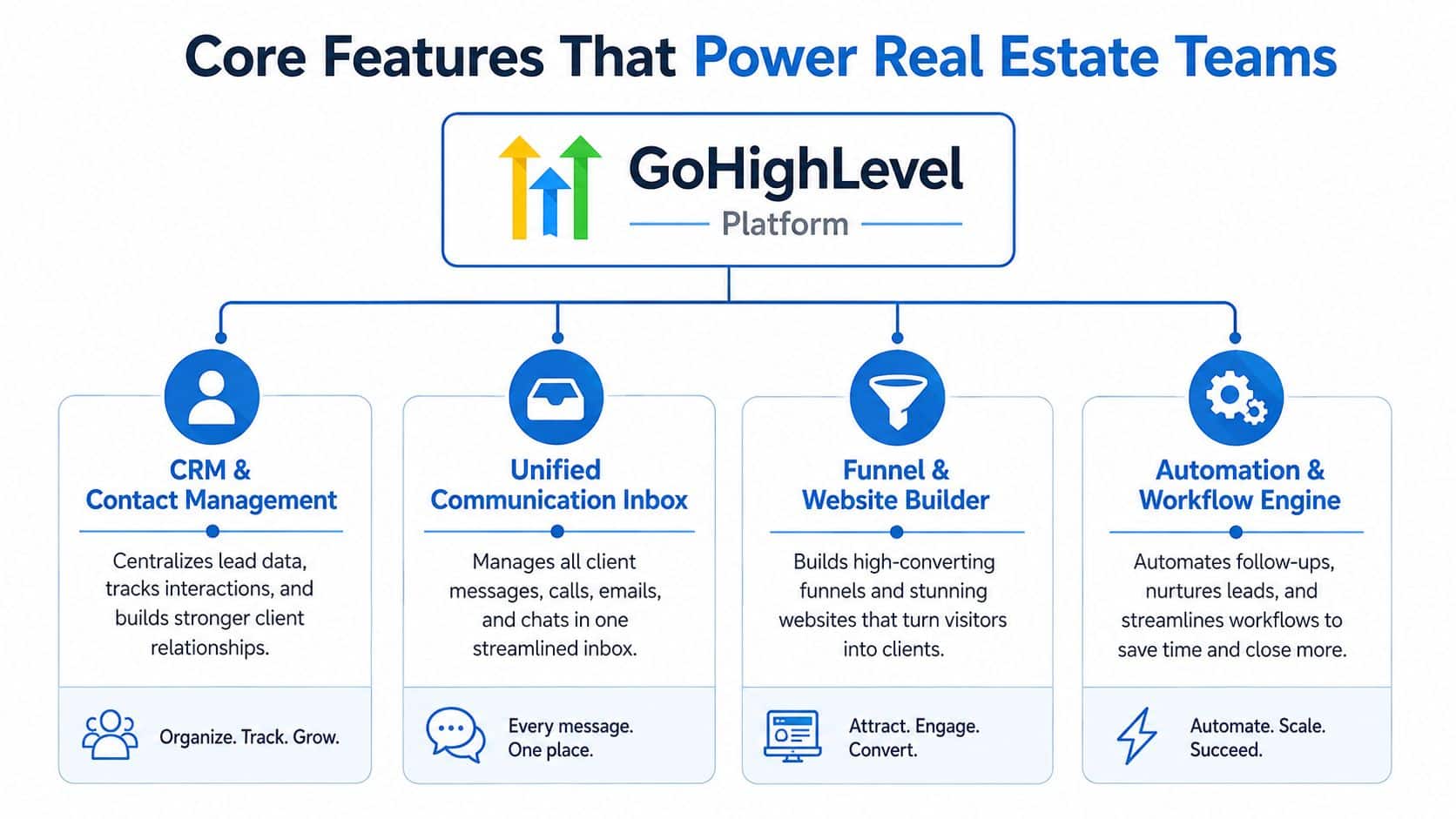
The strength of GoHighLevel for Realtors shows up when features connect to each other instead of sitting in separate tabs. A CRM on its own is helpful. A CRM that also receives leads, books appointments, sends texts, and logs reputation follow-up becomes the operating layer for the whole business.
The workflow chain that matters
The most useful pattern is simple. A form submission enters the system, a filter decides what type of lead it is, a tag marks the contact, and then a follow-up sequence starts based on the event. The platform's real-estate workflow is strongest when those steps stay in one automation graph, because that removes the latency and handoff failures that happen when someone has to copy a lead from one system into another. The same record can also hold separate segmentation, so an open house attendee is not treated like a property valuation request.
That chain matters more than flashy feature names. A unified inbox helps the team keep messages visible in one place. A funnel builder creates landing pages and capture paths. Calendars turn interest into booked appointments. Automation workflows keep the response moving while the agent is still in the field.
Why feature breadth is not the point
Realtors often compare tools as if they're shopping for a toolbox. That approach misses the core issue, which is whether the tools work together without extra manual work. The more places a lead can slip through, the more likely the team is to lose context before the first conversation.
If you're evaluating systems through a wholesaler or investor lens as well, it can help to compare that structure with real estate wholesaling tools because the underlying challenge is similar, even if the workflow isn't. The important part is still the same, one record, one path, one next action.
Lead routing gets messy when the software is separate from the process. The cleanest systems are the ones that make the right action happen automatically after the lead enters.
For practical setup help, many teams start with HighLevel's missed call setup guide because missed-call response is one of the easiest places to see the platform working. A caller doesn't want a future nurture campaign, they want acknowledgment right away. That's why missed-call text-back is often the first automation people notice.
Real World Realtor and Agency Workflows

A solo agent usually feels the platform through one small win first. A missed call comes in during a showing, the system sends a text back automatically, and the lead doesn't vanish into voicemail purgatory. That one behavior changes the tone of the whole day because the agent can answer later without starting from zero.
A small brokerage sees a different use case. One person may be handling lead capture, another manages appointments, and someone else watches reviews and reminders. In that setup, the value is less about a single feature and more about keeping the team from duplicating work or stepping on each other's follow-up.
Three business shapes, one operating logic
A franchise or multi-location group needs even tighter control. The appeal is not novelty, it's consistency across locations. When the system is set up well, each office can use the same field structure, the same workflow logic, and the same basic customer record without building a custom process from scratch every time.
If you're coming from a broader service-business lens, the comparison to GoHighLevel for marketing agencies makes the architecture easier to understand. Agencies usually want a platform they can standardize and adapt. Real estate teams want the same thing, except the standardization has to support fast contact, booked appointments, and follow-up that doesn't rely on memory.
For many teams, that's the moment the software stops feeling like a CRM and starts feeling like a process layer. One workflow can support a single agent, but the same logic can also support a brokerage that wants every lead to enter the same system, be handled the same way, and get a predictable next step. The structure stays familiar even when the business grows.
How to Evaluate GoHighLevel Against Real Estate CRMs
The right comparison isn't “Which platform has more features?” It's “Which platform fits the way a real estate business runs?” Some CRMs are lighter and simpler. Others are broader and more customizable. GoHighLevel for Realtors sits in the second group, which means it can feel like a better fit once your workflow needs more than basic contact storage.
A practical pricing check
The published real-estate entry pricing is commonly cited at $97/month for the Starter plan and $297/month for the Unlimited plan, with unlimited contacts and core functions such as email and SMS marketing, appointment scheduling, workflow automation, reputation management, and CRM tools included. For agents comparing stack replacement value, that pricing matters because it frames the software as an alternative to paying for several separate tools.
| GoHighLevel Real Estate Pricing Plans | ||
|---|---|---|
| Plan | Price | Core Inclusions |
| Starter | $97/month | Unlimited contacts, CRM tools, email and SMS marketing, appointment scheduling, workflow automation, reputation management |
| Unlimited | $297/month | Unlimited contacts, CRM tools, email and SMS marketing, appointment scheduling, workflow automation, reputation management |
The deeper question is fit. A lighter real-estate CRM may feel easier on day one because it asks less of the user. A more flexible system asks for more setup, but it also gives you room to manage routing, segmentation, and team workflows in one place. The tradeoff is not theoretical. It shows up the first time a lead needs to move from source to appointment without manual intervention.
If you're comparing implementation patterns too, streamline opportunity management in GHL is a useful reference point for how ownership rules can reduce confusion. When a contact is clearly assigned, follow-up becomes easier to track and harder to drop.
What to ask before you choose
- Can the system keep every lead in one record?
- Can it route responses without manual copying?
- Can the team segment leads by event, source, or intent?
- Can the workflow stay manageable as roles expand?
Those questions sound simple, but they surface the difference between a contact list and a working database. They also help a brokerage owner decide whether the platform is solving a real operational issue or just adding a new login.
Implementation Roadmap for Solo Agents and Brokerages
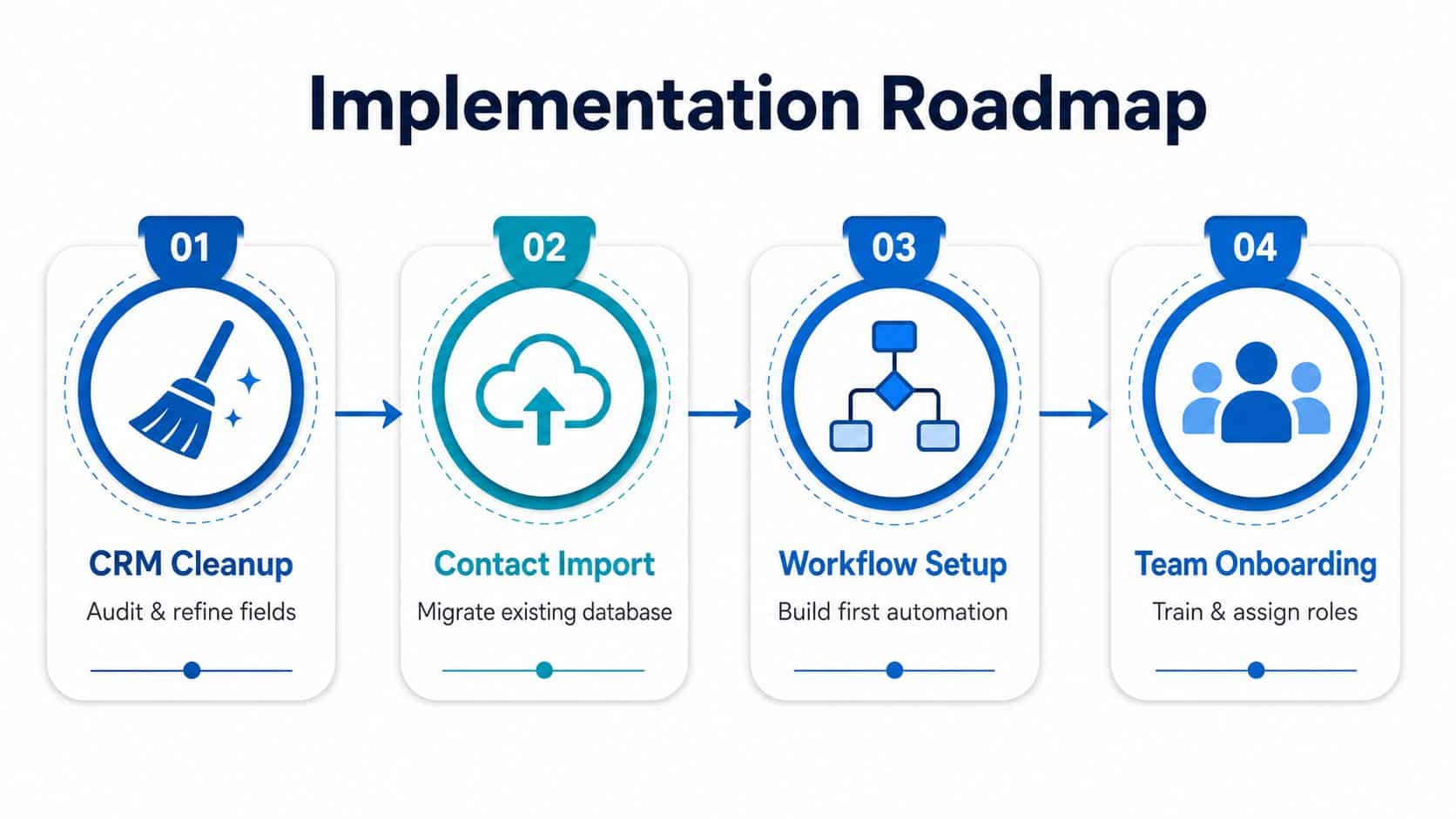
Most agents do not need more software. They need a cleaner sequence. The common mistake is trying to turn on every feature at once, which creates broken automations, messy fields, and a team that doesn't trust the system. The better move is to build the foundation first, then let the rest follow.
Start with cleanup, not automation
Begin by cleaning the CRM fields. Remove duplicate labels, decide which data points matter, and standardize how you name lead sources. If you skip this step, the automation layer just multiplies bad structure.
Then import contacts after you've reviewed the list. Old records often contain gaps, outdated phone numbers, or notes that only make sense to the person who originally entered them. A clean import makes the new system feel usable instead of inherited chaos.
Build one workflow first
The first automation should be the one that protects speed. For many solo agents, that means missed-call text-back. For some teams, it means inquiry follow-up after a form submission. The point is not to automate everything. It's to prove the system can respond reliably before you pile on more logic.
Build the smallest workflow that saves a lead you would otherwise lose.
That advice matters because broad feature tours rarely explain the maintenance burden. The official guidance and most setup checklists focus on activating tools like chat widgets, missed-call text-back, review workflows, LSAs, and Facebook Lead Ads, but they don't spend much time on migration, permissioning, or what breaks when custom automations meet real brokerage behavior. The bottleneck is not features, it's operational design, as noted in the official real-estate getting-started playbook.
Onboard the team last
Once the workflow behaves, train the team on the exact handoff rules. Decide who owns each stage, who can edit records, and which actions happen automatically. That's where brokerages avoid a common trap, which is giving everyone access before anyone agrees on how the system should behave.
If you're deciding whether the setup work fits a lean operation, the question often comes down to is GoHighLevel worth it for solo agencies. For a solo realtor, the answer depends less on feature count and more on whether one clean automation will keep leads from slipping through the cracks while you're in the field.
Why GoHighLevel Fits Modern Real Estate
Real estate teams don't buy software just to look organized. They buy it because a lead answered quickly is more likely to become a conversation, and a conversation is what creates the next step. That's why a unified database matters so much, the contact record is not the destination, it's the mechanism that keeps response moving.
The strongest case for GoHighLevel for Realtors is not that it has every feature under the sun. It's that its all-in-one structure can hold lead capture, communication, scheduling, automation, and reputation work inside one operating system when the setup is disciplined. For solo agents and small brokerages, that can mean less tool juggling and fewer missed handoffs.
The key differentiator is implementation. A clean CRM field structure, one reliable automation, and a team that knows who owns what will usually outperform a crowded stack that nobody fully maintains. Start with the workflow that protects your fastest lead source, then expand only after that part is stable.
If you're ready to replace scattered tools with one real estate operating system, take a closer look at HighLevel and map it against your current follow-up process. A simple first step is to identify one lead source you keep missing, then build the automation that catches it before it cools.
