


You can feel it the moment an Instagram account starts working. DMs stack up after a Reel performs, a Story gets replies, or a comment-to-DM campaign starts pulling real interest, and the inbox turns into a slow leak of missed leads. The problem usually isn't attention, it's response speed, handoff logic, and the fact that teams still treat Direct Messages like a manual support inbox instead of a sales channel.
That shift matters because Instagram direct message automation only became a practical business system after Meta opened professional account messaging through its API for Instagram Business and Creator accounts. Before that, businesses were stuck with a mostly one-to-one inbox. Now the channel can support comment-to-DM campaigns, keyword-triggered replies, and automated lead capture flows at a scale that manual sending can't match, which is why the topic sits at the center of modern social conversion strategy, not the edge of it. For a broader view on how automation fits into revenue systems, Stimulead's guide on drive revenue with social media AI is a useful companion. If you want the agency-side framing that ties social automation to pipeline operations, HighLevel insights for agency marketing gives a solid reference point.
Table of Contents
- Why Instagram DM Automation Matters for Modern Businesses
- Account Prerequisites and API Connection Setup
- Connecting Instagram DMs to Your CRM Pipeline
- Designing DM Workflows with Branching and Personalization
- Governance and Human Handoff Rules That Protect Your Brand
- Testing Cadence and Performance Metrics That Matter
- Your Instagram DM Automation Launch Checklist
Why Instagram DM Automation Matters for Modern Businesses
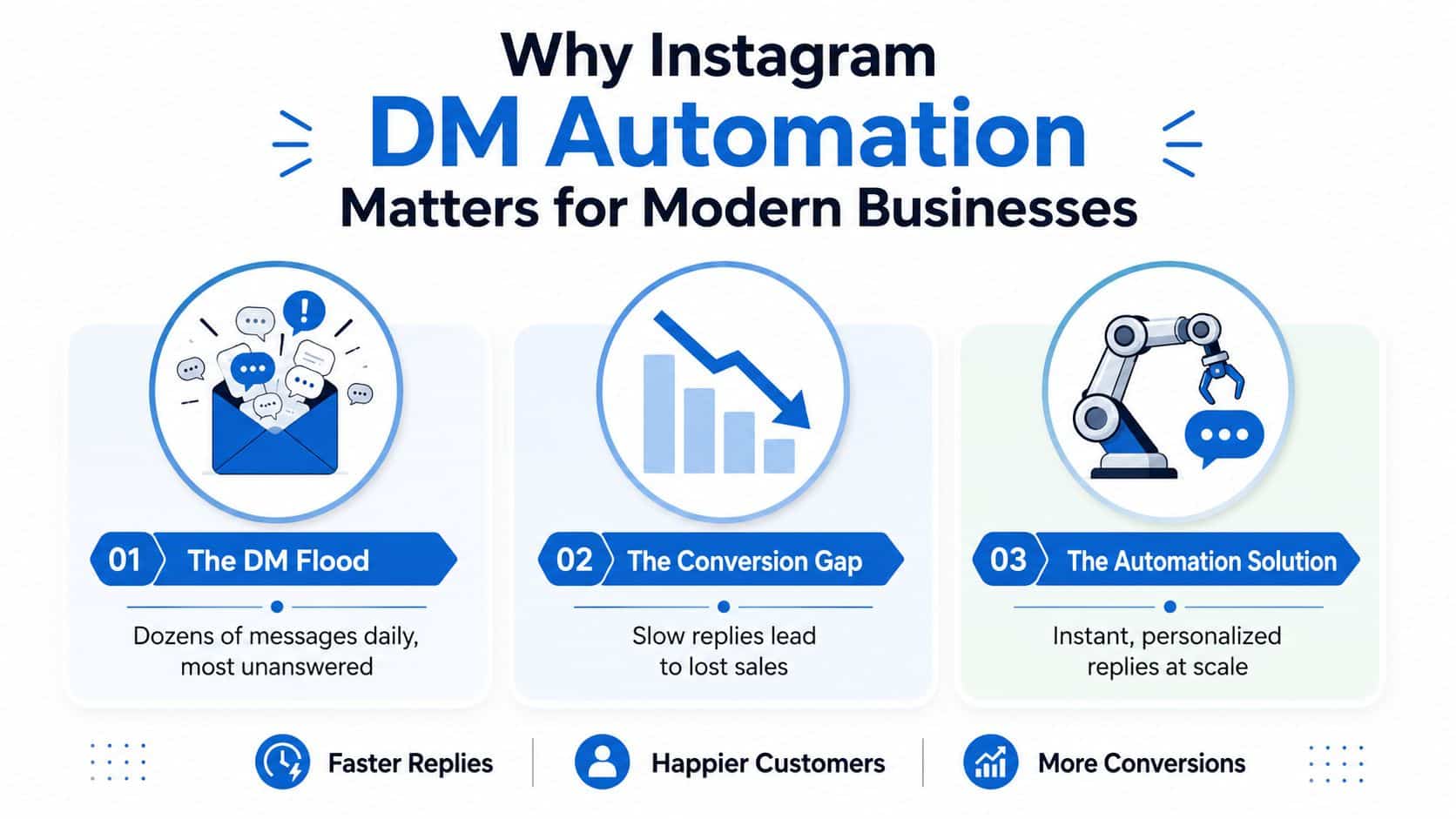
A local clinic runs a Reel that performs better than expected. Comments spike, Story replies come in, and the owner keeps saying the same thing to each person, “I'll send that over in a minute.” By the end of the day, a chunk of those messages are still unanswered, and the hottest prospects have already moved on. That's the business case for automation, not convenience, but response-time control.
Instagram changed here in a meaningful way. Automation became viable only after Meta opened professional account messaging access through its API for Instagram Business and Creator accounts, so this is tied to a relatively recent platform milestone rather than the original consumer app. Current implementation guides also make the technical line clear, personal accounts can't use API-based automation, and professional accounts need to connect through Meta's official OAuth and API flow. One technical update summarized in 2026 reports a working pacing convention of up to 200 DMs per hour per account through the official API, or about 4,800 messages per day on a theoretical basis, which is a different world from manual sending limits that remain lower and more variable depending on trust signals. That gap is the historical reason automation matters in practice, because it turns Instagram from a mostly one-to-one inbox into a scalable lead-response channel heyy.io.
Where the business value actually shows up
The strongest use cases are still the simplest. A comment with a keyword can open a private conversation, a Story reply can trigger a resource delivery, and an inbound DM can start a qualification sequence before a human ever touches the thread. That's why teams use it for lead magnets, booking prompts, waitlist flows, and FAQ routing.
The channel works because the audience is already active inside the app. A prospect doesn't have to leave Instagram, load a landing page, and wait for an email. They get a response inside the same place they started the interaction, which lowers friction and keeps intent warm.
Practical rule: if the first reply doesn't move the conversation toward a next step, you've built a faster version of the same dead-end inbox.
For agencies and operators, that distinction matters more than raw message volume. A useful business system doesn't just send more DMs, it creates more qualified conversations and makes each one measurable. That's why the most effective automation setups are built to hand off into a CRM, not to live forever in the social inbox.
Account Prerequisites and API Connection Setup
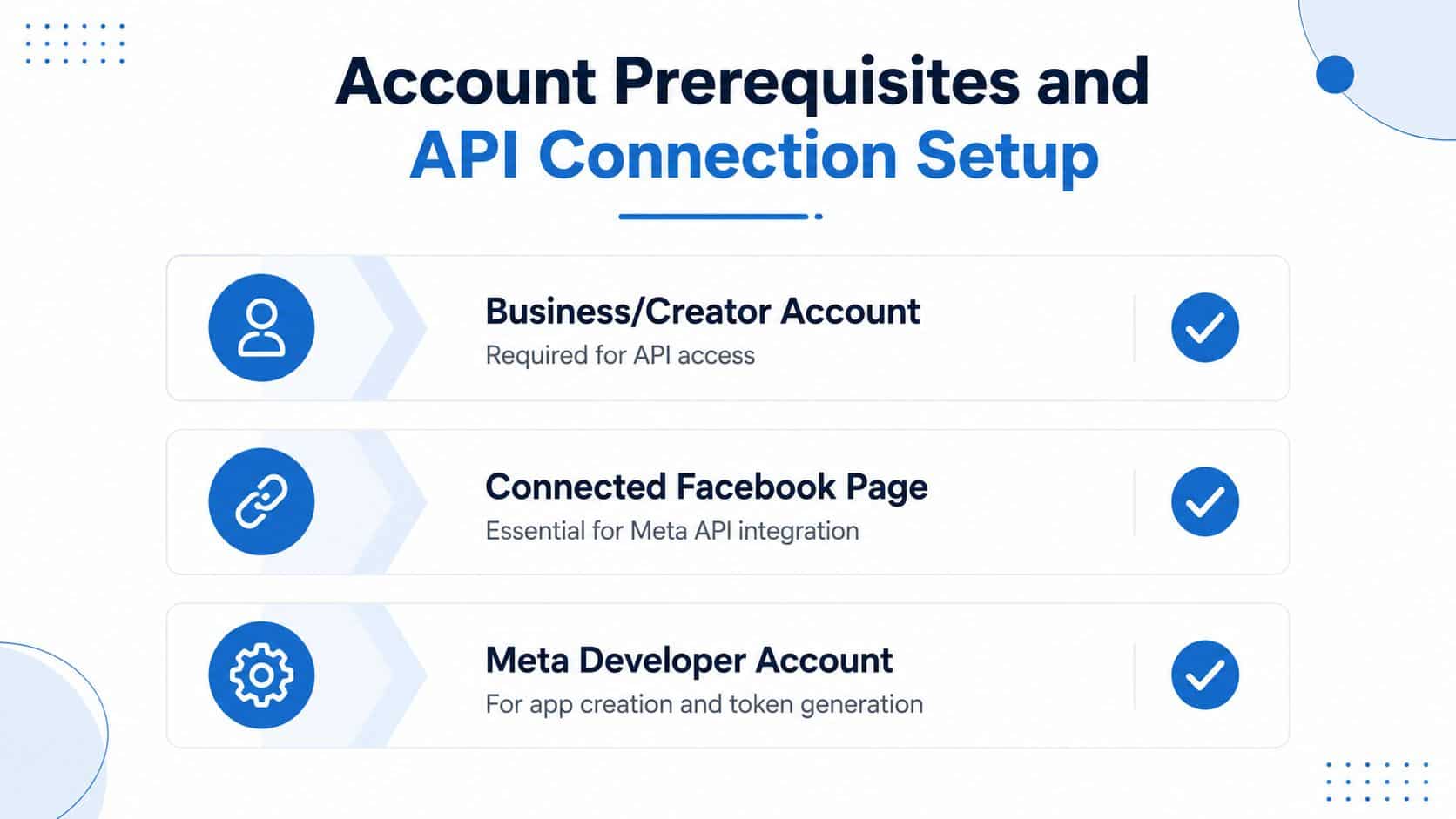
The most common mistake I see is building the flow before the account is ready. That usually ends with silent failures, missed triggers, or a team blaming the automation tool when the core issue is the account setup. A clean launch starts with a Business or Creator account connected to a Facebook Page, plus Meta OAuth-based authorization through an official API, not password-based access or scraping.
That distinction matters because scraping and credential sharing are fragile by design. They tend to break when the platform changes, and they create avoidable security and compliance risk. The professional account and OAuth setup is the stable path, and it's the one current implementation guides consistently recommend inro.social.
The setup path that avoids wasted work
Start by checking the account type. If the profile is personal, stop there and switch it before you build anything else. Next, connect the Instagram account to a Facebook Page, then authorize the app or automation platform through Meta's official flow so the connection can read and send supported message events.
The quickest validation step is still the one teams skip most often. Send a test comment or reply, then confirm that the trigger fires and the expected DM appears in the inbox or connected workflow. If the test doesn't work, don't start designing branching logic yet. Fix the connection first.
For teams comparing tooling, a quick place to compare top AI CRMs 2026 helps frame which systems can absorb Instagram conversations into a broader pipeline.
The account connection is not a setup form to rush through. It's the foundation that determines whether every later workflow behaves reliably.
If you're building for creators or small operators, it also helps to look at how automation stacks are assembled around content workflows. revid.ai's overview of automation tools for content creators is useful context when you're deciding whether the stack should stay native or sit inside a broader system.
Connecting Instagram DMs to Your CRM Pipeline
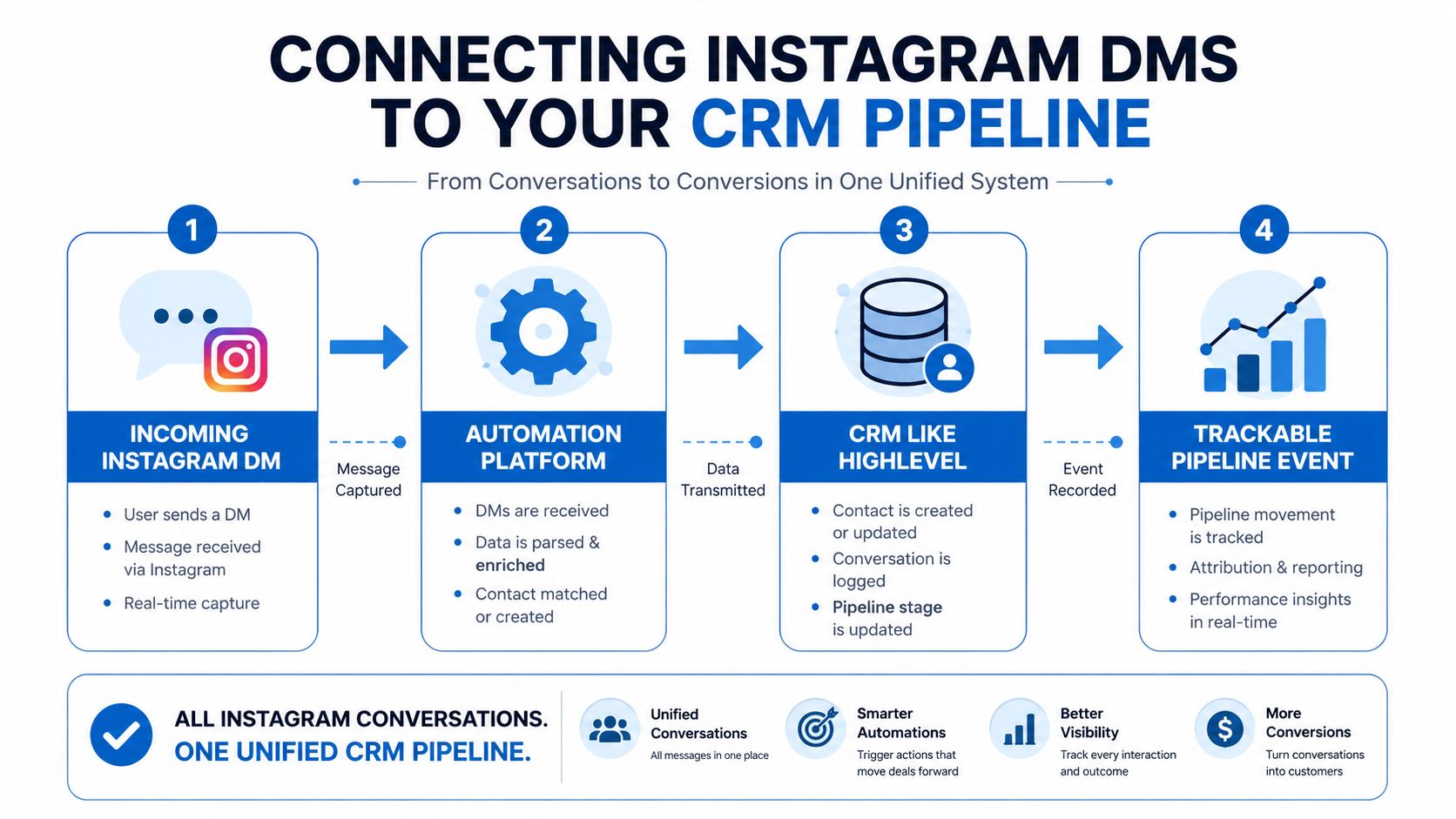
An Instagram DM that lives only in the inbox is hard to value. The same DM tied to a CRM becomes a measurable event with source, intent, ownership, and follow-up. That's the difference between “someone asked for info” and “a lead entered the pipeline from a specific campaign and should move to booking.”
The cleanest approach is to route the conversation into a unified inbox and CRM layer, then treat each interaction as data. In HighLevel, for example, teams can use a unified conversation view plus workflow logic to capture Instagram activity and keep the contact connected to the rest of the lifecycle. That kind of setup matters because a reply on Instagram shouldn't stay trapped there. It should become a tracked lead event that can trigger booking, scoring, and follow-up.
What to capture on the first touch
The first DM should write source information into the contact record. That means tagging the origin as Instagram, mapping the trigger type, and recording the campaign or content that started the thread. If the lead came from a comment keyword, keep that distinction. If it came from a Story reply, preserve that too.
After that, the automation should assign intent. A service request, pricing question, consultation request, and general info request should not all behave the same way. Each one should trigger a different downstream rule, because the follow-up needed for someone asking about pricing is not the same as the follow-up for someone requesting a resource.
A strong CRM setup also separates the first reply from the sales motion. The automated message can acknowledge the inquiry, but the pipeline record should be responsible for the next actions, such as booking reminders, nurture sequences, or task assignment to a rep. That's where Instagram stops being a social feature and becomes a sales input.
For teams looking at lifecycle systems from the CRM side, streamlining with AI CRM solutions is a helpful lens when the goal is reducing manual handoffs without losing attribution.
Why this matters operationally
Without CRM integration, teams guess at ROI. With it, they can see which trigger produced the lead, how quickly it moved, and where the drop-off happened. That visibility is the whole point of connecting the inbox to the pipeline.
Most guides leave this question open, what happens after the first automated reply. That's the part that determines whether automation creates revenue or just a polite conversation.
Designing DM Workflows with Branching and Personalization
A strong Instagram DM flow should read like a guided exchange, not a canned script. People arrive through different entry points, a Reel comment, a Story mention, a direct keyword, or a reply to a post, and the workflow has to account for those differences without turning into a tangled mess.
The best systems start narrow. One trigger, one objective, one short sequence. That keeps routing mistakes visible, makes drop-off easier to diagnose, and prevents the flow from trying to qualify, educate, and close in the same breath. It also gives you cleaner data when the DM path is treated as an entry point into the sales lifecycle, not just a reply layer.
Triggers that fit the channel
A comment keyword, a Story mention, an inbound DM keyword, and a direct Story reply all signal different intent. A public comment usually shows curiosity and social engagement. A DM keyword usually points to stronger interest or a specific request. A Story reply often sits between the two, which is why the same follow-up rarely performs well across all four.
Personalization can stay simple. Use the person's name, reference the trigger they used, and match the message to the content they interacted with. That is usually enough to make the automation feel native without pretending to be a live rep. The point is to remove obvious friction, not to disguise the workflow as a person.
Useful pattern: ask one qualifying question early, then branch only after you know what the lead wants.
That pattern works well for coaches and local service providers. A coach can use a keyword-triggered DM to deliver a lead magnet, then ask what they want help with. A service business can route by service type, then send the lead to the right booking path instead of forcing everyone through the same generic sequence.
If you are mapping the flow visually, start with the journey, not the message batch. Teams often use frameworks like improve UX with user flows for onboarding and checkout because the path needs to feel deliberate. The same logic helps when consolidating agency marketing tools, because DM automation works better when the trigger, routing, CRM record, and follow-up tasks all sit in one controlled system.
The three-message structure that keeps flows tight
The first message confirms the trigger and delivers the promised context. The second asks one orienting question or gives the next choice. The third pushes toward the intended action, whether that is booking, clicking, or waiting for a human reply. Anything beyond that usually belongs in nurture or handoff, not in the initial automated flow.
Governance and Human Handoff Rules That Protect Your Brand
Automation breaks trust when it tries to keep talking after it should stop. The mistake isn't usually the trigger, it's the refusal to hand off when the message gets ambiguous, emotional, or high-intent. A good governance layer decides what automation can handle, what it should qualify, and where a human needs to step in.
The clearest rule is simple. Acknowledge immediately, ask one orienting question, then escalate to a human within a defined SLA of under 4 hours during business hours when the conversation needs judgment. That recommendation shows up in current operational guidance because it protects the experience without forcing a rep to watch every thread live chitchatbot.ai.
What should stay automated and what should not
Routine lead capture, basic FAQ routing, and resource delivery are good candidates for automation. Sensitive complaints, custom pricing negotiations, refund conversations, and anything that shows urgency or confusion should move to a person fast. If a lead is repeating themselves, asking for clarification, or using language that signals concern, automation should back off.
A useful policy is to define exception paths before launch. If the user types something outside the expected branches, tag it for human review. If they ask a question the flow can't answer cleanly, stop the automation and create a handoff task. That protects both conversion and brand tone.
If a message would sound awkward in a sales rep's mouth, it probably shouldn't stay in the bot.
Agencies often get the most value from the control layer. The point isn't to replace people. It's to let automation do the boring first pass while the team handles the edge cases that affect revenue and customer satisfaction.
For agencies that want to centralize those workflows, explore HighLevel for agencies makes sense as a reference when the handoff has to live inside a broader operating system.
Governance that keeps the system maintainable
Keep the rules short enough that the team can remember them. Define the handoff triggers, the response SLA, and who owns the escalation queue. If the team can't describe the exception logic without opening a document, the logic is probably too complicated.
The value of governance is not rigidity. It's knowing when automation should stop. That decision protects response quality better than any clever reply template ever will.
Testing Cadence and Performance Metrics That Matter
A lot of DM automation gets launched on instinct and judged on vibes. That's a bad way to manage a channel that's supposed to create measurable conversations. The better model is lightweight, regular testing with a tight metric set and one change at a time.
Operational guidance here is fairly consistent. Review standard campaigns within 7 days, or in as little as 48 hours for lighter tests, then measure generated leads, reply rate, click-through rate, and conversion per flow replient.ai. The point isn't to wait for perfect statistical certainty. It's to catch obvious failures before they run for weeks.
Instagram DM Automation KPI Benchmarks
| KPI | Benchmark Range | Review Cadence | Optimization Focus |
|---|---|---|---|
| Reply rate | Qualitatively strong when recipients continue the conversation | 48 hours for light tests, 7 days for standard campaigns | Opening message clarity and trigger fit |
| Click-through rate | Qualitatively strong when the next step is obvious and relevant | 48 hours for light tests, 7 days for standard campaigns | Button text, offer relevance, and friction reduction |
| Conversion per flow | Qualitatively strong when the DM leads to a booked call, lead capture, or other defined outcome | 7 days | Branch logic and handoff quality |
How to test without muddying the result
Change one variable at a time. If you alter the opening message, the qualifying question, and the CTA all at once, you won't know which change caused the result. Teams that move slowly here usually improve faster because the data stays readable.
Tagging discipline matters too. Use minimal tags like intent and outcome, then stop there unless a specific workflow requires more detail. Excessive tags make the system harder to maintain and weaken analytics quality, which is exactly the opposite of what you want from a measurable pipeline event.
Rate discipline also matters. The official API environment supports much higher throughput than manual messaging, but that doesn't mean every account should push volume aggressively. Keep the flow aligned to trust, content quality, and real user engagement, because the safest account is the one that behaves like a real business, not a spam engine.
Your Instagram DM Automation Launch Checklist
Before launch, check the foundation, not just the message copy. The account should be a Business or Creator account, connected correctly, and authorized through Meta's official flow. The first workflow should have one trigger, one objective, and a short conversation path that can be tested end to end.
Then connect the output to the sales system. The DM needs to become a pipeline event with source, intent, and next action attached. If the automation can't feed a CRM, booking step, or reactivation sequence, it's just a faster inbox reply.
Final launch gate
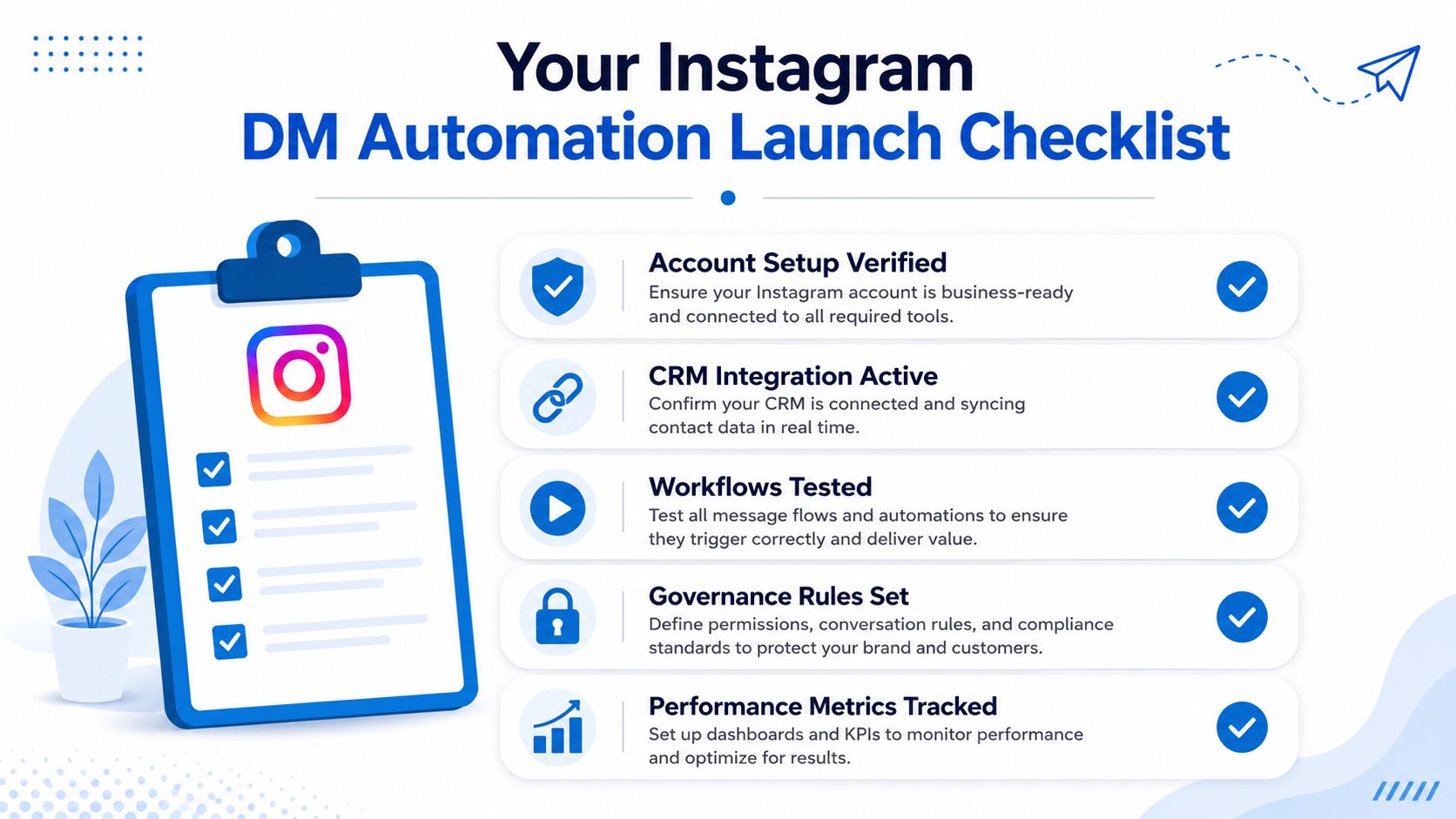
- Account setup verified. Confirm the professional account, Page connection, and API authorization are live.
- CRM integration active. Make sure each DM creates a visible record with source and intent.
- Workflows tested. Run a real trigger test before publishing the flow.
- Governance rules set. Define the handoff SLA, exception paths, and human ownership.
- Performance metrics tracked. Monitor reply rate, click-through rate, and conversion per flow on a fixed review cadence.
For agencies, the scaling path is clear. Start with one high-intent flow, then add more triggers only after the first one is reliable and measurable. Once the operating model works in one account, it becomes much easier to roll out across multiple client accounts without turning the inbox into a pile of disconnected automations.
If you want to turn Instagram DMs into a measurable part of your sales lifecycle, HighLevel gives you the CRM, unified inbox, workflows, and follow-up tools to connect the conversation to the pipeline. Visit HighLevel and see how a single system can handle capture, qualification, booking, and reactivation around the same DM entry point.
