

A plumbing office can lose a job in the time it takes to miss one call, let a callback sit in voicemail, or let two techs get booked for the same slot. The best crm for plumbers is the one that keeps those small failures from turning into lost revenue, delayed estimates, and frustrated customers. For a trade built on urgent service, the ultimate test is simple. Does the system help you respond, schedule, quote, and collect without friction?
Speed changes the outcome. HubSpot's CRM guidance for plumbers points to research showing that firms that respond within a few minutes are far more likely to qualify and convert a lead than those that wait longer, which makes the issue as much about dispatch and cash flow as it is about marketing HubSpot's CRM guidance for plumbers.
Instead of just listing features, this article breaks down the practical workflows and return on investment behind each tool, so you can see how it fits a real plumbing business. That means missed-call text-back, fast booking, quote follow-up, invoice chasing, technician notes, and review requests after the job is done. It also means looking at how the software works for the people in the office, in the truck, and at the kitchen table where customers often make the buying decision. If you also want a clearer path to service-area visibility, Streamlining operations with GoHighLevel and this local SEO for contractors resource are useful companion reads.
Table of Contents
- 1. HighLevel
- 2. Housecall Pro
- 3. Jobber
- 4. ServiceTitan
- 5. Workiz
- 6. FieldPulse
- 7. ServiceM8
- 8. Service Fusion
- 9. Fergus
- 10. ServiceTrade
- Top 10 CRM Comparison for Plumbers
- Next Steps Implementing Your CRM
1. HighLevel
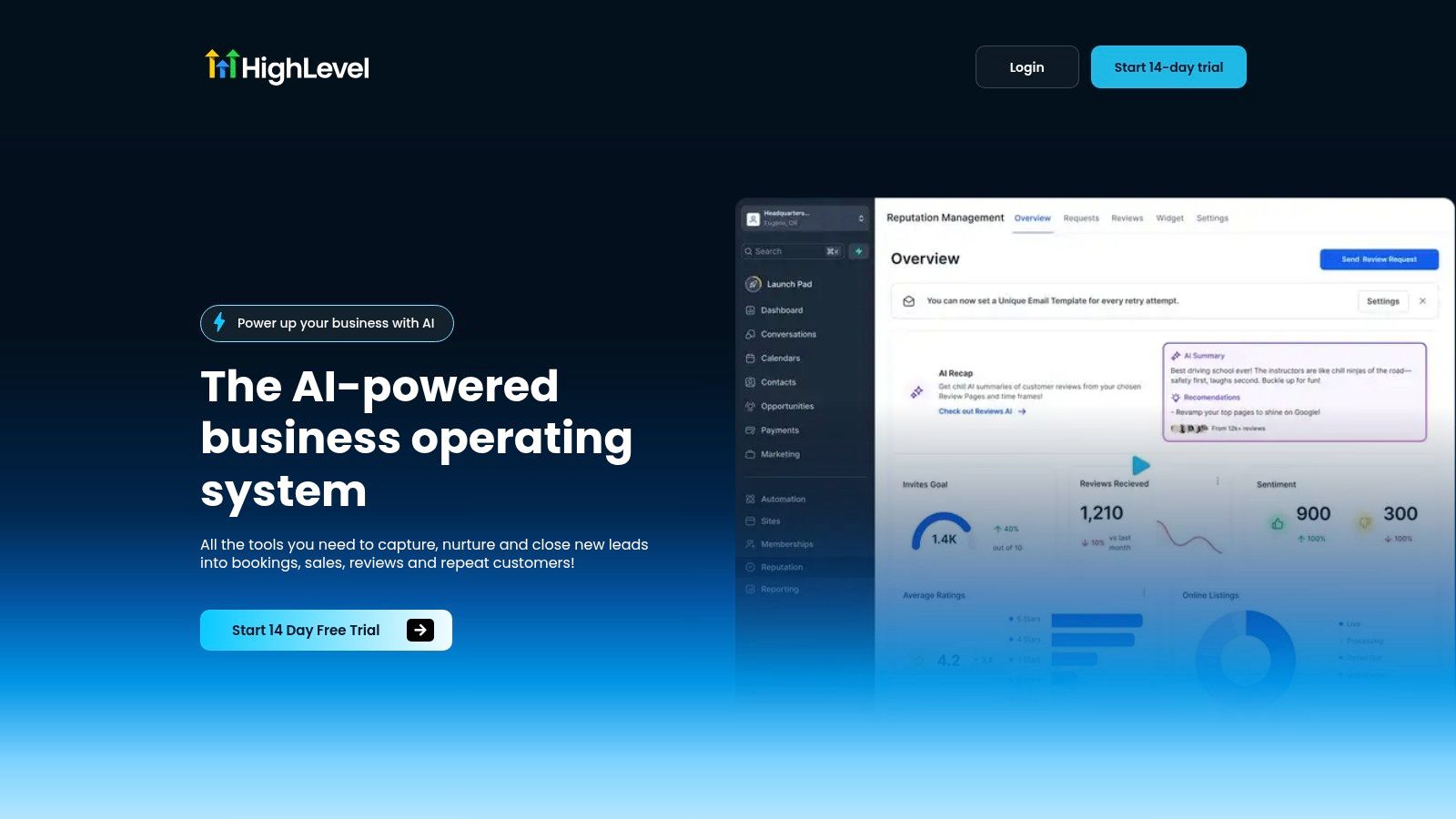
A plumbing office can lose a job in the gap between rings. A technician is under a sink, the front desk misses the call, and the prospect moves on before anyone follows up. HighLevel gives plumbers one system for lead capture, follow-up, booking, payments, and reputation work, so the handoff between marketing and the office does not rely on memory. Its unified inbox, automation, and AI-assisted communication fit that workflow well, especially for shops that want to respond fast and keep urgent leads from slipping away HighLevel. The platform also supports missed-call text-back and appointment booking workflows, which directly target the places where plumbing businesses usually lose revenue.
Why it works for plumbing teams
The main advantage is consolidation. One app can handle calls, SMS, calendars, and reviews, so the office is not jumping between separate tools every time a job moves from inquiry to booked appointment. That makes it easier to build a repeatable process for emergency calls, estimates, maintenance reminders, and reactivation campaigns. It also reduces the handoff mistakes that happen between the dispatcher, the estimator, and the field tech.
For a plumbing business, that matters more than it does in a slower service category. A missed call is not just an annoyance, it can be a lost water-heater replacement, a burst-pipe repair, or a same-day drain clearing that would have paid for the system. Consider this ROI, if missed-call text-back recovers just one $500 emergency job per month that you would have otherwise lost, the system pays for itself multiple times over. That is the kind of return that makes sense in a trade where speed is part of the close.
HighLevel is also a better fit once the shop grows past a single owner-operator. Teams with multiple locations, a small office staff, or several service areas can use unlimited sub-accounts and unlimited contacts on the Unlimited plan to keep brands, markets, or client accounts separated without adding more software. The mobile app helps crews who are out in the field all day, and the agency-style structure is useful if you manage plumbing marketing and operations in the same place. For a related look at how the platform is used in another trade, see HighLevel on CRMs for electricians.
Practical rule: if your current process depends on someone remembering to text back after a missed call, you are already paying for the CRM in lost leads.
Where HighLevel is strong and where it takes work
HighLevel is strongest when you want to centralize operations and automate the repetitive work that slows a busy shop down. It includes calendars, invoices, payments, review requests, funnels, and messaging, so it can cover a lot of ground for a growing plumbing company HighLevel. The 14-day free trial gives teams a way to test the setup before committing, and public pricing is shown at $97/month for Starter and $297/month for Unlimited HighLevel pricing.
The trade-off is the learning curve. HighLevel can feel broad if all you need is basic scheduling and invoicing, and a solo plumber may not use the full depth on day one. But if the goal is a phone-first plumbing operation with strong automation, it is one of the more capable platforms in this list.
2. Housecall Pro
Housecall Pro is a strong fit for plumbing shops that want an all-in-one field service platform without making the office team fight the software. It brings CRM, scheduling, dispatch, estimates, invoicing, and payments into one flow, which is useful when a quote turns into a same-day repair and the tech needs to move from estimate to invoice without retyping the job. Its plumbing-friendly workflow support also makes it easier to keep flat-rate work organized, especially for teams that rely on repeatable service menus.
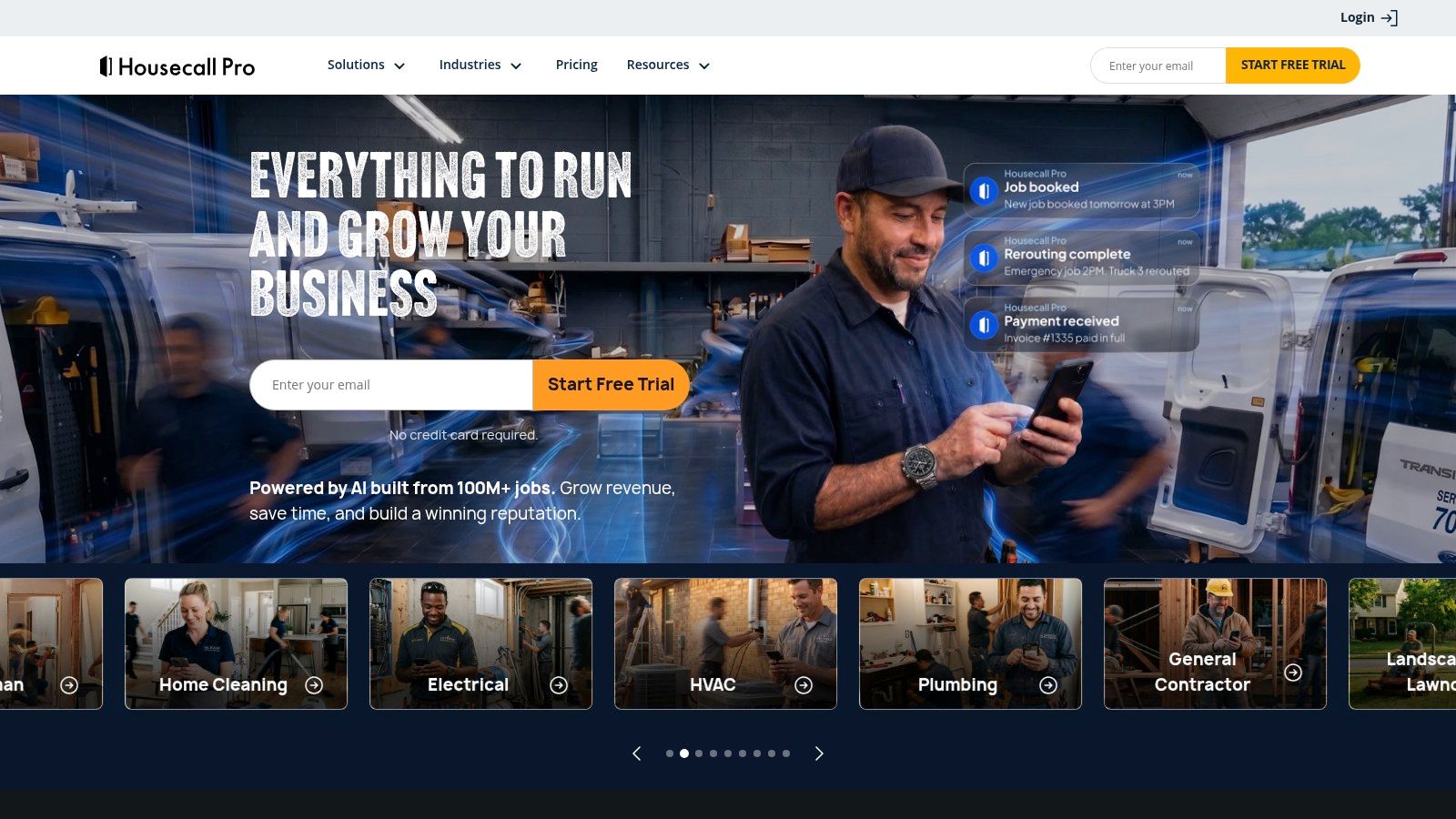
The best part is how naturally it fits a small shop's daily rhythm. Automated reminders, “on my way” texts, review requests, and mobile estimating all help reduce the little gaps that cause missed appointments and awkward follow-up. Housecall Pro also offers a flat-rate pricebook and plumbing pricing insights, which is valuable when your team needs a standard way to quote common work without slowing down in the driveway.
Good operational fit, but watch the add-ons
For plumbers who want quick adoption, Housecall Pro usually makes sense because the workflow is familiar. Office staff can schedule, techs can update jobs from the field, and customers get the communication they expect. It's also easy to see why smaller shops like it, because the quoting-to-invoice flow reduces double entry and keeps the job moving.
Most plumbing teams don't need more software. They need one system that keeps the call, the quote, the job, and the invoice tied together.
The trade-off is pricing complexity. Optional add-ons such as built-in phone service and online booking can make the total higher than the base plan suggests. That's not a flaw if you use those tools, but it does mean you should price the full workflow, not just the entry tier.
Housecall Pro works best when you want a polished, practical operating system for residential plumbing. It's less attractive if you're trying to keep costs lean and only need the bare minimum. For many small shops, though, the balance of usability and plumbing-specific workflows is exactly what makes it one of the best crm for plumbers choices.
3. Jobber
Jobber is the kind of platform many small plumbing teams can live in every day. It's built around quotes, scheduling, jobs, and invoices, so the office doesn't have to jump between separate tools just to keep a service call moving. For a plumber with a few techs and a steady residential book, that simplicity matters more than a long feature checklist.
Its strength is ease of use. Field staff usually pick it up quickly, and office staff can standardize the way they handle leads, bookings, and payment collection. The platform's job costing also gives you a better view of profitability per job, which is useful when a “small” repair unexpectedly turns into a margin problem because parts, time, and callback risk were underpriced.
Why small teams like it
Jobber works well when you want consistency without a heavy implementation project. Online booking, lead management, and integrated payments keep routine jobs organized, while add-on marketing tools can support reviews, campaigns, and referrals. The newer AI-powered receptionist add-on is especially relevant for phone-heavy plumbing shops because it helps handle calls and texts and can assist with booking.
If your current process depends on the office catching every call before lunch, Jobber's automation layer can remove some of that pressure.
The trade-off is that some useful features are gated by tier or add-on. That can make the total cost higher than expected if you need deeper workflows, more advanced reporting, or expanded customer communication tools. It's a smart choice when you want clarity and speed, but you should map your actual needs before choosing a plan.
For smaller plumbing businesses, Jobber often feels like the safest on-ramp. It's approachable, practical, and built for service work rather than generic sales pipelines. If your priority is getting the team aligned fast, it deserves a hard look.
4. ServiceTitan
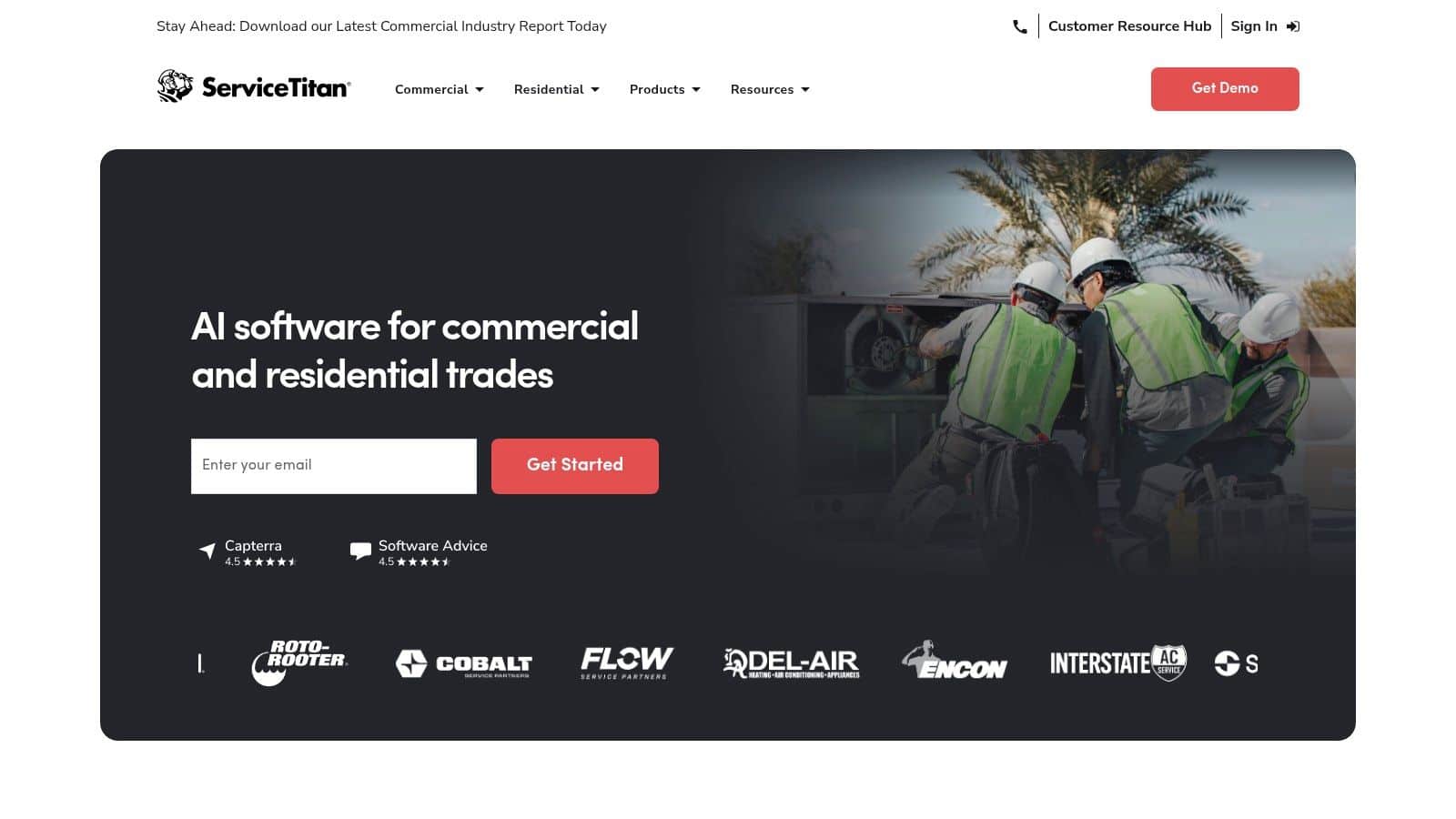
ServiceTitan is the heavyweight option in this list, and it makes sense for larger plumbing companies or fast-growing operations that need deeper control. It handles CRM, dispatch, pricebook management, technician sales tools, financing, and analytics, so it's designed for shops where operations, sales, and performance tracking all need to live in the same system. If your team has multiple dispatchers, several trucks, or more than one office, the platform's depth becomes less of a luxury and more of a necessity.
Built for scale, not for casual use
The big advantage is control. ServiceTitan gives you the kind of structure that helps large plumbing teams standardize pricing, manage technician performance, and keep work moving across multiple routes or locations. The reporting and analytics are a major draw for managers who want to see what's happening across jobs, crews, and revenue streams without relying on guesswork.
That same depth is also why ServiceTitan isn't for everyone. Pricing is sales-quoted, implementation takes time, and change management matters. If the team isn't ready to follow a structured process, a powerful platform can create more friction than value. You need buy-in from the office and the field, or the system ends up underused.
Practical rule: choose ServiceTitan when your biggest problem is operational complexity, not when you just need a better contact list.
The platform is especially useful for commercial plumbing work, recurring agreements, and higher-volume residential shops that want tighter reporting. If your business values margins, technician output, and process discipline, ServiceTitan can become the operational backbone. It pairs naturally with reputation management for small businesses because strong customer follow-through is part of the same service standard.
For smaller plumbing businesses, though, it can feel like more machine than you need. That's not a weakness, it's a sign that the platform was built for a different stage of growth.
5. Workiz
Workiz is a practical choice for plumbing companies that want communications, scheduling, and pricebook support in one place without overcomplicating the setup. Built-in phone and texting make it easier to connect calls to jobs, which is exactly what a phone-first plumbing shop needs. Its Price Book Pro catalog is also a real plus for trades that want a more immediate way to quote common work.
The platform has a strong operational rhythm. You can track calls, estimates, invoices, bookings, and team activity without breaking the workflow into separate systems. That helps reduce the friction that comes from juggling a phone system, a CRM, and a dispatch tool at the same time.
Why it feels useful on day one
Workiz is appealing because it can get a team moving quickly. A prebuilt pricebook reduces setup work, and call tracking tied to jobs means you don't lose context when a customer calls back about a prior repair. For plumbing offices that depend on speed and accurate communication, that makes a difference.
It's also a sensible fit for teams that want cleaner visibility into daily operations. If you're trying to see who answered what, which jobs were booked, and where the team spent time, Workiz gives you a direct line from communication to execution. That kind of traceability is useful when follow-up is part of your revenue process.
The best plumbing CRMs don't just store customer data, they connect the phone call to the truck roll to the invoice.
The main caution is to confirm what's included in your tier. Some features and limits vary, and pricing transparency can shift by promotion or package. That means the platform can be a great operational tool, but only if you verify the plan details before rollout.
Workiz is strongest for shops that care about call handling and service consistency. If you want a communications-heavy CRM without a long onboarding slog, it belongs on your shortlist.
6. FieldPulse
FieldPulse is a feature-dense contractor CRM that gives plumbing teams a lot of practical control over estimating, job management, scheduling, and job costing. It's built for businesses that want more flexibility than a lightweight app but don't need a massive enterprise system. The configurable pricebook, forms, financing options, and payments make it especially relevant for plumbers who sell a mix of diagnostic work, repairs, and larger install jobs.
Its real strength is adaptability. You can structure estimates around supplier pricebooks or flat-rate catalogs, which helps standardize quoting across the team. That matters when more than one person is selling work, because pricing consistency is often where small shops leak profit.
A flexible middle ground
FieldPulse works well for teams that want to tailor the process without building everything from scratch. Custom forms and checklists can support inspections, job notes, and technician handoffs, while time sheets and job costing help managers understand what happened on each call. For a plumbing shop trying to improve discipline, that combination is useful.
The downside is that you need to confirm the bundle you're buying. Pricing varies with modules and user count, so the platform can be cost-effective or more involved depending on how much you add. It also has a smaller ecosystem than some larger incumbents, which matters if you want a huge community of users or a very mature third-party marketplace.
Still, for plumbing businesses that want flexibility and a strong feature set, FieldPulse earns attention. It's especially good when your workflow depends on forms, estimating discipline, and clear job costing rather than flashy sales automation.
7. ServiceM8
ServiceM8 makes sense for solo plumbers and small crews that want something lightweight, mobile-friendly, and fast to use in the field. The platform is known for job-based pricing, online booking, quotes, jobs, invoices, and customer communication. That combination works well for a smaller operation where the owner still wears several hats and needs the software to stay out of the way.
The iOS experience is a major strength. If your team uses iPhones or iPads, the workflow feels smooth for quoting and invoicing on the move. That matters in plumbing because a lot of the best momentum happens between the site visit and the customer's decision.
Built for speed, not for complexity
ServiceM8 is a good fit when you don't want to spend weeks configuring a system. The job-bundled pricing model can be attractive for lower-volume shops, and the automation options help with reminders and customer communication. It's the kind of software that lets a small plumbing business look organized without needing a full office staff.
The trade-off is platform preference. It's best on iPhone and iPad, and Android support is limited compared with its Apple experience. Job allowances also may not suit a very high-volume operation unless you move up to a different setup.
Practical rule: if your crews already live on iPhone and you want a fast quoting-to-invoice path, ServiceM8 can feel effortless.
ServiceM8 is not trying to be the biggest or deepest system in the market. It's trying to be easy to run. For the right plumbing business, that's exactly the point.
8. Service Fusion
Service Fusion is built for contractors who want dispatch, jobs, estimates, inventory, and payments in one place without heading straight into enterprise complexity. For plumbing businesses that are growing technician count and need a clearer structure, it offers a broad feature set and a pricing style that can be appealing when you don't want to be trapped in per-tech thinking. It's especially useful when route planning and customer communication need to stay tied to the job record.
The operational appeal is predictability. A platform that can handle estimates, dispatch, job history, and payments reduces the number of tools your team has to check during the day. That kind of simplification matters when office time is already stretched and the field team needs answers quickly.
Good for scaling teams that want steadier costs
Service Fusion can make sense when you're moving beyond a handful of trucks and want a tool that won't feel too fragile. Inventory and pricebook management help keep the quoting process grounded, while integrated payments and customer communication support the rest of the job cycle. The overall effect is less chaos between the office and the field.
When a plumbing team grows, the software problem usually becomes a communication problem before it becomes a feature problem.
The caution is that advanced analytics and marketplace depth are lighter than what you'd get from the top enterprise options. That's not a dealbreaker for many shops, but it's important if leadership wants very granular reporting or a huge app ecosystem. Tiers and discounts can also shift, so sales confirmation matters before signing.
Service Fusion is a solid middle path for shops that want broad coverage and manageable complexity. It's a practical choice when your current tools feel too fragmented and your team needs one operational home.
9. Fergus
Fergus brings a trades-first mindset that many plumbing businesses appreciate. It's designed around the path from lead to quote to job to invoice, with price books, margin controls, scheduling, dispatch, time tracking, and reporting built into the workflow. That structure is helpful when the biggest pain point isn't getting leads, it's protecting profitability after the work is sold.
The platform's emphasis on cost control is the story. Plumbing businesses often price by habit or speed, then discover later that labor, parts, and callbacks ate too much of the margin. Fergus gives you tools to be more disciplined about that process.
A trade-minded choice
Fergus is attractive for one-man bands and established teams alike because it doesn't overcomplicate job management. The onboarding is clear, the pricing is localized for the U.S., and the workflow is aligned with the way tradespeople think about jobs. That makes it easier to adopt than some broader business systems.
It's especially useful if you care about more than just scheduling. Margin controls and job costing give you a better read on the actual economics of each call, which is valuable in a service business where not every booked job is a good job. That kind of visibility can change how you quote and how you prioritize work.
A plumbing CRM should help you see which jobs make money, not just which jobs got booked.
The trade-off is ecosystem size. Fergus has a smaller presence in the U.S. than some larger competitors, and some advanced tools require higher tiers. Even so, it's a strong option for teams that want practical job management with a profitability lens.
10. ServiceTrade
ServiceTrade is the most obviously commercial-focused platform in this list, and that's where it shines. It's built for plumbing companies that serve facilities, recurring contracts, inspections, and multi-site customers who expect documentation as part of the service. CRM, scheduling, dispatch, quotes, invoices, asset tracking, and customer portals all support that style of work.
The strength here is recordkeeping. Commercial plumbing often needs more than a simple work order. You may need equipment history, photos, videos, documentation, and a clean customer-facing summary that proves the work was done correctly. ServiceTrade is structured for that reality.
Best for commercial and documentation-heavy work
If your business handles service agreements, recurring inspections, or larger accounts, ServiceTrade can fit better than a residential-first tool. Its asset and equipment tracking helps keep field history organized, while customer portals make it easier for clients to see what happened and why. That kind of transparency can be a real advantage in commercial relationships.
The platform also supports the collaboration needs that come with larger accounts. Multiple roles, structured communication, and detailed records make it easier for office staff and field teams to stay aligned. That matters when the customer expects formal documentation, not just a quick text and an invoice.
The trade-off is obvious. ServiceTrade isn't meant for a budget-sensitive solo plumber, and pricing is sales-assisted rather than self-serve. But for commercial plumbing operations, that's less of a drawback than a sign the platform is aimed at a different market.
If your work involves facilities, inspections, or recurring service contracts, ServiceTrade deserves serious consideration.
Top 10 CRM Comparison for Plumbers
| Product | Core features | UX / Quality (★) | Price (💰) | Target (👥) | Key strengths (✨) |
|---|---|---|---|---|---|
| HighLevel 🏆 | CRM + unified inbox (SMS/Messenger/IG/WhatsApp), funnel & site builder, Conversation AI, paid calendars, payments, reviews, automations | ★★★★☆, mobile‑first, 24/7 support | 💰 $97–$297/mo (14‑day trial); Unlimited plan = agency scale | 👥 Agencies, SMBs, marketers, coaches | ✨ All‑in‑one AI OS, unlimited sub‑accounts & contacts, native AI across messaging & reviews |
| Housecall Pro | CRM, scheduling/dispatch, estimates, invoicing, flat‑rate pricebook, mobile app | ★★★★, easy setup for plumbing | 💰 Mid (base + paid add‑ons) | 👥 Plumbers & residential home‑service shops | ✨ Plumbing templates, strong quote→invoice flow, review automations |
| Jobber | Lead mgmt, online booking, quotes, jobs, invoicing, job costing | ★★★★, approachable UI | 💰 Low–Mid (tiered + add‑ons) | 👥 Solo to small service teams | ✨ Simple UX for field & office; quick process standardization |
| ServiceTitan | Enterprise FSM: pricebook, advanced dispatch, tech tools, analytics, financing | ★★★★☆, powerful, complex | 💰 High (sales‑quoted) | 👥 Large / fast‑growing plumbing & HVAC ops | ✨ Enterprise scale, deep analytics, commercial capabilities |
| Workiz | Scheduling/dispatch, built‑in phone/text, Price Book Pro, online payments | ★★★★, fast to deploy | 💰 Mid (tiered) | 👥 Trades & home‑service teams | ✨ Prebuilt pricebooks, strong comms tied to jobs |
| FieldPulse | Estimates, configurable pricebook, scheduling, job costing, forms | ★★★, feature‑dense for price | 💰 Budget–Mid (modular pricing) | 👥 Small contractors & trades | ✨ Flexible customization; strong value per feature |
| ServiceM8 | Online booking, job‑based plans, automations, iOS‑optimized mobile app | ★★★★, excellent iOS experience | 💰 Low (job‑based pricing) | 👥 Solo operators & very small crews (iOS users) | ✨ Low entry cost, very fast mobile quoting/invoicing |
| Service Fusion | Estimates, dispatch/route optimization, inventory, payments | ★★★, broad feature set, simpler than enterprise | 💰 Mid (per‑account options) | 👥 Growing contractor teams | ✨ Predictable per‑account pricing; solid core FSM features |
| Fergus | Lead→quote→job workflows, pricebooks, scheduling, job costing, reporting | ★★★, tradesman‑focused UX | 💰 Mid (US‑localized tiers) | 👥 Tradespeople to established teams | ✨ Job costing & margin controls; practical onboarding |
| ServiceTrade | Commercial CRM, asset/equipment tracking, digital work summaries, customer portals | ★★★, tailored for commercial service | 💰 High (sales‑assisted) | 👥 Commercial/contract & multi‑site service providers | ✨ Asset tracking, compliance docs, customer portals for commercial work |
Next Steps Implementing Your CRM
A practical rollout starts with a small pilot. Choose two or three systems, map the path from lead to booked job to invoice, and run each one on a real call or two before you make a final choice. Pay close attention to the places where plumbing teams lose money, missed calls, slow estimates, forgotten follow-up, and delays in invoicing. Those are the spots where return on investment shows up first.
Use a simple migration checklist before anyone logs in. Export your contacts, assign ownership for lead intake, write out how missed calls should be handled, and define what a completed job looks like inside the system. If the office staff and the field crew do not agree on the process before launch, the software will not close that gap for you.
Track a few core numbers during the trial. Response time matters because fast follow-up drives more conversions, as noted earlier. Booking consistency, revenue per tech, and the share of estimates that close also tell you whether the CRM is helping the business or just adding another login.
Implementation effort deserves attention too. A lighter system can win if the team adopts it, while a more capable platform can fall flat if adoption is weak. The goal is to cut chaos, keep jobs moving, and make the customer experience more reliable from the first call to the final payment. If your plumbing business also depends on website forms or ad leads, the CRM needs to connect cleanly with the rest of your stack, and Silva Marketing's guide to CRM integration is useful for thinking through that setup.
The best crm for plumbers is the one that fits your dispatch style, crew size, and follow-up discipline. Choose the platform that helps your team answer faster, quote cleaner, and collect sooner, then give it a fair pilot before you roll it out across the company.
