


A cleaning business doesn’t lose money only when the schedule is empty. It loses money when leads slip through a separate inbox, when recurring jobs live in a spreadsheet that nobody trusts, and when a customer waits too long for a quote or callback. In service-industry benchmark content used in cleaning CRM comparisons, 30 to 40% of cleaning leads are never followed up, and responding after 5 minutes can reduce conversion rates by up to 80%. That’s why the best CRM for cleaning business owners isn’t a generic contact database, it’s the system that keeps recurring routes, instant quote-to-book, reactivation, review requests, and mobile field work in one place.
If your stack is fragmented, the fix is obvious. A generic field-service CRM, a separate invoicing app, a review tool nobody opens, and a spreadsheet that contradicts the office will always create more cleanup than control. The seven criteria that matter are simple, scheduling and dispatch, automated follow-up, review generation, mobile app quality, payments, integrations, and pricing transparency. Pick the tool that removes admin work from the day, not the one with the prettiest demo.
Table of Contents
- 1. HighLevel
- 1. HighLevel
- 2. Jobber
- 4. ServiceM8
- 5. ServiceMonster
- 6. ZenMaid
- 6. ZenMaid
- 7. MaidCentral
- 8. Launch27
- 9. Swept Janitorial
- 10. BookingKoala
- Top 10 CRMs for Cleaning Businesses, Comparison
- Your CRM Migration Checklist for a Cleaning Business
1. HighLevel
HighLevel is the right pick if you want one workspace to handle the full cleaning customer journey. It is built as an AI-powered business operating system, and that matters because cleaning companies lose money at every handoff, from inquiry to booking to payment to review to reactivation. Its unified inbox pulls in SMS, Messenger, Instagram DM, WhatsApp, and live chat, so your team is not bouncing between tabs while a quote goes cold.
The all-in-one marketing platform explained article shows the same core idea in a broader software context, but cleaning operators feel the benefit in very practical ways. If your office is juggling recurring routes, quick quote follow-up, review requests, and missed-job reactivation, HighLevel keeps those tasks in one place instead of scattering them across separate tools. For agencies that manage multiple cleaning clients, the Unlimited and Agency Pro tiers add the structure needed for sub-accounts, automation, and SaaS-style delivery.
HighLevel also fits teams that need reputation management, workflow automation, payment tools, and booking in the same system. That cuts down on the usual mess of stitching together a scheduler, a review app, an SMS tool, and a payment processor just to get a lead from first contact to closed job.
Why it wins for cleaning operators
Cleaning businesses need reminders, quote follow-up, review requests, and reactivation sequences that run without office babysitting. HighLevel’s mobile-first design and consolidated conversations make it practical for field teams that need to reply fast, confirm access notes, and keep the office updated without extra calls.
The trade-off is simple. HighLevel is powerful, but it is not a light-touch cleaning CRM. If you want a plug-and-play booking app with almost no setup, this will feel heavy. If you want one system that can handle recurring routes, instant quote-to-book follow-up, and customer reactivation, it makes sense.
1. HighLevel
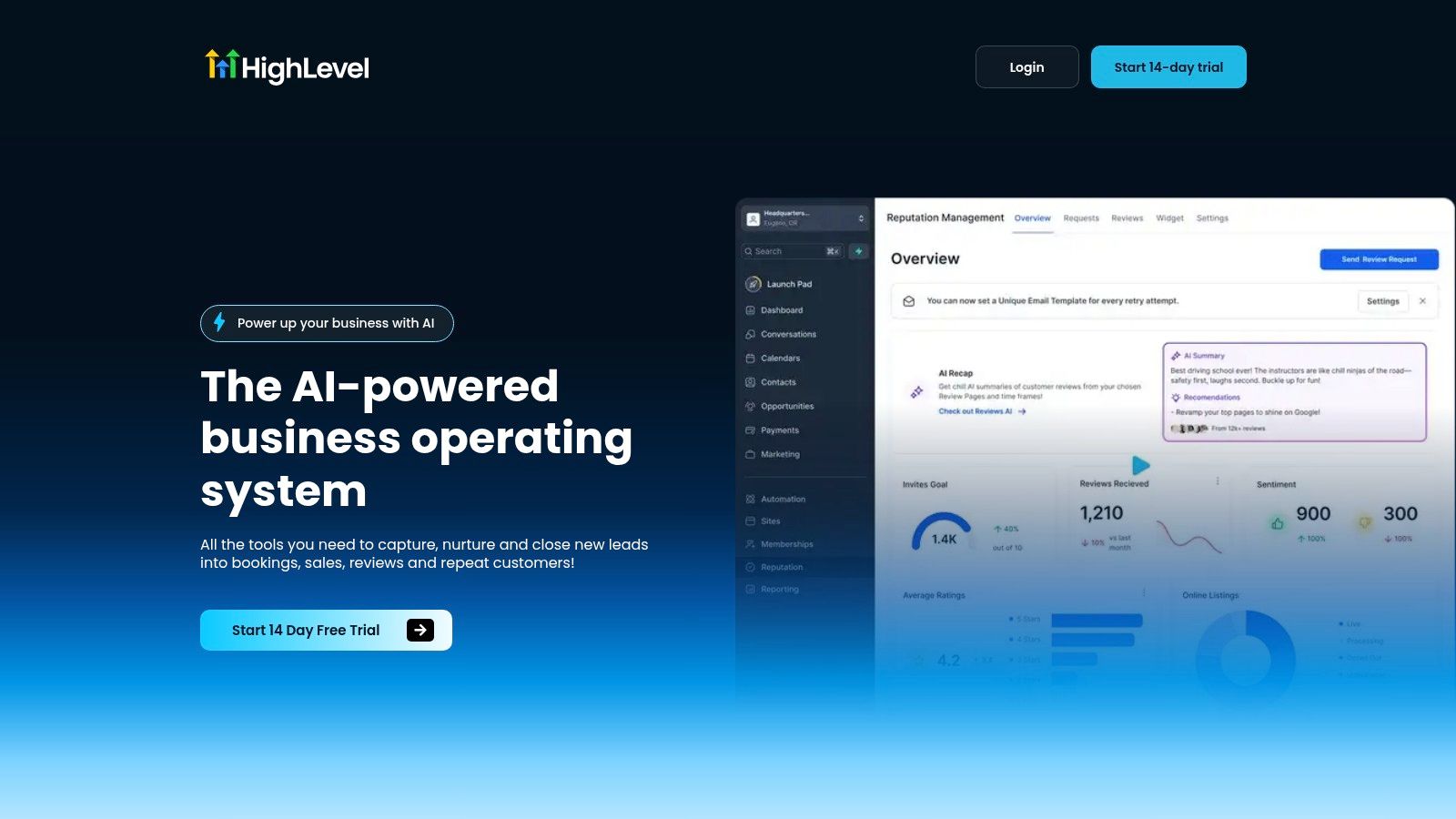
HighLevel is the strongest pick if you want to run a cleaning business from one workspace instead of juggling separate tools. It is built as an AI-powered business operating system, and that matters because cleaning operations break down at the handoff points, inquiry to booking, booking to payment, payment to review, and review to reactivation. Its unified inbox pulls together SMS, Messenger, Instagram DM, WhatsApp, and live chat, so your team stops losing time to channel-hopping and slow follow-up.
HighLevel is explained as an all-in-one marketing platform in a way that fits cleaning businesses that want fewer apps and fewer handoff gaps. For agencies managing multiple cleaning clients, the Unlimited and Agency Pro tiers add the structure needed to manage sub-accounts, automation, and SaaS-style delivery. HighLevel also combines reputation management, workflow automation, payment tools, and booking in one system, so you are not piecing together multiple apps just to answer a lead and keep the job moving.
The operational advantage is key. Cleaning businesses need reminders, quote follow-up, review requests, and reactivation sequences that keep running without office babysitting. HighLevel’s mobile-first design and consolidated conversations make it practical for owner-operators who move fast and for multi-location teams that need one place to track the work.
Practical rule: If your team loses leads because messages are spread across too many places, HighLevel is the cleanest fix.
It also works for operators who care about review velocity and return business. You can automate the reminders that bring stale leads back, then keep post-job review requests moving without relying on someone to remember every task. That is the part generic CRMs usually miss.
missed leads for home services is the problem HighLevel is built to address, and cleaning companies feel that pain every day. If a quote sits unanswered or a follow-up gets buried, the job is gone. HighLevel gives you the automation and inbox control to prevent that from happening.
Pros
- All-in-one control: CRM, automation, payments, calendars, and reviews live together, which cuts tool sprawl.
- Agency-ready structure: Unlimited sub-accounts on the Unlimited plan and SaaS mode on Agency Pro support multi-location or client-facing setups.
- Revenue workflow tools: Text-2-Pay, Tap-2-Pay, invoicing, and one-click upsells shorten the path from quote to cash.
Cons
- Learning curve: You will spend time setting up workflows, pipelines, and reputation flows correctly.
- Higher-tier gating: Advanced API and SaaS capabilities sit on the upper plans.
Website: HighLevel
2. Jobber
Jobber is the safest all-around choice for cleaning companies that need quoting, scheduling, invoicing, and follow-up in one place. In 2026 comparison guides, it is ranked as the best overall CRM for cleaning businesses, with a published starting price of $49/month and features like a client hub, quote-to-invoice flow, online booking, and follow-up workflows called out as the reason it fits growing residential and commercial cleaners. That matters because cleaning teams need a tool that can take an inquiry and move it toward a booked job without friction.
It also fits the reality of cleaning operations better than a generic CRM. Recurring jobs, route optimization, and automated reminders make it practical for weekly and biweekly service plans, and the client hub lets customers approve quotes, pay, and review job history without calling the office every time. If your team is losing jobs because follow-up slips, Jobber’s missed-lead problem for home services is the kind of issue this setup is meant to reduce.
For most operators, the appeal is simplicity. Jobber gives you a clean, dependable system without a heavy setup project, and it works well for teams that want a balanced field-service workflow without building everything from scratch. The trade-off is clear. It is broader than maid-only software, so you will not get as many cleaning-specific workflows out of the box as you would from a platform built around cleaning tasks first.
Use Jobber if your priority is a dependable office-to-field flow and you want the team to adopt it quickly. Skip it if you need software that is tightly tuned to maid-service operations from day one.
Pros
- Easy to learn: The mobile experience is polished and straightforward.
- Strong quote-to-invoice flow: That helps with recurring cleaning contracts and one-time jobs.
- Useful ecosystem: Jobber has a large library of support material and integrations.
Cons
- Costs can rise fast: Tier jumps and add-ons can push the monthly bill higher.
- Fewer cleaning-specific KPIs: It is not as specialized as maid-service-first software.
Website: Jobber
4. ServiceM8
ServiceM8 fits small cleaning businesses that run on iPhone or iPad and want speed, not a heavy setup. It centers on job cards, checklists, recurring jobs, route planning, quotes, invoices, and in-app payments, so owner-operators and small crews can move fast without wrestling with a bloated system. If your office lives on a phone, ServiceM8 makes practical sense.
The advantage is how little friction it creates. The app is easy to use, the workflow stays guided, and the job handling is quick enough for teams that do a lot of small, repeat work. For cleaning companies, that matters because the office still has to book work, update customers, and keep recurring visits on track while the field team stays busy.
ServiceM8 also helps reduce tool sprawl. It bundles add-ons and SMS allowances by plan, which means you are not immediately forced into a separate communications stack just to keep clients informed. That keeps day-to-day operations cleaner, especially for small teams that care more about speed and consistency than customization.
Who should skip it
Skip ServiceM8 if you need a deep, highly configurable CRM or if your team mainly uses Android. Its strongest experience is on iOS, and that is a real constraint if your field crew does not all carry Apple devices. It also is not built specifically around maid-service workflows, so businesses that want cleaning-first automation, detailed service segmentation, or more specialized recurring-client handling may outgrow it.
For small cleaning businesses that want quick bookings, simple route handling, and a clean mobile workflow, it is a smart pick. For larger teams, or teams that want more control over process and reporting, it will feel light.
Pros
- Very intuitive UI: The interface is straightforward, so daily use stays quick.
- Affordable entry point: You can start without a large commitment.
- 24/7 support: Useful when the office is small and the schedule is packed.
Cons
- iOS-first experience: Android support is lighter.
- Usage limits can matter: SMS and job allotments can push upgrades as you grow.
Website: ServiceM8
5. ServiceMonster
ServiceMonster is built for cleaning businesses that live on repeat work. Carpet, window, pressure washing, residential, and commercial operators get a platform that handles recurring schedules, route planning, reminders, estimates, invoicing, payments, marketing, and review requests without forcing the business into a generic CRM shape. If your revenue depends on turning past clients back into active clients, this one belongs on the shortlist.
The advantage is how it treats old customers as active inventory, not dead records. Its email and postcard tools make follow-up part of the workflow, so you can reactivate accounts without bolting on another app or handing the task to memory. That matters in cleaning, because a quiet client list is often just untapped revenue sitting in the database.
It also fits the day-to-day pressure of cleaning operations better than a broad service platform. Recurring jobs need to stay organized, routes need to stay tight, and review requests need to keep moving after the job is done. ServiceMonster covers that chain in one place, and the review side works best when paired with a centralized workflow for review platforms.
The honest trade-off
ServiceMonster gives you more cleaning-specific depth than a lightweight booking tool, but that comes with more interface weight. The system asks for a little more attention, and that is the cost of getting serious routing, marketing, and reactivation tools in the same stack. If your business only needs basic scheduling and invoicing, parts of it will sit unused.
Use it when retention and reactivation are part of your growth plan. Skip it if you want the simplest possible setup and do not care much about marketing follow-up. For operators who want cleaning-first workflows instead of generic CRM features, the trade-off is reasonable.
Pros
- Built for cleaning trades: The workflows match recurring service work.
- Strong reactivation tools: Useful for bringing back old customers.
- Mature reporting: Gives better visibility into repeat work and revenue patterns.
Cons
- Heavier interface: More depth means more setup and more clicks.
- Not the lightest option: Basic-only users will not use everything it offers.
Website: ServiceMonster
6. ZenMaid
ZenMaid is the cleanest fit for maid services that depend on recurring residential work. It focuses on instant and online booking, team scheduling, time tracking, cleaner notifications, reminders, review requests, and follow-ups, so it matches the daily rhythm of a house cleaning company without extra clutter. If most of your revenue comes from weekly, biweekly, and monthly appointments, ZenMaid lines up with that model better than a generic CRM.
The platform keeps the setup lighter than many broad CRMs, and that matters for small owners who do not want to spend weeks configuring software before they can use it. Its reports are more cleaning-specific than what you get in many general tools, and the product stays focused on maid operations instead of trying to cover every type of service business. That focus is useful when your real needs are scheduling, reminders, and keeping recurring clients from slipping away.
A centralized workflow for review platforms matters here because ZenMaid ties review requests and follow-ups into the same operating flow as the rest of the job. That helps residential cleaners keep repeat work moving and keeps post-job follow-up from turning into a separate chore. It is the right setup for businesses that need consistency more than complexity.
Best use case
Use ZenMaid if you want a cleaning-first system with minimal setup and your growth comes from recurring homes rather than mixed service lines. It is less flexible for multi-trade companies and not as deep on analytics as enterprise tools, but those trade-offs are acceptable when your main job is keeping maid routes full, reminders tight, and review requests moving.
6. ZenMaid
ZenMaid is the clearest fit for maid services built around recurring residential work. It centers on instant and online booking, team scheduling, time tracking, cleaner notifications, reminders, review requests, and follow-ups, so the workflow matches the daily grind of a house cleaning company instead of forcing a generic CRM into place. If your revenue comes mostly from weekly, biweekly, and monthly appointments, ZenMaid fits that rhythm without extra setup.
That focus matters because small cleaning owners do not need software that tries to do everything. The platform is transparent about month-to-month pricing, which makes it easier to test without getting locked into a long commitment before you know it fits. Its reports are more cleaning-specific than what many broad CRMs offer, and the setup burden stays lower because the core system already matches maid operations. It is not trying to be a universal business operating system, and that is exactly why it works.
Centralized workflow for review platforms is the right idea here, because ZenMaid keeps review requests and follow-ups inside the same operating flow as recurring jobs. That helps residential cleaners keep repeat work moving and stops post-job follow-up from turning into a separate task. You do not need a giant platform if what you really need is consistency, reminders, and repeat appointments that stay on the calendar.
Best use case
Use ZenMaid if you want a cleaning-first system with minimal setup and your growth comes from recurring homes, not mixed service lines. It is less flexible for multi-trade companies and lighter on analytics than enterprise tools. Those trade-offs are fine for most maid businesses that care more about keeping routes full, staying organized in the field, and getting review requests out on time.
Pros
- Cleaning-first workflow: Low setup effort for common maid service jobs.
- Simple recurring scheduling: Works well for residential routes and repeat visits.
- Helpful community resources: Useful support for newer operators.
Cons
- Less flexible for multi-trade firms: A poor fit if you run several service types.
- Lighter analytics: Not built for heavy margin analysis.
Website: ZenMaid
7. MaidCentral
MaidCentral is the better pick for owners who care about margin control, team performance, and disciplined growth. It is built for residential cleaning companies and puts profit analytics, job costing, rate increases, production rate modeling, and quality management at the center of the system. That makes it different from lighter CRMs that mostly handle lead capture and scheduling.
For cleaning operators, that difference matters fast. More bookings only help if crews stay productive, drive time stays under control, and pricing keeps pace with actual labor cost. MaidCentral gives you the structure to manage those pressures without relying on guesswork, especially once you are running multiple crews and need a clear view of capacity. It is not a casual buy, and there is no free trial, so the commitment is real.
The trade-off is simple. You get a tighter operating system, but you also take on a more serious onboarding process and a price that makes sense only if you plan to use the reporting and control tools. If your business is still small and mostly needs simple scheduling, it is more system than you need.
Why it stands out
MaidCentral stands out because it keeps the conversation on profit, performance, and job quality instead of lead volume. That is the right lens for a cleaning company that already has demand and needs to protect margins while keeping crews accountable.
It also fits operators who want more than a calendar. The platform helps you see whether routes are efficient, whether production rates are where they should be, and whether the business is growing in a controlled way. That makes it a strong match for owners who want decisions based on real operating numbers, not gut feel.
Pros
- Strong profitability focus: Useful for unit economics and margin control.
- Deep operational reporting: Better for growth-minded owners than basic CRMs.
- Purpose-built for residential cleaning: The workflow matches the business model.
Cons
- Higher price point: The return shows up most clearly in multi-crew operations.
- No free trial: You need to commit to onboarding.
Website: MaidCentral
8. Launch27
Launch27 is built for cleaning companies that want the website to close the job. Its instant pricing forms use cleaning-specific inputs like beds, baths, frequency, pets, and extras, so a prospect can get a price fast and book without a sales call. If your site should turn traffic into scheduled cleanings while you are out working, this platform fits that job well.
The strength here is focus. Launch27 does a few things that matter a lot for cleaning operations, including online booking, recurring appointments, customer portals, coupons, gift cards, invoicing, and basic CRM functions. It does not try to be an all-purpose operations suite, and that is a good thing for smaller teams that care more about conversion than layers of admin.
Use it if you want to automate client bookings with a clean form flow and reduce the back-and-forth that slows down new jobs. It works especially well for owners who need to test demand quickly, collect bookings from website visitors, and avoid a long rollout before the system starts producing appointments.
The trade-off is clear. You gain a direct booking engine, but you give up the broader scheduling and management depth that larger platforms offer. That is fine if your main problem is getting quoted jobs into the calendar. It is a weaker choice if you need heavy dispatch logic, field management, or detailed workforce control.
Best use case
Choose Launch27 if online booking is the front door of your cleaning business. It handles instant quote-to-book flow well, and that matters more than fancy CRM extras when your leads are already warm and ready to schedule.
It also fits operators who care about recurring routes and reactivation, but only at a basic level. If your team needs a simple system that can help you fill the calendar, keep repeat customers moving, and support mobile field use without a complicated setup, Launch27 does the job. If you need stronger reporting, route control, or internal coordination across a larger crew, you will outgrow it.
Pros
- Strong instant-booking UX: Good for price-shopping traffic that wants an answer fast.
- Cleaning-specific pricing logic: Beds, baths, frequency, and extras are built into the flow.
- Quick launch: Easy to get moving without a heavy implementation project.
Cons
- Narrower CRM breadth: Less automation depth than bigger platforms.
- Some features gated: Advanced tools may require higher tiers.
- Lightweight operations layer: Fine for booking, thinner for crew management and route control.
Website: Launch27
9. Swept Janitorial
Swept is the clear pick for commercial janitorial operations, not residential maid services. It’s built around location-based scheduling, cleaner check-ins, messaging with translations, inspections, issue tracking, client portals, supply management, and performance reporting. If you manage multiple sites, night crews, or strict service-level expectations, this is closer to an operations control center than a sales CRM.
The reason it belongs on this list is simple. Janitorial businesses don’t live or die on quote volume the same way residential cleaners do. They win by keeping sites consistent, documented, and on schedule, and Swept is built around those pressures.
Where it beats general CRMs
Swept is strong because it focuses on retention through communication and inspections rather than lead generation. That’s the right emphasis for commercial cleaning companies that need clients to stay happy across many locations. It scales predictably by location, which is useful when contracts grow in a structured way.
Pros
- Multi-site fit: Strong for night janitorial and location-based work.
- Retention-oriented tools: Inspections and client communication reduce churn.
- Supply tracking: Useful when site-level accountability matters.
Cons
- Not a full lead-gen CRM: Weak for marketing-heavy residential acquisition.
- Pricing can rise with locations: Growth adds cost.
Website: Swept
10. BookingKoala
BookingKoala is a solid choice for lean cleaning teams that want online booking, instant pricing, subscriptions, coupons, a customer portal, and even a website builder in one place. It’s popular with startups because it helps you launch fast, validate demand, and keep the front end simple. If you want to sell cleanings online before you invest in heavier operational software, it does the job.
The main appeal is speed. You can embed booking forms with custom pricing parameters and add-ons, which makes it easier to capture bookings from price-conscious shoppers without a lot of manual quoting. For solo cleaners or early-stage teams, that simplicity can beat more complicated systems that need a week of setup before they’re useful.
The comparison many operators miss is whether the system helps you grow without requiring a redesign later. BookingKoala is great for a lean start, but it does have narrower field-operations depth than the bigger all-in-one platforms. That’s fine if you’re validating a market, less fine if you’re running a larger crew.
Pros
- Strong instant-booking flow: Good for direct conversion.
- Lean-friendly: Works well for startups and solo operators.
- Website plus booking: Handy if you need both in one product.
Cons
- Advanced features on higher tiers: Don’t expect everything at the base level.
- Weaker field ops: Less capable than full-service platforms.
Website: BookingKoala
Top 10 CRMs for Cleaning Businesses, Comparison
| Product | Core features | UX / Quality (★) | Price & Value (💰) | Target (👥) | Standout (✨) |
|---|---|---|---|---|---|
| HighLevel 🏆 | CRM, unified inbox, funnels, paid calendars, payments, reputation, automations | ★★★★☆, AI-native, mobile-first | 💰 $97–$497/mo; unlimited contacts/sub-accounts on Unlimited | 👥 Agencies, multi-location SMBs, marketers | ✨ All-in-one AI, consolidated conversations, SaaS-mode & rebill features |
| Jobber | Estimates, scheduling, client hub, invoicing, QuickBooks sync | ★★★★☆, clean, easy mobile UX | 💰 Mid; tiered add‑ons can increase cost | 👥 Small local service teams, residential/commercial cleaners | ✨ Strong quoting → invoice workflow, route optimization |
| Housecall Pro | Estimates, dispatch, flat-rate price book, automations, payments | ★★★★☆, fast field app | 💰 Mid; sticker price + add-ons/processing | 👥 Maid & janitorial teams, field-first ops | ✨ Built-in price book, marketing automations |
| ServiceM8 | Online booking, job cards, checklists, drag‑drop scheduling, payments | ★★★★☆, very streamlined on iOS | 💰 Low entry; plan SMS/job limits | 👥 Owner-operators, small iOS-centric teams | ✨ Lightweight iPad/iPhone workflows, fast job handling |
| ServiceMonster | CRM, recurring schedules, route planning, marketing & reactivation | ★★★☆☆, powerful but heavier UI | 💰 Mid–high; best ROI when using marketing tools | 👥 Cleaning trades (carpet, window, pressure wash) | ✨ Cleaning-specific templates, reactivation marketing |
| ZenMaid | Recurring bookings, team scheduling, reminders, cleaning KPIs | ★★★★☆, simple maid-focused UX | 💰 Affordable month-to-month pricing | 👥 Residential maid services | ✨ Tailored maid workflows and KPI reports |
| MaidCentral | Advanced dispatch, job costing, payroll export, profit analytics | ★★★★☆, analytics-driven for ops | 💰 Higher price; best ROI for multi-crew scaling | 👥 Scaling residential cleaning owners | ✨ Deep margin modeling, production rates, pay-for-performance |
| Launch27 | Instant pricing, self-booking checkout, coupons, subscriptions | ★★★☆☆, booking-first UX | 💰 Low–mid; focused on conversion | 👥 Online-booking-first cleaners/startups | ✨ Embeddable bed/bath/frequency instant-pricing forms |
| Swept (Janitorial) | Location scheduling, check-ins, inspections, supply & client portal | ★★★☆☆, ops & inspections focus | 💰 Mid; pricing scales by locations | 👥 Commercial janitorial, multi-site night ops | ✨ Inspections, SLA tracking, translations |
| BookingKoala | Embeddable booking, customer portal, website option, subscriptions | ★★★☆☆, strong instant-booking UX | 💰 Low entry; higher tiers for advanced features | 👥 Startups, solo/lean cleaning teams | ✨ Bundled website + self-checkout for fast validation |
Your CRM Migration Checklist for a Cleaning Business
Moving CRMs is where a lot of cleaning businesses lose momentum. The fix is to treat the switch like an operations project, not a software purchase. Start by exporting every customer record, recurring schedule, invoice, and payment method you can legally move, then map those fields into the new system before you touch live jobs. If your old CRM has messy naming or duplicate records, clean that now, because bad data gets worse after migration.
Run the new system in parallel for 14 to 30 days while the old one stays live. That gives your office time to confirm appointments, test reminders, verify recurring routes, and make sure cleaners can find job details on mobile without calling dispatch. Use that window to rebuild automation too, especially reminders, review requests, and reactivation sequences, because those workflows protect revenue the moment you switch.
Train dispatchers and cleaners separately. Dispatch needs to know scheduling, rescheduling, notes, and payments, while field staff needs quick access to job details, checklists, photos, and customer updates. If the mobile app is awkward on-site, adoption will sag and the system will fail in the exact place that matters most.
After launch, review the first 30 days against real outcomes, not just setup completion. Watch on-time arrivals, repeat-booking rate, review velocity, missed follow-ups, and how often the team has to work around the software instead of through it. If the new CRM isn't reducing manual work, it isn't the right fit.
If you want one platform that consolidates CRM, messaging, payments, reviews, and automation in an AI-native workspace, start with HighLevel's 14-day trial and invest the setup time properly. Lean residential teams should pilot Launch27 or BookingKoala if instant-booking is the priority, while multi-site janitorial operators should compare Swept and MaidCentral against the way they run sites, crews, and retention. For deeper nurture and reactivation after the move, don't forget to nurture leads through email campaigns so old quotes and past customers keep working for you.
If you want the most flexible all-in-one platform for a cleaning business, HighLevel gives you the CRM, unified inbox, payments, automation, and review tools in one place. It's a strong fit for owners who want fewer apps, faster follow-up, and a cleaner path from lead to booked job. Visit HighLevel and see how it can replace the stack that's slowing your cleaning business down.
