


Monday morning starts the same way for too many local operators. The inbox is full, the team is chasing tickets, the work got done, and the review count barely moved. That gap usually isn't about effort. It's about the fact that how to get more reviews is a workflow problem, not a lucky-ask problem.
A good review program does four things well, in order. It asks at the right moment, removes friction, routes unhappy customers out of the public flow, and keeps the business visible after the review lands. Google's own guidance points in that direction, asking businesses to make the process easy, mobile-friendly, and policy-safe, because customers are more likely to finish when they don't have to hunt for the business first Google Business Profile Help. The agencies and contractors that win this consistently don't “remember to ask.” They build a system.
Table of Contents
- Why Most Review Programs Stall Out
- Picking the Right Moment to Ask
- Multi-Channel Request Templates That Convert
- Building the Waterfall Automation
- Replying With AI and Showing Off the Wins
- Staying Compliant and Ethical
- Measuring and Optimizing the Program
Why Most Review Programs Stall Out
Monday morning in a small agency looks familiar. Fifty tickets need attention, a few invoices are waiting, and last month's dashboard shows three new reviews, which feels embarrassing because the team worked hard for more than that. The owner says they're going to ask more, but the ask never becomes a process, so the month ends the same way.
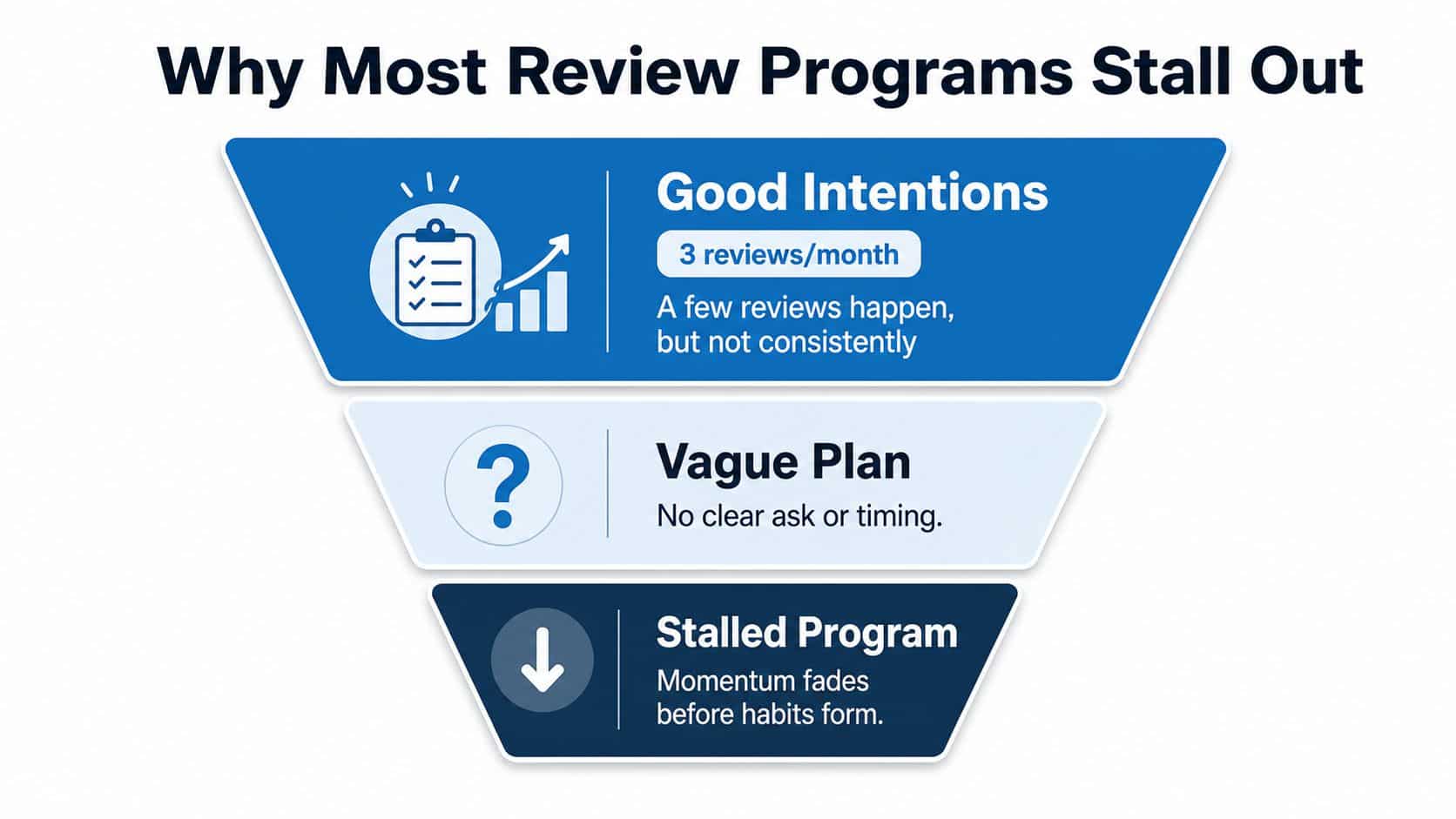
A review program usually stalls for four reasons. Timing is off. Friction is too high. The team ignores what happens after the review is posted. No one measures whether the workflow is producing feedback.
Practical rule: if the customer has to search for your business, think about the request, and then decide where to leave feedback, you've already made the funnel too hard.
The useful funnel is not “ask and hope”
A customer finishes a job, feels satisfied, receives a clean request, leaves feedback, and then sees a fast response from the business. When any one of those steps is messy, the whole flow weakens. Review generation works like operations work. The gap usually comes down to workflow design rather than effort.
One practical way to think about the whole thing is to study strategies to manage and solicit reviews through a centralized system rather than a one-off ask. A lot of businesses also benefit from keeping their workflow organized in one place, which is why resources like centralized review workflow tips are useful when you're building the operating side of reputation management.
The biggest mistake is sending one generic blast and calling it done. A blast asks everyone at once, regardless of what they just experienced. A system asks the right person at the right moment, uses the right channel, and stops when the customer has already responded. That is the difference between a campaign that gets ignored and a workflow that keeps producing reviews.
Another place programs stall is negative feedback. If every unhappy customer gets the same public-review ask, the team ends up creating avoidable damage. Strong operators route those customers to private resolution first, then keep the review ask for the people who had a good experience. Recepta's overview of strategies to manage and solicit reviews is a useful reference point if you're mapping that workflow for a client.
Picking the Right Moment to Ask
A review ask works best when the customer can still connect the experience to the outcome. Google's guidance points in the same direction, ask after a positive milestone, reduce friction with a direct review link, and keep the process mobile-friendly so people do not have to hunt for the business. That matches what local operators see every day. If the moment is fresh and the path is short, more customers follow through.
Good triggers beat broad campaigns
The strongest trigger events are the ones that naturally create satisfaction. A job is completed, a package is delivered, an appointment is kept, payment is confirmed, or an issue gets resolved. Those are clean handoff moments because the customer has enough context to judge the experience, and the effort required to respond is still low.
Weak triggers do the opposite. Newsletter blasts, random quarterly campaigns, and checkout abandonment emails ask at the wrong time. The customer is not thinking about the service experience, so the request feels disconnected. Even a well-written message cannot rescue a bad trigger.
Ask while the good feeling is still attached to the job, not after the customer has mentally moved on.
A practical rule works well across service businesses. Tie the request to the event that proves the job is done, then let the workflow pause long enough for the customer to settle before asking again. That is why many operators use a short delay instead of a same-day blast. It keeps the ask close to the service experience without feeling abrupt.
If your CRM or scheduler cannot fire on the right event, the whole process drifts. Tools such as HighLevel appointment reminders matter because the same event logic that confirms appointments can also route the review path once the job is complete.
Verify the trigger before you trust it
A lot of teams think they have automation, but the trigger is attached to the wrong status. The invoice gets paid, but the job is not finished. The appointment is booked, but the service never happened. The customer gets the review request anyway, and that creates noise.
A good setup should answer three questions:
- What event starts the flow? Confirmed purchase, completed job, or resolved appointment.
- Who gets excluded? Anyone already tagged as reviewed or routed to private resolution.
- What proves the timing was right? A status change that matches the actual customer milestone, not an internal admin step.
The test is whether the trigger matches the customer's lived experience. A plumbing job should close when the tech marks the work done, not when the office sends the invoice. A dental visit should end after checkout, not after the reminder text. When the timing follows the service the customer experienced, the request feels natural instead of opportunistic.
Multi-Channel Request Templates That Convert
The request itself needs to respect the channel. SMS should stay short, email should stay focused, QR prompts should stay obvious, and video should feel personal, not polished to death. When teams make every channel sound the same, response drops because the customer can tell the message was copy-pasted.
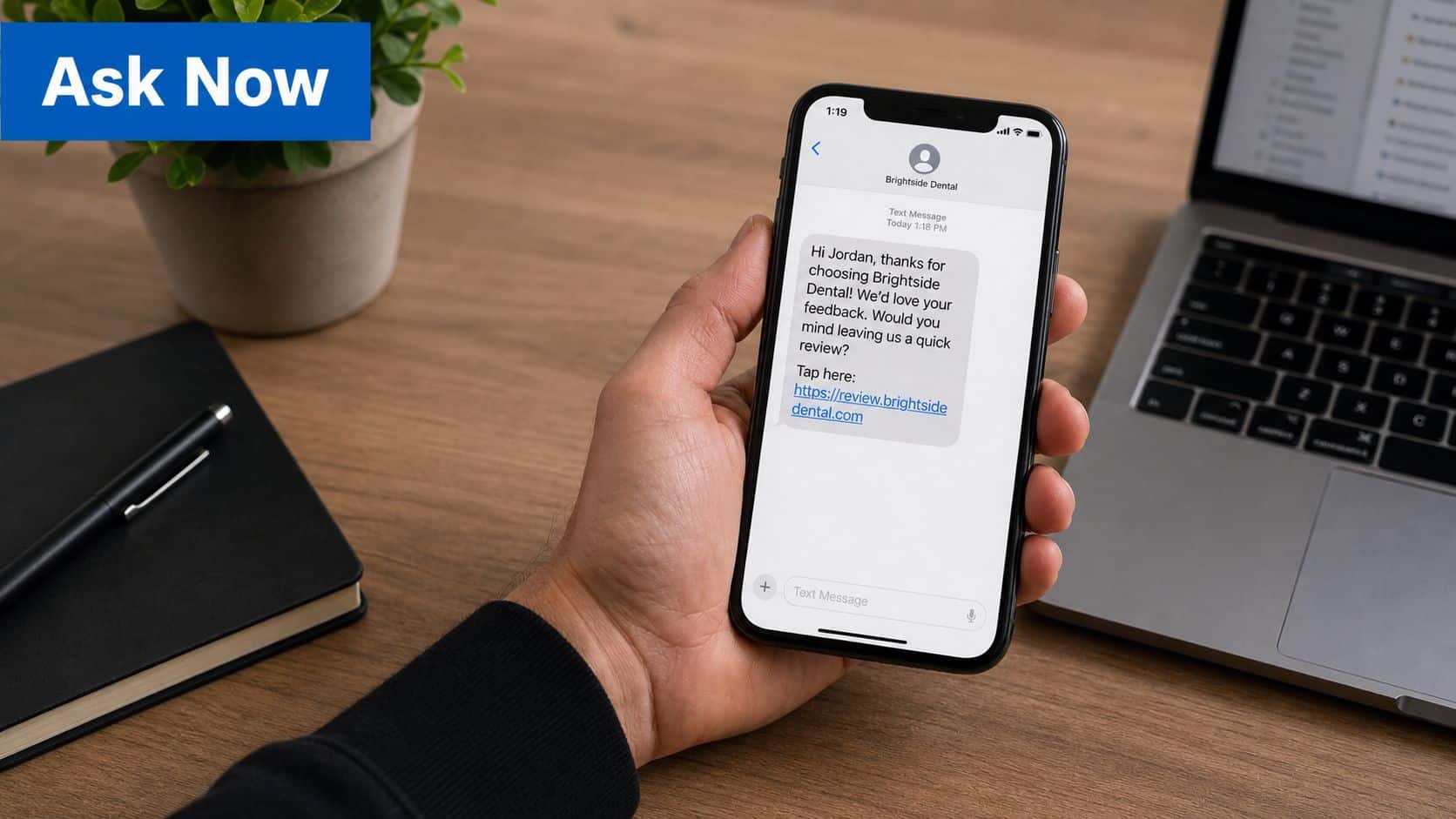
SMS and email copy that doesn't feel manufactured
SMS works because it's direct. The operational guidance in the field is to keep the text under 160 characters, send it during normal business hours, and include a direct review link so the customer doesn't have to hunt Brandastic's review-request guidance. That's a practical reason text can outperform email in many local flows, because the ask lands quickly and the action is obvious.
Two SMS examples that stay human:
- “Thanks again for choosing us, [Name]. If you have 30 seconds, would you leave a review here? [direct link]”
- “Glad we could help with [job]. If you're open to it, your feedback would mean a lot. [direct link]”
Email needs more breathing room, but not much. Use a short subject line, one primary button, and a single review destination. Don't give people three links, a paragraph of explanation, and a footer full of distractions. The whole point is to reduce decision fatigue.
Two email examples:
- Subject: “Thanks for trusting us”
Body: “We appreciated the chance to help with [job]. If you're willing, leave a quick review using the button below.” - Subject: “Quick feedback request”
Body: “Your experience helps other customers choose with confidence. Leave your review here, and we'll take it from there.”
QR, video, and a simple channel table
QR prompts belong in receipts, invoices, desk cards, and post-service handouts. They work best when the customer is already looking at a completed transaction or a finished job. The code should land directly on the review destination, not on a homepage that makes the customer figure out where to click next. A clean QR prompt is really a friction removal tool with a physical trigger.
A short owner-recorded video ask can work especially well in local services because the face and voice are familiar. Keep it brief, specific, and tied to the completed work. If the customer hears the same person who handled the job asking for feedback, the request feels earned.
HighLevel's marketing platform guide on HighLevel's marketing platform guide is useful if you're evaluating how to send these asks from one workspace instead of stitching together separate tools.
| Channel | Best length | Send window | Primary goal |
|---|---|---|---|
| SMS | Under 160 characters | Normal business hours | Fast response and direct click |
| Short subject, one CTA | After the milestone settles | More context with low friction | |
| QR on receipt | One line plus code | At checkout or handoff | Immediate action while the job is fresh |
| Short video ask | Under a minute | Right after completion | Add trust and a human face |
Building the Waterfall Automation
A waterfall sequence works better than sending email and SMS at the same time. The confirmed purchase or completed job starts the flow, the customer gets time to settle, and the reminder only appears if no review has been left. Industry guidance says sequencing reduces annoyance and cost while preserving conversion, which is what you want in a recurring reputation workflow Yotpo's review-collection guidance.
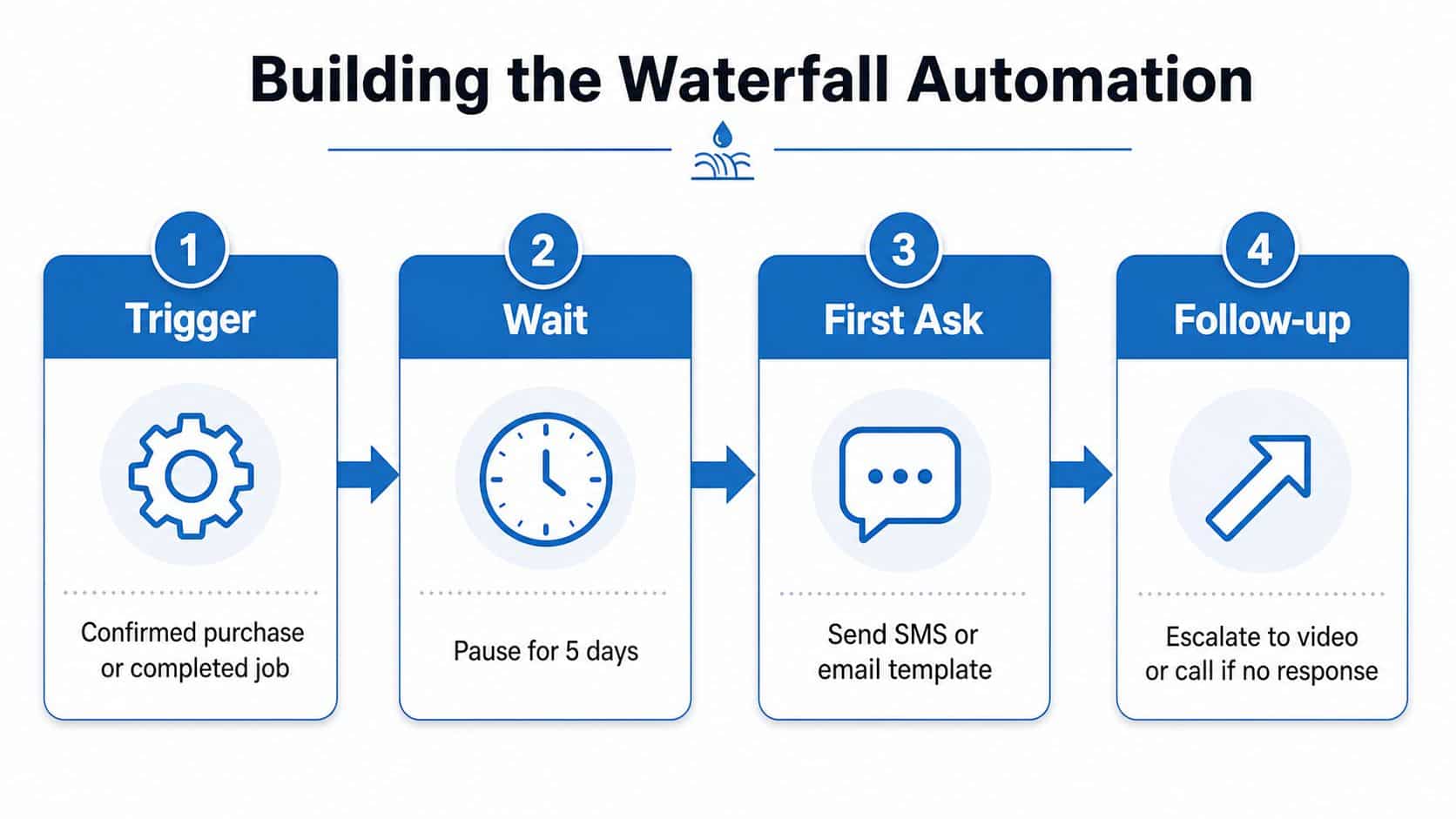
The workflow logic that actually holds up
Start with a trigger that only fires on a real completion event. Then insert a delay of about 5 days, send the review-request email, wait another 3 to 5 days, and only then send a single SMS reminder if no review has been posted. That sequence keeps the communication respectful and avoids the “we asked too soon and then asked again too loudly” problem.
In a workflow builder, keep the branches simple. If a review appears, stop the sequence immediately. If the customer signals dissatisfaction, route them to private resolution and remove them from the public-review ask. If the contact never engages, tag them for a later follow-up instead of hammering them every week.
Operational rule: the goal is not to maximize the number of messages. It is to maximize the number of clean, finished review paths.
A builder like HighLevel can handle this kind of logic because it centralizes triggers, delays, and contact actions in one place. The structure matters more than the brand name. You need a way to listen for the event, wait without human intervention, branch on review status, and stop the sequence once the outcome is known.
The branches that prevent mess
A lot of teams forget the “stop on success” step. That is how customers get asked twice after they already reviewed, which makes the business look disorganized. The same mistake happens when a negative experience triggers a public review request instead of a service recovery path.
A good funnel does three things after launch:
- It stops asking once the review is posted.
- It hands off unhappy customers to a private queue.
- It stores the outcome so future campaigns can filter correctly.
If you want to connect the workflow to broader payment, booking, or follow-up logic, find the right AI CRM matters only if it can support the review sequence instead of sitting beside it as another disconnected tool.
Replying With AI and Showing Off the Wins
A review request that worked well can still lose value if the public reply is weak. Customers read the response to decide whether the business pays attention, owns mistakes, and follows through. Leaving a review unanswered sends the opposite signal, especially when the page already has active competition from newer feedback.
AI can help with the first draft when the inbox gets busy, but the reply still needs a human shape. Pull one specific detail from the review, thank the customer by name if it is there, and keep the wording short enough that it sounds written by a person who read the message. Positive feedback usually needs a quick acknowledgment. Mixed or negative feedback needs a calm response that addresses the issue without sounding scripted.
“Thanks for mentioning the install team by name. We're glad the turnaround felt smooth, and we appreciate you taking the time to share it.”
That reply works because it shows the review was read closely. Generic language does not do that, and defensive language makes a public complaint look worse. The same discipline applies when the review is negative. A fast argument in public usually creates a longer thread and gives the original complaint more visibility.
For teams that want quicker routing and cleaner handoffs, AI chat for service businesses is a useful reference point for how conversational tools can support response workflows without taking over the human side. The goal is to cut the delay between a posted review and a useful reply, not to replace judgment.
Make the proof visible on the site
Review widgets belong on the homepage, service pages, and landing pages where prospects are already deciding. A widget turns isolated praise into active social proof, so the review does more work than it would sitting on a profile page alone. HighLevel includes review widgets as part of its reputation feature set, which lets you show that proof inside the same stack that handles requests and replies.
A simple AI-assisted reply pattern looks like this:
- Positive review: acknowledge the specific win, thank the person by name, and close politely.
- Neutral review: validate the experience, note the next step, and invite a private follow-up.
- Negative review: stay factual, avoid arguing, and move the conversation to service recovery.
The reply workflow only works if the system behind it is connected to the rest of the stack. For teams comparing tools, find the right AI CRM is useful when it helps tie review prompts, response routing, and customer records together instead of leaving each part in its own silo.
Staying Compliant and Ethical
The quickest way to damage a review program is to try to fake momentum. Buying reviews, staging them, or showing the request only to people you expect will leave praise can look efficient for a short stretch, then create a cleanup problem that lasts much longer. Keep the process open, consistent, and tied to real customer interactions, as noted earlier in the Google Business Profile Help.
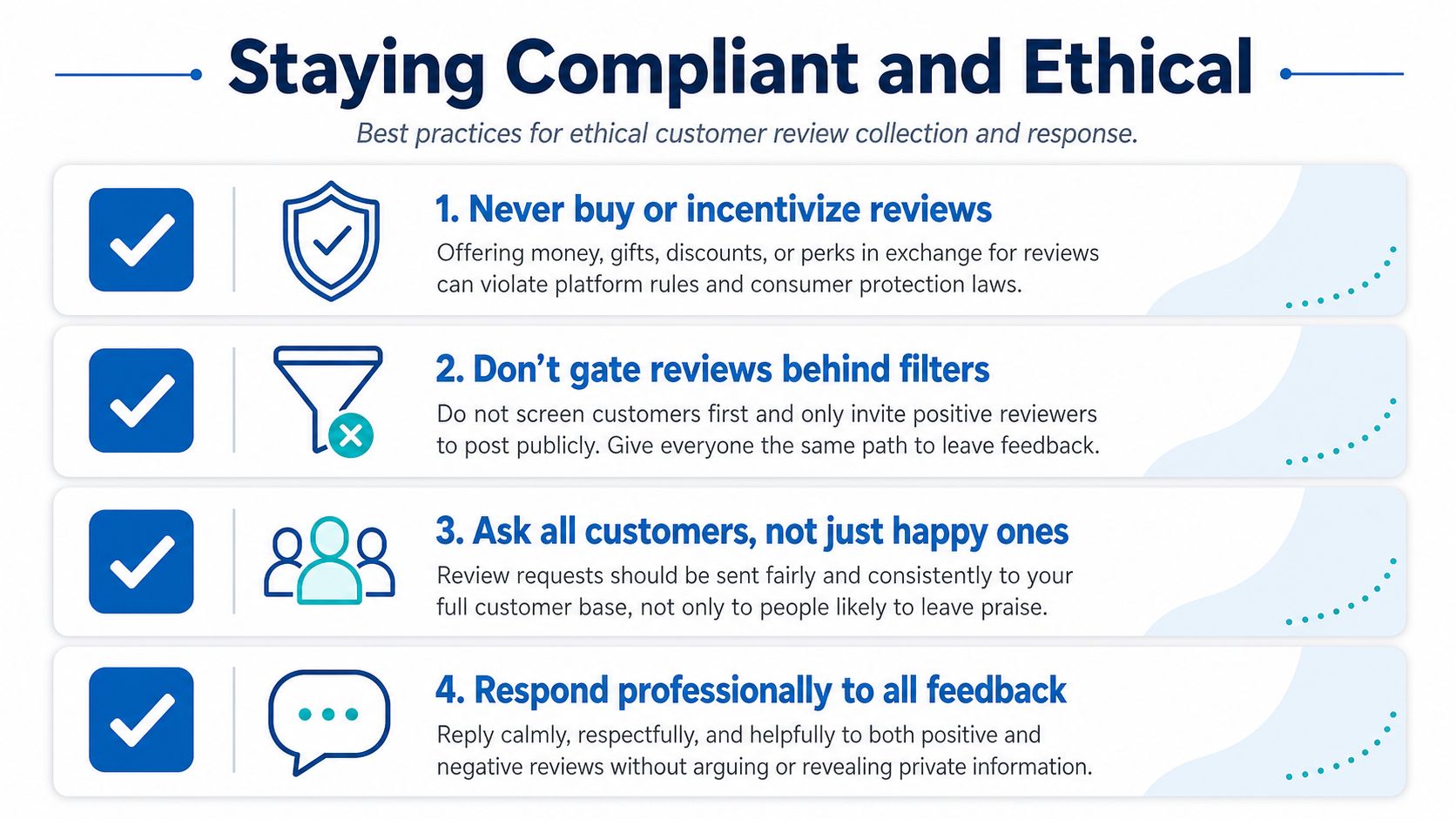
The clean playbook
A compliant program is plain, and that is the point. Ask after a real service event, use the same workflow for every customer, and never offer compensation in exchange for a review. Avoid gating, where unhappy feedback gets filtered out before it has a chance to go public.
A simple checklist keeps the process honest:
- Never buy or incentivize reviews. Keep the request voluntary and direct.
- Don't gate reviews behind filters. Let the full customer experience surface.
- Ask all customers, not just the happy ones. Consistency protects credibility.
- Respond professionally to all feedback. Public replies matter as much as volume.
What looks clever but backfires
Gift card drawings, employee review pushes, and kiosk-only flows can create the appearance of activity without building trust. They may create a short spike, but they also make the program harder to explain if anyone asks where the reviews came from. The slower path is steadier, and it usually holds up better because the review curve reflects real customers.
That matters because buyers can spot a manufactured profile. A smaller set of authentic reviews, answered well, is stronger than a fast stack of suspicious ones. The goal is not a trick. It is a process that can stand up to scrutiny and keep working when the team gets busy.
For teams that want quicker routing and cleaner handoffs, AI customer support automation can help manage response timing and follow-up without taking judgment out of the loop. Use it to keep the workflow moving, not to replace the human side of the reply.
Measuring and Optimizing the Program
A review funnel dies when nobody watches it. The weekly numbers that matter are simple, review requests sent, review conversion rate, and average star rating. Each one points to a different problem, so you don't need a giant dashboard to know what to fix.
Read the three numbers separately
If requests are low, the issue is upstream. The trigger didn't fire, the staff didn't complete the step, or the workflow never started. If requests are steady but conversion is weak, the problem is usually timing or friction. If conversion is fine but the average rating slips, the service experience itself needs attention, not the template.
That's where reporting tips for SMBs help when you're setting up a clean weekly review. The point isn't to drown in metrics. It's to notice changes fast enough to adjust the ask before the whole month is gone.
Tune one variable at a time
Refresh the subject line before you rewrite the whole email. Test the send window before you redesign the workflow. Swap the wording in the SMS before you rebuild the review page. Small changes are easier to interpret, and they won't bury the result under too many moving parts.
An AI support layer can help here too, especially if your team is already using AI customer support automation to handle repetitive follow-up and customer routing. The value is in reducing manual cleanup so the review sequence stays live without someone babysitting it every day.
A realistic rollout looks like this:
- First 30 days: launch the trigger, the email, and the single reminder.
- Next 30 days: refine timing, message length, and routing rules.
- By day 90: audit the replies, tighten exclusions, and lock in the winning template.
Once the system is running, the goal is consistency. The businesses that keep winning reviews aren't improvising every week, they're making small, measured changes to a process that already works.
HighLevel gives agencies and local businesses a single place to run the parts that matter here, review requests, workflows, inbox follow-up, and review widgets. If you want to centralize the review funnel instead of stitching it together across separate tools, visit HighLevel and see how the stack fits together.
