


An all-in-one marketing platform is a single software system combining CRM, email, SMS, automation, landing pages, funnels, and analytics in one unified dashboard. The market for that kind of system is projected to grow from USD 9.1 billion in 2025 to USD 18.5 billion by 2032, which makes the shift away from scattered tools look less like a trend and more like operating logic.
Table of Contents
- The Rise of the All-in-One Marketing Platform
- What Defines an All-in-One Marketing Platform
- Core Capabilities and Consolidation Benefits
- All-in-One Suites Versus Best-of-Breed Tools
- Ideal Users Agencies and Local Businesses
- How HighLevel CRM Delivers the Unified Model
- Final Takeaways on All-in-One Marketing Platforms
The Rise of the All-in-One Marketing Platform
The category is expanding because fragmented stacks are getting harder to defend. A market report projects the global all-in-one marketing platform market will rise from USD 9.1 billion in 2025 to USD 18.5 billion by 2032, an estimated 11.2% CAGR over the period, with historical coverage from 2020 to 2023 showing the category has already moved well beyond an early niche market report. That matters because it confirms buyers are moving toward systems that unify campaign execution, analytics, and customer engagement in one place.
A useful way to think about the category is simple. An all-in-one marketing platform combines CRM, email, SMS, automation, landing pages, funnels, and analytics in one dashboard, so teams aren't stitching together isolated tools just to move a lead through a basic journey category roundup. A separate guide on digital product platforms for SaaS and creators shows the same logic at work in adjacent software categories, consolidation wins when the business needs one system of record instead of several disconnected ones.
That's why HighLevel CRM is a useful reference model here. It sits inside the broader move toward unified systems, especially for agencies that want to centralize client communication, campaign execution, and follow-up without rebuilding the stack every time a new service is added. For readers comparing agency tooling, the broader ecosystem around the top agency software stack platforms helps explain why unified operations have become such a strong buying pattern.
The big idea is not just that platforms are adding features. It's that buyers now expect marketing software to behave like an operating system, not a pile of apps.
What Defines an All-in-One Marketing Platform
A useful way to define an all-in-one marketing platform is to start with what it does for daily operations. It brings CRM, email, SMS, automation, landing pages, funnels, and analytics into one working system, so a team can move a lead from first contact to follow-up without bouncing between disconnected apps category roundup. In adjacent software categories, the same pattern shows up again, consolidation works best when a business needs one system of record rather than several isolated ones, as the architecture guide suggests.
That's why HighLevel CRM matters as a reference point. It reflects the shift toward unified systems, especially for agencies that want to manage client communication, campaign execution, and follow-up in one place instead of rebuilding the stack each time a service line changes. For readers comparing agency tooling, the broader ecosystem around the top agency software stack platforms helps show why unified operations have become such a strong buying pattern.
The idea is bigger than feature rollups. Buyers increasingly expect marketing software to act like an operating system, where the parts share context and the workflow keeps moving without constant manual stitching.
Shared data is the true test
Modern platforms are defined by shared-data automation, where information moves between modules without middleware or brittle integrations. An action in one channel can trigger a response in another, and that is what turns a collection of tools into a working system. An email open can update a workflow, an SMS reply can move a pipeline stage, and an appointment completion can trigger the next follow-up automatically.
Practical rule: if your team has to export CSVs or use a zap just to keep the customer timeline current, you're probably using a bundle of tools, not a genuine unified platform.
It changes what the customer experiences. A lead replies to a text, the system can place that reply in the same conversation stream, advance the deal, and send a review request after the sale. That continuity matters more than convenience, because every handoff that breaks the thread creates a chance for the follow-up to stall.
Why the comparison helps operators
A Swiss Army knife can carry many functions, but it will not match every dedicated specialty tool. That trade-off matters, because the common problem for agency owners is rarely a lack of niche depth in one channel, it is the friction created by too many narrow tools that do not share context. A practical call tracking guide for agencies makes the same point in a narrower slice of the stack, because attribution breaks quickly when data lives in separate systems.
One AI marketing strategy guide from Samuel Woods on AI marketing frames AI the same way, as coordination across more of the workflow in fewer places, rather than another layer sitting on top of chaos.
The best mental model is straightforward. A real platform should let data move from capture to nurture to close to reactivation without the operator acting as the integration layer. If the software cannot do that, the dashboard may look unified, but the business process still is not.
Core Capabilities and Consolidation Benefits
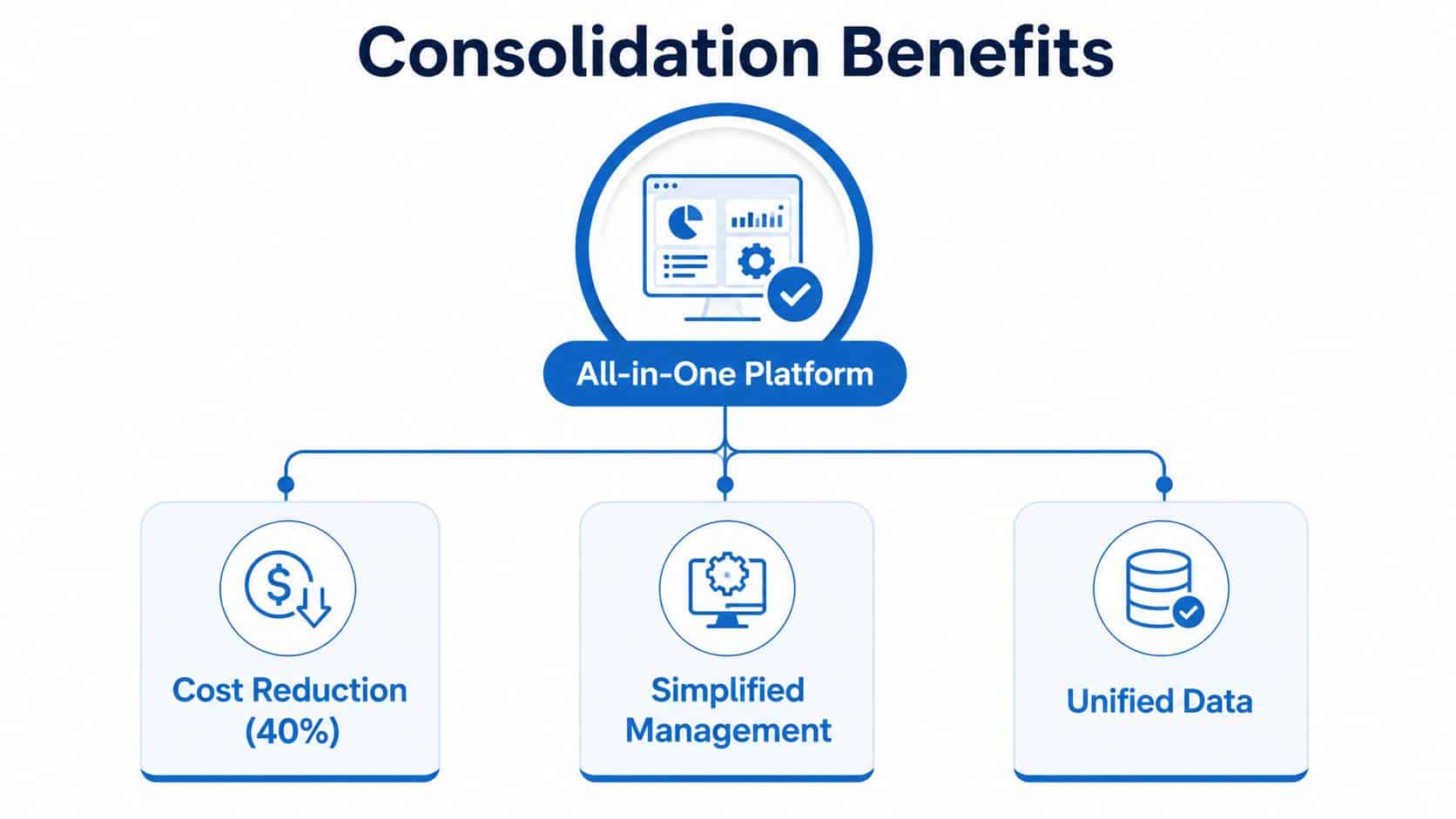
The clearest business case for consolidation is the mess it removes. One detailed guide notes that SMBs commonly juggle 12–20 separate SaaS tools for CRM, email, SMS, funnels, websites, scheduling, reviews, social planning, and AI agents stack consolidation guide. That's not just a software budget problem. It's a coordination problem.
What happens when one login replaces many
A single login reduces the places where context gets lost. It also cuts the number of times a team has to re-enter the same lead details, re-check the same record, or wonder whether the customer was already contacted by someone else. That matters because follow-up speed depends on how quickly a lead can move from inquiry to conversation without a handoff stalling in another app.
Several capabilities tend to matter most in practice:
- Unified inbox: keeps SMS, chat, and social replies in one place so reps don't jump across tabs.
- Funnel builder: connects landing pages and offers to the rest of the follow-up sequence.
- Automation workflows: move leads, customers, and tasks based on behavior, not manual reminders.
- Calendars and appointments: shorten the path from interest to booked call.
- Payments and proposals: reduce the back-and-forth between sales and billing.
The point of these features is not feature count. It's fewer breaks in the customer journey. A cleaner workflow usually means fewer integration failures, less duplication, and less time spent hunting for the latest version of a lead record.
Operational lens: when your tech stack is fragmented, every new lead creates more administrative work. When the stack is unified, the same lead can trigger the next task without an operator touching five different systems.
If you want a practical starting point, audit how many tools your team uses just to move a lead from first contact to closed deal. The call tracking guide for agencies is a useful reminder that phone activity, form fills, and text responses all belong in the same operational picture, not separate dashboards.
Why consolidation changes response speed
Context switching has a hidden tax. Every time a person leaves one system to check another, they lose momentum and often delay the next action. In an agency setting, that can mean a missed callback, a late proposal, or a stale lead that never gets a second touch.
A call tracking guide for agencies can help teams see why phone, SMS, and pipeline updates should be connected. The same logic applies to review requests, appointment reminders, and reactivation. Once those actions live inside one system, the team spends less time assembling the customer story and more time responding to it.
All-in-One Suites Versus Best-of-Breed Tools
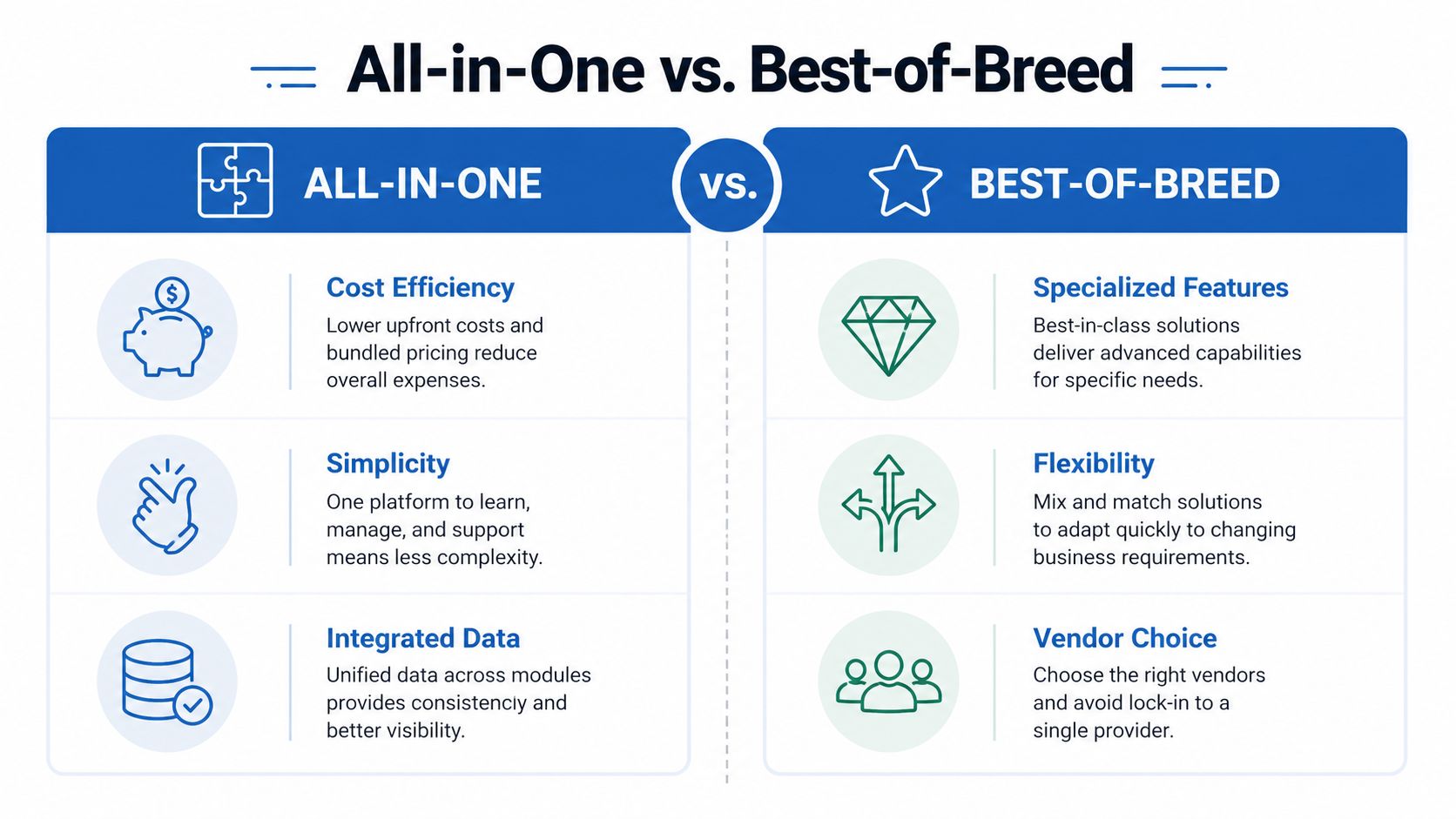
The choice is really unified context versus specialized depth. A best-of-breed stack can be the right answer when one channel carries most of the revenue risk and needs very specific controls. An all-in-one suite makes more sense when the business depends on handoffs between channels, because the customer journey has to stay intact from first reply through payment, follow-up, and retention.
When the unified model helps
The main advantage of an all-in-one suite is shared customer context. A buyer may text first, open an email later, book through a calendar link, and then ask a question in a social inbox before paying. If those touchpoints live in separate tools, someone on the team has to reconstruct the story by hand, like trying to follow one phone call across several disconnected notebooks.
That gets even more important as message volume grows. Bringing SMS, email, WhatsApp, Instagram DMs, Messenger, and live chat into one workspace can cut app switching, but it can also create a larger queue if the team has not defined who handles what, when, and in which order. The issue becomes service design, not just software count.
A practical way to judge the fit is to ask which pressure your team feels most:
- Cross-channel coordination, when the customer may reply in any channel.
- Feature depth, when one channel needs a very specific technical workflow.
- Team simplicity, when a small staff cannot maintain a fragile integration stack.
- Vendor flexibility, when the business prefers best-in-class tools in each lane.
When best-of-breed still makes sense
Specialized tools still matter when the use case is narrow and demanding. A team that lives inside one channel, or needs tight control over one workflow, may get more value from a point solution than from a broader suite. That tends to be true when operators already know how to maintain integrations, routing rules, and reporting layers without creating extra admin work.
For readers comparing options, a browse AI platform comparisons resource can help frame the decision more clearly. The key question is whether the team can run the feature set without losing response speed or visibility.
The HighLevel vs Kartra for agencies comparison is useful in the same way, because it shows how agency buyers weigh unified client operations against narrower platform trade-offs. A suite should remove friction. If it adds more work than it removes, the setup stops paying off.
Ideal Users Agencies and Local Businesses
A marketing agency and a local service business use the same kind of platform for different jobs. An agency may be juggling a roof repair client, a dentist, and a med spa in separate workspaces, each with its own calls, forms, campaigns, and reporting. A plumber or HVAC company may only care about one service area, but still needs every new lead, booking, reminder, and review request to stay in one track. Unified platforms fit both groups because they connect the front end of acquisition with the back end of retention in one workspace.

Two very different operating rhythms
An agency usually manages several client accounts at once. One client may need lead forms and appointment reminders, another may need review collection and reactivation, while the agency owner still wants clean reporting and separate inboxes for each account. In that setup, sub-accounts and white-label structure matter because the agency has to keep client data separated without turning operations into a patchwork of tools. That is one reason the category keeps showing up in agency software discussions, including HighLevel for plumbing contractors when local-service workflows are part of the mix.
A local business faces a different bottleneck. A missed call from a homeowner, a delayed text after an estimate request, or a forgotten follow-up after a first visit can mean lost revenue. For this kind of business, retention and reactivation matter just as much as lead capture, because the common gap is not only getting the first inquiry, it is staying in touch after the first job and bringing customers back when they are ready again.
A platform that only helps at the top of the funnel leaves service work unfinished. The sale is not really complete when the lead form is submitted, it is complete when the customer books, shows up, pays, leaves a review, and comes back.
That is why lifecycle automation deserves attention alongside acquisition. A long-standing retention principle from Bain says a 5% increase in retention can raise profits by 25% to 95%, which helps explain why follow-up systems matter so much in a unified stack retention guide. For agencies, the payoff often shows up as steadier client results and less churn. For local businesses, it shows up as fewer dropped handoffs after the first service call and more repeat work from the same customer list.
The HighLevel for plumbing contractors example is especially useful for companies that depend on booking, reminders, and follow-up to keep crews scheduled. A plumbing office may need new leads routed to the right person, estimate reminders sent automatically, and review requests triggered after the job closes. An agency managing that account may need all of those actions visible inside one client workspace, so the software choice is really about whether the platform can keep every customer touchpoint organized long enough to matter.
How HighLevel CRM Delivers the Unified Model
HighLevel CRM maps directly onto the unified model because it brings the core operating pieces into one system. Its published product scope includes a CRM and unified conversation inbox across SMS, Messenger, Instagram DM, WhatsApp, and live chat, plus website and funnel building, workflows, calendars, reputation management, and a mobile app for on-the-go work. It also positions itself around an agency structure with unlimited client accounts on the Unlimited plan and a fixed monthly ceiling of no more than $497 per month in the product review cited here product review.
Where the pieces fit
The value is in the way those modules connect. A lead can come in through a form, land in the CRM, get routed into a workflow, receive a booking link, and then get a reminder sequence without the team exporting anything. After the sale, the same system can handle review requests, reactivation broadcasts, and mobile follow-up from a single conversation stream.
That's a practical interpretation of the broader platform definition in the earlier sections. HighLevel is not just a place to store contacts. It is built to reduce the handoffs between capture, nurture, close, and retention.
The platform's mix of paid calendars, Text-2-Pay, reputation management, and broadcast campaigns makes it easier to connect revenue actions to the customer lifecycle instead of treating them as separate tools. For agency owners, the appeal is not just centralization. It's the ability to service multiple accounts without paying for every seat or rebuilding the stack every time the business adds another client.
Why the mobile-first angle matters
A lot of software looks unified until the team leaves the desk. HighLevel's mobile-first approach changes that because inbox work, appointment management, and follow-up can keep moving outside the office. That matters in real agency and local-business environments, where missed calls, late replies, and delayed review requests often happen away from the laptop.
The for agency workflows framing is useful because it puts the product in a real operating context, not just a feature checklist. If your team cares about one system handling lead capture, communication, booking, and retention, that is the right lens to use.
Final Takeaways on All-in-One Marketing Platforms
An all-in-one marketing platform is not just a bundle of features. It is a structure for keeping customer data, communication, and automation in one place so the business can move faster with fewer gaps. The market growth, the rise in automation adoption, and the shift toward shared-data architecture all point in the same direction, unified systems are becoming core infrastructure, not a nice-to-have.
The decision framework is straightforward. Count your tools. Map your channels. Find the places where leads go stale, reviews never get asked for, or past customers never get reactivated. If your stack depends on too much manual stitching, the problem is probably architectural, not tactical.
For agencies, the best test is whether a platform can manage multiple client accounts without turning the team into integration support. For local businesses, the test is whether the system can support the full customer lifecycle, including follow-up, booking, payment, reputation, and reactivation. If it only helps at the front end, it's not really unified.
The strongest platforms reduce switching, but they also reduce ambiguity. Everyone can see the same customer story, and that's what makes the workflow easier to run.
If you're evaluating how a unified platform could simplify lead handling, follow-up, booking, and retention, take a closer look at HighLevel. It brings those pieces into one workspace for agencies and service businesses that want less tool switching and more lifecycle control.
