


You're probably in the middle of a familiar agency headache right now. Sales is living in one app, delivery is in another, invoices are somewhere else, and client follow-up is happening across inboxes, chats, and half-finished spreadsheets. That fragmentation doesn't just feel messy, it makes it harder to protect retainers, spot churn risk, and keep every handoff visible.
The best CRM for agencies isn't always the one with the longest feature list. The right choice depends on whether you need an all-in-one operating system, a sales-first pipeline tool, a marketing automation engine, or a white-label client platform. That matters because the CRM market is already concentrated, with the top 10 vendors holding 54.2% of global market share in 2024, and the market reaching $80 billion that year, which is a sign that platform stability and ecosystem depth matter as much as raw features for long-term agency use, according to the 2024 CRM market forecast.
This guide keeps the focus practical. You'll see which platform fits which agency profile, where each one shines, where it can create friction, and how to think about migration so you don't trade one messy stack for another. For context on agency customization needs, see Tailoring CRM for agencies and clients.
Table of Contents
- 1. HighLevel
- 2. HubSpot CRM and Customer Platform
- 3. Zoho CRM and Zoho CRM Plus
- 4. Pipedrive
- 5. ActiveCampaign
- 6. Keap
- 7. SharpSpring by Constant Contact
- 8. Vendasta
- 9. monday sales CRM
- 10. Bitrix24
- Top 10 CRMs for Agencies, Quick Comparison
- Next Steps Finding Your Perfect CRM
1. HighLevel
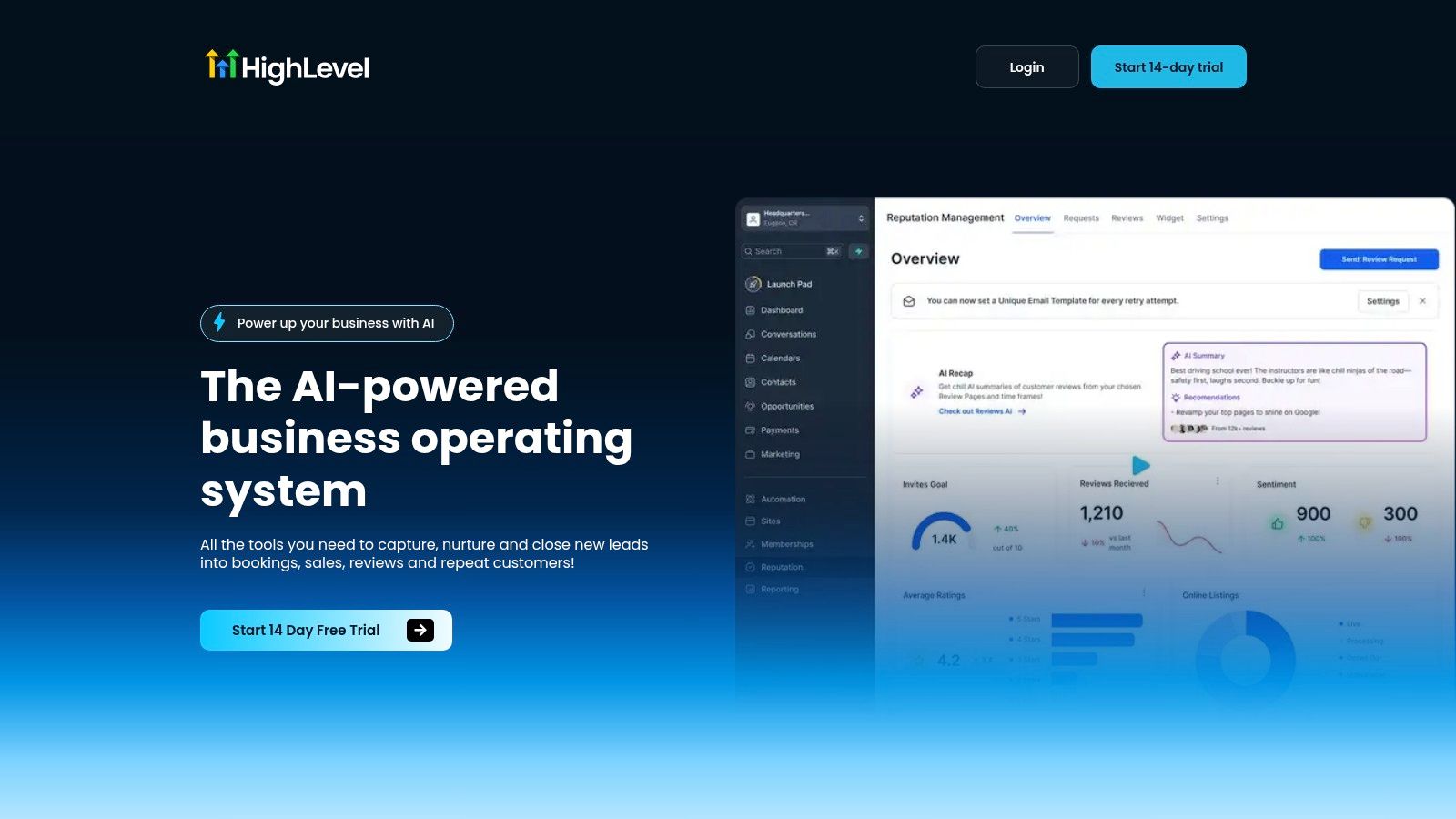
HighLevel is built for agencies that are tired of stitching together separate tools for follow-up, bookings, payments, and reputation management. Its core appeal is simple, it pulls CRM, messaging, automation, funnels, calendars, invoicing, and reviews into one mobile-accessible workspace, which makes it a strong fit for teams that want fewer handoffs and less context switching.
Why agencies choose it
The platform's agency-first structure matters. HighLevel includes a unified conversation inbox across SMS, Messenger, Instagram DM, WhatsApp, and live chat, plus unlimited sub-accounts on the Unlimited plan and unlimited contacts in published plans. It also supports Text-2-Pay, Tap-2-Pay, paid calendars, memberships, one-click upsells, and automated review requests, so it goes far beyond a traditional lead database. The company also publishes a 14-day free trial and two plans, Starter at $97/month and Unlimited at $297/month, which helps smaller firms test before they commit.
Practical rule: If your agency is paying for separate tools for inbox, booking, payments, and review management, HighLevel is strongest when consolidation matters more than best-of-breed flexibility.
The platform's AI positioning also stands out. HighLevel embeds AI across conversations, voice, reviews, and content, which can shorten the time between a new lead, a follow-up, and a booked appointment. For agencies selling retainers or recurring services, that matters because the faster you respond and route a lead, the less likely it is to stall.
Best fit and buying checklist
HighLevel is a good match for digital agencies, local service agencies, and white-label operators that want one system to manage lead capture through reactivation. It's less compelling if you only need a simple CRM and already have strong tools for automation, billing, and client communication.
Before buying, check these points:
- Sub-account structure: Confirm how you'll isolate clients, brands, and permissions.
- Rebill model: Review phone and email rebilling rules if you plan to white-label.
- Workflow depth: Test how easily you can clone automations across clients.
- Support expectations: Use the trial to evaluate onboarding and the 24/7 support experience.
- Migration scope: Map existing booking, payment, and inbox tools before moving data.
Website, HighLevel
2. HubSpot CRM and Customer Platform
HubSpot stays on shortlists because agencies know clients already recognize it, and that familiarity lowers adoption friction. The platform spans Marketing, Sales, Service, Content, and Data Hubs, so it's often a strong fit for agencies that need one ecosystem for campaign execution, pipeline visibility, and service handoff.
Where it fits best
For digital agencies, the appeal is the combination of a broad ecosystem and a mature partner program. HubSpot is one of the most relevant CRMs for agencies because of its automation capabilities, scalability, and integrations, and its Professional and Enterprise plans now include a custom report builder that can measure one or multiple campaigns, a useful addition for agencies that need better campaign-level reporting than many general CRMs offer. That report builder arrived in October 2024, which signals that HubSpot is still refining agency-specific analytics features, not just sales tooling, according to the HubSpot agency CRM guide.
HubSpot works especially well when the client wants to see a familiar platform and your team needs a common system across marketing and sales. The tradeoff is that the platform can become expensive as you add seats, hubs, and contacts, so the budget conversation has to happen early.
What to watch before you migrate
HubSpot is usually a better fit for mid-market and enterprise-leaning agencies than for small teams that want a lean operational stack. It's strong on ecosystem depth, but it's not designed to be an all-in-one delivery system in the same way some agency operating systems are.
- Budget model: Check how seats and marketing contacts affect total cost.
- Implementation plan: Expect onboarding and enablement work if you want the platform fully configured.
- Client familiarity: Use that familiarity as a selling point if clients will collaborate inside the CRM.
- Reporting needs: Test whether the campaign-level reporting is enough before you commit.
For agencies that want to pair HubSpot with texting workflows, see HubSpot client texting strategies.
Website, HubSpot
3. Zoho CRM and Zoho CRM Plus
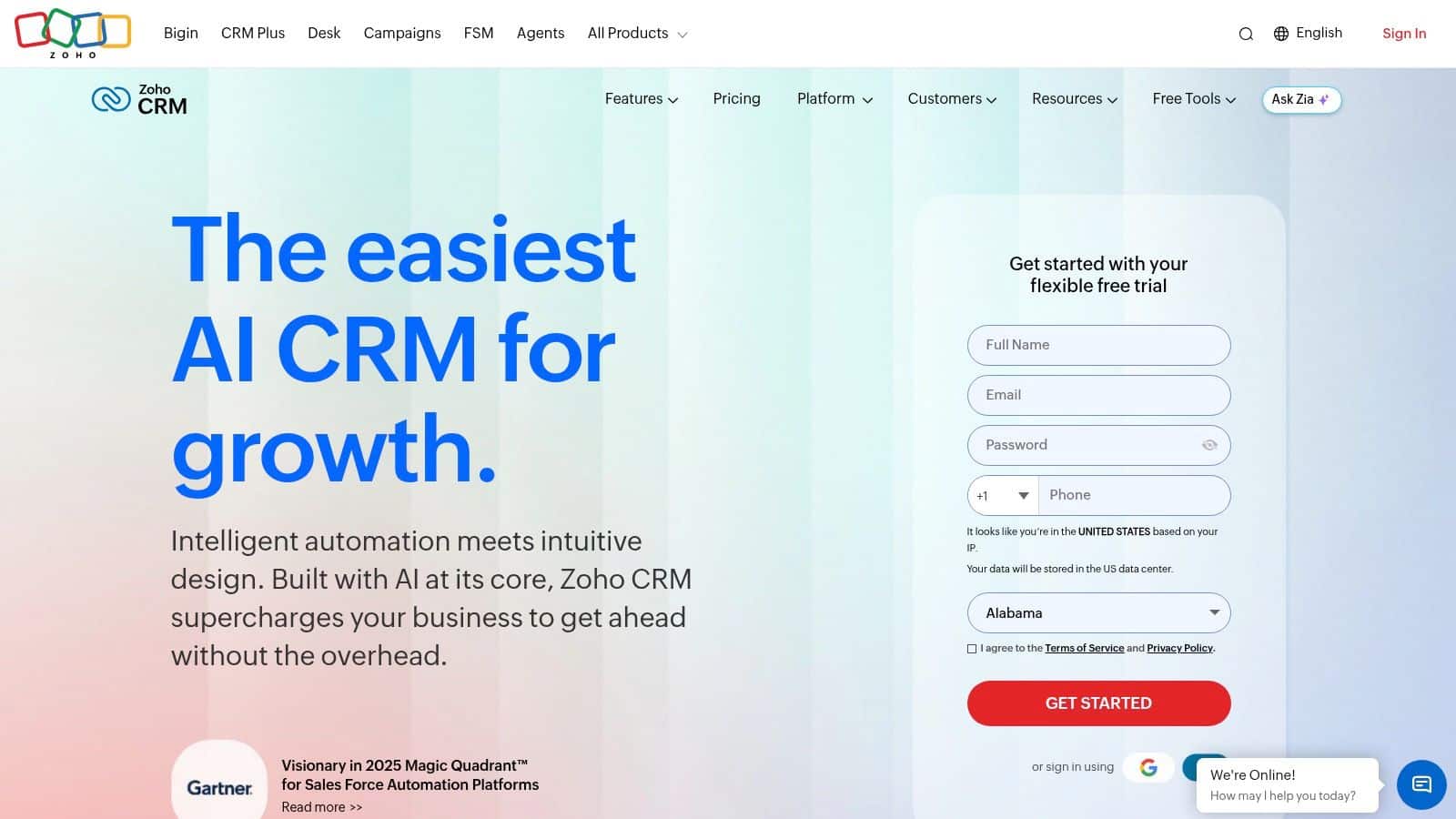
Zoho is the pragmatic choice for agencies that want breadth without jumping straight into a premium enterprise stack. It combines deep customization, suite bundling, and a wide app family, which makes it especially appealing for agencies serving SMB clients that need multiple connected tools but still care about predictable value.
Why it stands out for agencies
The strongest reason to look at Zoho is flexibility. Higher tiers support tools like Blueprint, territories, and sandbox, and the broader Zoho ecosystem can cover help desk, projects, and finance needs without forcing you into separate vendors. For agencies, CRM Plus is especially interesting because it bundles multiple apps for one price, which can simplify procurement and reduce the number of tools you need to manage.
That matters in agencies where each client's setup is slightly different. Instead of forcing every workflow into one rigid sales process, Zoho gives teams room to design around lead routing, service delivery, and post-sale management. The tradeoff is administrative overhead, because more configuration usually means more internal ownership.
Ideal profile and buying checklist
Zoho fits SMB and mid-market agencies that value a strong price-to-feature balance and can tolerate some setup work. It's a good option when you want a broader business system, not just a contact database.
Buying rule: Choose Zoho when you want customization, but only if someone on your team can own the setup instead of expecting the software to stay simple on its own.
Check these items before you migrate:
- Edition mapping: Verify which features are locked behind higher bundles or tiers.
- Admin ownership: Assign someone to handle modules, workflows, and permissions.
- App overlap: Review whether CRM Plus replaces other apps you already pay for.
- User training: Plan for onboarding, because depth can slow first-time adoption.
Website, Zoho CRM
4. Pipedrive
Pipedrive is the cleanest sales-first choice in this list. Agencies often like it because it strips the CRM down to the essentials, visual pipelines, activity tracking, goals, and forecasting, which makes it easy to roll out quickly without a long training cycle.
Why lean agencies keep picking it
The product's strength is speed. If your team mainly needs to track deals, follow-ups, and next steps, Pipedrive is a natural fit because the interface stays focused on pipeline movement rather than sprawling operational complexity. It also offers LeadBooster and other add-ons for lead capture, so you can extend it when the sales process grows more complex.
That said, the simplicity cuts both ways. Pipedrive is not the best choice if you need deep marketing automation or a full client lifecycle system in one place. For agencies managing complex B2B2C setups, service delivery handoffs, or recurring revenue workflows, the core model can feel too narrow.
Best fit and migration tips
Pipedrive fits small to mid-sized agencies, sales-heavy boutiques, and teams that need a fast CRM rollout with minimal admin. It's especially useful if you're replacing spreadsheets or a cluttered inbox with a single pipeline view.
- Pipeline design: Keep stages simple at launch so reps use the system.
- Add-on review: Test whether the extra tools you need make the total stack too expensive.
- Forecast fit: Confirm that the forecasting view gives leadership enough visibility.
- Automation scope: Decide early whether native workflows are enough or if you'll need integrations.
For agencies comparing different pipeline approaches, Pipedrive is often the most straightforward path, but not the deepest one. Its website is Pipedrive.
5. ActiveCampaign
ActiveCampaign sits between email automation and CRM, which makes it a strong candidate for agencies that sell lifecycle marketing rather than just pipeline management. Its real strength is segmentation and journey building, not a heavyweight sales suite.
Where it earns its place
Agencies that manage nurture sequences, re-engagement campaigns, and multi-step customer journeys will appreciate the visual automation builder, site and event tracking, and lead scoring. The platform also includes an Agency/Reseller program, which helps if you manage multiple client accounts and need multi-account workflows. That makes ActiveCampaign particularly useful for agencies that live in email strategy, funnel optimization, and behavioral automation.
The downside is that it's still marketing-centric. If your agency needs strong sales ops, complex account structures, or deeper pipeline governance, you may outgrow the native CRM layer. Pricing also scales with contact growth, so agencies with aggressive list expansion need to model that carefully before they commit.
Buying checklist for the right fit
ActiveCampaign is best for journey-based agencies, email-first retainers, and teams where nurture quality matters as much as deal tracking. It's less ideal if your sales team wants a classic CRM with advanced revenue operations features.
Practical rule: Use ActiveCampaign when the client value comes from automation and personalization, not when the agency needs one system to manage every operational function.
Review these points before buying:
- Contact growth: Estimate how list expansion changes your cost profile.
- Sales-process fit: Confirm whether the CRM layer is enough for your team.
- Multi-account handling: Test how the agency portal supports client separation.
- Send discipline: Make sure your team can manage email and SMS usage cleanly.
Website, ActiveCampaign
6. Keap
Keap is built for smaller agencies and local-service businesses that need follow-up, billing, and scheduling in one place. It combines marketing automation, invoicing, payment collection, and appointment management, which is attractive when the agency is helping clients book and close work quickly.
Why it works for service-heavy agencies
The platform makes the most sense when the operational pain is simple but repetitive. If a client business needs reminders, quotes, invoices, and basic pipeline tracking, Keap can reduce the number of moving parts without forcing a large implementation project. That makes it a better fit for non-technical teams than more complex suites.
Its main limitation is scale. Agencies with multi-brand structures, richer reporting needs, or more complex account governance may find the platform too narrow. Text and voice usage also needs attention if the included allotments don't match actual client communication volume.
Selection criteria that matter
Keap suits local service agencies, solo operators, and small teams that want an easy all-in-one system without enterprise overhead. It's often strongest when the goal is faster response, simpler billing, and fewer disconnected tools.
- Client workflow fit: Confirm that quotes, invoices, and reminders cover the full service cycle.
- Communication usage: Review text and voice allotments before launch.
- Reporting needs: Check whether reporting depth matches leadership expectations.
- Multi-brand limits: Make sure the structure works if you manage more than one client business.
Website, Keap
7. SharpSpring by Constant Contact
SharpSpring has long appealed to agencies because it's positioned around white-labeling, automation, and a consolidated marketing stack. That makes it a practical option when your agency wants to present a branded platform experience to clients.
Where it makes sense
The appeal is operational and commercial. You get marketing automation, email, CRM, and landing pages in one system, and the white-label model supports resellers who want to package services under their own brand. For agencies building recurring revenue around retainers and managed services, that can be a meaningful advantage.
The caution is straightforward. Public pricing is less transparent than some alternatives, so you'll need a sales conversation to understand the full commercial picture. Community feedback can also be mixed after acquisition changes, which means due diligence matters more here than with a more standardized platform.
Who should consider it
SharpSpring is best for agencies that sell white-labeled marketing services and want a consolidated workflow around automation and client management. It's less attractive if you want fully public pricing or a highly polished, modern product journey out of the box.
Buying rule: Don't buy SharpSpring just because it sounds agency-friendly. Validate support, onboarding, and pricing terms before you sign.
Before you decide:
- Branding needs: Verify how much of the experience you can white-label.
- Pricing clarity: Get full commercial details in writing.
- Support quality: Test response speed before migrating clients.
- Workflow overlap: Compare its automation stack against the tools you already use.
Website, SharpSpring
8. Vendasta
Vendasta is less a traditional CRM and more a white-label agency business platform. It helps agencies sell, fulfill, and manage branded services, which makes it appealing to firms that want revenue beyond pure client services.
Why agencies look at it
Vendasta's value comes from combining a white-label CRM, a client portal, a marketplace of resellable products and services, and built-in fulfillment. That means an agency can package recurring offers without building every service internally, which can be strategically useful when you want to grow account value without increasing delivery complexity at the same pace.
The financial side needs careful attention. Pricing and margin structure can get complicated, especially once you factor in partner tiers and white-label services. For smaller agencies, that can create more operational risk than it removes, so the business model needs to be modeled before the software decision.
Best fit and buying checklist
Vendasta fits agencies building a branded service marketplace, local marketing firms, and resellers that want a faster path to recurring revenue. It's not the right choice if you only need a CRM for pipeline management.
- Margin modeling: Calculate what you keep after fulfillment and platform costs.
- Offer strategy: Decide which services you'll resell and which you'll fulfill yourself.
- Brand control: Test the client portal and white-label experience.
- Operational load: Confirm that the fulfillment model lowers, not increases, your team's burden.
Website, Vendasta
9. monday sales CRM
monday sales CRM works well when your agency wants a CRM that feels like a work board, not a rigid sales system. The platform's board-based model makes it useful for teams that need to see sales and delivery together.
Why the board model helps agencies
The big advantage is visibility. Because monday sits inside a broader work operating system, agencies can connect pipeline tracking with tasks, projects, and internal handoffs in a way that feels natural to non-sales teams. That makes it strong for service businesses where sales and delivery teams need to stay aligned from proposal through execution.
Its weakness is depth. You may need apps or integrations for richer marketing automation or more advanced revenue operations. Per-seat pricing can also scale quickly as the team grows, so it's important to inspect plan gates before rollout.
Ideal profile and migration notes
monday sales CRM is a smart fit for small creative agencies, service teams, and operations-heavy shops that want one interface for pipeline and project visibility. It's a less obvious fit for agencies that need a sophisticated marketing stack inside the CRM itself.
- Seat cost: Model total spend as the team expands.
- Board design: Build simple views that sales and delivery both understand.
- Automation limits: Check what's native and what will require integrations.
- Workflow handoff: Test how well deals turn into delivery work.
Website, monday sales CRM
10. Bitrix24
Bitrix24 is one of the most budget-friendly broad platforms in the group, especially because it includes a free edition that supports unlimited users. That alone puts it on the radar for agencies that need a wide feature set without a high entry cost.
Why budget-focused agencies consider it
Bitrix24 combines CRM, telephony, chat, quotes, invoices, automation, tasks, and collaboration in a single system. The platform also uses flat-price tiers rather than strict per-seat pricing on higher plans, which can make budgeting more predictable for agencies with growing teams.
The tradeoff is usability. A broad feature set can create a steeper learning curve, and advanced telephony or other capabilities may sit behind paid tiers. If your team values simplicity over breadth, this may feel heavier than it needs to.
Best use case and buying checklist
Bitrix24 is strongest for SMB-focused agencies that want a wide toolset and are comfortable with a more complex interface. It can also make sense if you need collaboration, CRM, and telephony bundled together at a lower entry cost.
- Free-plan fit: Test whether the unlimited-user edition covers your core needs.
- Feature depth: Verify which capabilities are available before upgrade pressure starts.
- Usability test: Have actual users try the interface, not just admins.
- Regional support: Check ecosystem and support coverage for your market.
Website, Bitrix24
Top 10 CRMs for Agencies, Quick Comparison
| Product | Core capabilities | UX / Quality (★) | Value / Pricing (💰) | Target & USP (👥 ✨) |
|---|---|---|---|---|
| 🏆 HighLevel | CRM + unified convo inbox, funnels, automation, calendars, payments, reputation, Conversation AI | ★★★★★, mobile-first, 24/7 support | 💰 Starter $97 / Unlimited $297 · unlimited contacts · no-markup rebill | 👥 Agencies & SMBs · ✨ AI-native automations, unlimited sub-accounts, consolidated comms |
| HubSpot CRM & Platform | CRM + Marketing/Sales/Service hubs, reporting, integrations, content tools | ★★★★☆, polished, enterprise-ready | 💰 Can be costly at scale (seats & marketing contacts) | 👥 Mid-market & enterprise · ✨ end-to-end hubs, large partner ecosystem |
| Zoho CRM / CRM Plus | CRM with deep customization, CRM Plus bundles, CPQ, sandbox | ★★★★, flexible but admin-heavy | 💰 Strong price-to-feature ratio; bundle pricing | 👥 SMBs & mid-market · ✨ wide native app family, predictable multi-app bundles |
| Pipedrive | Sales-first pipelines (Kanban), activity tracking, add-ons (LeadBooster) | ★★★★, simple, fast onboarding | 💰 Transparent, affordable tiers | 👥 Sales teams / lean agencies · ✨ intuitive pipelines, rapid deployment |
| ActiveCampaign | Email/SMS automation + CRM, visual journeys, segmentation, lead scoring | ★★★★, powerful automations UX | 💰 Pricing scales with contact counts | 👥 Lifecycle marketers & agencies · ✨ advanced personalization & journey building |
| Keap | CRM + automations, quotes/invoices, Text-to-Pay, appointments | ★★★, SMB-friendly, easy onboarding | 💰 Mid-range; text/voice overages possible | 👥 Local services & small businesses · ✨ integrated billing + texting for local workflows |
| SharpSpring (by Constant Contact) | Marketing automation, email, CRM, landing pages, white-label options | ★★★, agency-oriented, mixed reviews | 💰 Agency pricing; less transparent publicly | 👥 Agencies & resellers · ✨ white-label packaging and agency-focused features |
| Vendasta | White-label CRM, marketplace, billing, fulfillment, resell catalog | ★★★, multi-product complexity | 💰 Partner-tier pricing; margin complexity | 👥 Agencies building resell offerings · ✨ branded marketplace + fulfillment |
| monday sales CRM | Board-based CRM on Work OS, automations, dashboards, cross-team visibility | ★★★★, highly configurable UI | 💰 Per-seat pricing; flexible monthly/annual | 👥 Teams needing CRM + operations · ✨ CRM + project/work management in one |
| Bitrix24 | CRM + telephony, chat, tasks, collaboration; free edition & flat plans | ★★★, broad feature set, steeper learning | 💰 Low-cost / flat pricing · free tier with unlimited users | 👥 SMB-focused agencies · ✨ free edition, integrated telephony & collaboration |
Next Steps Finding Your Perfect CRM
The best way to choose the best CRM for agencies is to match the tool to your actual agency model, not to the marketing copy. If you’re fighting tool sprawl, start by looking at all-in-one platforms like HighLevel or Bitrix24. If your team is sales-led and wants quick adoption, Pipedrive is easier to roll out. If your agency lives in nurture and lifecycle marketing, ActiveCampaign makes more sense. If client familiarity and ecosystem matter most, HubSpot stays hard to beat.
Use a simple buying checklist before you sign anything. Confirm whether the platform can handle your current pipeline, whether it supports the handoff between sales and delivery, and whether you’ll need extra tools for invoices, bookings, reviews, or SMS; agencies often spend heavily on fragmented stacks. One industry estimate says agencies spend an average of $1,200/month on disconnected tools, with 40% of that budget wasted on integration maintenance and context switching, which is why a unified platform can be financially compelling if it replaces multiple point solutions, according to Campaign Monitor’s agency CRM comparison.
Migration should be boring, not heroic. Clean your data first, remove duplicates, and keep your first workflow version simple. Map one pipeline, one reporting view, and one handoff process before you expand into automation and advanced segmentation. That approach reduces the risk of overbuilding a system nobody uses.
Practical rule: The winning CRM is the one your team updates every day, not the one with the most impressive demo.
If you want to move fast, start free trials with your top two choices and test the same real agency workflow in both, lead capture, follow-up, appointment booking, and client handoff. If consolidation is your priority and you want an agency-first system built around automation, bookings, payments, and client communication, start with HighLevel and compare it against your current stack today.
