


You're probably staring at a gift card idea that sounds simple on paper and messy in practice. Maybe customers keep asking for gift cards, maybe you want a cleaner way to sell prepaid service, or maybe you're trying to turn one-off buyers into repeat buyers without adding another app to your stack. The mistake is jumping straight into design and checkout before deciding what the card is supposed to do.
A gift card is not just a nice add-on. In the U.S., it sits inside a huge market, with $200 billion in sales in 2023 and a projection of $214 billion in 2024, rising to $267 billion by 2028, according to WalletHub's 2024 gift card statistics. That scale matters because you're not building a novelty, you're building a payment and activation asset that customers already understand.
Table of Contents
- Why You Are Creating a Gift Card in the First Place
- Designing the Card Product Before You Build Anything
- Wiring Payments, Order Forms, and Automated Delivery in HighLevel
- Pricing, Expiration Rules, and Redemption Policy
- Marketing and Distribution Tactics That Actually Sell Cards
- Redemption UX, Where Most Gift Card Programs Quietly Fail
- Your 30-Day Gift Card Launch Checklist
Why You Are Creating a Gift Card in the First Place
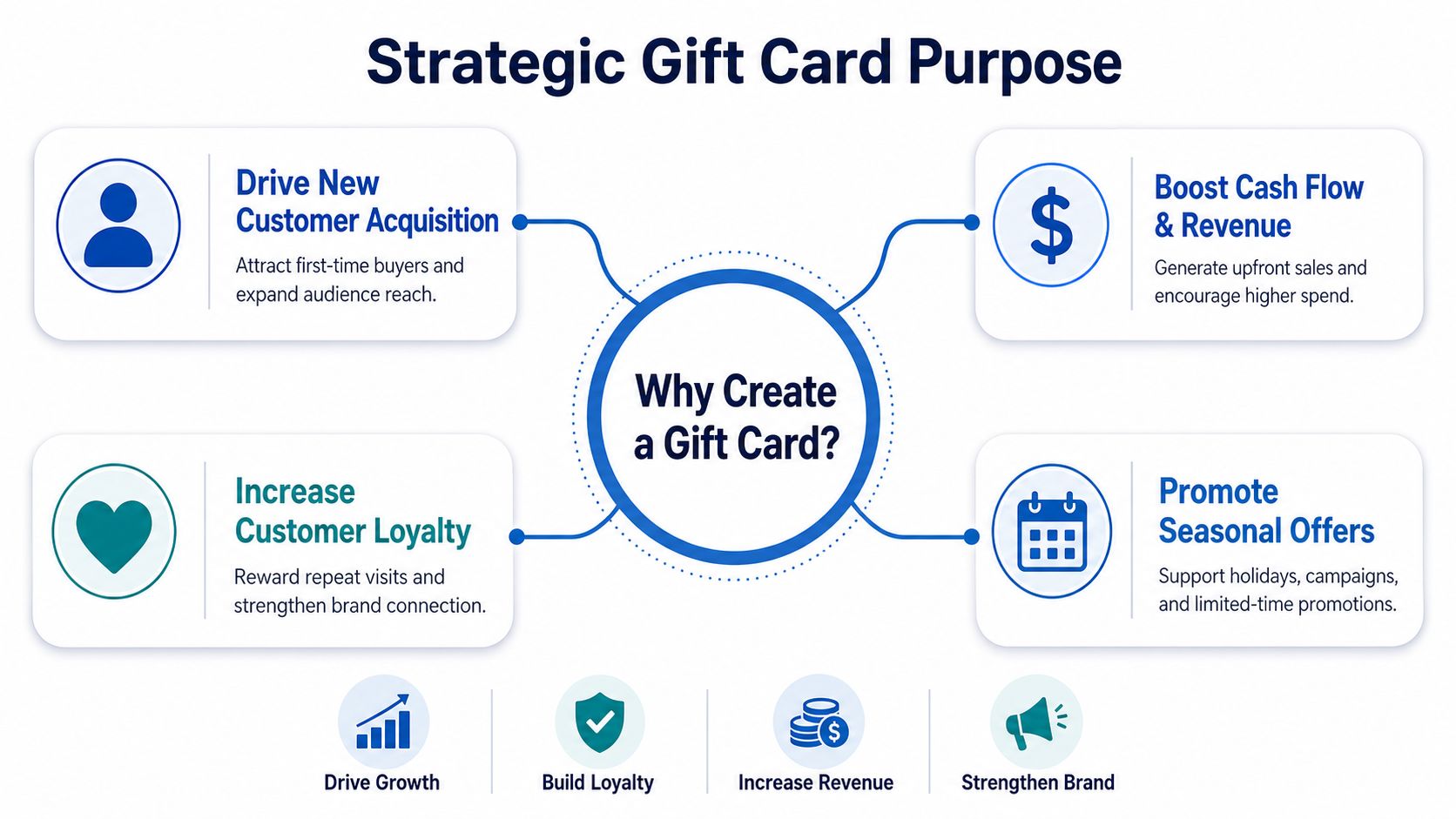
The operators who get this right do not start with design software. They start by deciding what the card is supposed to do. It should pull in new buyers, smooth cash flow, reactivate old customers, or push seasonal volume. If you skip that decision, you end up with a nice-looking card that does the wrong job.
The modern gift card is a retail invention, not a timeless checkout staple. Smithsonian Magazine notes that Neiman Marcus first used gift cards in 1994, Blockbuster scaled them in 1995, and an AEA paper identifies Mobil Oil as the first retail gift card recorded on a magnetic strip in 1995. That history matters because the category came out of payments technology, not tradition. Adoption then moved quickly, with the share of large retailers offering gift cards rising from 53% in the 2003 Christmas season to 82% two years later, according to Statistics Canada's retail adoption data.
Practical rule: If the gift card will not help you sell more, retain better, or bring dormant customers back, do not launch it yet.
For a local service business, the cleanest use case is usually prepaid demand. A salon, med spa, gym, or agency can sell value now and deliver service later, which gives you cash up front and a future visit already booked. For a SaaS or membership business, the card usually works better as an activation or referral tool than as a literal stored-value replacement. If you are building the offer around a landing page, landing page optimization advice should shape the page structure, because the page has to answer the buyer's question fast and keep checkout friction low.
The U.S. also has rules that shape the decision. The Credit Card Act of 2009 restricts expiration terms and makes consumer-facing gift card language more standardized, which means you cannot just invent a harsh expiry to create urgency. If your plan depends on obscure terms or aggressive fine print, you are building the wrong kind of program.
If you also sell customized client gifts, the positioning logic is the same. A useful guide to customized client gifts shows the same principle at work, the offer has to fit a specific relationship job, not just fill a sales slot.
Designing the Card Product Before You Build Anything
The product spec comes first because every later decision depends on it. If you blur the format, value structure, or naming convention now, your reporting gets muddy, your checkout flow gets clunky, and your staff starts improvising at the counter.
Pick the format with your delivery model in mind
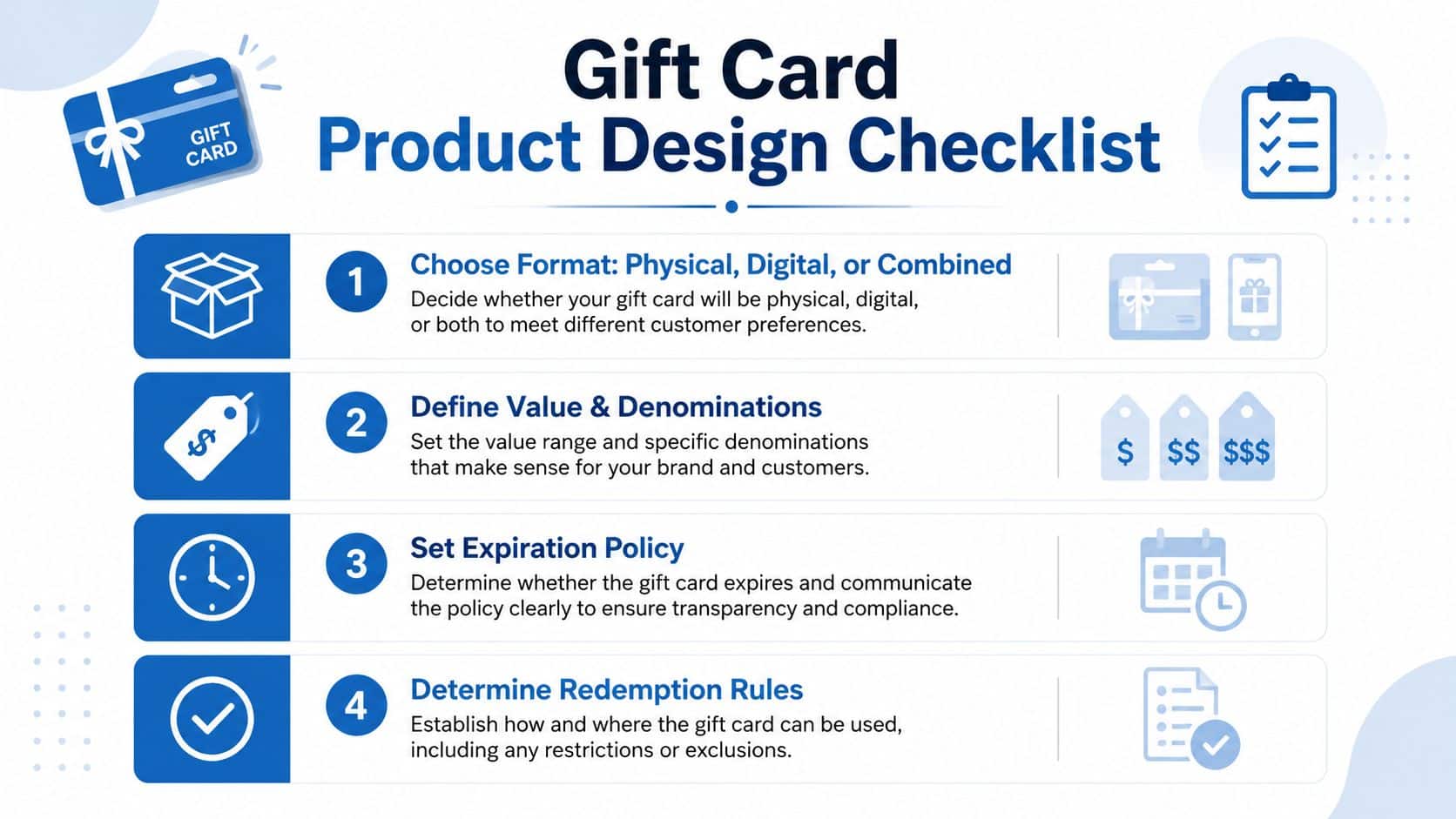
A physical card makes sense when you want something tangible at a front desk, retail counter, or in a mailed package. A digital card is cleaner if customers buy from a landing page and receive delivery by email or SMS. A combined model works when you sell online but also need in-person fulfillment.
The wrong move is trying to support every path with the same default setup. A spa owner, for example, might want $50, $100, and $200 tiers for quick checkout, because that keeps reporting simple and reduces decision fatigue. If the business regularly sells custom packages or open-ended vouchers, then an open amount rule is a better fit because it gives the buyer more flexibility.
Define value, naming, and SKU discipline early
You need a unique SKU or code for every gift card product, even if the customer never sees it. Treat the card like a real product in inventory and reporting, not a loose coupon. That means naming it plainly, such as “Holiday Spa Gift Card 2026” or “Gift Card, Open Amount,” so staff can find it without guessing.
The working spec should answer four questions before you touch the platform. What format are you selling, what value structure are you using, what happens on redemption, and where does inventory live if the card is physical. That's the level of clarity that keeps a gift card program from turning into a support problem later.
Here's the short version I use with clients, and it's blunt on purpose:
- Physical only: Good for front-desk sales and gift packaging, awkward for instant delivery.
- Digital only: Good for speed and automation, weak if your business depends on physical presentation.
- Combined: Best when you sell both online and in person, but only if your team can handle both cleanly.
If you're also tightening your funnel, the same discipline applies to your landing page optimization advice. A gift card offer fails for the same reason many landing pages fail, the offer is unclear, the action is fuzzy, and the buyer hesitates.
Wiring Payments, Order Forms, and Automated Delivery in HighLevel
The build should feel boring. That's the goal. A customer pays, the system confirms the payment, the code is issued automatically, and the customer gets the delivery message without anyone on your team copying and pasting anything.
In a platform like HighLevel, the basic flow is straightforward because it already supports payments, order forms, and automation. You create the gift card product in the payments area, attach it to an order form or checkout path, then use a workflow to trigger delivery after payment is confirmed. If you're selling in person, Text-2-Pay and Tap-2-Pay fit better. If the sale happens from a page or email, an order form or checkout page is cleaner.
Build the payment trigger, then let automation do the rest
The key mistake is sending the code too early. Your workflow should pause until the payment status is verified, then branch into the delivery action. That way you're not issuing a code on a failed charge or a pending transaction that later gets reversed.
For a local service business, I'd keep the automated handoff simple. One workflow creates the internal record, one message sends the code by email or SMS, and one confirmation message tells the customer where to find the balance and how redemption works. If the card is physical, the same workflow can notify staff to fulfill it without exposing the code in a public-facing channel.
A consolidated CRM and automation stack matters here because gift cards touch payments, contacts, messaging, and follow-up. If those functions sit in separate tools, your team starts losing the thread.
Operational rule: Don't let a human manually deliver what software can safely send every time.
Match the checkout path to the sale context
Use SMS-based payment when the customer is already in a conversation and wants a fast buy. Use order forms when you need structured fields, coupon logic, or a cleaner landing page journey. Use front-desk payment only when staff can explain the terms on the spot.
Keep the delivery message plain. It should say what the card is, where it works, how the customer receives the code, and what to do if they need help. Don't make the customer search through a long email to figure out whether the card arrived.
Pricing, Expiration Rules, and Redemption Policy
Pricing is not decoration. It's the mechanism that decides whether the gift card feels easy to buy or awkward to explain. If your business has a predictable ticket size, fixed tiers usually win. If your buyers send cards as flexible gifts, open amount usually wins.
The U.S. regulatory piece matters because the Credit Card Act of 2009 changed how expiration can be handled. You can't treat expiry like a sales gimmick and hope nobody notices. Write a policy that matches the law, tell buyers what the card can and can't do, and put that language in the checkout flow and confirmation email.
Fixed tiers vs open amount
| Dimension | Fixed Denominations | Open Amount |
|---|---|---|
| Buyer effort | Faster, easier to choose | Slightly more input, more flexibility |
| Reporting | Cleaner revenue tracking | More variable, requires tighter records |
| Best fit | Businesses with common purchase levels | Businesses with customized service pricing |
| Checkout flow | Simple, less friction | Needs a value field and validation |
| Staff handling | Easier to explain at the counter | Needs better training on edge cases |
For a clinic, salon, or gym, fixed tiers are usually the better default because they simplify the conversation. For an agency, coaching business, or service provider with variable packages, open amount can work if your team explains exactly what the card covers.
Write the policy customers can actually read
Your redemption policy should answer four things in plain language. Can the card be split across multiple purchases, can it be combined with another payment method, how does the customer check the remaining balance, and what happens if the purchase exceeds the card value. If those answers are buried, support tickets will rise and customer trust will drop.
The reporting tools for agencies mindset helps here. If you can't see card value, redemption status, and remaining balance clearly, you can't manage the program responsibly.
Best practice: Put the policy where the buyer makes the decision, not just in the footer nobody reads.
Marketing and Distribution Tactics That Actually Sell Cards
Gift cards don't move just because they exist. You have to put them into the places where customers already make buying decisions, then keep them visible after the first promotion fades. That means bundling, broadcasts, and smart lists, not random one-off posts.
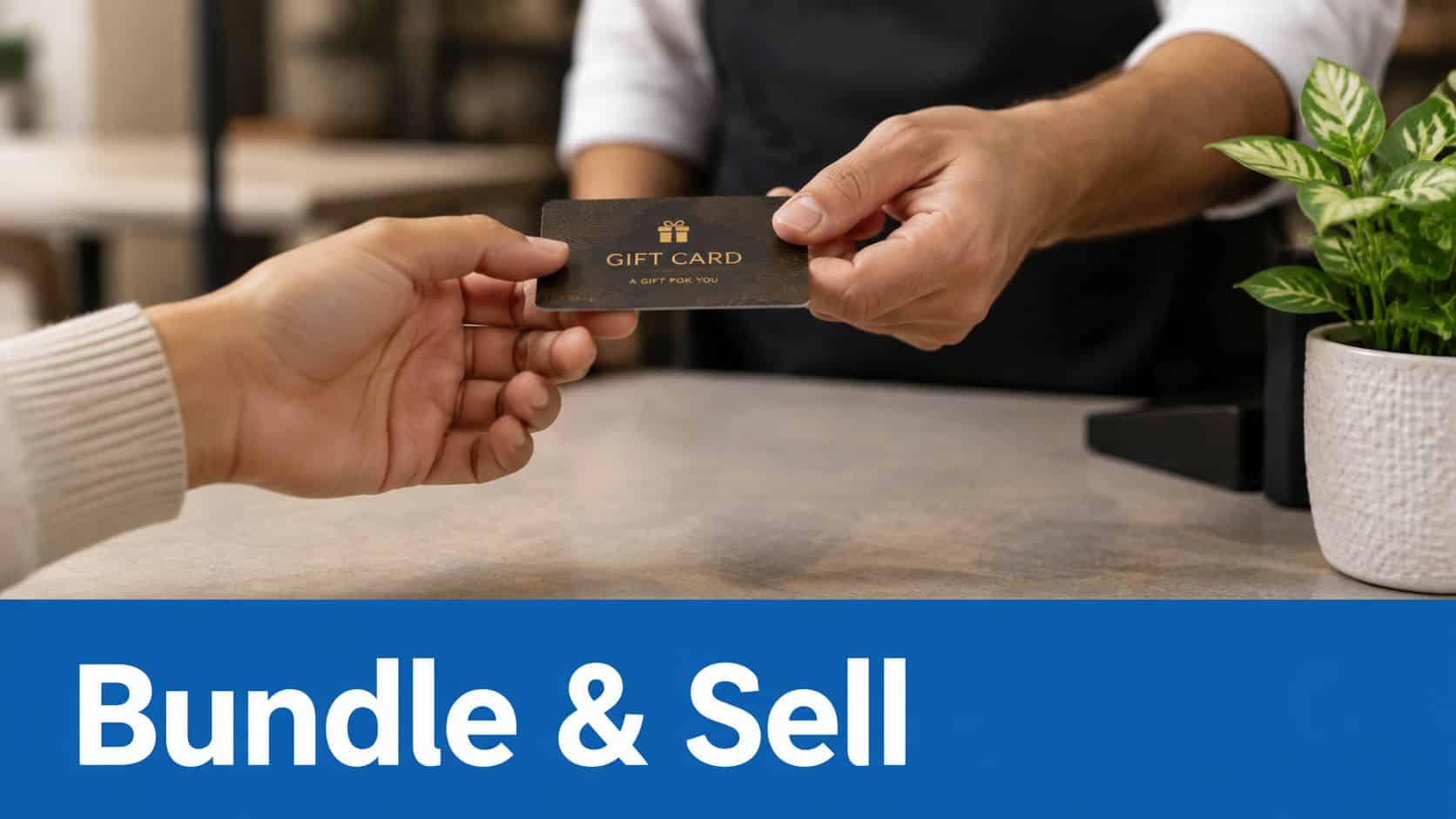
A salon can sell a holiday bundle that pairs a service with a card for a future visit, which gives the buyer an immediate gift and the business a return appointment. A local gym can use a gift card as a referral reward when a member brings in a new lead, which turns the card into an acquisition tool instead of a seasonal leftover. Both approaches work better when the offer is attached to a clear moment, not a generic “buy now” prompt.
Use your existing audience before buying attention
Broadcast email and SMS are the fastest route because they reach people who already know you. Build smart lists around birthdays, purchase anniversaries, lapsed clients, and past buyers who've already shown intent. Then write one short offer, one short follow-up, and one reminder.
If you need to find the right SMS marketing platform, choose the one that lets you segment cleanly and send without friction. The wrong tool makes gift card promos feel like manual labor.
For creative production, a helpful comparison like AI video creation platforms compared is useful when you want to turn a card offer into a short promo clip without rebuilding assets from scratch every season. That matters because the message changes less than people think, the audience and timing do most of the work.
Keep the campaign structure tight
- Offer: Pair the card with a clear reason to buy now, such as a seasonal bundle or referral reward.
- Channel: Use email for detail, SMS for urgency, and in-person staff prompts for last-mile conversion.
- Follow-up: Send a reminder after purchase with redemption instructions and a simple next step.
The strongest programs treat gift cards as a reusable campaign mechanic. That means the same product can support holidays, birthdays, client appreciation, and reactivation without a full rebuild every time.
Redemption UX, Where Most Gift Card Programs Quietly Fail
Most businesses spend all their energy on selling the card, then hand the customer a confusing redemption process and wonder why the value sits idle. That's the wrong priority. The hard part starts after purchase, because a card only creates revenue if the customer can use it without friction.
Industry guidance keeps pointing to the same fix. Reduce redemption friction, send reminders that explain how to get value from the card, and clarify what the card covers. That's not theory, it's a response to real customer drop-off when the checkout or in-store process feels vague. The what conversion optimization means lens applies here, because redemption is a conversion moment, not an administrative detail.
Make the balance visible and the next action obvious
Your workflow should send a reminder message after purchase that includes the code, the balance path, and the exact place to redeem it. If the customer can check a balance by replying to SMS or by clicking into a clean self-serve page, do that. If they need to call support for every question, the program is already leaking value.
Front-desk training matters just as much as automation. Staff need to know how to look up a card, how to process a partial redemption, and how to answer “Can I use this with another payment method?” without sounding unsure. If they hesitate, the customer hesitates.
Practical rule: Design redemption as carefully as you design checkout, or the program will underperform no matter how well it sells.
Treat reminders as part of the product
A gift card shouldn't disappear into the inbox after delivery. Send a usage reminder, a balance reminder if needed, and a plain-language note about what the card covers. If you're running a local service business, that might mean reminding the buyer that the card applies to a specific service category or appointment type.
This is also where many programs lose repeat visits. The customer intended to come back, but the message wasn't clear enough, the staff process wasn't smooth enough, or the balance was hard to verify. That's a redemption UX problem, not a sales problem.
Your 30-Day Gift Card Launch Checklist
A gift card launch fails when teams treat it like a design task. Run it like an operational rollout. Spend the first week locking the product, the second week wiring checkout and automation, the third week training staff and testing redemption, and the fourth week launching the first campaign. If you try to do everything at once, the details that make the program usable get missed.
By day 30, you need a usable product spec, a live order path, automated delivery, a written policy, and a staff process for balance questions. You also need a clear view of what happens after purchase, because that is where gift card programs either create repeat visits or stall out. Watch sell-through rate, redemption rate within 90 days, and incremental revenue per cardholder.
Keep the rollout practical
- Week one: Decide the card's job, format, value structure, and policy language.
- Week two: Connect payment, order form, and automated delivery.
- Week three: Train the team on lookup, partial redemption, and customer questions.
- Week four: Launch the first campaign and monitor responses closely.
Build the mechanics before you fuss over design. A clean launch beats a clever one because customers care more about clarity than branding polish, and staff need a process they can follow without guessing.
If you want the payment, delivery, and follow-up pieces in one place, build it in HighLevel. Use it to wire the workflow around purchase, redemption, reminder messages, and balance support so the card behaves like a post-purchase activation engine, not a one-off promo.
Launch with one clean workflow. Make the redemption path obvious, keep the security and lookup process simple, and give your team a system they can run without improvising at the front desk.
